
🚀 AI Chat (Beta), Bulk AI Summary, Smart Search, Drag to Move Tasks & Projects, and More!
Hi Taskaders 👋 We’re back with another exciting update to make our platform work faster and smarter for you and your team. Give it a try and let us know what ...
Hi Taskaders 👋
We’re back with another exciting update to make our platform work faster and smarter for you and your team. Give it a try and let us know what you think!
🤖 💬 AI Chat Is Now in Beta!
Get READY to revolutionize the way you work with Taskade. Here is a sneak peek of our new Taskade AI Chat Assistant powered by OpenAI's ChatGPT.
Click here to gain early access and tweet "@Taskade AI Chat" for an exclusive beta!
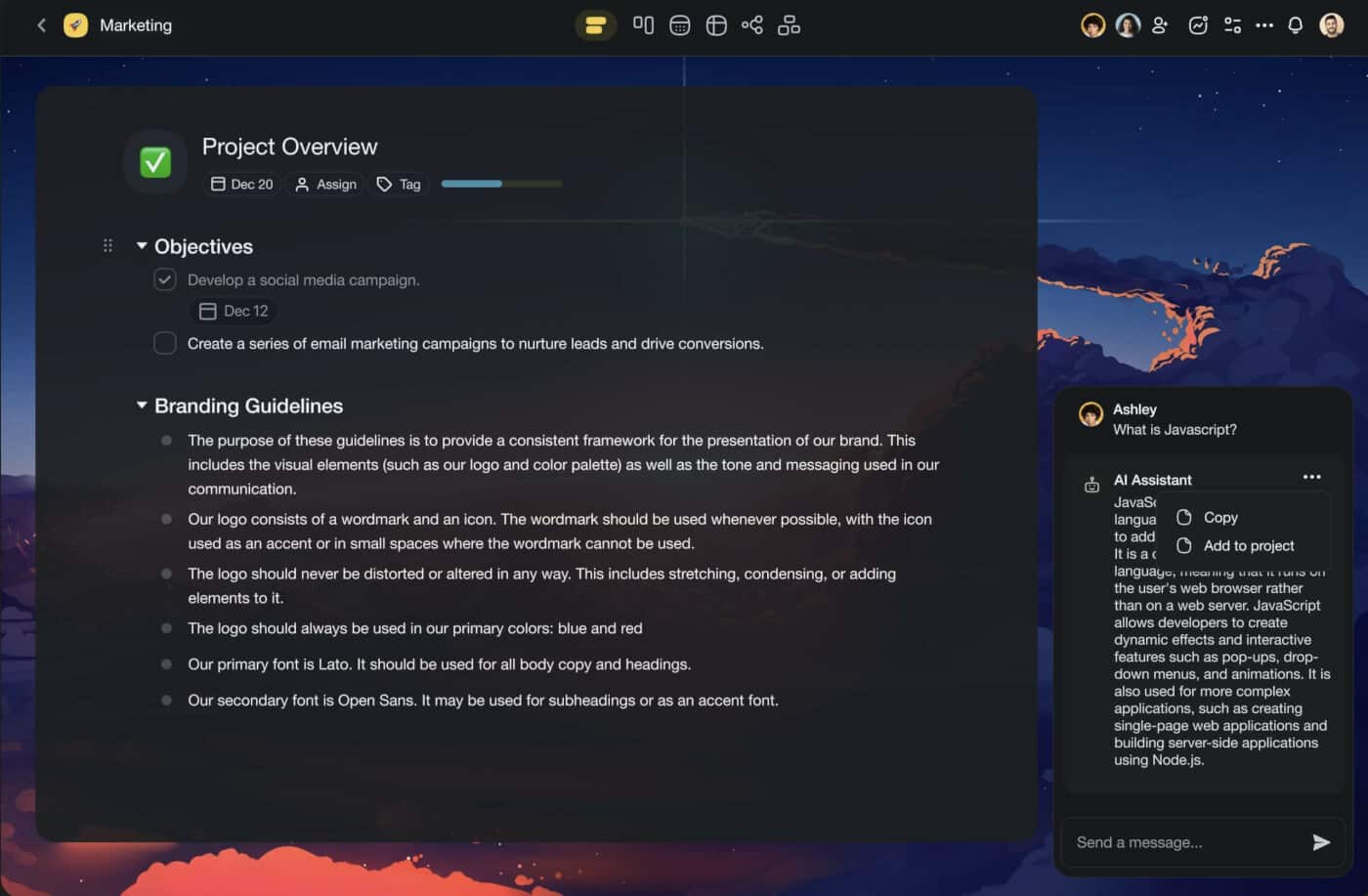
Taskade AI runs on ChatGPT API (GPT 3.5 Turbo), which means that your answers will be generated faster and with higher accuracy. GPT 4.0 will be available soon, so stay tuned!
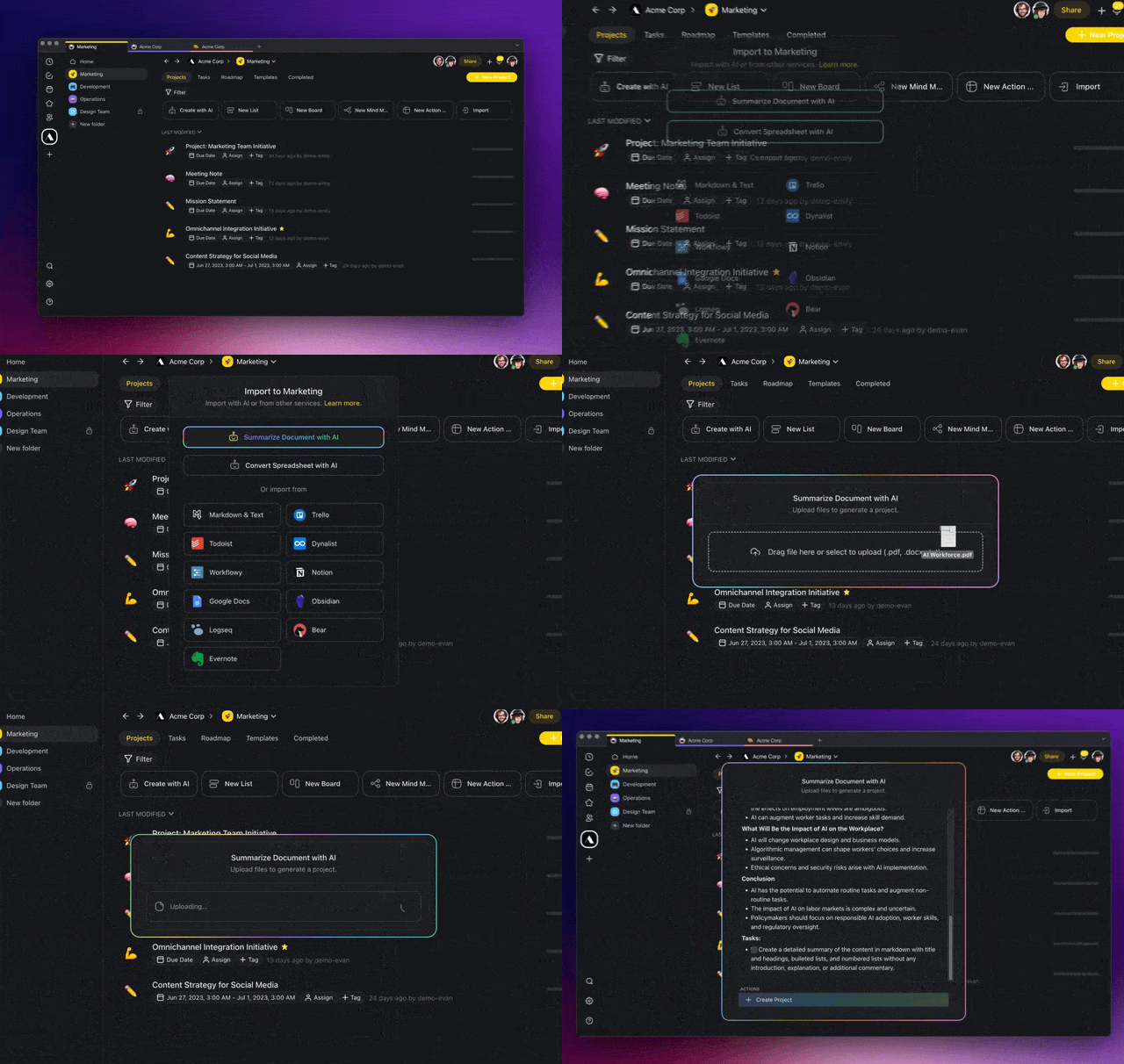
🤖 Summarize Multiple Items With Taskade AI
You can now select multiple tasks and notes to instantly generate AI-powered summaries using the bottom multi-select toolbar. Learn more.
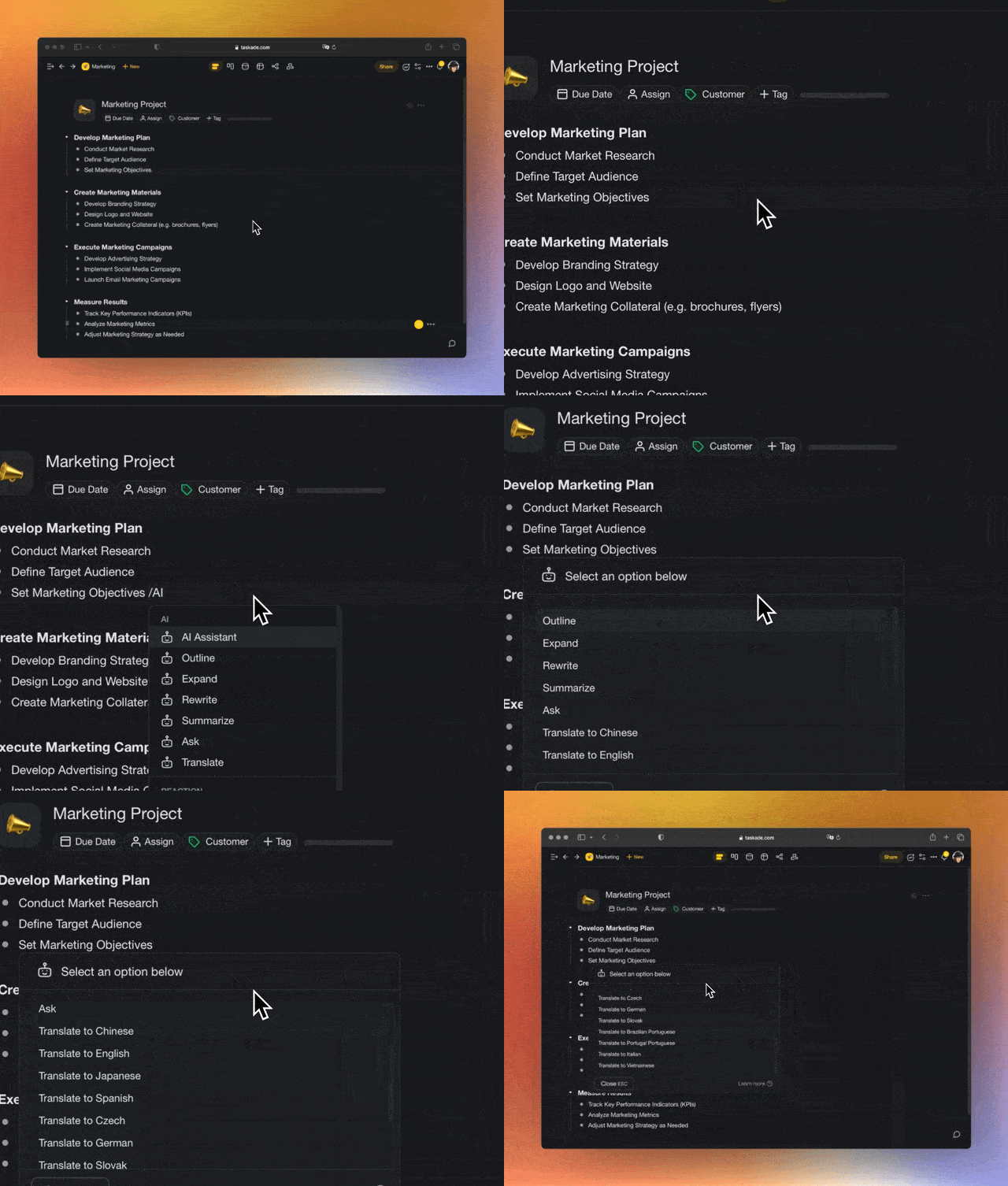
🪄 AI Assistant Keyboard Shortcut
All AI commands are now available in the Taskade AI assistant menu. Simply type /assistant for all commands or select AI Assistant from task add-ons. Learn more.
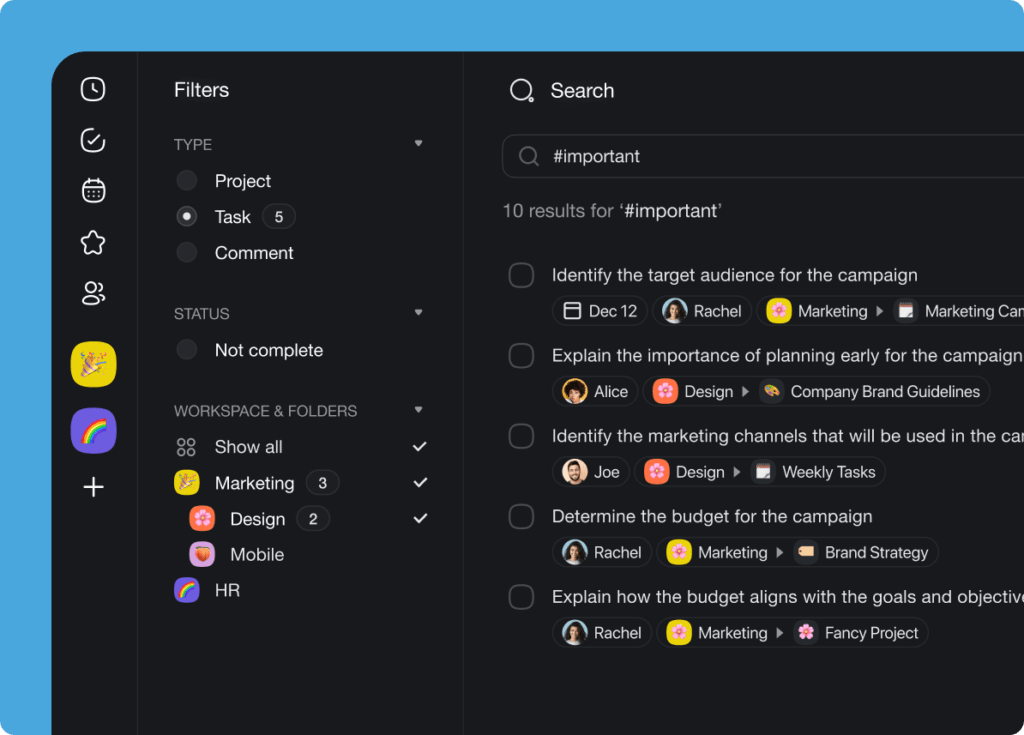
🧠 Smart Search Filters
The Search feature has just gotten better with new search filters designed to help you find your tasks, notes, and projects faster than ever before. Filter search results by project, task, comment, workspace, and folder. Learn more.
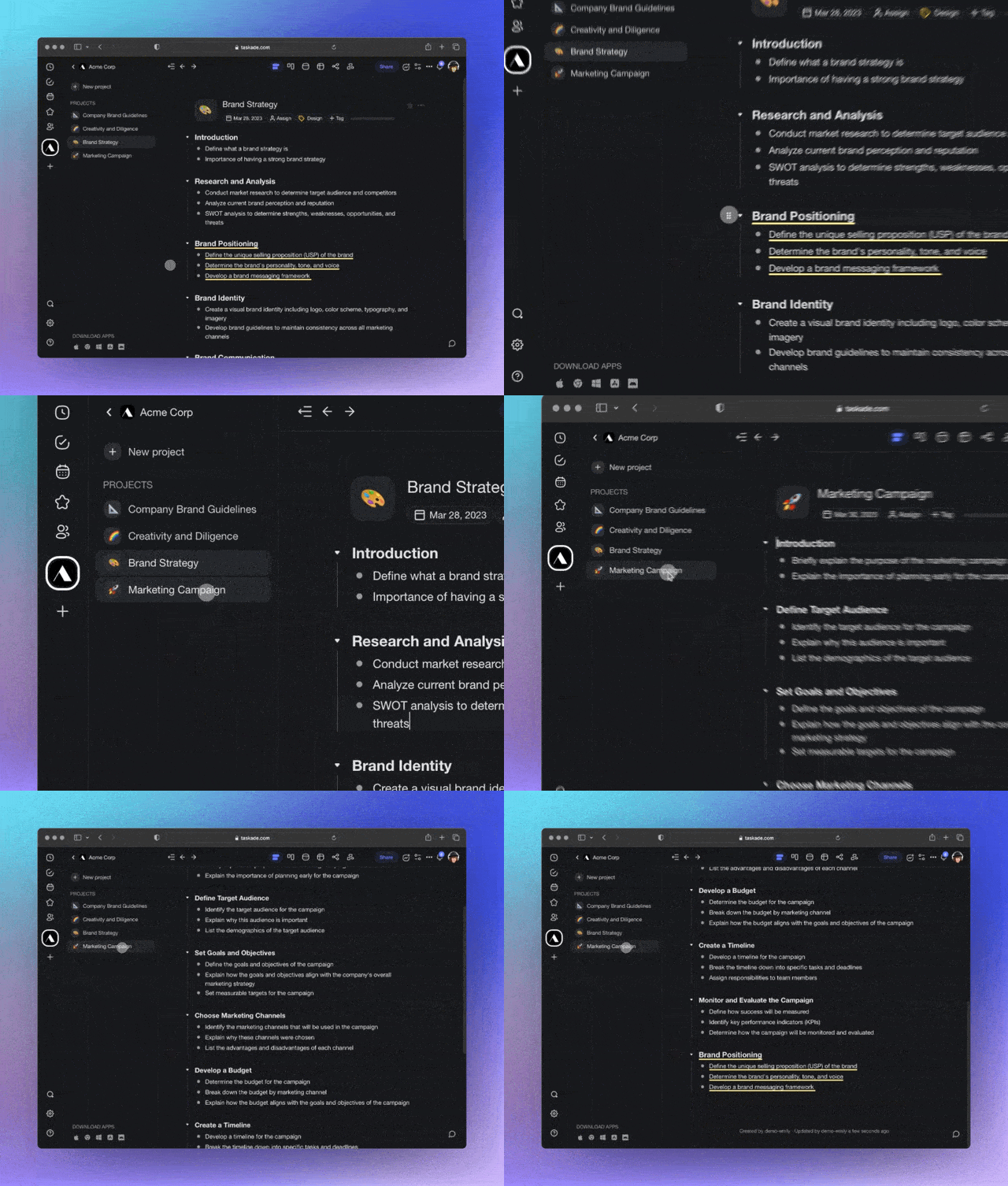
✅ Drag to Move Tasks to Other Projects
Reorganizing tasks inside projects is now easier with task drag-and-drop. Move tasks between workspaces and folders simply by dragging them to the sidebar menu. Learn more.
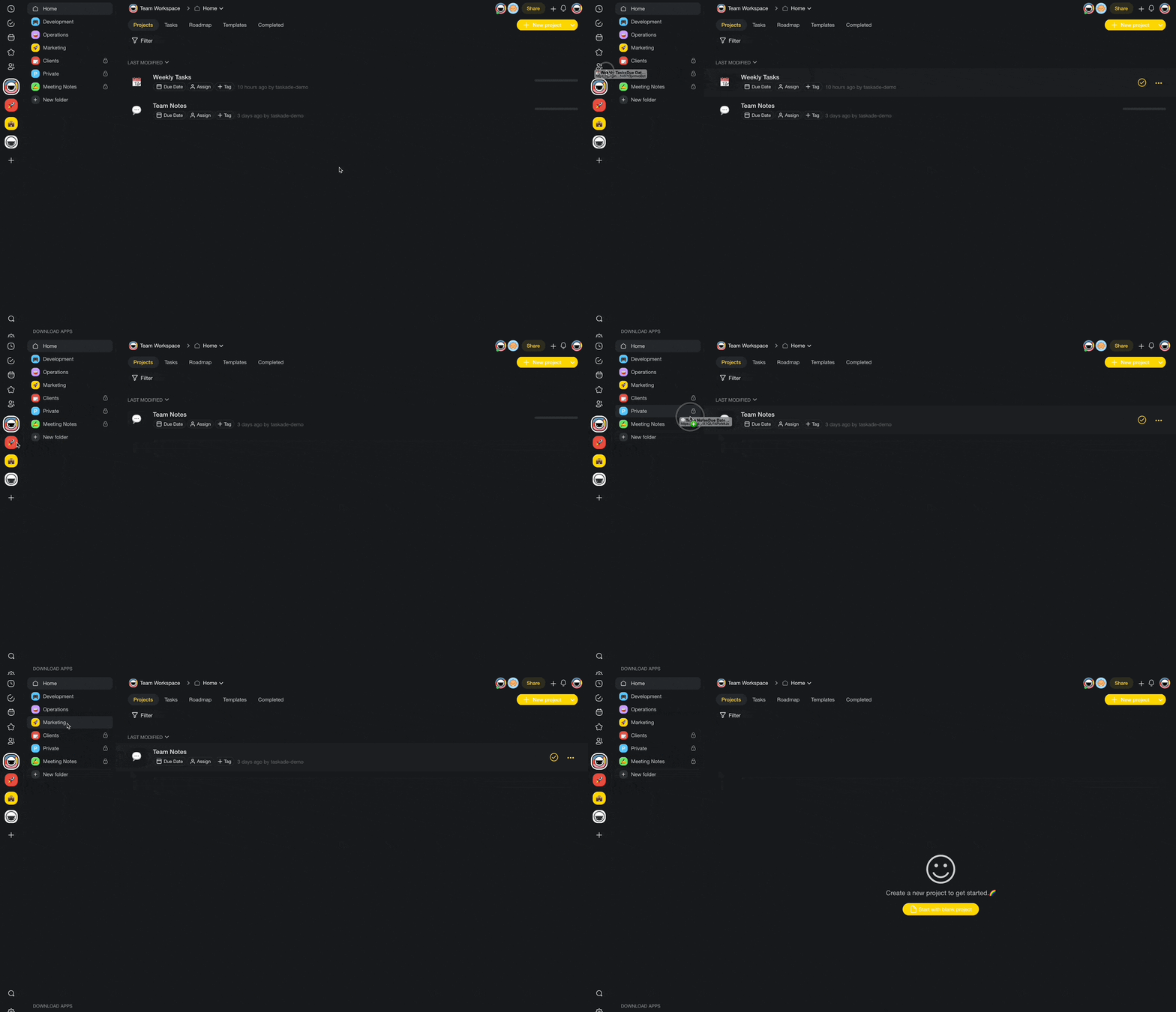
🗂️ Drag to Move Projects to Folders & Workspaces
Time for spring-cleaning? Move projects between workspaces and folders simply by dragging them to the sidebar menu from your dashboard. Learn more.
⚙️ New Workspace & Folder Settings
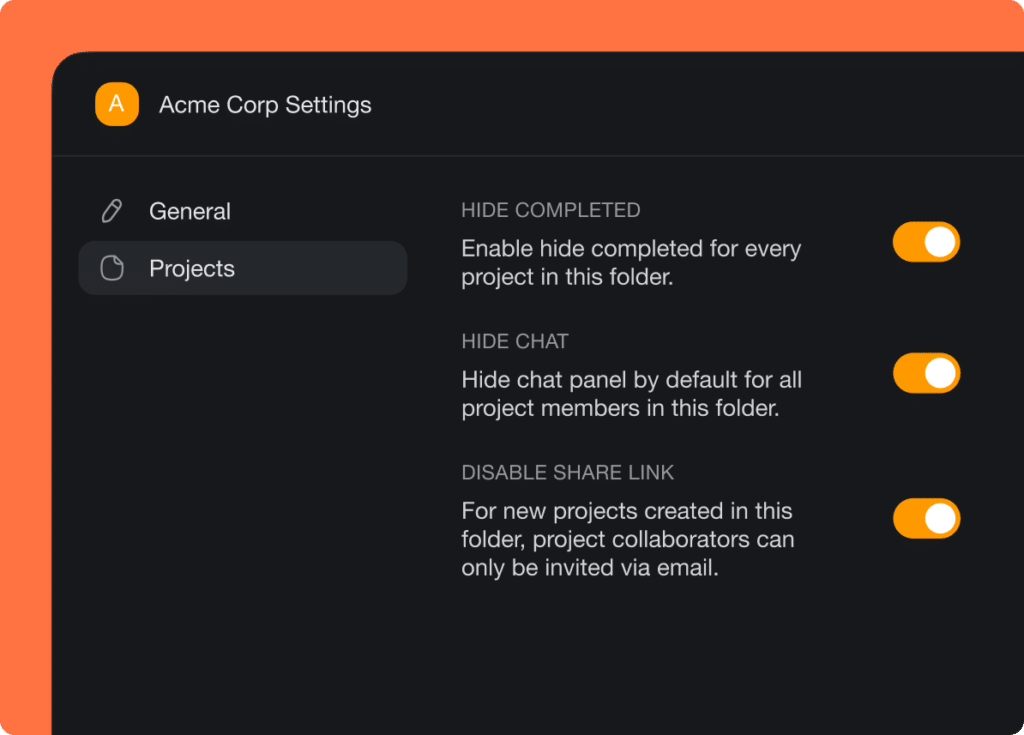
We have introduced three new folder and workspace settings that will make your project and team management experience even better. Learn more.
Here’s how they work:
Enable hide completed: Hide completed tasks for every project in a folder.
Hide chat: Hide the chat box by default for all project members. This setting gives you a minimalist, distraction-free workspace to support deep focus.
Disable share link: Restrict access to a project via email invitations only to ensure that only authorized team members can see the document.
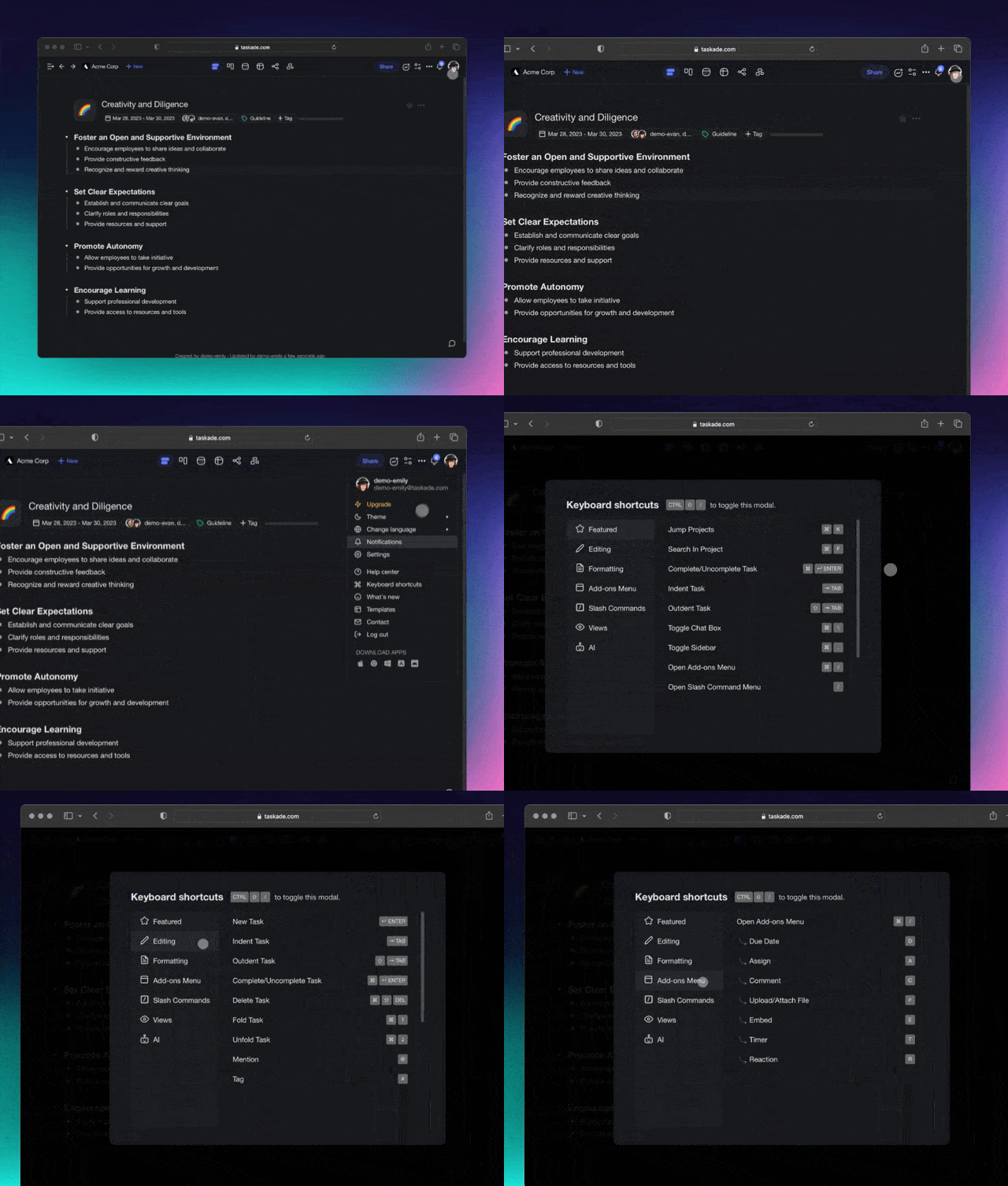
⌨️ New Keyboard Shortcuts Menu
New, better keyboard shortcuts are here. Navigate projects, edit tasks, move items around, and use add-ons, all without taking your hands off the keyboard! Learn more.
️
⚡️ Other Improvements
New: Performance improvements throughout the web and desktop app
New: Attachments are now copied over when moving a task across projects, including assignees, embeds, due dates, and more
New: Workspace Owners can now delete any folders inside
New: Workspace Owners can now join any folders inside
New: Invite multiple members at a time to your project
New: Added Google People Import support in preparation for bulk invite
New: Added Import from Todoist with CSV import support
New: Added Import from Workflowy with OPML import support
New: Added Import from Dynalist with OPML import support
Improved Import from Markdown with wider support increased size limit
Updated new workspace tags to Critical, High, In Progress, Medium, Low
Update profile dropdown menu with account Global Notifications page
Improved Recent and Shared with me with more up-to-date results
Fixed: Issue causing user to be unable to invite previous members
Fixed: Template add-ons and attachments not updating in real-time
Various bug fixes and performance improvements
Have any questions? Visit our Help Center or let us know. 😊
— Team Taskade 🐑