
Definition: A workspace is the top level in Taskade's hierarchy structure. It is a dedicated, centralized space where individuals and teams collaborate by keeping their work in one shared area: members, folders, projects, AI agents, and automations.
A workspace is the outermost container in Taskade. Everything else lives inside it: folders, projects, tasks, AI agents, and automations. It holds your team, your shared knowledge, and your AI teammates in a single place, so people and AI work from the same context instead of scattered tools.
TL;DR: A Taskade workspace is the top-level hub where your team, folders, projects, agents, and automations live together. It forms the Memory strand of Workspace DNA: shared context that powers AI agents and reliable automation workflows. Click the plus icon in the sidebar to create one. Describe your first app and build it free →
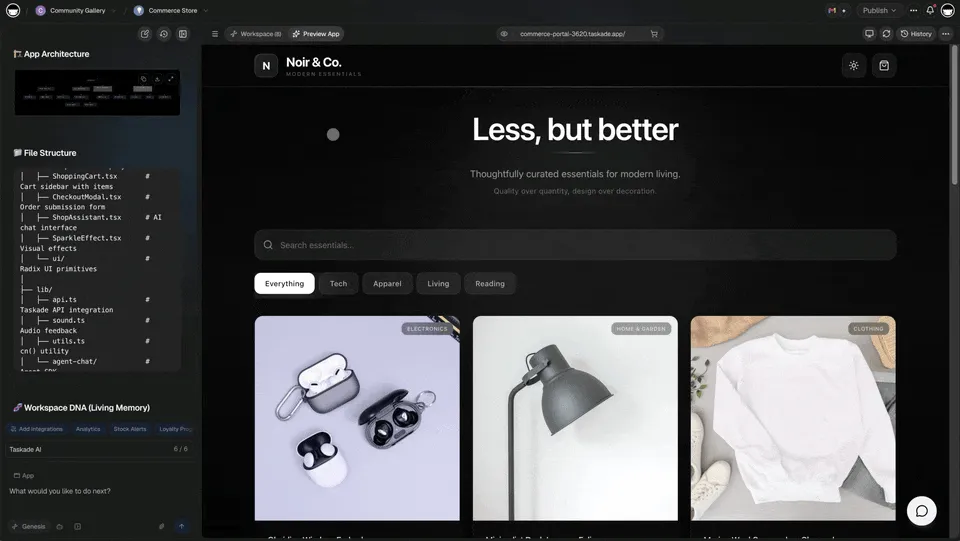
The Workspace Tree at a Glance
Inside a workspace, content nests in a clear hierarchy. The sidebar shows folders that group related projects, and each project holds tasks across multiple project views, from List, Board, Table, and Mind Map to the views under More Views:
┌─ TASKADE  ───────────────────────────────────────────────┐
│  WORKSPACES                                               │
│  ▼ 🚀 Acme Marketing            ← workspace (top level)   │
│     ▸ 📁 Campaigns              ← folder                  │
│       • Q3 Product Launch       ← project                 │
│       • Newsletter Calendar     ← project                 │
│     ▸ 📁 Content Pipeline       ← folder                  │
│       • Blog Backlog            ← project                 │
│     • Team Wiki                 ← project (no folder)     │
│                                                           │
│  🤖 AI Agents          3 active                           │
│  ⚡ Automations         5 running                          │
│  👥 Members            8 · Owner → Viewer roles           │
│                                                           │
│  👥 Shared with me                                        │
└───────────────────────────────────────────────────────────┘
Taskade's help center describes the full path as Workspace, then Folder, then Project, then Block, then Task or Subtask (hierarchy guide).
Where Workspaces Sit in Workspace DNA
A workspace is more than storage. It is the home of the Memory strand of Workspace DNA: the loop where shared context (Memory) feeds AI agents (Intelligence), which trigger automations (Execution), which write new context back into the workspace.
Because AI agents and automations read from the same workspace, they work with current team context, with no copy-pasting between tools. A workspace with more content gives agents more to read. See Workspace DNA for the full loop.
What Lives Inside a Workspace
| Layer | What it holds | Why it matters |
|---|---|---|
| Workspace | Members, folders, projects, agents, automations | The shared boundary for one team or initiative |
| Folders | Groups of related projects | Keep large workspaces organized |
| Projects | Tasks across multiple views | The actual work |
| AI Agents | AI teammates with built-in tools | Multi-agent collaboration on workspace content |
| Automations | Reliable automation workflows | 100+ bidirectional integrations push and pull data |
| Members | Roles from Owner to Viewer | Role-based access for safe collaboration |
Where Will You Find a Workspace Inside of Taskade?
A workspace is your command center where you create, organize, and collaborate on tasks. Once you are logged into your Taskade account, you find your workspaces in the left-hand sidebar, below the 👥 Shared with me button.
How to Create and Share a Workspace
The Create a Workspace guide has the full steps. In short:
- Open your Taskade dashboard and click the plus icon in the sidebar.
- Name the workspace and pick a color palette.
- Invite members when Taskade prompts you.
- Add folders and projects, or describe an app and let Taskade Genesis build one.
- Use Share to invite people by email, username, or link, and choose their level of access.
A shared workspace does not automatically open every folder. Share each folder yourself when it needs different access. See team folders.
Why One Shared Workspace Beats Scattered Tools
Teams often keep notes in one tool, tasks in another, and chat in a third. Each hand-off loses context. In a workspace the same project can hold the notes, the tasks, and the chat. An agent that reads the project sees the same facts your team sees. You can start from your own project or from a Community Gallery app in /apps.
Common Mistakes
- One giant workspace for everything. Members and permissions attach to the workspace. Separate clients or teams that need different access.
- Skipping folders. A long flat sidebar slows people down. Group related projects in folders.
- Assuming a shared workspace shares every folder. Check folder access before you invite a guest.
- Leaving agents without context. Agents read the projects in the workspace. Keep the facts they need in projects they can access.
Frequently Asked Questions
What is a workspace in Taskade?
A workspace is the top level of Taskade's hierarchy, a shared hub that holds your team, folders, projects, AI agents, and automations in one place. It aggregates everything an individual or team needs, so work lives in one shared area instead of separate tools.
How is a workspace different from a folder or a project?
A workspace is the outermost container, and folders and projects nest inside it. A folder groups related projects, and a project holds your tasks across multiple project views. In short, a workspace contains folders, folders contain projects, and projects contain tasks.
Can multiple people collaborate in one workspace?
Yes. A workspace is built for collaboration. You invite members and assign role-based access from Owner to Viewer. AI agents and automations work from the same shared context, which keeps people and AI aligned on current information.
How do AI agents use a workspace?
AI agents read the workspace as shared Memory: the projects, tasks, and knowledge inside it. That grounds their work in current team context. Agents use built-in tools and can work as a team. See AI agents.
How do I create a new workspace?
Log in, click the plus icon in the left sidebar, name the workspace, and pick a color. Then invite members and add folders and projects. The Create a Workspace guide walks through each step.
How many workspaces can I have?
You can create multiple workspaces to separate teams, clients, or initiatives, each with its own members, folders, and projects. Limits depend on your plan. Free includes 2 workspace members. Pro is $10/mo billed annually with up to 10 seats. Business is $25/mo billed annually. See pricing.
How do I share a workspace with someone?
Open the workspace and click Share at the top right. Invite by email or username, or copy the invite link, and set the access level. See the workspaces guide for roles.
What You Would Build in Taskade
Picture a client hub in one workspace: a project per client, a folder per team, an agent that summarizes each account, and an automation that posts updates to Slack. Describe that hub, and Taskade Genesis builds the projects, agents, and automations inside a workspace you own.
Describe yours and build it free →
For More Information About Workspaces
For step-by-step instructions on creating and managing workspaces, see the Learn Taskade guide: Create a Workspace. You can also invite members, organize work into team folders, and collaborate in real time.
Related
- Project: the work that lives inside your workspace
- Folder: group related projects together
- Project Views: see your tasks in different layouts
- AI Agents: AI teammates that read your workspace
- Automations: reliable automation workflows
- Workspace DNA: Memory, Intelligence, and Execution
- Create a Workspace: step-by-step setup guide