






Many "best AI note-taking app" lists come from a meeting-recorder company that ranks its own app first. This guide compares four kinds of note app side by side.
An AI note-taking app is a notes app that uses AI to capture, summarize, organize or answer questions about your notes. This guide compares 14 AI note-taking apps for work and study, with free plans and prices checked on each vendor's page on 2026-10-19.
TL;DR: For meetings, Granola, Otter and Fathom lead, and Fathom Free records without a cap. For research on your own sources, Gemini Notebook is free. Goodnotes and RemNote suit students. Taskade turns typed notes into outlines, mind maps, tasks and AI agents. Taskade Free starts with no AI credits, and Pro is $10 a month billed yearly. See plans and prices
What Is the Best AI Note-Taking App in 2026?
Taskade is the best AI note-taking app for notes you write and then act on: one set of notes opens as an outline, a mind map or a task list, and an AI agent can answer from them. For meetings, Granola and Otter are better fits. For handwriting, Goodnotes leads, and for research on your own sources, Gemini Notebook is free.
Each pick is an AI alternative to traditional note-taking apps: it summarizes, organizes or connects your notes, but you still decide what is worth writing down.
Picks by need:
- Notes that become plans, mind maps and tasks: Taskade
- AI inside team docs and wikis: Notion AI
- Research grounded in your own sources: Gemini Notebook
- An AI assistant over personal notes: Mem
- Meeting notes: Granola, Otter, Fathom or Fireflies
- Free notes inside Microsoft 365: OneNote with Copilot
- Handwritten notes on a tablet: Goodnotes or Notability
- Study notes with flashcards: RemNote
- Structured personal notes: Capacities
- Fast capture with an AI chat: Saner.ai
AI Note-Taking Apps at a Glance
Every app in this table has a free plan, and AI is the part that costs money. Meeting recorders such as Otter and Fathom give the most free AI. Note apps such as Notion and Capacities keep AI for paid plans. We checked each vendor's pricing page on 2026-10-19 (US prices). Where a page does not state whether a price is yearly or monthly, the table says so.
| App | Best for | Free plan | Paid from |
|---|---|---|---|
| Taskade | Notes into outlines, mind maps, tasks and agents | Yes, no AI credits to start | $10/mo billed yearly (Pro) |
| Notion AI | AI in team docs | Yes, AI trial only | $20/member/mo billed yearly (Business) for full AI |
| Gemini Notebook | Research on your sources | Yes, 100 notebooks | Google AI plans raise limits |
| Mem | An AI assistant over notes | Yes, 25 notes a month | $9/mo (Plus) |
| Granola | Meeting notes you edit | Yes, 30-day history | $14/user/mo (Business), basis not stated |
| Otter.ai | Live transcripts | Yes, 300 min a month | $8.33/user/mo billed yearly (Pro) |
| Fireflies.ai | Meetings across tools | Yes, limited AI summaries | $10/seat/mo billed yearly (Pro) |
| Goodnotes | Handwriting on iPad | Yes, 3 notebooks | $11.99/yr (Essential). Full AI: Pro $35.99/yr |
| Notability | Lecture audio with notes | Yes, 5 notes | AI from $15.99/yr (Plus) |
| RemNote | Flashcards and study | Yes, 250 AI credits a month | $96/yr (Pro). Pro with AI $216/yr |
| Capacities | Structured personal notes | Yes, no AI | $9.99/mo billed yearly (Pro) |
| Saner.ai | Fast capture with AI chat | Yes, 30 AI messages a month | $8/mo (Starter), basis not stated |
| Fathom | Free meeting recorder | Yes, unlimited recordings | $16/user/mo billed yearly (Premium) |
| Microsoft OneNote | Notes inside Microsoft 365 | Yes, OneNote without AI | $99.99/yr (Microsoft 365 Personal with Copilot) |
How We Compared These Apps
We read each app's own pricing and feature pages on 2026-10-19 and compared them on five points: how you capture notes (typing, handwriting or audio), what the AI does with them, where AI sits on the plan ladder, platforms, and export. We did not run a long test of every app, so each entry says what the vendor states and who the app suits.
AI note apps fall into four groups. Pick the group first, then the app.
1. Taskade: Best for Notes That Become Outlines, Mind Maps, Tasks and Agents
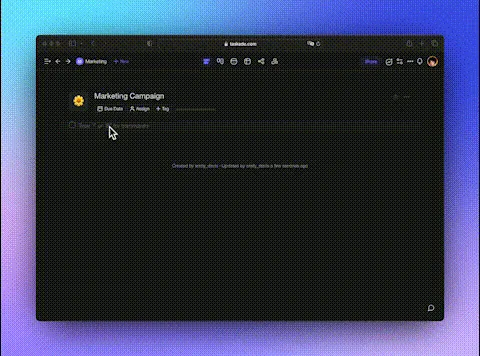
Taskade is an AI workspace where notes, tasks and AI agents live in the same project. You write notes as an outline in List view, and the same notes open in Mind Map view. AI drafts an outline from a prompt, and an AI agent answers from your notes.
What it does well:
- One set of notes as an outline, a mind map, a board or a table, with no copy
- AI agents with knowledge of your projects and files, so you can ask "what did we decide about pricing?"
- Taskade Genesis turns a prompt into a live app, such as a study tracker, on top of your notes
Trade-offs:
- No handwriting or stylus input
- No automatic meeting recorder, so meeting notes are typed or pasted
Price (checked 2026-10-19): Free includes unlimited projects, 2 workspace members, 3 Taskade Genesis apps and 1 AI agent, with no AI credits to start. Pro is $10 a month billed yearly ($20 monthly), up to 10 people, with 50,000 AI credits a month.
Platforms: web, Mac, Windows, iPhone, iPad and Android.
Best for: students and teams who take structured notes and want them to turn into a plan.
2. Notion AI: Best for AI Inside Team Docs
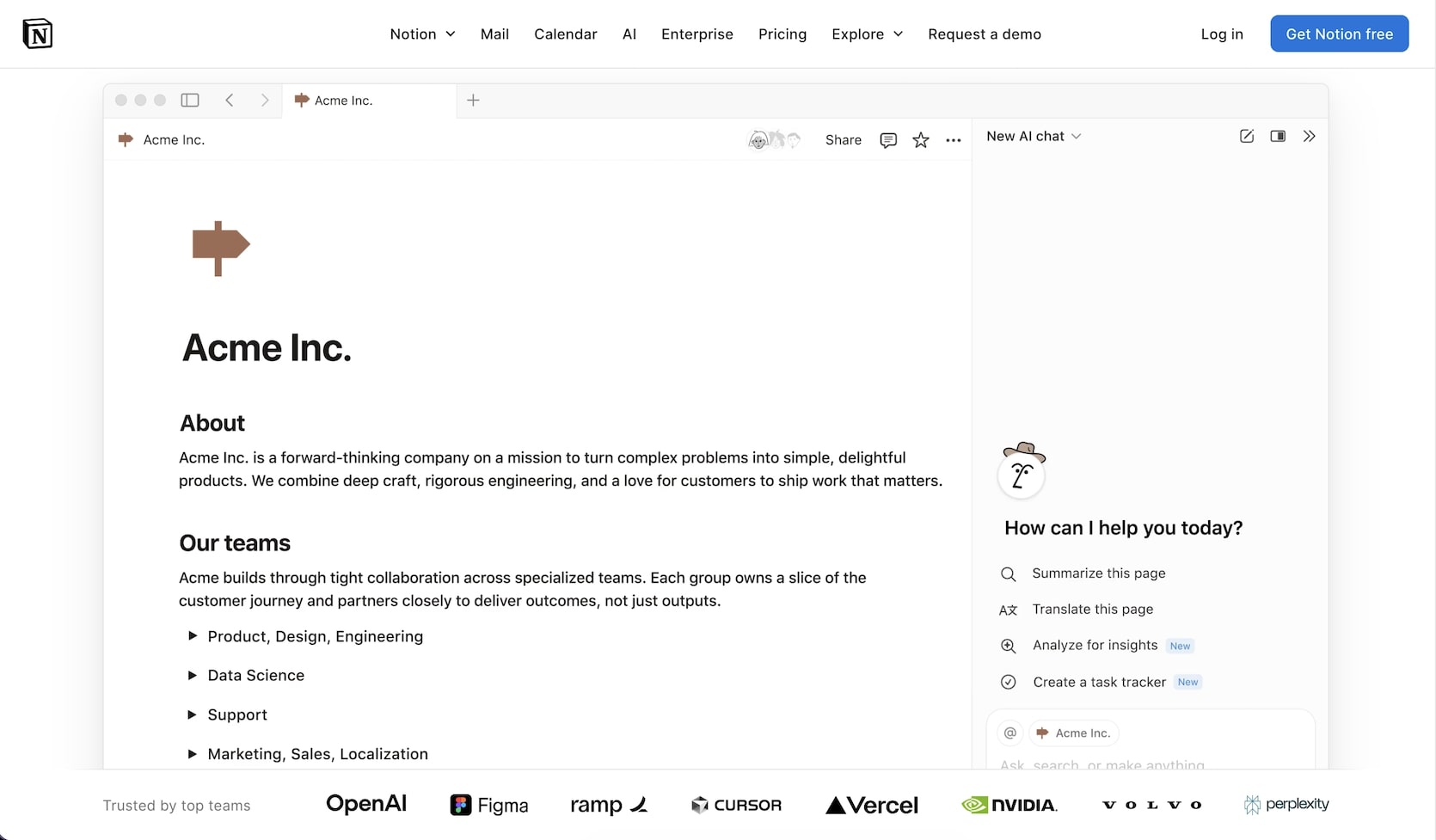
Notion is a docs and wiki workspace, and Notion AI adds writing help, Q&A over your workspace, AI meeting notes and Notion Agent. Free and Plus include a trial of Notion AI, and the full set is on Business. Custom agents run on Notion credits, which the pricing page lists at $10 per 1,000 credits after a free trial.
What it does well:
- Pages, databases and wikis that a whole company can share
- AI meeting notes and enterprise search on Business
- A large template gallery and a mature ecosystem of integrations
Trade-offs:
- Full AI starts on Business, so AI for a team costs more than the Plus plan
- Large databases take time to design and maintain
Price (checked 2026-10-19): Free and Plus ($10 per member a month billed yearly) include an AI trial. Business, with full AI, is $20 per member a month billed yearly.
Platforms: web, Mac, Windows, iPhone, iPad and Android.
Best for: teams that already document their work in Notion. Our Notion vs Obsidian comparison covers the trade-off with local notes.
3. Gemini Notebook: Best for Research on Your Own Sources
Gemini Notebook is Google's AI research notebook, the tool formerly called NotebookLM. You add sources, such as PDFs, Google Docs, web pages and videos, and it answers questions from them, writes summaries and makes Audio Overviews, mind maps and study guides. Answers cite the source passages, which makes it strong for study.
What it does well:
- A generous free tier: 100 notebooks and 50 sources for each notebook
- Answers grounded in the sources you added, not the open web
- Audio Overviews that turn readings into a spoken summary
Trade-offs:
- It is a research tool, not a place to keep daily notes or tasks
- Higher limits need a Google AI plan or a qualifying Google Workspace license
Price (checked 2026-10-19): Free with a Google account. Google AI Plus, Pro and Ultra raise the notebook and source limits (Plus: 200 notebooks and 100 sources each, Pro: 500 and 300), according to Google's help page.
Platforms: web and mobile apps.
Best for: students and researchers who study from a fixed set of readings. See also our PDF study tools guide.
4. Mem: Best for an AI Assistant Over Your Notes

Mem now calls itself an "AI chief of staff". You capture notes, meetings, ideas and research without sorting them, and the Mem agent keeps track of your tasks, projects and follow-ups and answers questions across them. Every plan includes the Mem agent, metered by "messages to Mem". Higher plans add custom routines, which run on a schedule, and connections to other tools.
What it does well:
- Capture without folders: Mem finds related notes for you
- Voice capture on every plan (Voice Mode, 3 hours a month on Free), and meeting notes with no bot
- Plans that scale from a light personal user to a heavy one
Trade-offs:
- Free allows 25 new notes and 25 messages to Mem a month, which suits a trial only
- The pricing page shows monthly prices only, with no yearly discount
Price (checked 2026-10-19): Free. Mem Plus is $9 a month (50 messages and 50 new notes). Mem Pro is $29 a month (100 of each, plus routines and connections).
Platforms: Mac and Windows apps, and a web clipper.
Best for: people who want to dump notes in and ask questions later.
5. Granola: Best for Meeting Notes You Edit Yourself
Granola is an AI notepad for meetings. You type a few notes during the call, and Granola combines them with the transcript to write clean meeting notes afterward. It uses your computer's audio, so no bot joins the call. AI chat across past meetings is on every plan.
What it does well:
- Your own notes stay at the center, and AI fills in the details
- No meeting bot, which some clients and colleagues prefer
- AI chat that answers questions across all your meetings
Trade-offs:
- Free keeps only 30 days of meeting history
- Integrations with Notion, HubSpot and Zapier need a paid plan, and Free connects to Slack only
Price (checked 2026-10-19): Basic is free with 30 days of history. Business is $14 per user a month, with unlimited history. Enterprise is $35. The pricing page does not say whether these prices are for yearly or monthly billing.
Platforms: Mac, Windows, iPhone and Android.
Best for: managers and consultants who want good notes without a bot in the call. Our AI meeting notes tools guide covers this group in depth.
6. Otter.ai: Best for Live Transcripts
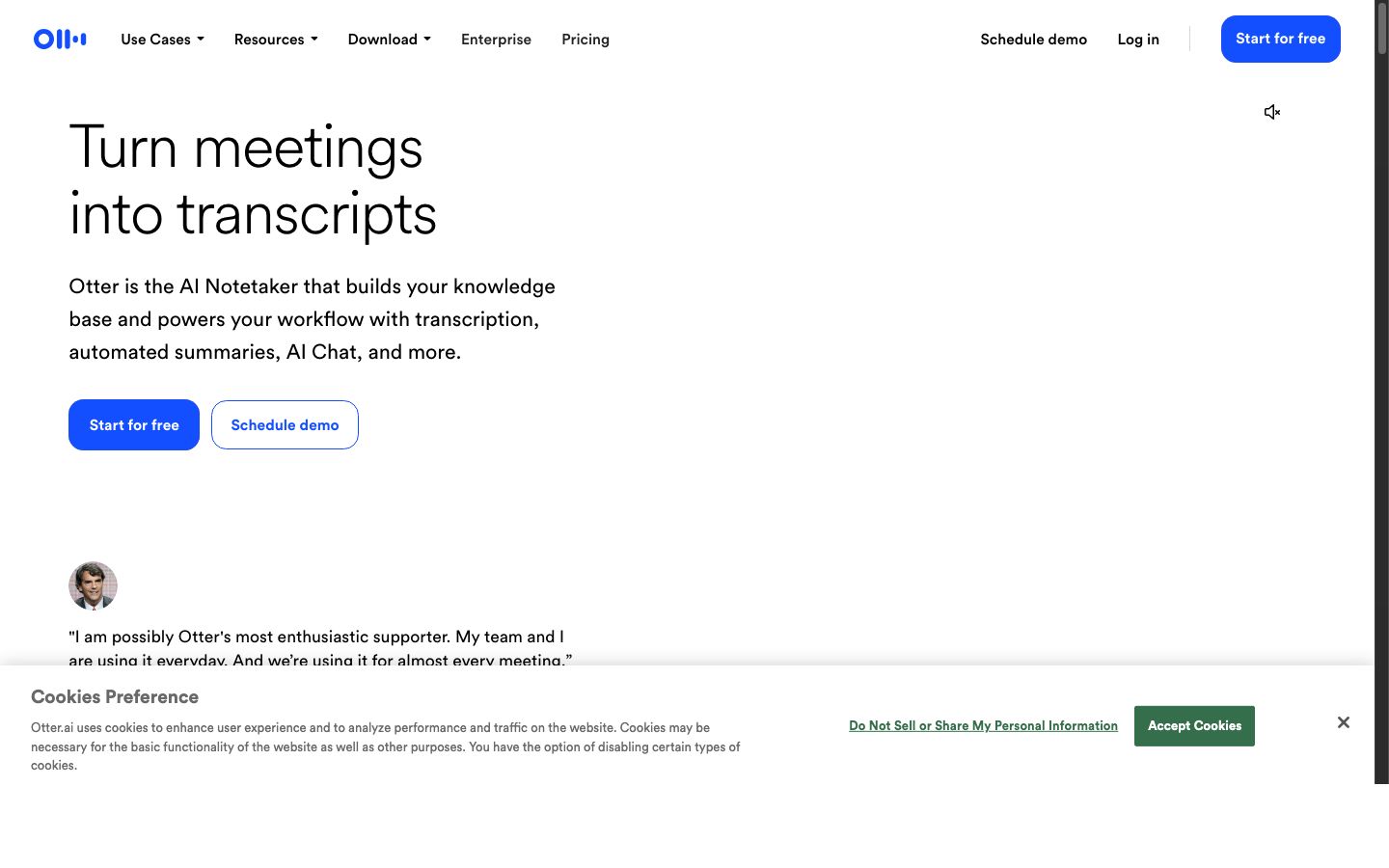
Otter is a transcription app that writes a live transcript of meetings and conversations, then adds an AI summary, action items and AI chat. Its assistant can join Zoom, Microsoft Teams and Google Meet calls for you. Otter also works in person, which makes it popular for interviews and lectures.
What it does well:
- Live transcripts that you can search, highlight and share
- 300 free transcription minutes a month on the Basic plan
- Works on web, desktop and mobile, in calls and in person
Trade-offs:
- Free limits each conversation to 30 minutes and keeps the 25 most recent conversations
- Imports of audio or video files are limited to 3 for each user on Free
Price (checked 2026-10-19): Basic is free. Pro is $8.33 per user a month billed yearly, or $16.99 a month.
Platforms: web, Mac, Windows, iPhone, iPad and Android, plus Zoom, Teams and Meet.
Best for: anyone who needs a word-for-word record of what was said.
7. Fireflies.ai: Best for Meetings Across Many Tools
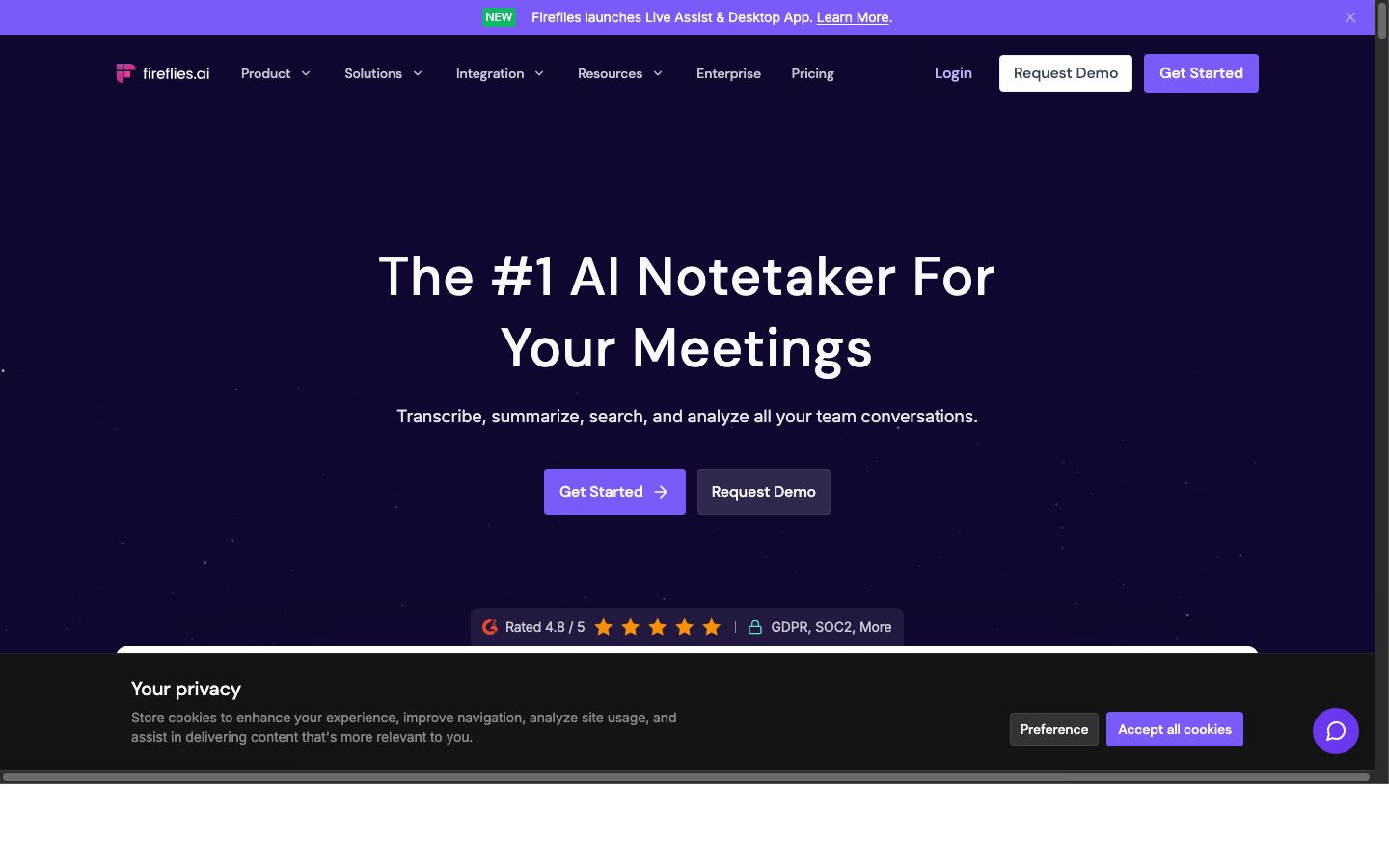
Fireflies is an AI meeting assistant that joins calls on Zoom, Google Meet, Microsoft Teams and other tools, then writes a transcript, a summary and action items. It can push notes to CRMs and project tools. The free plan includes transcription with limited AI summaries.
What it does well:
- Wide coverage of meeting tools and a Chrome extension
- Unlimited AI summaries from the Pro plan up
- Search across every meeting a team has recorded
Trade-offs:
- Free storage is 400 minutes for the whole team
- AI credits for extra features are limited on every plan (20 on Free and Pro)
Price (checked 2026-10-19): Free. Pro is $10 per seat a month billed yearly, or $18 a month. Business is $19 per seat a month billed yearly.
Platforms: web, desktop, iPhone and Android, plus a Chrome extension.
Best for: sales and customer teams that want every call recorded and searchable.
8. Goodnotes: Best for Handwritten Notes on a Tablet
Goodnotes is a handwriting app for iPad that now also runs on iPhone, Mac, Android, Windows and the web. You write with a stylus on paper templates, and the AI can help with math, make quizzes and answer questions about your notes. Digital planners and printable-style templates are a large part of its appeal.
What it does well:
- Natural handwriting with paper templates and digital planners
- AI Q&A and quiz generation on the free plan, capped at five a month
- Audio recording that syncs with your notes
Trade-offs:
- Free allows 3 notebooks, 100 MB of storage and 20 minutes of audio
- Full AI needs Pro or the AI Pass add-on
Price (checked 2026-10-19): Free. Essential is $11.99 a year with basic AI. Pro is $35.99 a year with full AI. The AI Pass add-on is $9.99 a month.
Platforms: iPad, iPhone, Mac, Android, Windows and the web.
Best for: students who learn best by writing by hand. Our guide to the types of note-taking shows the boxing and Cornell layouts that suit it.
9. Notability: Best for Lecture Audio With Notes
Notability is a note app for iPad, iPhone, Mac and the web that records audio while you write, then replays the recording at the point where you wrote each note. The AI features turn recordings into transcripts and summaries, and make quizzes and flashcards from your notes. It is a long-time favorite of students.
What it does well:
- Audio that syncs with handwriting and typed notes
- Transcription, AI summaries, quizzes and flashcards on paid plans
- YouTube videos turned into notes with summaries
Trade-offs:
- The free Starter plan allows only 5 notes
- AI starts on Plus, and unlimited AI is on Pro at $79.99 a year
Price (checked 2026-10-19): Starter is free. Lite is $11.99 a year without AI. Plus is $15.99 a year with limited AI. Pro is $79.99 a year with unlimited transcription and summaries. The pricing page shows these as reduced prices next to higher list prices.
Platforms: iPad, iPhone, Mac and the web.
Best for: students who want to replay the lecture at the point of each note.
10. RemNote: Best for Study Notes With Flashcards
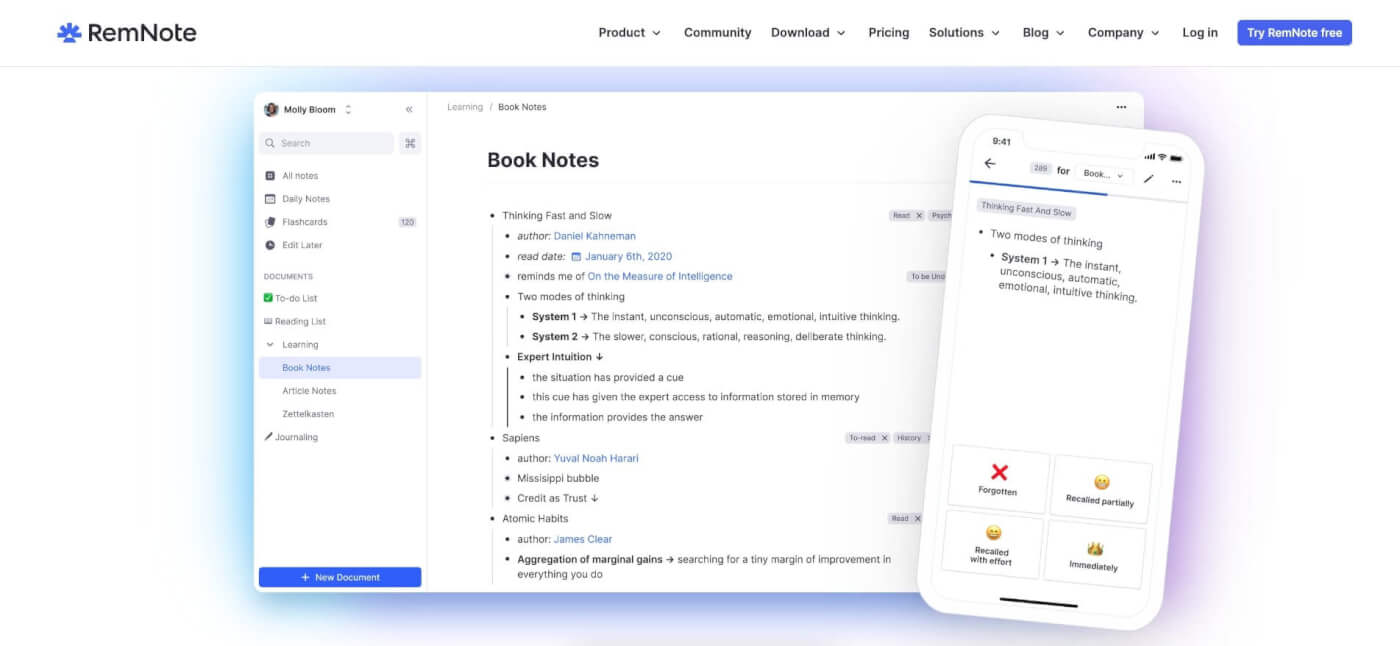
RemNote combines notes and flashcards. You write notes as an outline, mark a line as a flashcard, and RemNote schedules reviews with spaced repetition. The AI makes flashcards and quizzes from text and PDFs, grades your answers and acts as a tutor in chat. A lecture recorder is on the AI plan.
What it does well:
- Notes and flashcards in one place, so studying starts from your own notes
- 250 AI credits a month on the free plan
- PDF tools that turn readings into cards and quizzes
Trade-offs:
- The outline-and-flashcard model takes time to learn
- Heavy AI use needs Pro with AI, which costs more than twice the Pro plan
Price (checked 2026-10-19): Free. Pro is $96 a year ($8 a month). Pro with AI is $216 a year ($18 a month), with 20,000 AI credits a month.
Platforms: web, Mac, Windows, Linux, iPhone, iPad and Android.
Best for: students preparing for exams with a lot of facts to remember.
11. Capacities: Best for Structured Personal Notes
Capacities is a personal notes app built on objects instead of files. A book, a person, a meeting or an idea each has its own type with its own fields, and every object links to the others. AI is included on Pro with a light monthly budget, and a Plus add-on gives a much larger budget.
What it does well:
- Object types that keep notes consistent, such as books with author and rating
- A free plan with unlimited objects and no time limit
- Daily notes and backlinks for a connected second brain
Trade-offs:
- The free Basic plan has no AI
- The object model asks you to think about structure before you write
Price (checked 2026-10-19): Basic is free. Pro is $9.99 a month billed yearly ($119.88 a year). The Plus AI add-on is $8.33 a month billed yearly.
Platforms: web, Mac, Windows, Linux, iPhone, iPad and Android.
Best for: people who build a personal knowledge base. See our AI second brain tools guide for similar apps.
12. Saner.ai: Best for Fast Capture With an AI Chat
Saner.ai is an AI assistant that brings your notes, emails, tasks and documents together. You capture a thought or a voice note in a few seconds, and you ask questions across your notes and files. Saner says it is built for people with ADHD and other busy professionals.
What it does well:
- Fast capture from the web app, a Chrome extension and voice notes
- An AI chat that answers from your own notes
- Low entry price for a personal AI assistant
Trade-offs:
- Free allows 30 AI messages and 100 notes a month
- The pricing page does not say whether the $8 price is yearly or monthly
Price (checked 2026-10-19): Free. Starter is $8 a month, with 30 AI messages a day and 1,000 notes. Standard is $16 a month with unlimited notes. The page offers 20% off for yearly billing.
Platforms: web and a Chrome extension, with Calendar, Slack, Drive and Gmail connections.
Best for: busy people who want one place to dump thoughts and ask questions later.
13. Fathom: Best Free AI Meeting Recorder
Fathom is an AI notetaker for Google Meet, Zoom and Microsoft Teams calls. It records the call, writes a transcript and an instant AI summary, and lets you search past calls with Ask Fathom. You pick bot capture or bot-free capture, which the pricing page marks as a beta feature for Mac.
What it does well:
- A free-forever plan with unlimited recordings and transcripts
- Integrations with tools such as HubSpot, Salesforce, Asana and Zapier
- SOC 2 Type II, GDPR and HIPAA compliance, as stated on its home page
Trade-offs:
- Search across your past calls looks back further on paid plans, which add unlimited lookback
- Team and Business need at least two users
Price (checked 2026-10-19): Free. Premium is $16 per user a month billed yearly ($20 monthly). Team is $15 billed yearly ($19 monthly), and Business is $25 billed yearly ($34 monthly).
Platforms: Zoom, Google Meet and Microsoft Teams calls, with bot-free capture on Mac in beta.
Best for: solo consultants and small teams who want every call recorded at no cost.
14. Microsoft OneNote: Best for Notes Inside Microsoft 365
Microsoft OneNote is a free notebook app that organizes notes into notebooks, sections and pages, with typing and handwriting on the same page. Microsoft Copilot adds an AI assistant to the OneNote desktop app, and it comes with Microsoft 365 Personal and Family. Many schools and companies already pay for Microsoft 365.
What it does well:
- Free notebooks on the web, Windows, Mac, iPhone, iPad and Android
- Free-form pages that mix typing, handwriting and images
- Copilot in the same apps as Word, Excel, PowerPoint and Outlook
Trade-offs:
- AI features are not in Microsoft 365 Basic, and Copilot usage limits apply
- On Microsoft 365 Family, the AI is for the subscription owner only
Price (checked 2026-10-19): OneNote is free. Microsoft 365 Personal, with Copilot, is $99.99 a year or $9.99 a month. Microsoft 365 Family is $129.99 a year for up to 6 people.
Platforms: web, Windows, Mac, iPhone, iPad and Android.
Best for: students and staff whose school or company already runs on Microsoft 365.
Best AI Note-Taking Apps for Students
The best AI note-taking app for a student depends on how the course works. Goodnotes and Notability fit handwritten notes on a tablet. RemNote fits courses with many facts to memorize. Gemini Notebook fits courses built on readings, and Taskade fits students who outline lectures and plan assignments in the same place.
| App | Student strength | Free plan limit to know |
|---|---|---|
| Goodnotes | Handwriting, planners, AI quizzes | 3 notebooks, 20 min of audio |
| Notability | Audio synced with notes | 5 notes |
| RemNote | Flashcards with spaced repetition | 250 AI credits a month |
| Gemini Notebook | Q&A over readings | 100 notebooks, 50 sources each |
| Taskade | Outlines, mind maps and assignment plans | No AI credits to start |
Students who search for a Snaplearn alternative want the same loop: record a lecture, then get notes, quizzes and flashcards. Snaplearn: AI Notetaker is free to download with in-app purchases, and Pro is $14.99 a month or $107.99 a year in the US App Store (checked 2026-10-19). RemNote, Notability and Goodnotes cover that loop above, and RemNote Free includes 250 AI credits a month. For quick capture by text message, MindChuk saves ideas, notes and links into a searchable, tagged feed.
A method matters more than the app. Take lecture notes as Cornell notes or an outline, then use AI to review. For readings, see PDF to notes and YouTube to notes. Students who also plan their week can start from the AI Productivity Planner kit (cloning it needs Pro), or describe their own planner and build it with Taskade Genesis.
Best AI Note-Taking Apps for Meetings
The best AI note taker for meetings depends on whether a bot can join the call. Granola records from your computer with no bot and keeps your own notes at the center. Otter writes the most complete live transcript. Fathom has the most generous free plan, and Fireflies covers the widest range of meeting tools for a team.
              Granola         Otter.ai          Fathom              Fireflies.ai
Bot joins     No              Yes (optional)    Bot or bot-free     Yes
Free plan     30-day history  300 min a month   Unlimited records   Limited summaries
Paid from     $14/user/mo     $8.33/user/mo yr  $16/user/mo yr      $10/seat/mo yr
Best output   Edited notes    Full transcript   Call summaries      Call library
A bot that joins the call is visible to everyone, so it doubles as a recording notice. A bot-free recorder captures audio from your own computer, and nobody sees it, so you must announce the recording yourself.
Notion Business also includes AI meeting notes. Taskade does not record meetings, but you can paste a transcript into a project and ask an AI agent for decisions and tasks. Our AI meeting notes tools guide compares more options.
Where the AI Sits on Each Plan
Most AI note-taking apps keep basic notes free and charge for heavy AI use. The table shows what AI each free plan includes and the first plan with full or unlimited AI, from the pricing pages we checked on 2026-10-19.
| App | AI on the free plan | Full or high-volume AI from |
|---|---|---|
| Taskade | Uses AI credits, and Free starts with none | Pro, $10/mo billed yearly, 50,000 credits a month |
| Notion AI | Trial | Business, $20/member/mo billed yearly |
| Gemini Notebook | Yes, standard limits | Google AI plans raise limits |
| Mem | 25 messages to Mem a month | Pro, $29/mo, 100 messages |
| Granola | AI notes and AI chat | Business, $14/user/mo |
| Otter.ai | AI chat and summaries, 300 min | Pro, $8.33/user/mo billed yearly |
| Fireflies.ai | Limited AI summaries | Pro, $10/seat/mo billed yearly |
| Goodnotes | Capped quizzes and Q&A | Pro, $35.99/yr, or AI Pass +$9.99/mo |
| Notability | None | Pro, $79.99/yr (Plus has limited AI) |
| RemNote | 250 AI credits a month | Pro with AI, $216/yr |
| Capacities | None | Plus add-on, $8.33/mo billed yearly |
| Saner.ai | 30 AI messages a month | Standard, $16/mo |
| Fathom | AI summaries, unlimited recordings | Premium, $16/user/mo billed yearly |
| Microsoft OneNote | None | Microsoft 365 Personal, $99.99/yr |
Is It Legal to Record a Meeting or Lecture With an AI Note Taker?
Recording a meeting or a lecture with an AI note taker is legal in many places, but the rules depend on where each person sits. US federal law (18 U.S.C. 2511(2)(d)) allows a recording when one party consents. California Penal Code 632 requires the consent of every party to a confidential conversation.
| Situation | What to check before you record |
|---|---|
| A call with people in other states or countries | The strictest consent rule among the people on the call |
| A lecture | The school policy and the instructor's permission |
| A client or patient call | Your contract, and rules such as HIPAA for health data |
| An internal team meeting | Your employer's recording policy |
A visible bot from Otter, Fireflies or Fathom tells everyone that the call is recorded. With a bot-free tool such as Granola, say so at the start of the call. This section is general information, not legal advice.
What AI Changes in Note-Taking
AI changes note-taking in two places: capture and review. In capture, AI records, transcribes and turns speech or a PDF into text. In review, AI summarizes, answers questions, writes quiz questions and links related notes. The part in the middle, deciding what matters and writing it in your own words, is still yours, and it is the part that helps you remember.
Research supports this split. In a 2014 study, Mueller and Oppenheimer found that students who typed lecture notes word for word did worse on conceptual questions than students who wrote shorter notes by hand. An AI transcript is the extreme case of word-for-word notes. Use it as a source to check, not as your notes. Our guides to hierarchical note-taking, the best AI outliners and the best note-taking apps cover the writing side.
Limitations: When Taskade Is Not the Right Fit
Taskade is the right fit for typed notes that turn into outlines, mind maps, tasks and agent answers. Taskade does not record meetings or read handwriting, so four kinds of note-taker get a better result from a dedicated app. Taskade is not the right fit when:
- You write by hand on an iPad: use Goodnotes or Notability
- You need automatic meeting transcripts: use Granola, Otter, Fathom or Fireflies
- You study from a fixed set of readings: Gemini Notebook is free and grounded in your sources
- You memorize facts with spaced repetition: use RemNote
If you move from another app, Taskade imports from Evernote, OneNote and Notion. The free personal knowledge base template is a good start, and you can connect notes to AI agents and automations, or browse live apps in the Community Gallery.
Frequently Asked Questions
What is the best AI note-taking app?
It depends on how you take notes. For notes you write and then act on, Taskade turns notes into outlines, mind maps, tasks and AI agents, from $10 a month billed yearly. For meeting notes, Granola and Otter lead. For research on your own sources, Gemini Notebook is free. For handwriting on an iPad, Goodnotes is the best fit.
What is the best free AI note-taking app?
Gemini Notebook, the Google tool formerly called NotebookLM, is the most generous free AI note tool for research: the free tier allows 100 notebooks with 50 sources each. Otter Basic includes 300 transcription minutes a month for meetings. RemNote Free includes 250 AI credits a month for study notes.
What is the best AI note-taking app for students?
Goodnotes and Notability are the best choices for handwritten notes on a tablet. RemNote is the best for flashcards and spaced repetition, and Gemini Notebook is the best free tool for studying from readings. Taskade suits students who outline lectures and want the same notes as a mind map and a task list.
What is the best AI note taker for meetings?
Granola is a strong choice for meeting notes you edit yourself, with a free plan that keeps 30 days of history and a Business plan at $14 per user a month. Otter is best for live transcripts, with 300 free minutes a month. Fathom has a free-forever plan with unlimited recordings, and Fireflies suits teams that use many meeting tools.
Is Notion AI free?
Notion Free and Plus include a trial of Notion AI. Full Notion AI, with Notion Agent, AI meeting notes and enterprise search, comes with the Business plan at $20 per member a month billed yearly, according to Notion's pricing page on 2026-10-19.
What happened to NotebookLM?
Google now calls NotebookLM Gemini Notebook. It works the same way: you add sources such as PDFs, documents and web pages, and it answers questions and makes summaries and audio overviews from them. The free tier allows 100 notebooks with 50 sources each, and Google AI plans raise those limits.
Can AI take notes for me during a lecture?
Yes, if your school allows recording. Notability, Goodnotes, RemNote and Otter can record audio and turn it into a transcript or a summary. You will remember more if you also take short notes with a method such as Cornell notes, and use the AI summary to fill gaps after class.
Are AI note-taking apps allowed in class?
It depends on your school and your instructor. Many schools need consent before you record a lecture, and some courses limit AI tools for graded work. Check the course policy and ask the instructor before you record or use AI on assignments.
Can I turn my notes into a mind map?
Yes. In Taskade, the same project opens as a List view outline or a Mind Map view, so outline notes become a mind map with one click. Gemini Notebook can also make a mind map from your sources.
Can I import my notes from Evernote or OneNote?
Most AI note apps import from common formats. Taskade imports from Evernote, OneNote and Notion, and Learn Taskade has a step-by-step guide for each. Check the import options of any app before you move a large archive.
Is it legal to record a meeting or a lecture with an AI note taker?
It depends on where you are and who is in the room. US federal law allows a recording when one party consents, but states such as California require the consent of everyone in a confidential conversation. Schools and employers can add their own rules. Announce the recording, and ask first when in doubt.
What should I look for in an AI note-taking app?
Look at five things: how you capture notes (typing, handwriting or audio), what the AI does with them (summaries, answers, flashcards), where the AI is on the plan ladder, which devices it runs on, and how you export your notes. The free plan limit on AI use is often the deciding factor.
Why We Built Taskade Differently
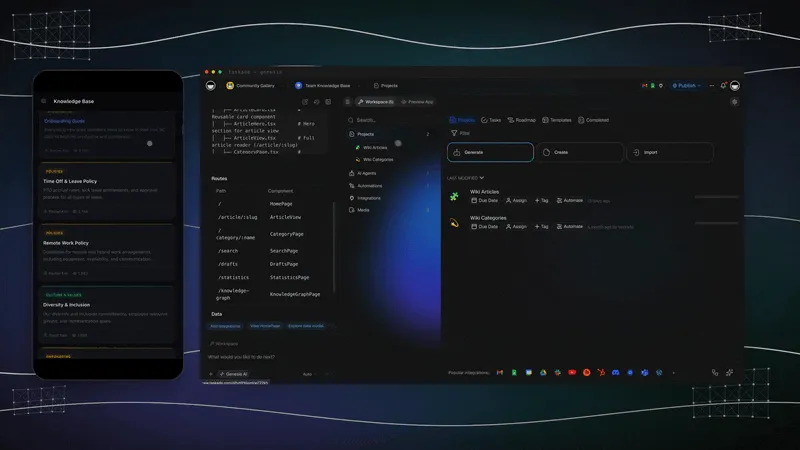
Most AI note apps stop at the note: they record, summarize and answer. We built Taskade so that a note can become the next piece of work. A project holds your notes, an AI agent reads them, and an automation acts on them. We call that loop Workspace DNA: projects are memory, agents are intelligence, automations are execution.
| Layer | What it does with your notes |
|---|---|
| Projects (memory) | Hold notes as outlines, mind maps, boards and tables |
| AI agents (intelligence) | Answer from your notes and files, with web search and other built-in tools |
| Automations (execution) | Run on triggers and push data out through 100+ integrations |
| Taskade Genesis | Builds a live app with its own database from one prompt |
- One prompt builds a live app. Describe a study tracker, a client portal or a team wiki, and Taskade Genesis builds it with a database you can share by link.
- Taskade EVE builds and edits the app in chat. Ask for a new field or a new page, and Taskade EVE changes the app.
- Clone a ready-made kit. Start from the Team Wiki Portal or another kit in the Community Gallery. A custom domain is on Pro and up.
- Plan facts. Free includes 2 members, 3 Taskade Genesis apps and 1 AI agent, and starts with no AI credits. Pro is $10 a month billed yearly. See pricing.
Related Reading
- Types of Note-Taking Compared
- Best AI Journaling Apps
- Free Mem Alternative
- Free NotebookLM Alternative
- Free Otter Alternative
The best notes follow one loop: capture what you learn (▲ memory), make sense of it with AI (■ intelligence), and turn it into a plan (● execution). Pick the app that matches how you capture, then keep one method for a month. When you want your notes to become outlines, mind maps and tasks in one place, start with Taskade.