# How Taskade Genesis Works: Workspace DNA
> Workspace DNA connects your projects (Memory), AI agents (Intelligence), and automations (Execution). Taskade Genesis builds all three from one prompt and puts an app on top.
- Source: https://www.taskade.com/learn/genesis/workspace-dna
- Section: Taskade Genesis
- Updated: 2026-11-09
- Index of all pages: https://www.taskade.com/learn/llms.txt

Workspace DNA is how Taskade connects your projects, your AI agents, and your automations. [Taskade Genesis](https://www.taskade.com/learn/genesis/overview) builds all three from one prompt and puts a live app on top.
> **TL;DR:** Workspace DNA has three parts. Projects are the **Memory**, AI agents are the **Intelligence**, and automations are the **Execution**. Taskade Genesis builds all three from one prompt, then adds the app screens that people use. Open **DNA Map** in a workspace sidebar to see the links. New to Taskade? Read [What Is Taskade?](https://www.taskade.com/learn/account/what-is-taskade) first.
**Workspace DNA is the link between what your workspace knows, how it thinks, and what it does.** Each part feeds the next, and the results flow back into your projects.
## The Parts of Workspace DNA
Three parts do the work, and the app shows that work to people.
| Part | Lives in | What it does | Free plan |
| --- | --- | --- | --- |
| **Memory** | [Projects and databases](https://www.taskade.com/learn/projects/databases) | Stores records, fields, notes, and files | Unlimited projects |
| **Intelligence** | [AI agents](https://www.taskade.com/learn/agents/custom-agents) | Reads your projects, answers, writes, and acts | 1 agent |
| **Execution** | [Automations](https://www.taskade.com/learn/automation/automations-execution) | Runs steps when an event or a schedule starts them | 10 runs per billing period |
| **Interface** | A [Taskade Genesis app](https://www.taskade.com/learn/genesis/first-app) | Screens, forms, and dashboards on your live data | 3 apps per workspace |
```mermaid
graph TD
A[Projects
Memory] --> B[AI agents
Intelligence]
B --> C[Automations
Execution]
C --> D[New records
back in projects]
A --> E[App screens
Interface]
style A fill:#0d1b2a,color:#7dd3fc,stroke:#38bdf8,stroke-width:1.5px
style B fill:#2a1225,color:#ff8fa3,stroke:#ff2d60,stroke-width:2px
style C fill:#0d1a0e,color:#86efac,stroke:#22c55e,stroke-width:1.5px
style D fill:#0d1b2a,color:#7dd3fc,stroke:#38bdf8,stroke-width:1.5px
style E fill:#1a0d24,color:#ce93d8,stroke:#6a1b9a,stroke-width:1.5px
```
The loop closes in the last node. An automation writes its result into a project, and the agents read that project on their next run.
## See Your Workspace DNA Live
The **DNA Map** draws the links between the projects, agents, and automations of one workspace.
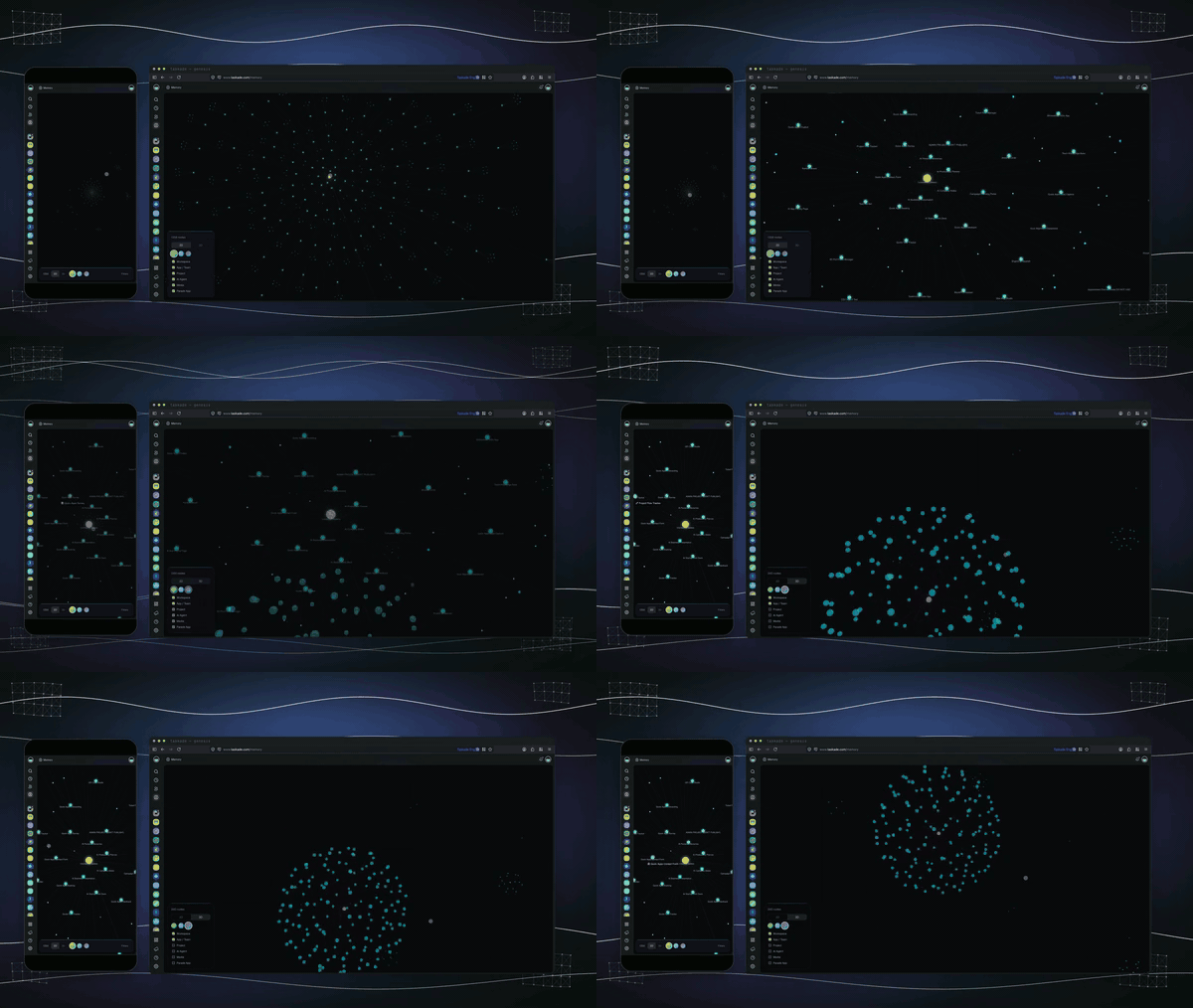
1. Open a workspace or an app.
2. In the workspace sidebar, click **DNA Map**.
3. Click an item to see its links, then open it in Taskade.
4. To see every workspace at once, click **Memory** in the left ribbon.
The **DNA Map** shows for members who can view the workspace's agents and automations. See [View Your Workspace DNA Graph](https://www.taskade.com/learn/genesis/dna-graph) and the [Memory Graph](https://www.taskade.com/learn/genesis/memory-graph) guide.
## What You Can Build
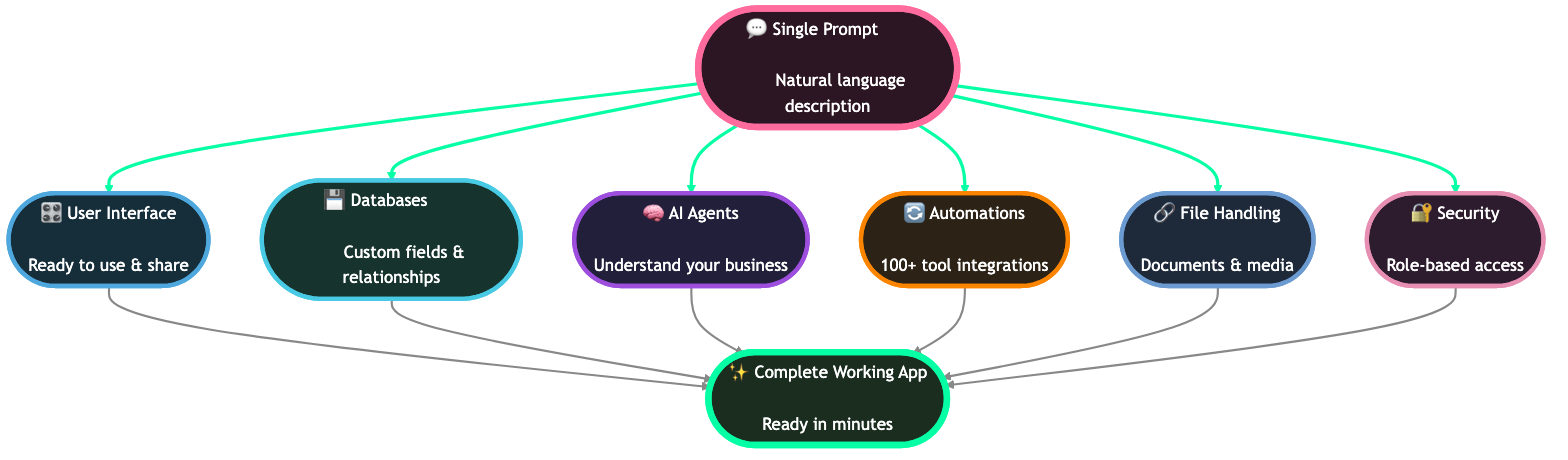
Describe the app, and Taskade Genesis fills each part of the DNA for you. This is [Build Without Permission](https://www.taskade.com/blog/build-without-permission) in practice.
| You ask for | Memory (projects) | Intelligence (agents) | Execution (automations) |
| --- | --- | --- | --- |
| "A customer feedback app" | Feedback records with rating and status fields | An agent that sorts each entry by topic and tone | Alert the manager when a low rating arrives |
| "A booking system for my studio" | Clients, services, and appointments | An agent that answers booking questions | Send a confirmation for each new booking |
| "A CRM for my leads" | Leads with stage and source fields | An agent that scores and summarizes each lead | Create a follow-up task when a lead changes stage |
| "A help desk" | Tickets and a knowledge base | An agent that drafts replies from the knowledge base | Notify the team when a ticket is urgent |
## How Taskade Genesis Uses Workspace DNA
One prompt builds the parts in order, because each part needs the one before it. To write that prompt, see [Your First Taskade Genesis Prompt](https://www.taskade.com/learn/genesis/first-prompt).
1. **Projects** come first. They hold the data.
2. **AI agents** come next, trained on those projects.
3. **Automations** connect the events and the actions.
4. **App screens** come last. They read the projects, show agent chat, and start automations.
Here is one booking app from end to end:
- A client books a class on the app screen (Interface).
- The booking saves as a record in the **Bookings** project (Memory).
- An agent reads the note on the booking and answers the client's question (Intelligence).
- An automation sends a confirmation and marks the record as confirmed (Execution).
## Memory: Projects
Projects are the long-term memory of your workspace and of every app built on it.
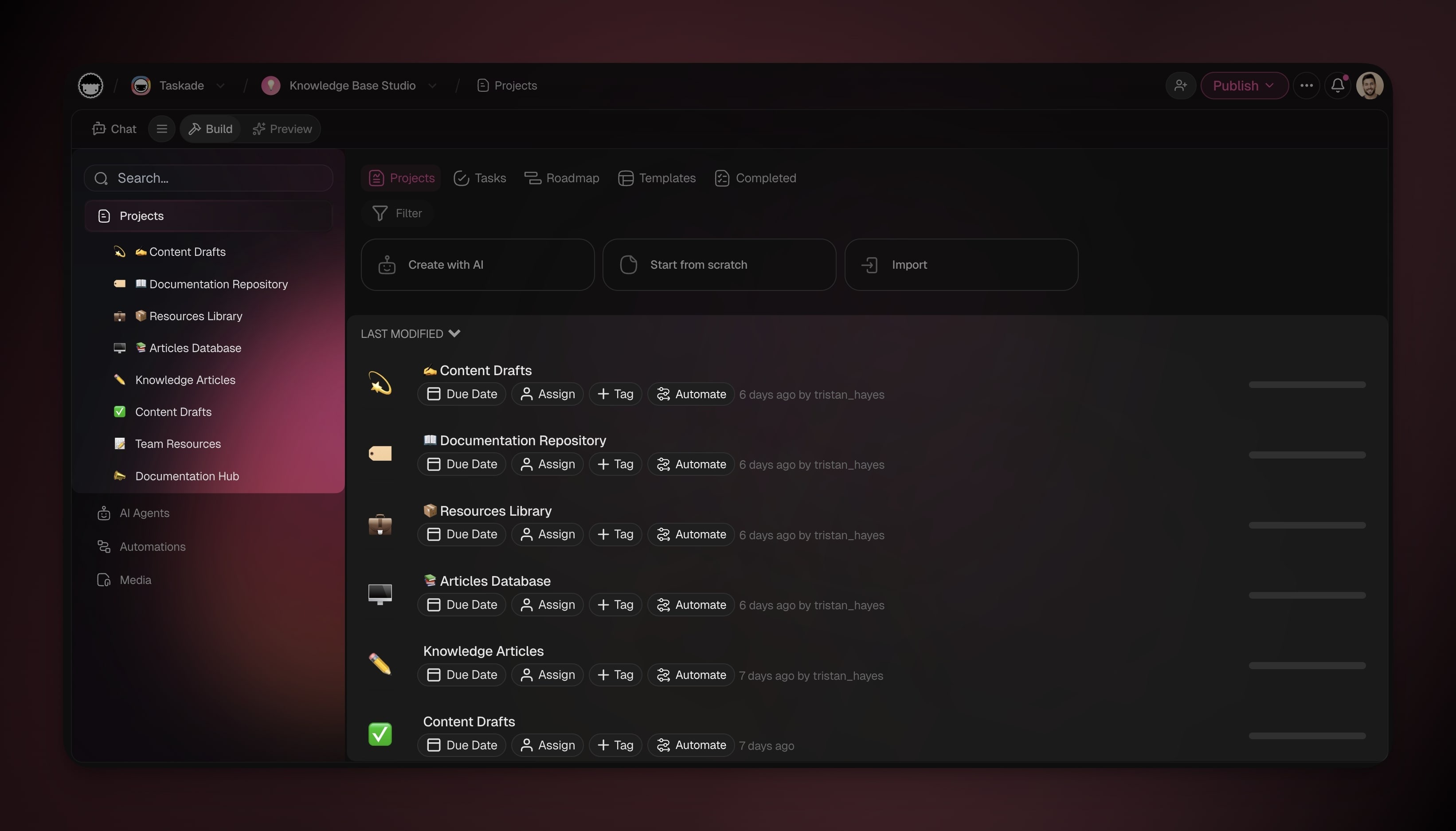
- **Records and fields:** Each line is a record. Fields such as **Status**, **Priority**, **Assign**, and **Due Date** add structure.
- **Multiple project views:** See the same records as a list, a board, a table, a calendar, or a mind map.
- **Live data:** App screens read and write the same projects, so the app and the project always agree.
See [Projects and Databases](https://www.taskade.com/learn/projects/databases) for fields, views, and imports, and [Adding Taskade Genesis Context](https://www.taskade.com/learn/genesis/app-context) to point an app at your projects.
## Intelligence: AI Agents
AI agents are the teammates that read your projects and act on them.
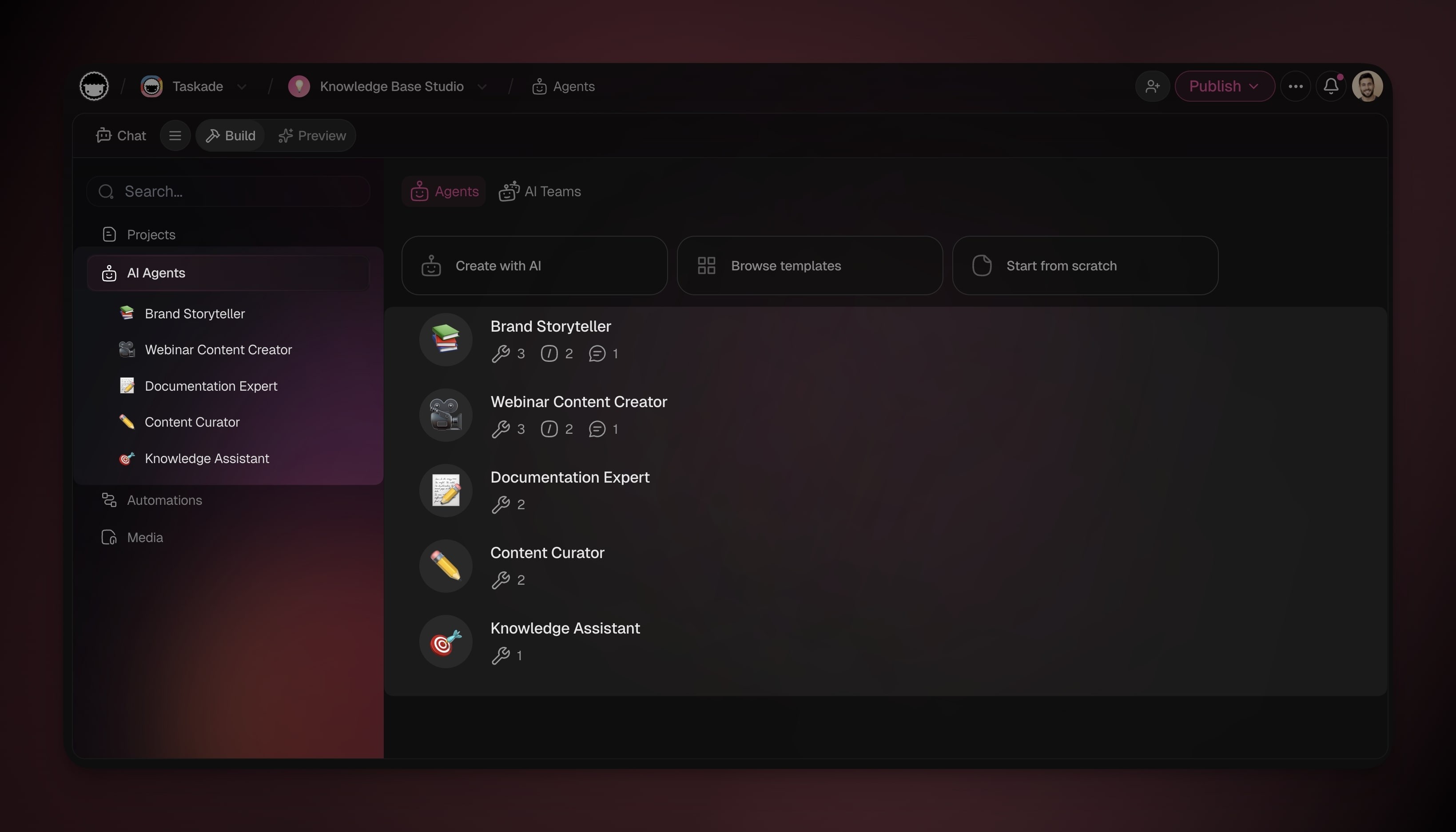
- **Knowledge:** Add a Taskade project as a trained source. It syncs when the project changes. See [Agent Knowledge](https://www.taskade.com/learn/agents/knowledge).
- **Tools:** An agent can search the web, read pages, run code, work on your projects, and use integrations.
- **Teams:** [AI Teams](https://www.taskade.com/learn/agents/ai-teams) put several agents on one task. They need Pro or above.
| Agent limit | Free | Pro and above |
| --- | --- | --- |
| Agents per workspace | 1 | Unlimited |
| Knowledge sources per agent | 1 | 50 |
## Execution: Automations
Automations are the steps that run when something happens, with no one there to click.
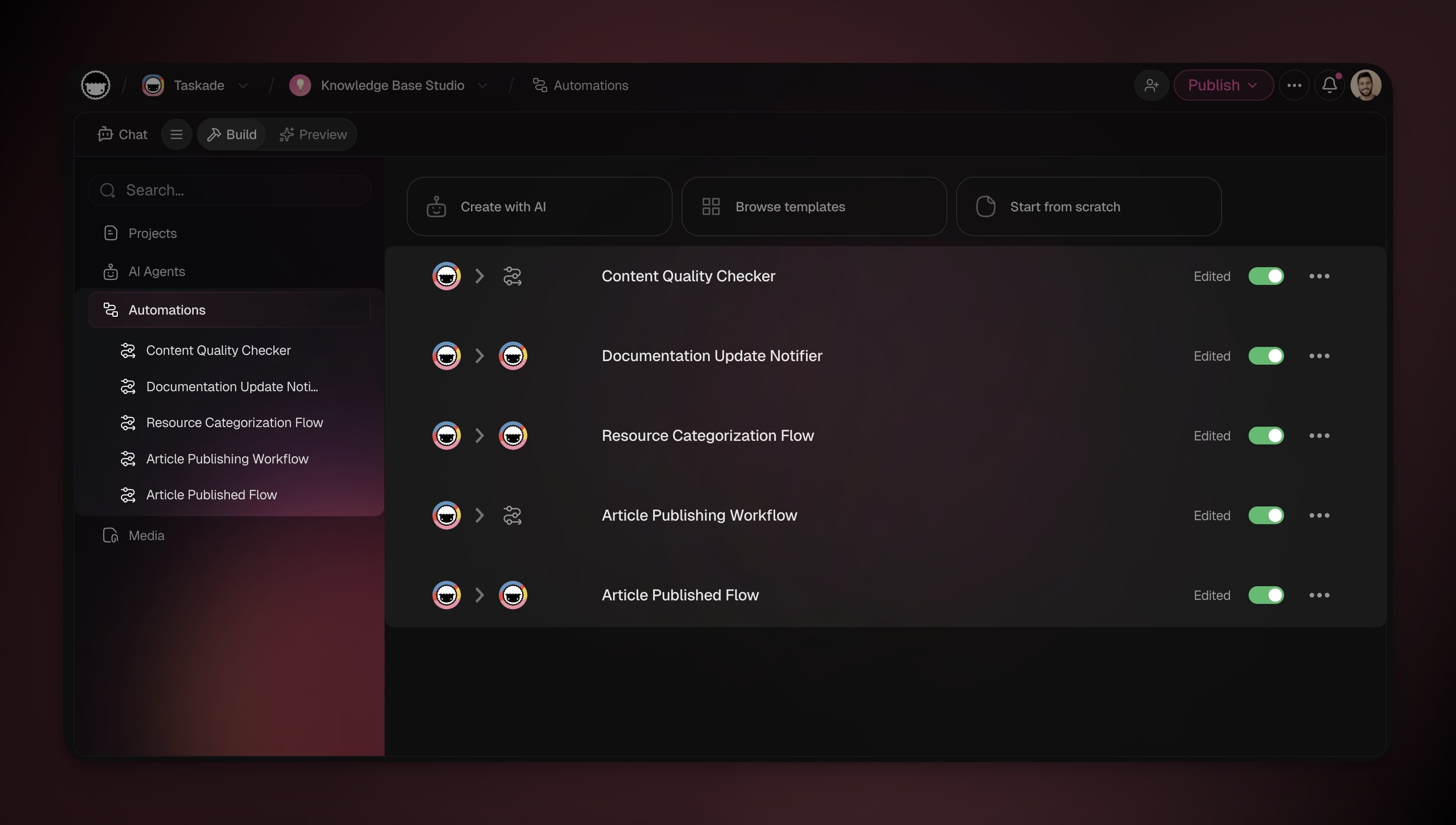
- **Triggers:** Start from a task change, a form, a schedule, an email, or an event in another app.
- **Logic:** Add **Choose a path**, **Only continue if**, **Repeat for each**, and **Wait, then continue** steps.
- **AI steps:** Add **Ask AI**, **Summarize with AI**, **Categorize with AI**, or ask an agent.
- **Integrations:** Connect to **100+ integrations** in both directions.
Runs per billing period: Free 10, Pro 1,000, Business and above 10,000. The whole workspace shares them. Incoming webhooks need Pro or above.
## Interface: App UI
The app is the part that people see and click. It reads your projects, shows agent chat, and starts automations.
Taskade Genesis apps can include these features. Each row shows its exact plan.
| App feature | Plan |
| --- | --- |
| Build and publish, and choose who can open the app | Every plan (Free: 3 apps per workspace) |
| Sign-in for app users | Every plan |
| **Version history** (restore design and code) | Every plan |
| **Let others clone**, free or paid | Every plan, workspace owner |
| Password for visitors | Pro and above |
| **Manual Updates** (you choose when changes go live) | Every plan |
| **Download .tsk** and **Export to GitHub** | Pro and above |
| Custom domain | Pro and above |
| **Branding** (colors, SEO, social previews) and **Analytics** | Business and above |
Sign-in confirms who a visitor is. To show each user only their own records, open **Publish**, turn on **Private entries**, and pick the owner field. Match the records to the login, then test with a second account. See [App Users](https://www.taskade.com/learn/genesis/app-users) and [Built-In Login for Your Apps](https://www.taskade.com/learn/genesis/genesis-auth). Pick a look for the screens in [App Styles](https://www.taskade.com/learn/genesis/app-styles).
## Knowledge: Media
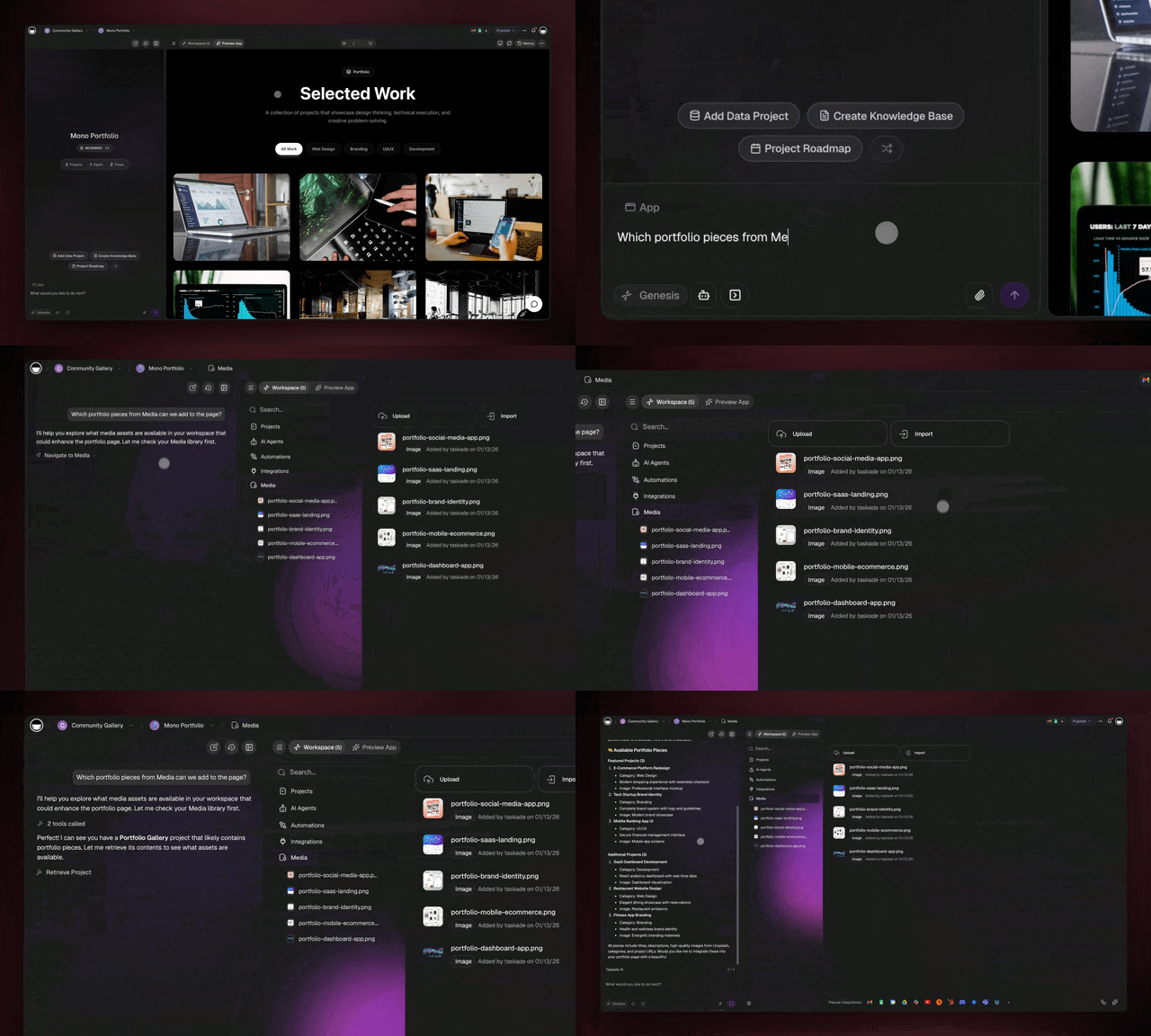
Files you upload become knowledge that your agents, automations, and apps can use.
| What you store | How it helps |
| --- | --- |
| PDFs and documents | Agents read, summarize, and answer from them |
| Images | Apps show them in screens and listings |
| Data files | Automations read and process them |
| Project attachments | They show in Media with no extra upload |
## Creating New Memory
Each automation run and each app entry adds new records to your projects.
- An automation writes its result into a project.
- An agent trained on that project reads the new records on its next answer.
- The app shows the new records to its users.
> **Note:** A website URL in an agent's knowledge does not refresh by itself. Click **Retrain All** to read it again.
## Taskade EVE: Unified Intelligence
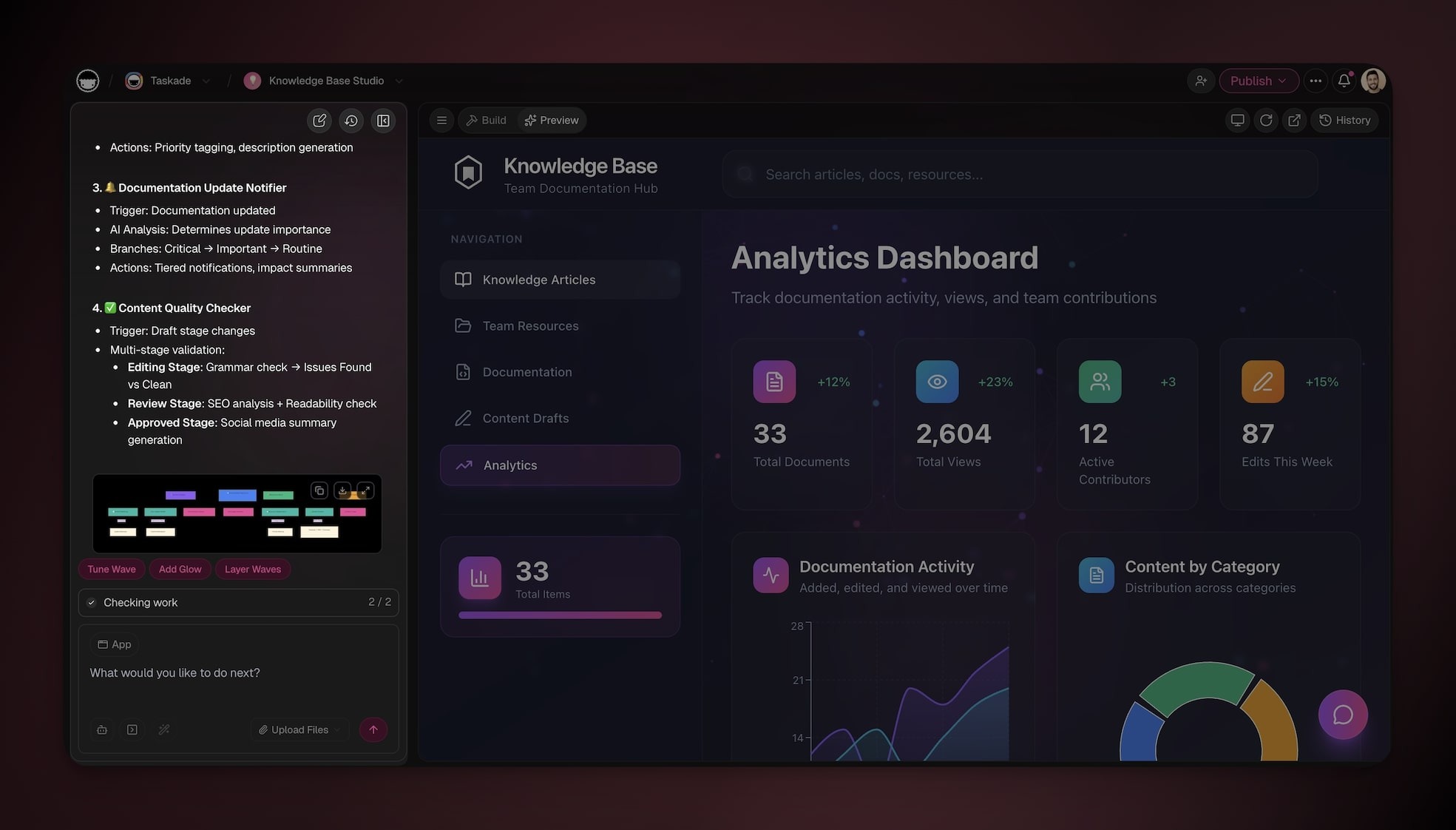
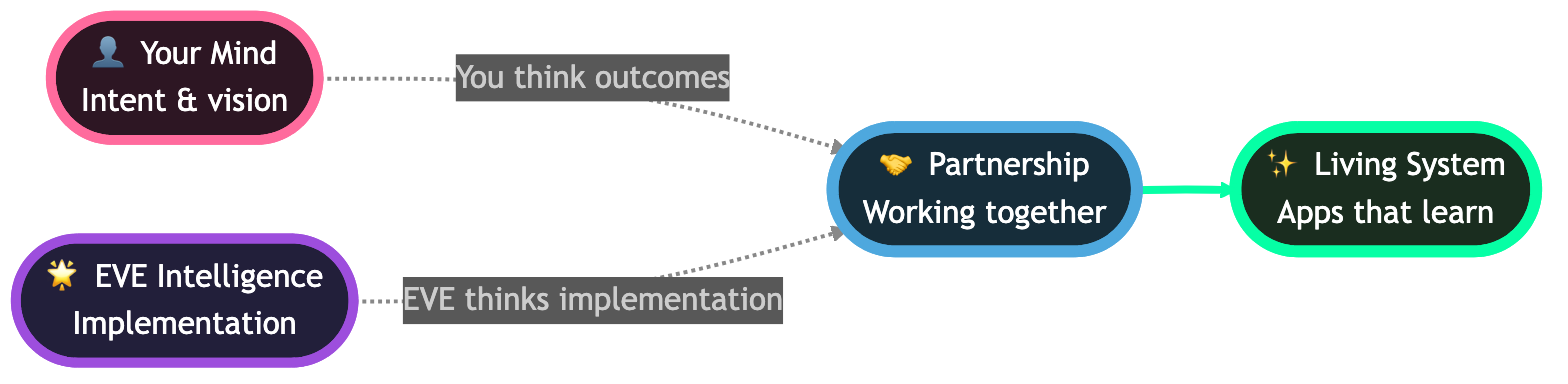
**Taskade EVE** is the AI builder that works across all parts of Workspace DNA. Custom agents do one job. Taskade EVE builds and edits the whole workspace from a chat.
| Mode | What Taskade EVE edits |
| --- | --- |
| **Auto** | Everything: the app, projects, agents, and automations |
| **App** | Pages, layouts, and the interface |
| **Projects** | Tasks and workspace data |
| **AI Agents** | Prompts, tools, and knowledge |
| **Automations** | Automations and triggers |
You bring the goal and the domain knowledge. Taskade EVE builds the parts and wires them together. See [A Guide to the New UI](https://www.taskade.com/learn/projects/ui-guide) for where the chat and the preview sit.
## What Taskade EVE Can Do
Send one of these prompts to Taskade EVE in your workspace. Send one, test the result, then send the next.

| You want to | Prompt | Taskade EVE builds |
| --- | --- | --- |
| Build an app | `Build a customer feedback app with a rating field and a manager dashboard.` | The projects, agents, automations, and screens |
| Create an agent | `Create an agent trained on the Product Docs project.` | An agent with that project as knowledge |
| Add an automation | `When a task is marked complete, post a message to Slack.` | An automation with the trigger and the action |
| Organize work | `Create a project for Q1 marketing campaigns.` | A project with sections and tasks |
| Ask a question | `Which projects have overdue tasks?` | A list from your workspace |
| Change existing work | `Make the Customer Support agent sound more empathetic.` | An update to that agent |
Taskade EVE asks before it removes a field or an entry. Click **Keep it** or **Remove it**.
## What Makes It Different
Taskade Genesis builds a running app on your own workspace, not a folder of code.
- **Your data comes along.** The app uses the projects, agents, and automations that you already have.
- **All parts in one place.** Data, AI, automations, sign-in, and hosting are part of the app from the first prompt.
- **You keep control.** Restore an earlier version, choose when changes go live, or export the app.
See live examples: [Team Capacity Planner](https://www.taskade.com/app/team-capacity-planner-qttq6maivthotsm4), [Event Management Portal](https://www.taskade.com/app/event-management-portal-scv62ou1yocu3sno), and [Finance Tracker](https://www.taskade.com/app/finance-tracker-dashboard-tmnju1vsp3ggajo7). Browse more in the [app gallery](https://www.taskade.com/apps), or read [Browse & Clone Community Apps](https://www.taskade.com/learn/genesis/community-gallery).
## Frequently Asked Questions
**Is Workspace DNA a feature I turn on?**
No. Workspace DNA is how every Taskade workspace works. Your projects, agents, and automations are already connected. Open **DNA Map** in a workspace sidebar to see the links.
**Can I use Workspace DNA without coding skills?**
Yes. You describe the app or the change in plain English, and Taskade Genesis or Taskade EVE builds it. You can still read and export the code on Pro and above.
**Which Taskade plan do I need for Workspace DNA?**
Every plan, Free included. The Free plan includes unlimited projects, 1 agent, 3 apps per workspace, and 10 automation runs per billing period. Paid plans raise these limits. See [Is Taskade Free?](https://www.taskade.com/learn/account/free-plan) and the [pricing page](https://www.taskade.com/pricing).
**Is Taskade Genesis a vibe coding tool?**
Yes. You describe the app in plain language, and Taskade Genesis builds it. The result is a running app with its own data, agents, and automations, not only code files.
**Does my workspace get smarter over time?**
Yes, as your projects grow. Automations and app users add records, and agents trained on those projects answer from the new records. A website source refreshes only when you click **Retrain All**.
**Where do I see how my projects, agents, and automations connect?**
Open **DNA Map** in the workspace sidebar for one workspace. Click **Memory** in the left ribbon to see every workspace that you use.
## Next Steps
Grow in this order: a first app, then data, agents, automations, and your domain.
1. **Build a first app**: Build and publish one app in about ten minutes. See [Create Your First App](https://www.taskade.com/learn/genesis/first-app).
2. **Shape the data**: Add fields, views, and imports to the Memory. See [Projects and Databases](https://www.taskade.com/learn/projects/databases).
3. **Add an agent**: Train an agent on your projects. See [Custom AI Agents](https://www.taskade.com/learn/agents/custom-agents).
4. **Automate the next step**: Connect triggers and actions. See [Automations](https://www.taskade.com/learn/automation/automations-execution).
5. **Go live on your domain**: Connect a domain on Pro and above. See [Custom Domains](https://www.taskade.com/learn/genesis/custom-domains).
More answers are in the [Taskade Genesis FAQ](https://www.taskade.com/learn/genesis/faq). For the longer story, read these posts:
- [Workspace DNA Architecture](https://www.taskade.com/blog/workspace-dna-architecture)
- [How to Win With AI in 2026](https://www.taskade.com/blog/win-with-ai)
- [Training AI Agents Like Employees](https://www.taskade.com/blog/train-ai-agents)
- [The 2026 Productivity Playbook](https://www.taskade.com/productivity)