# Read a Web Page
> The Read a web page step gets the text of a web page inside an automation. Use it to monitor competitor sites, gather market research, and track changes.
- Source: https://www.taskade.com/learn/automation/scrape-webpage
- Section: Automation
- Updated: 2026-11-09
- Index of all pages: https://www.taskade.com/learn/llms.txt
## Overview
With the **Read a web page** step, you can extract data from websites and feed it into later automation steps. Use it to monitor competitor sites, gather market research, and track content changes, all without leaving Taskade.
> **TL;DR:** **Read a web page** runs as a step inside an automation. It fetches a target URL and returns the page content as structured text, which you can pass to AI actions like [Categorize with AI](https://www.taskade.com/learn/automation/ai-categorize) or [Agent](https://www.taskade.com/learn/automation/agent-action) for analysis. Use it to monitor competitor sites, gather market research, or track content changes.
```mermaid
flowchart LR
A[Trigger fires] --> B[Read a web page
fetches URL]
B --> C[AI action
analyzes text]
C --> D[Result written
to your project]
style A fill:#0d1b2a,color:#7dd3fc,stroke:#38bdf8,stroke-width:1.5px
style B fill:#2a1225,color:#ff8fa3,stroke:#ff2d60,stroke-width:2px
style C fill:#2a1225,color:#ff8fa3,stroke:#ff2d60,stroke-width:2px
style D fill:#0d1a0e,color:#86efac,stroke:#22c55e,stroke-width:1.5px
```
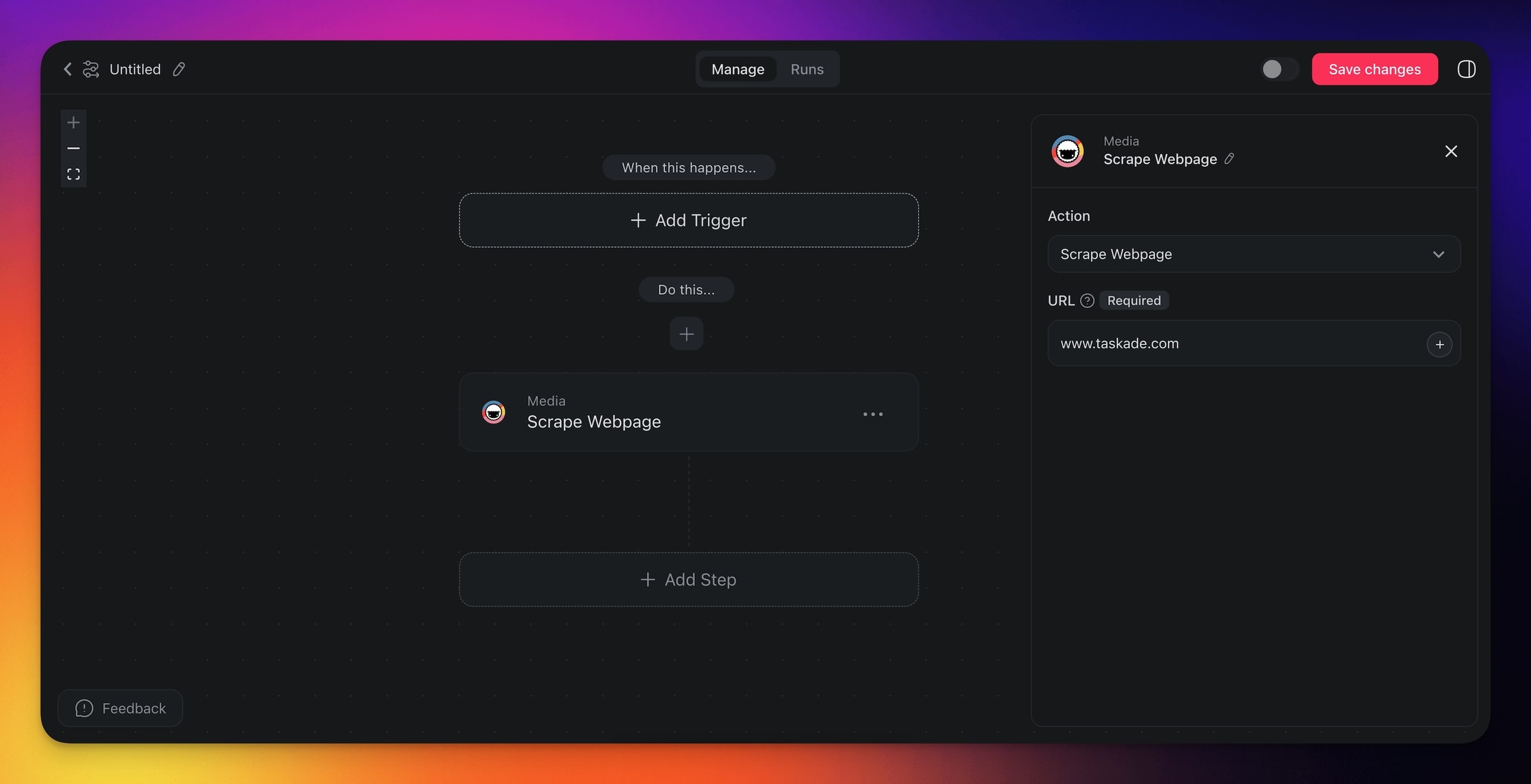
When the action runs, it fetches the target URL and returns the page content as structured text. You can then pass that text to other actions such as [Categorize with AI](https://www.taskade.com/learn/automation/ai-categorize), [Agent](https://www.taskade.com/learn/automation/agent-action), or [Search the web](https://www.taskade.com/learn/automation/search-web) for further analysis.
---
### How to Use It
1. Click **➕ Add step** and choose the **Read a web page** step.
2. Enter the full URL of the page you want to scrape.
3. Finish the automation or add more steps to process the extracted text.
> 💡 You can reference the URL dynamically from a previous trigger or action by typing **@** in the URL field.
---
### Read a web page (Settings)
Connector settings give you full control over the **Read a web page** step:
| 🏷️ Field | 🔤 Description |
| --- | --- |
| URL | Provide the URL of the target webpage. |
---
### Read a web page (Use Cases)
Not sure how to use the **Read a web page** step? Here are a few ideas:
| 🪄 Use Case | 🔤 Description |
| --- | --- |
| Competitor analysis | Automatically extract pricing, product details, or promotional offers from competitor websites to stay informed on market trends. |
| Market research | Gather and compile data from multiple sources, such as product reviews or industry news, to analyze market conditions. |
| Lead generation | Extract contact information or business details from online directories or industry-specific websites to build lead lists. |
| Price monitoring | Track and compare prices of products across various e-commerce sites to adjust your pricing strategy or alert customers to deals. |
| Content change detection | Periodically scrape a page and compare it against previous results to detect updates such as policy changes or new product listings. |
---
### Tips
- **Chain with AI actions:** Pipe the scraped text into the [Categorize with AI](https://www.taskade.com/learn/automation/ai-categorize) action to automatically label or score the content.
- **Run it on a schedule:** Combine **Read a web page** with the [Schedule trigger](https://www.taskade.com/learn/automation/schedule) to monitor pages at a regular interval.
- **Dynamic URLs:** Insert URLs from previous steps using the **@** reference so the same automation can scrape different pages depending on input data.
### Related guides
- [Search the web](https://www.taskade.com/learn/automation/search-web). Find URLs to scrape.
- [HTTP Request](https://www.taskade.com/learn/automation/http-request). Send and receive arbitrary API data.
- [Agent Knowledge Action](https://www.taskade.com/learn/automation/agent-knowledge). Feed scraped content into agents.
- [AI Categorize](https://www.taskade.com/learn/automation/ai-categorize). Classify scraped content.
- [Transcribe a YouTube video](https://www.taskade.com/learn/automation/transcribe-youtube). Sibling action for video content.
---