# Your App, Your Domain: Build CRMs, Client Portals, and Shops (September 2026)
> Build a CRM, launch a client portal, open a shop, and publish each app on your own domain. Choose who gets in, and keep every app connected in one workspace.
- Source: https://www.taskade.com/blog/your-app-your-domain
- Published: 2026-09-09
- Author: John Xie
[](https://www.taskade.com/create)
Build a CRM. Launch a client portal. Run an internal tool. Automate the work behind it. Then decide who gets in: keep the app private, share it with a password, or publish it on your own domain. [Taskade Genesis](https://www.taskade.com/create) builds the app, and your workspace keeps every app connected in one place.
> **TL;DR:** Publish Taskade Genesis apps on your own domain (Pro and above), share them by link or password, or keep them private. Build CRMs, client portals, shops, and internal tools that read and write one workspace, with AI agents and automations behind every screen. App User sign-in works on every plan. [Build yours →](https://www.taskade.com/create)
## How Do You Publish a Taskade App on Your Own Domain?
Open **Publish** in your app and choose how people reach it. Buy a domain inside the app under **App Settings → Go Live → Domains** and Taskade configures DNS and SSL for you, or connect a domain you already own by adding one CNAME and one SSL record at your registrar. Custom domains for Taskade Genesis apps are available on the Pro plan and above.
```
your.address
imagine it → build it → publish it @ yourdomain.com
```
Each app gets its own branding and its own access settings:
| Control | What it does | Plan |
|---|---|---|
| **Your own address** | Bring a domain, or buy one inside Taskade | Pro and above |
| **Visibility** | Private, Secret (link only), or Public | Every plan |
| **Require Password** | Visitors enter a password before the app opens | Pro and above |
| **App Users** | Each person signs in with their own account | Every plan, including Free |
Everything stays connected: your apps, your [AI agents](https://www.taskade.com/agents), and your [automations](https://www.taskade.com/automate). [Learn: Publishing](https://www.taskade.com/learn/genesis/publishing) covers every access setting, [Learn: Custom Domains](https://www.taskade.com/learn/genesis/custom-domains) covers bringing your own domain, and [Learn: Buy a Domain](https://www.taskade.com/learn/genesis/buy-domain) covers buying one in the app.
## How Do You Build a CRM That Tracks Every Deal?
A Taskade CRM keeps contacts, notes, and deal history in your workspace, from first contact to closed. Describe your sales process at [/create](https://www.taskade.com/create) and Taskade Genesis builds the pipeline, the records behind it, and the agents that help run it.
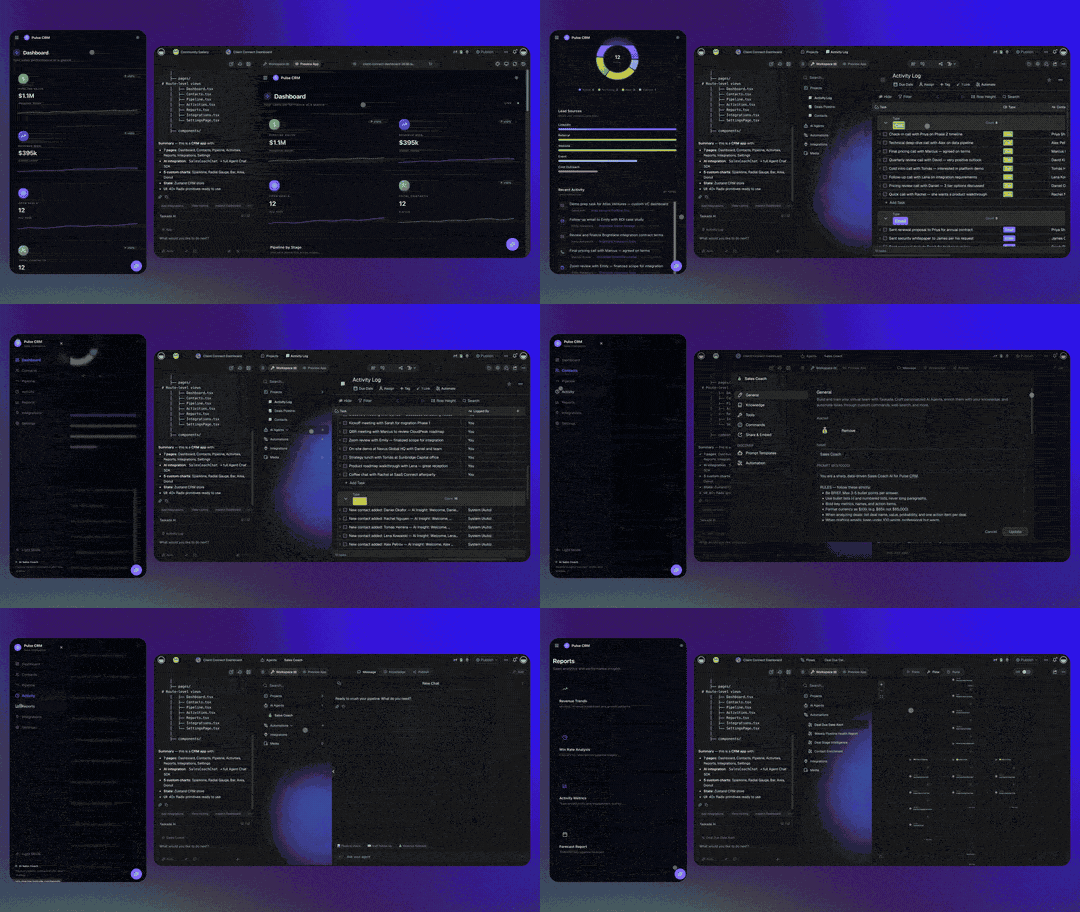
```
the.pipeline
new lead → CRM → follow-up drafted → deal moves
```
- **Instant pipeline.** Every deal, from first contact to closed.
- **Real-time records.** Contacts, notes, and history in one place.
- **Agentic workflows.** An agent drafts the follow-up, and an automation moves the deal.
[Learn: Build a CRM](https://www.taskade.com/learn/genesis/crm) walks through the build. Want a head start? Clone the live [Sales Pipeline Dashboard](https://www.taskade.com/app/sales-pipeline-dashboard-j1n0746e1z0olf6r) kit with its agent already connected.
## How Does a Client Portal Keep Clients Up to Date?
A client portal gives each client one place for status, files, requests, and updates. The portal reads the same projects your team works in, so it changes as the work behind it changes. Nobody sends a status email to find out where things stand.
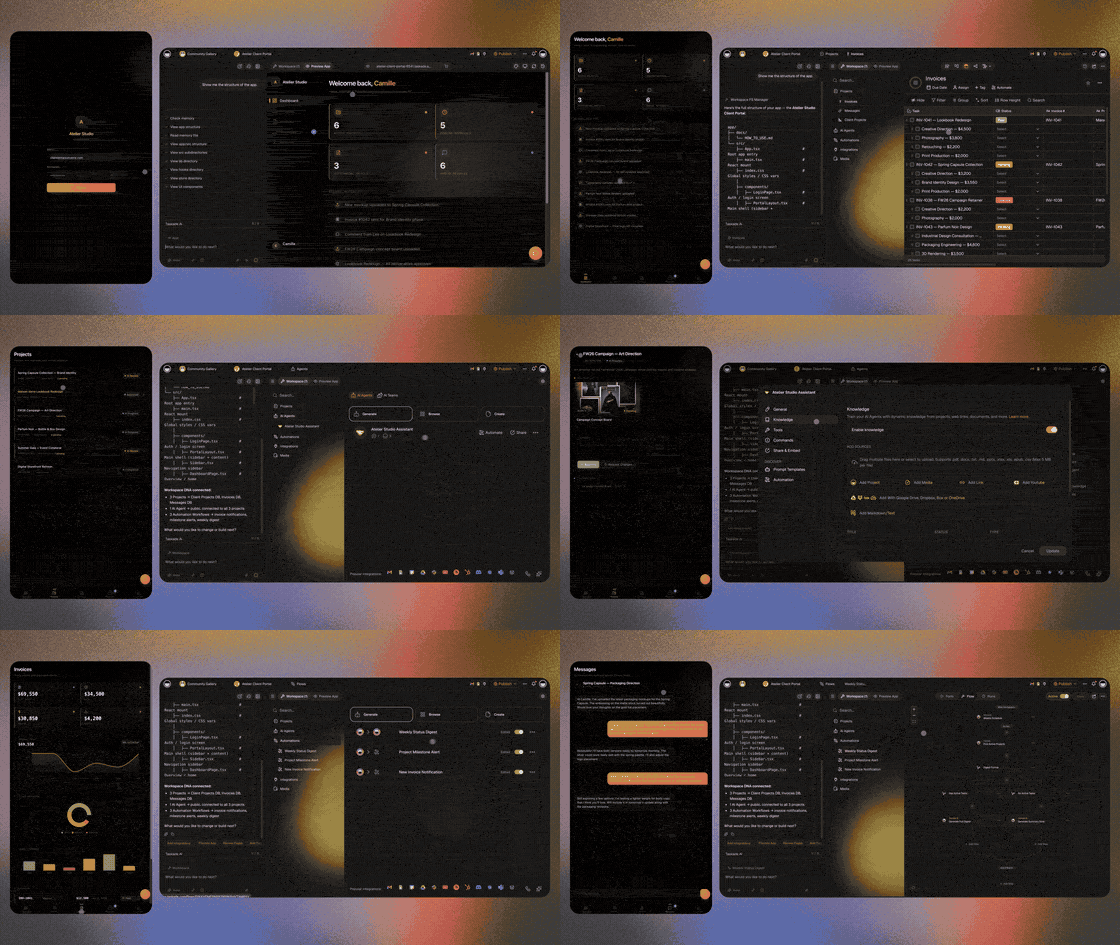
```
the.portal
client signs in → sees their work → your team keeps moving
```
Sign-in confirms who each client is. It does not hide other rows on its own. To give each client a view of their own work, open **Publish**, turn on **Private per-user data**, and pick the owner field that matches each record to a login. Then test with a second account before you share the link. [Learn: App Users](https://www.taskade.com/learn/genesis/app-users) covers sign-in, and [Learn: GenesisAuth](https://www.taskade.com/learn/genesis/genesis-auth) covers single sign-on.
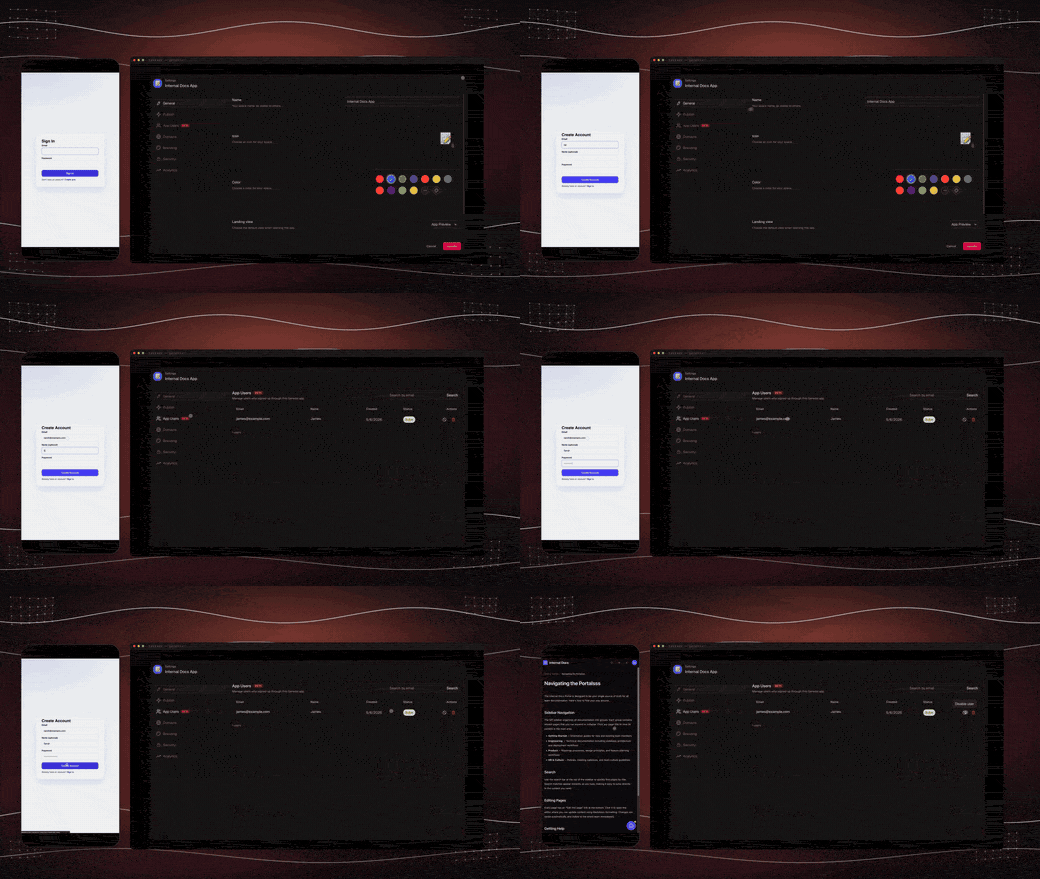
[Learn: Build a Customer Portal](https://www.taskade.com/learn/genesis/build-customer-portal) walks through the full build, and the live [Event Management Portal](https://www.taskade.com/app/event-management-portal-scv62ou1yocu3sno) kit shows RSVPs, schedule, and check-in running in one app.
## How Do You Sell Products From a Taskade App?
A Taskade app can be your storefront. List your services or products on a page you own, take payment, and let an automation record the order and start the work. Every order and its history stay connected to the customer.
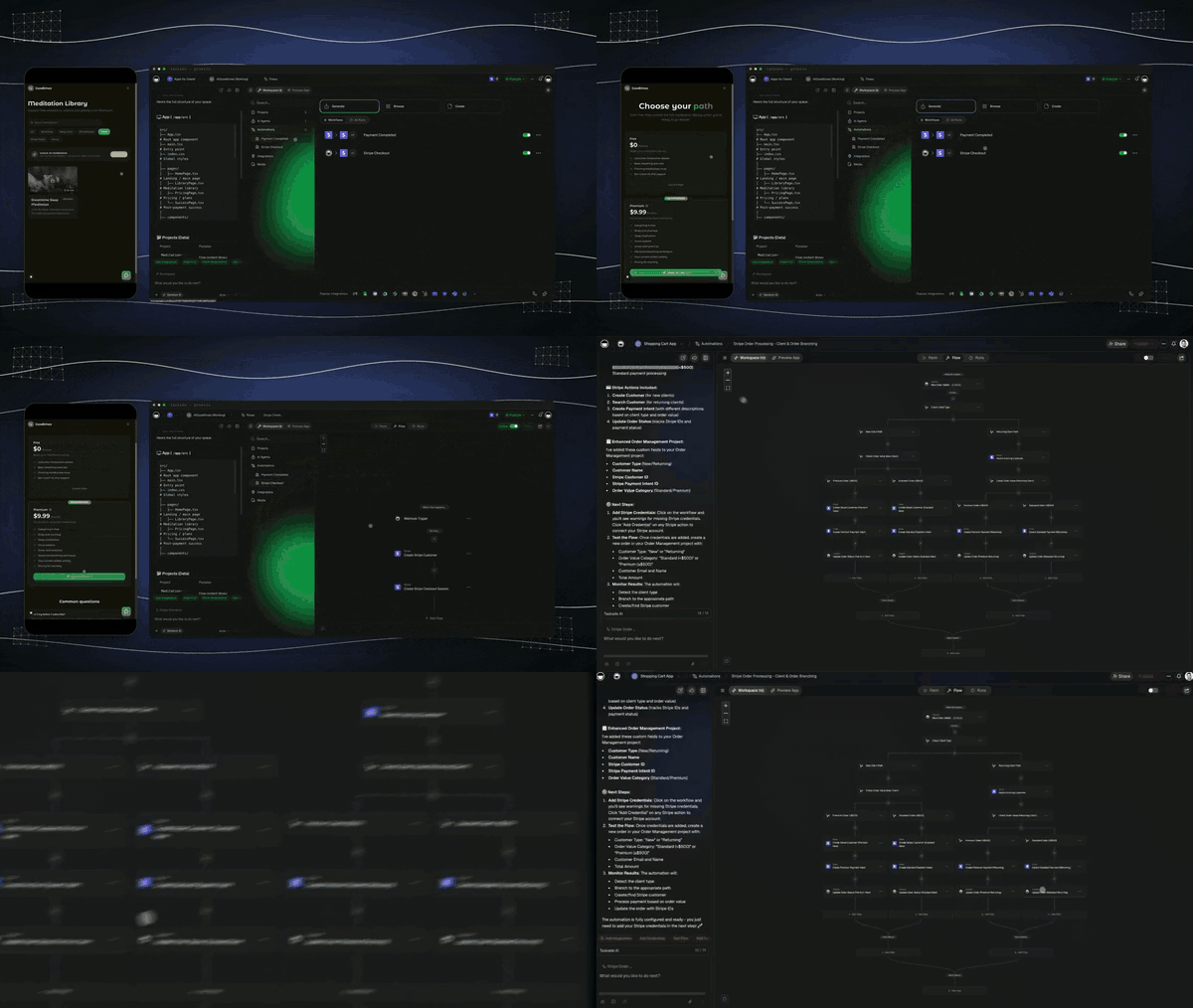
```
the.shop
products → your page → customer pays → work starts
```
- **Your products.** Your services, your products, your brand.
- **Every order tracked.** Each order and its history in one project.
- **Payment processed.** The [Stripe integration](https://www.taskade.com/learn/connect/stripe-integration) takes the payment. Stripe runs on paid plans.
[Learn: Storefront](https://www.taskade.com/learn/genesis/storefront) covers the build, and [Learn: Stripe Checkout](https://www.taskade.com/learn/automation/stripe-checkout) covers the automation that fires after a payment.
## Which Apps Should Your Business Build?
Build the app your business runs on every day, then add the next one. Every app reads and writes the same workspace, so a lead in the CRM, a job in the tracker, and an invoice in billing stay connected.
| You run | You build |
|---|---|
| A service business | CRM + jobs + invoices |
| An agency | Client portal + projects + billing |
| A shop | Storefront + orders + customers |
| An internal team | Internal tools + trackers + dashboards |
| A solo business | Leads + follow-ups + invoices |
| A school or a clinic | Bookings + records + reminders |
Build one. Build a few. Keep them connected. Browse live examples in the [Community Gallery](https://www.taskade.com/apps) before you start.
## What Is Workspace DNA?
Workspace DNA is the system behind every app you publish. Projects remember, AI agents reason over that memory, and automations run the work around the clock. The app is the screen your customers see. The workspace is everything behind it. [Learn: Workspace DNA](https://www.taskade.com/learn/genesis/workspace-dna) explains the loop.
```mermaid
graph TD
P["MEMORY
projects remember"] --> A["INTELLIGENCE
agents reason"]
A --> W["EXECUTION
workflows run"]
W --> P
W --> D["APPS DEPLOY
CRMs, portals, shops"]
D --> U["YOUR DOMAIN
clients sign in"]
style P fill:#2a1225,color:#ff8fa3,stroke:#ff2d60,stroke-width:2px
style A fill:#11111b,color:#cdd6f4,stroke:#00d4aa
style W fill:#0d1a0e,color:#86efac,stroke:#22c55e,stroke-width:1.5px
style D fill:#1a0d24,color:#ce93d8,stroke:#6a1b9a,stroke-width:1.5px
style U fill:#0d1b2a,color:#7dd3fc,stroke:#38bdf8,stroke-width:1.5px
```
- **Projects remember.** Your workflows and context power real data.
- **Agents reason.** Train your agents on any data and knowledge in the workspace.
- **Workflows run.** Your apps and workspace keep running 24/7, across 100+ integrations.
- **Apps deploy.** Your apps, tools, and portals go live the moment you publish.
Taskade gives you a living system, not a shell: AI agents that think, projects that remember, and automations that run, with frontier models from top AI labs behind them.
## One Prompt, One App, One Living Workspace
Everything stays connected from the start. Your workspace is the system behind every app you create, so the second app is faster than the first. Describe the app at [/create](https://www.taskade.com/create), publish it, and put it on your domain when you are ready.
[Start yours →](https://www.taskade.com/create) or [browse live apps →](https://www.taskade.com/apps)
## Frequently Asked Questions
### Can I publish a Taskade app on my own domain?
Yes. Bring a domain or buy one inside the app. Custom domains are Pro and above. See [Learn: Custom Domains](https://www.taskade.com/learn/genesis/custom-domains).
### How do I control who can open my app?
Choose Private, Secret, or Public in the Publish menu. **Require Password** adds a password on Pro and above. See [Learn: Publishing](https://www.taskade.com/learn/genesis/publishing).
### Can clients sign in to my app?
Yes. App User sign-in works on every plan, including Free. A custom domain is a separate control and is Pro and above.
### Does sign-in keep each client's records separate?
Sign-in confirms who the visitor is. To give each client a view of their own work, turn on **Private per-user data**, pick the owner field, and test with a second account. See [Learn: App Users](https://www.taskade.com/learn/genesis/app-users).
### Can I build a CRM in Taskade?
Yes. Describe your sales process at [/create](https://www.taskade.com/create), or clone the [Sales Pipeline Dashboard](https://www.taskade.com/app/sales-pipeline-dashboard-j1n0746e1z0olf6r) kit.
### Can a Taskade app take payments?
Yes. Connect [Stripe](https://www.taskade.com/learn/connect/stripe-integration) and let an automation record each order. Stripe runs on paid plans.
### Which apps should my business build first?
The one your business runs on every day: a CRM, a client portal, or a storefront. Then add the next and keep them connected.
### What is Workspace DNA?
The loop behind every app: projects remember, agents reason, and automations run. See [Learn: Workspace DNA](https://www.taskade.com/learn/genesis/workspace-dna).
## Read Next
- [Connect It, Start It, Watch It Run](https://www.taskade.com/blog/watch-it-run)
- [Paste Your Website, Clone an App Kit, Launch It Live](https://www.taskade.com/blog/paste-clone-launch)
- [CRM, Storefront, and Analytics Dashboard](https://www.taskade.com/blog/crm-storefront-analytics)
- [Clone Apps. Add Login. Run Agents. Automate Flows.](https://www.taskade.com/blog/clone-login-automate)
▲ ■ ● Memory holds your records. Intelligence works them. Execution runs them, on an address that is yours.