# Virtual Background, New Wallpapers, and more!
> Hi Taskaders 🎉 We've worked hard to make Taskade work better for you! Here's what's new: ## ⚡️ Virtual Background...
- Source: https://www.taskade.com/blog/virtual-background-new-wallpapers
- Published: 2021-12-31
- Updated: 2026-04-06
- Author: John Xie
Hi Taskaders 🎉
We've worked hard to make Taskade work better for you! Here's what's new:
> **TL;DR:** December 2021 closed the year with virtual video-call backgrounds, a new wallpaper collection, and the iPad/Android tablet experience — primitives that today live on as branded [Genesis apps](https://www.taskade.com/create) on [custom domains](https://www.taskade.com/learn/genesis/custom-domains), the [Community Gallery](https://www.taskade.com/apps), and the [Zoom integration](https://www.taskade.com/learn/connect/zoom-integration).
> **Then → Now:** 2021's virtual backgrounds and wallpapers evolved into today's [custom domains and the Genesis Community Gallery](https://www.taskade.com/apps), where any [Genesis-built app](https://www.taskade.com/create) can be branded, themed, and published to the world.
## **********************⚡️ Virtual Background**********************
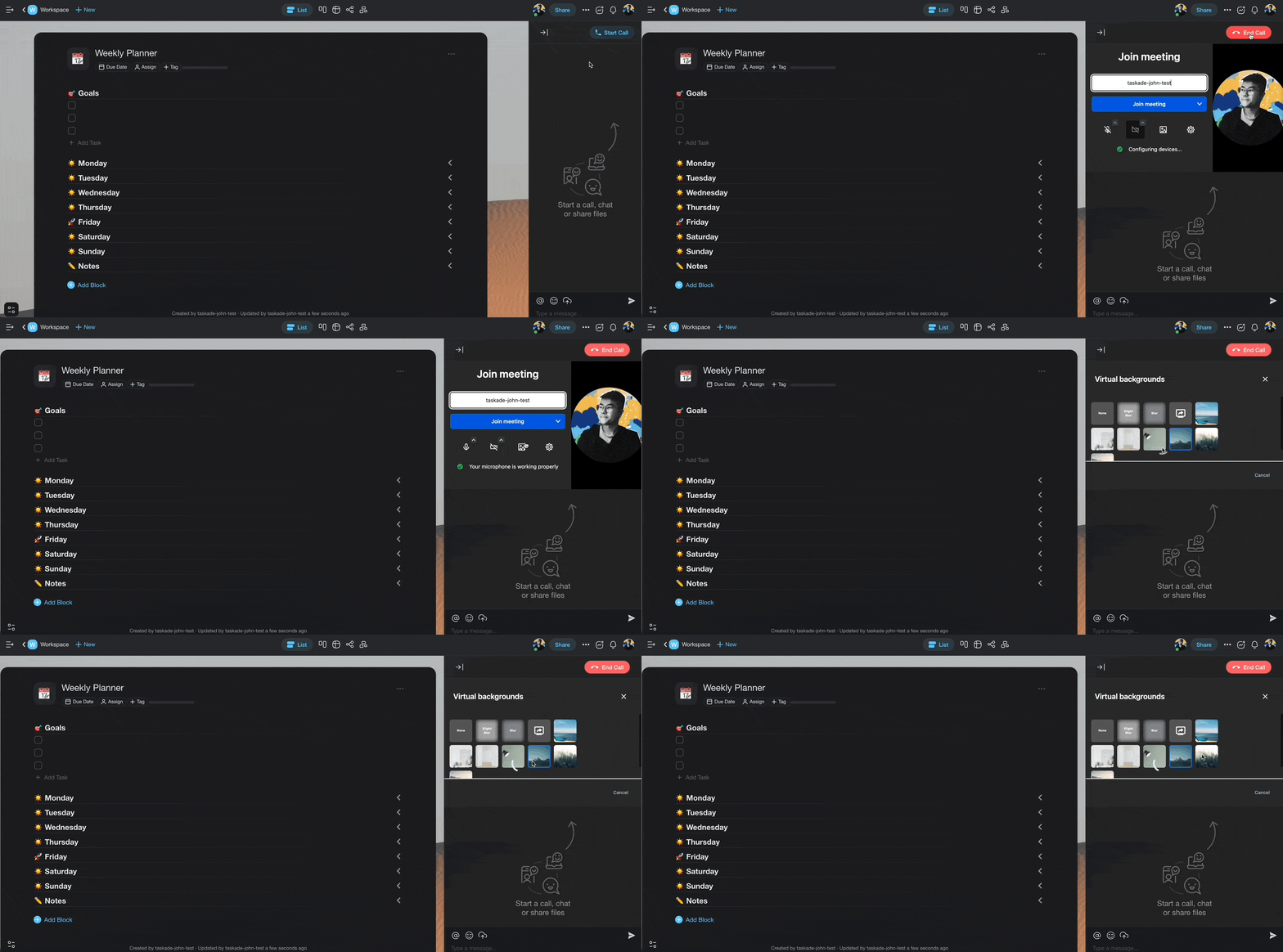
The new video chat is here with improved call quality, faster screen sharing, and virtual background. Give it a try for your next meeting! [Learn more](https://www.taskade.com/learn/projects/enable-camera).
taskade virtual background video call
## ****⚡️ New Wallpapers****
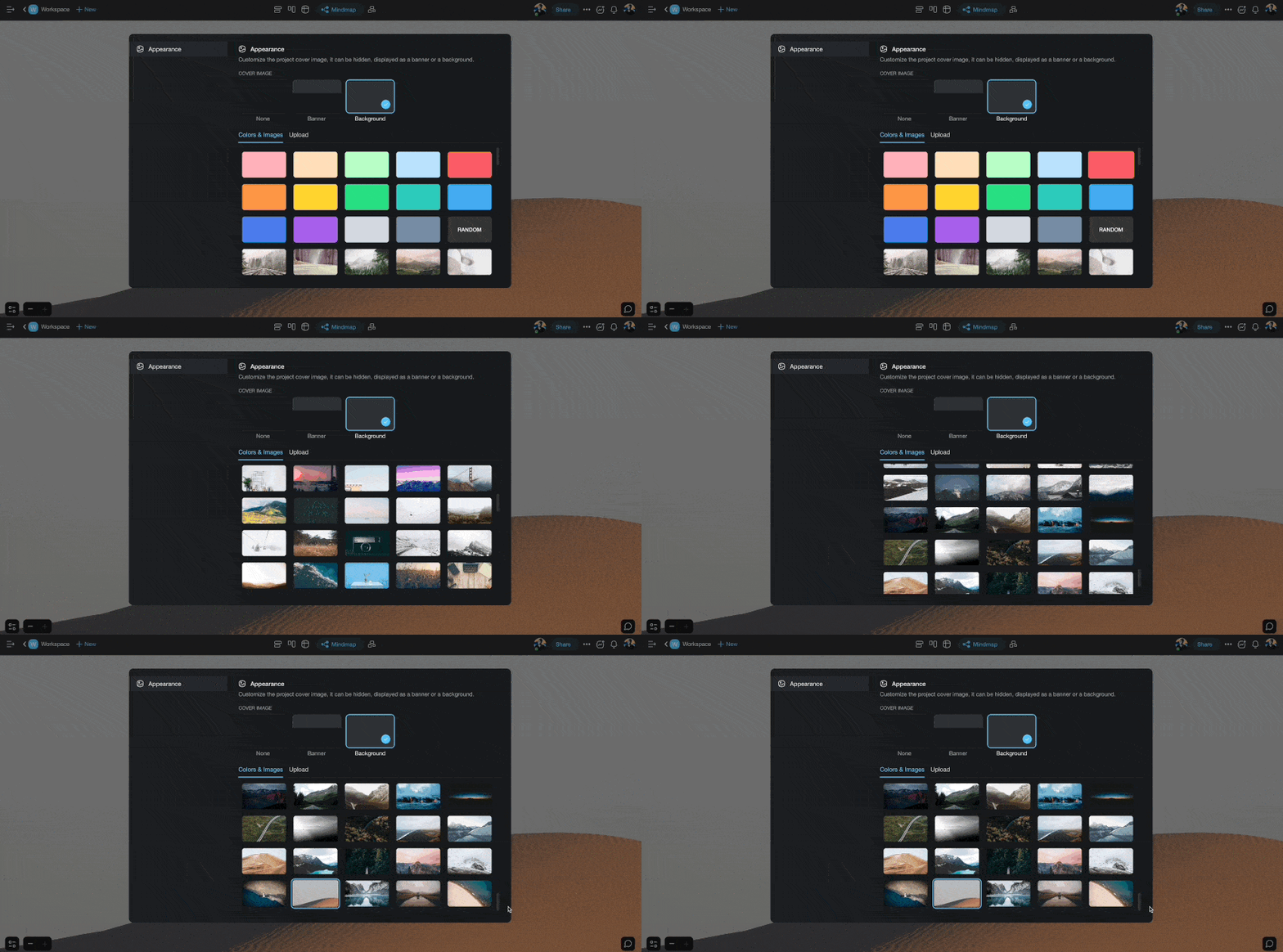
Customize your project with our latest wallpaper collection. [Learn more](https://www.taskade.com/learn/projects).
taskade wallpapers
## ****************⚡️ Add Block to Top****************
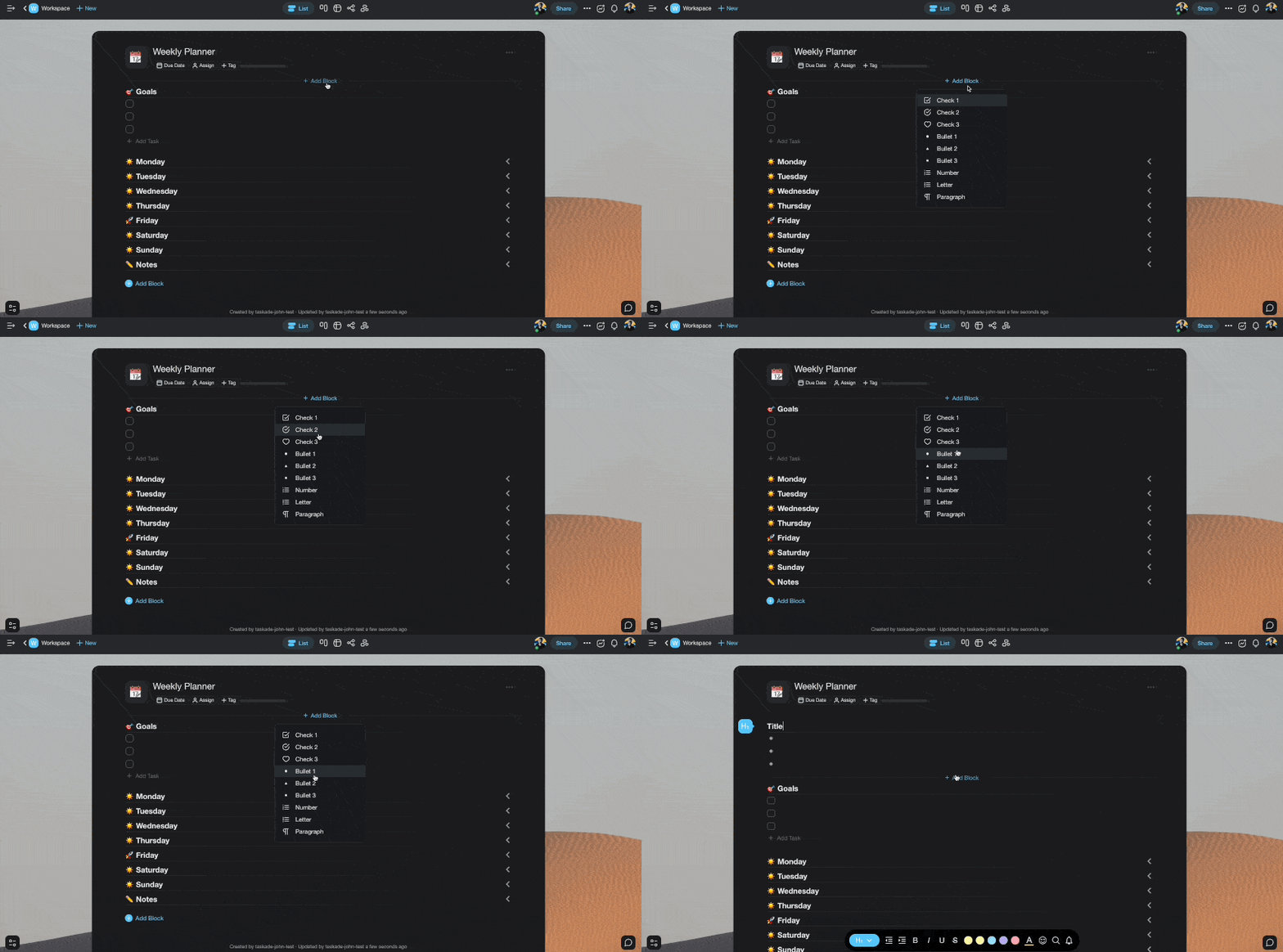
You can now add a block anywhere!
taskade add block top
## 📊 Theme & Personalization: 2021 H2 vs Today
| Theme | 2021 H2 | Today (2026) |
| --- | --- | --- |
| Wallpapers | Project wallpaper collection | Wallpapers + [Aurora glass UI](https://www.taskade.com/learn/projects/customize-project) |
| Video calls | Virtual backgrounds, screen sharing | Virtual backgrounds + [Zoom integration](https://www.taskade.com/learn/connect/zoom-integration) |
| Tablet apps | New iPad / Android tablet experience | Same + [mobile guide](https://www.taskade.com/learn/projects/mobile-guide) and [desktop widgets](https://www.taskade.com/learn/connect/desktop-widgets) |
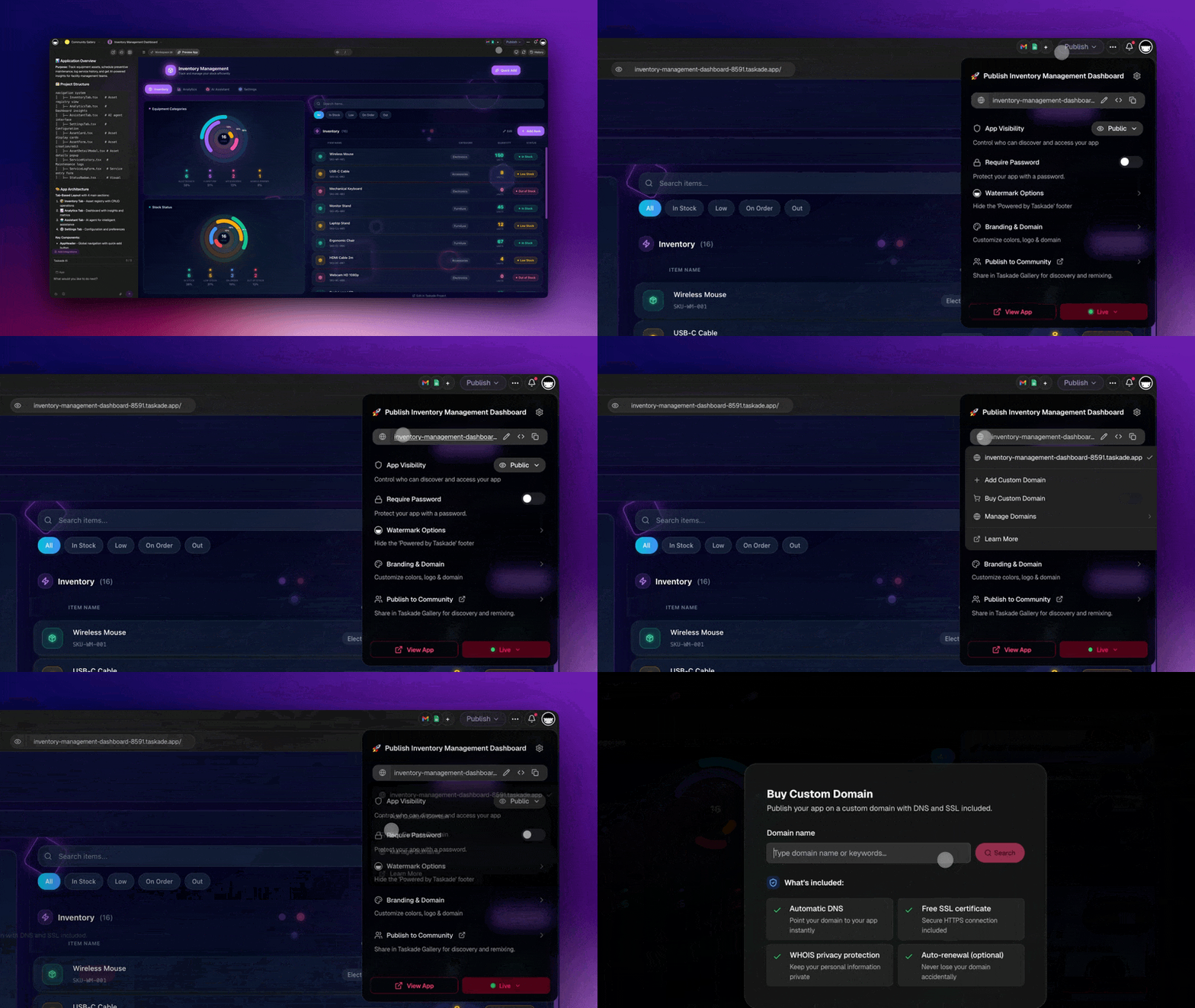
| Personalization | Wallpapers per project | [Custom domains and password protection](https://www.taskade.com/learn/genesis/custom-domains) on published [Genesis apps](https://www.taskade.com/create) |
```mermaid
flowchart LR
A[2021
Virtual bg + wallpapers]:::a --> B[Per-project themes]:::b --> C[2026
Branded Genesis apps]:::c --> D[Custom domain + password]:::d
classDef a fill:#1e1e2e,color:#94a3b8,stroke:#475569
classDef b fill:#0d1b2a,color:#7dd3fc,stroke:#38bdf8,stroke-width:1.5px
classDef c fill:#2a1225,color:#ff8fa3,stroke:#ff2d60,stroke-width:2px
classDef d fill:#0d1a0e,color:#86efac,stroke:#22c55e,stroke-width:1.5px
```
### Anatomy of a 2026 video-call room
```text
┌───────────────────────────────────┐
│ [virtual bg] participants ▾ │
│ │
│ 👤 you 👤 teammate │
│ 👤 agent (notes) │
│ │
│ 💬 chat panel · resizable │
│ 🤖 agent: "summary posted to │
│ Genesis app dashboard" │
└───────────────────────────────────┘
```
### Hub & spoke
- Hubs: [Taskade Genesis](https://www.taskade.com/create) · [Community Gallery](https://www.taskade.com/apps) · [Downloads](https://www.taskade.com/downloads) · [Templates](https://www.taskade.com/templates)
- Spokes: [Learn — start a video call](https://www.taskade.com/learn/projects/enable-camera) · [Learn — Zoom integration](https://www.taskade.com/learn/connect/zoom-integration) · [Learn — custom domains](https://www.taskade.com/learn/genesis/custom-domains) · [Learn — mobile guide](https://www.taskade.com/learn/projects/mobile-guide)
- Related: [iPad & tablet app](https://www.taskade.com/blog/ipad-tablet-app-project-settings-video-reactions) · [Project background + sidebar](https://www.taskade.com/blog/project-background-sidebar-insert-emoji)
## ************🎉 Other Improvements************
- [Taskade for Mobile](https://www.taskade.com/downloads): The new iPad and Android Tablet experience is live! 🙌
- Subspaces are now named Folders for clarity.
- Bug fixes and performance improvements.
| Thanks again for supporting Taskade, and as always, don’t hesitate to [reach out](https://www.taskade.com/contact) or visit our [help center](https://www.taskade.com/learn) if you need help. We’re here for you! 😊 — Team Taskade 🐑 P.S. Want to help us improve Taskade? You can also [suggest a feature](https://www.taskade.com/feedback). |
| --- |
| |
## Frequently Asked Questions
### Does Taskade support virtual backgrounds in video calls?
Yes. Taskade's video chat includes virtual background support so you can replace your real background during meetings. Choose from built-in backgrounds or upload a custom image. The feature is available on web and desktop apps alongside improved call quality and screen sharing.
### Can I customize project wallpapers in Taskade?
Yes. Taskade offers a collection of full-page wallpapers you can apply to any project. Open Project Settings, select Background, and choose from colors, gradients, and artwork. Wallpapers personalize your workspace and help visually distinguish different projects.
### Can I add a content block at the top of a Taskade project?
Yes. Taskade lets you add new blocks at any position in a project, including the very top. Click the Add Block button that appears above the first item, or use keyboard shortcuts to insert content exactly where you need it.
### Does Taskade have an iPad and Android tablet app?
Yes. Taskade offers dedicated apps for iPad and Android tablets with optimized layouts for larger screens. The tablet experience supports multi-tasking, full project editing, real-time collaboration, and all the same views available on web and desktop.