
Version History, Autocomplete #Tags, Markdown in Chat/Comments, and More!
Hi Taskaders 🎉 We've worked hard to make Taskade work better for you! Here's what's new: ## ****************⚡️ ******Version History********************** ...
Hi Taskaders 🎉
We've worked hard to make Taskade work better for you! Here's what's new:
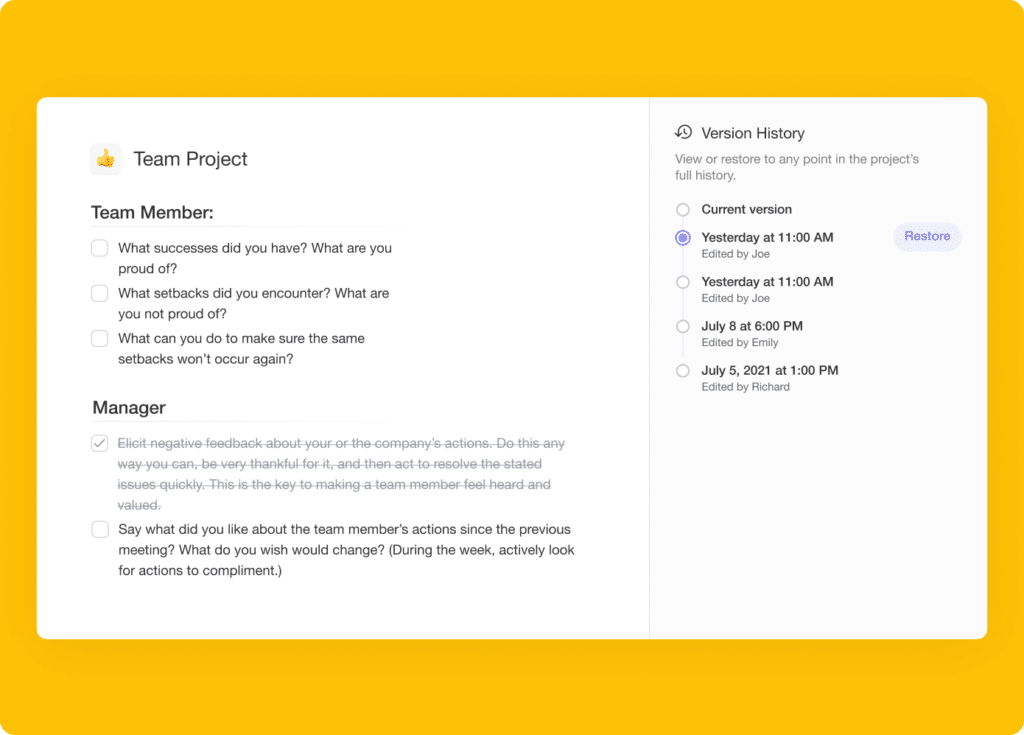
⚡️ Version History
You can now recover deleted data by accessing your project's version history. Simply browse previous versions, and select a snapshot to restore to.
⚡️ Autocomplete #Tags
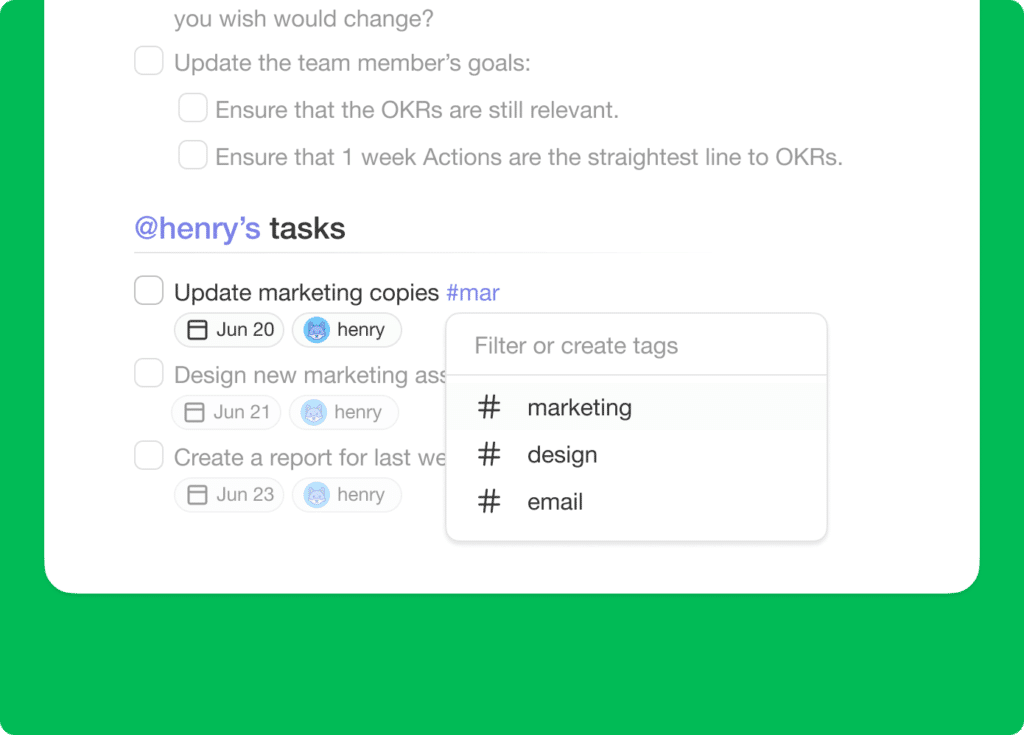
Tag management is here to help you organize and prioritize tasks! Simply type # to select from a list of previously used tags or create new ones on the spot!
⚡️ Markdown Support in Chat/Comments
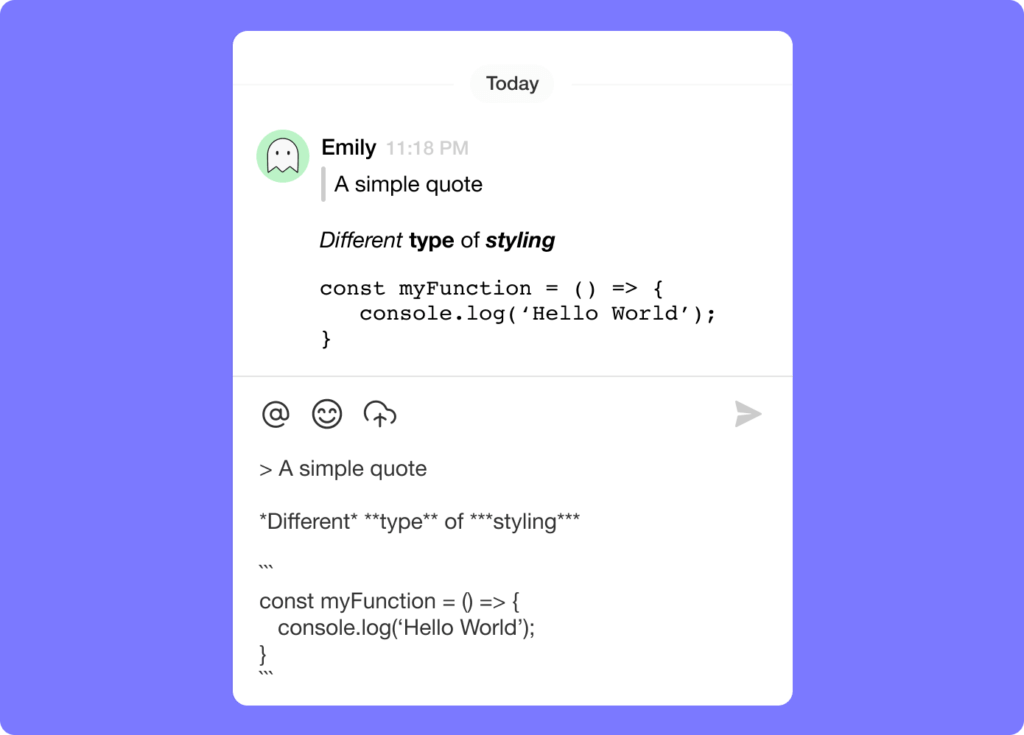
You can now type in markdown in both chat messages and comments! Click here to view our supported markdown formats.
🎉 Other Improvements
- Taskade for Desktop Update: Tabs now display project icons.
- Folded blocks now auto-unfold when an attachment is added.
- Added additional options to Add Block menu in the project editor.
- Added next / previous buttons to lightbox for attachments.
- Added aggregated project #tags to the task more menu.
- Enabled CTRL + SHIFT + / to display all Keyboard Shortcuts.
- Enabled CTRL / ⌘ + K support for quick search everywhere.
- Enabled ability to comment for Viewer & Checker Roles.
- Improved display of due dates in My Tasks.
- Improved display of results in Search.
- Improved performance and bug fixes.
| Thanks again for supporting Taskade, and as always, don’t hesitate to reach out or visit our help center if you need help. We’re here for you! 😊 — Team Taskade 🐑 |
|---|