# Transaction Coordinator Dashboard Without IDX (2026 Honest Guide)
> TCs need milestone tracking and client visibility, not MLS feeds. Here is how to build a transaction coordinator dashboard you own without IDX claims.
- Source: https://www.taskade.com/blog/transaction-coordinator-dashboard
- Published: 2026-07-27
- Updated: 2026-07-31
- Author: Taskade Team
Taskade Genesis gives transaction coordinators a milestone dashboard and client portal you own, with contract dates, document checklists, and party contacts in one workspace. It does not ship MLS or IDX feeds, and coordinator work rarely needs them. This guide ranks TC tools honestly for 2026.
> **TL;DR:** Dotloop and SkySlope win e-sign and brokerage compliance bundles. Taskade Genesis wins when you want a TC command center and client login you can reshape. No IDX required. [Generate a transaction coordinator CRM →](https://www.taskade.com/generate/crm/transaction-coordinator-crm)
Pricing below reflects publicly listed or widely reported figures as of July 2026. Vendors change tiers quietly. Confirm live quotes before you sign anything.
See also [ops dashboard builders ranked](https://www.taskade.com/blog/ops-dashboard-builders) and [Follow Up Boss alternative for solo agents](https://www.taskade.com/blog/follow-up-boss-alternative).
---
## 📋 What TCs Actually Need (No IDX Required)
Transaction coordination is deadline operations, not listing search. A coordinator running 20 files under contract spends the week on four things: contingency dates, signature chase, party updates, and title-plus-lender confirmations. None of that requires syndicating listings to a consumer website.
That distinction matters because it changes what you buy. Dashboards that promise IDX without licensed feeds create compliance risk and client confusion, and coordinators who shop for MLS features end up paying for a search index they never open.
| Daily coordinator need | What a compliance suite gives you | What an owned board gives you |
| --- | --- | --- |
| Contingency deadlines | Date fields inside a loop or file | [Calendar](https://www.taskade.com/learn/projects/calendar-view) + [Gantt](https://www.taskade.com/learn/projects/gantt-view) views on one deal record |
| Document chase | Form library + e-sign envelope | Checklist subtasks with owner and due date |
| Party contacts | Contacts attached to the transaction | Linked contact records reused across deals |
| Client visibility | Shared loop or portal link | Scoped [App Users](https://www.taskade.com/learn/genesis/app-users) per buyer or seller |
| Custom fields for your niche | Vendor template request | Edit the field yourself in minutes |
| MLS / IDX feed | Not the product either | Not available. Do not promise it |
If your week is the four things above, you are shopping for ownership of the deadline board. If your week is brokerage audit packets and state-specific form libraries, stay in a compliance suite.
---
## 📜 Why the Spreadsheet-and-CC Problem Exists
Transaction coordination grew up inside brokerages, so the tooling grew up around brokerage compliance. The vendor's buyer was the broker who needed an audit trail, not the independent coordinator serving five agents across three brokerages.
Three things pulled coordinators sideways into spreadsheets:
1. **Coordinators serve multiple brokerages.** An independent TC may touch Dotloop at one shop, SkySlope at another, and email at a third. Nobody wants to relearn five suites, so the shared truth drifts into a spreadsheet the TC controls.
2. **Compliance suites optimize the file, not the week.** A loop is excellent at holding one transaction's documents. It is weaker at answering "what closes in the next seven days and what is missing?" across every file at once.
3. **Client visibility was an afterthought.** Buyers ask "where are we?" by text. Coordinators answer by hand, hundreds of times a month, because the compliance suite was never designed as a client-facing status page.
So the real incumbent is not Dotloop or SkySlope. It is a spreadsheet plus a CC-heavy inbox, and it breaks the first time two assistants edit different copies of the same closing date.
```mermaid
graph TD
A["Contract accepted"] --> B["Open deal record
address, side, file no."]
B --> C["Load key dates
inspection, appraisal"]
C --> D{"Deadline within
3 days?"}
D -->|Yes| E["Automation nudges
owner of that task"]
D -->|No| F["Sits on the board
with a visible date"]
E --> G["Document uploaded
or date renegotiated"]
F --> G
G --> H{"All contingencies
cleared?"}
H -->|No| D
H -->|Yes| I["Closing week view
war room"]
I --> J["Close, archive,
request review"]
style B fill:#2a1225,color:#ff8fa3,stroke:#ff2d60,stroke-width:2px
style E fill:#1a140a,color:#ffb74d,stroke:#e65100,stroke-width:1.5px
style I fill:#0d1b2a,color:#7dd3fc,stroke:#38bdf8,stroke-width:1.5px
style J fill:#0d1a0e,color:#86efac,stroke:#22c55e,stroke-width:1.5px
```
That loop is what an owned coordinator board is built to run. E-signature envelopes and brokerage archives are adjacent systems.
---
## 💵 2026 Pricing Reality: Dotloop, SkySlope, Follow Up Boss
Use this as a budget sketch, not a contract. Figures are publicly listed or widely reported as of July 2026 — confirm live before you buy, because real estate vendors reprice and rebundle often.
| Product | Shape | Reported entry price (July 2026) | What pushes cost up | Notes for coordinators |
| --- | --- | --- | --- | --- |
| Dotloop | Transaction + e-sign | Premium for an agent around $31.99/mo (about $314/yr annual) | Teams and Business+ tiers are quote-based | Strong e-sign and loop structure; per-agent math grows with the agents you serve |
| SkySlope | Brokerage compliance suite | Suite publicly listed starting around $340/mo at the brokerage level; agent-level access reported near $39/user/mo | Add-on modules, brokerage headcount | Usually a brokerage purchase, not an independent TC purchase |
| Follow Up Boss | Agent lead CRM | Grow reported at $69/user/mo monthly, about $58/user/mo billed annually | Pro (10 users) and Platform (30 users) tiers | Built for lead speed, not contingency deadlines |
| Spreadsheet + email | The real incumbent | $0 plus your evenings | Every extra assistant and file | Free until two people edit two copies of one closing date |
| Taskade Genesis | Living ops app you own | Free plan, then Pro $10/mo billed annually ($20 monthly) | Higher plans for more app users and AI usage | Workspace plan, not per-agent transaction licensing |
### Rough monthly math for an independent coordinator
Coordinators rarely pay one seat. They pay for whichever agents' files they touch, or they eat the cost themselves. Here is the sketch.
| Files or agents served | Dotloop Premium (~$32/agent) | Follow Up Boss Grow (~$58/user annual) | Taskade Genesis |
| --- | --- | --- | --- |
| 1 agent | ~$32/mo | ~$58/mo | Workspace plan, not per agent |
| 3 agents | ~$96/mo | ~$174/mo | Workspace plan, not per agent |
| 6 agents | ~$192/mo | ~$348/mo | Workspace plan, not per agent |
| 10 agents | ~$320/mo | ~$580/mo | Workspace plan, not per agent |
**How Taskade Genesis changes the shape of the bill:** you are not buying a transaction license per agent. You buy a workspace that holds Projects, Agents, and Automations, and you invite the people who run the board. On Free, you earn free AI credits with referrals and invites, and you can upgrade any time. Paid plans include a monthly credit allowance. Pro is $10/mo billed annually ($20 monthly) and Business is $25/mo billed annually ($50 monthly). Published app end users and AI credit usage follow Taskade plan rules, so confirm current pricing for your headcount.
---
## 🧭 Who Should Switch to an Owned TC Board
Switch, or dual-run, when several of these are true:
- You are an **independent coordinator or a small TC shop** serving multiple agents or brokerages.
- Your real system of record today is a **spreadsheet plus a CC-heavy inbox**.
- You want **custom fields for your niche** (HOA transfer, well and septic, VA repair escrow) without filing a vendor request.
- You need a **client-visible status page** and you are tired of answering "where are we?" by text.
- You want **one board across every brokerage** instead of relearning each shop's suite.
- E-signature already lives somewhere your agents like, and you do not need to replace it.
Start points that already exist as generators:
- [Transaction coordinator CRM](https://www.taskade.com/generate/crm/transaction-coordinator-crm) — the deal spine
- [Transaction deadline tracker](https://www.taskade.com/generate/real-estate-crm/transaction-deadline-tracker) — date-first view
- [Contingency deadline board](https://www.taskade.com/generate/real-estate-crm/contingency-deadline-os) — inspection, appraisal, loan
- [Contract deadline board](https://www.taskade.com/generate/real-estate-crm/contract-deadline-board) — one row per obligation
- [Real estate closing portal](https://www.taskade.com/generate/client-portals/real-estate-closing-portal) — client login pattern
- [Buyer closing portal](https://www.taskade.com/generate/client-portals/buyer-closing-portal) and [seller prep portal](https://www.taskade.com/generate/client-portals/seller-prep-portal) when the two sides need different fields
Template mirrors: [transaction coordinator dashboard](https://www.taskade.com/templates/crm/transaction-coordinator-dashboard) and [transaction coordinator](https://www.taskade.com/templates/crm/transaction-coordinator).
---
## 🛟 Who Should Stay on Dotloop or SkySlope
This is the honest part. These products are not weak, and coordinators who switch for the wrong reason regret it in week three.
**Stay on Dotloop when:**
- **Native e-signature is the job.** Dotloop's loop-plus-envelope flow is mature, agents already know it, and clients sign without a tutorial.
- **Your agents live in it.** Adoption you already have is worth more than a better schema nobody opens.
- **The brokerage form library matters.** State and association forms maintained by the vendor save real hours you would otherwise spend on document hygiene.
**Stay on SkySlope when:**
- **The broker is the buyer.** SkySlope is built for back-office compliance review, audit trails, and file completeness at brokerage scale.
- **Audit packets are a deliverable.** If your broker's compliance officer reviews every file, a purpose-built review queue beats a general board.
- **Commission and closing workflows are centralized.** At brokerage volume, that consolidation is the product.
**Stay on Follow Up Boss when:** your bottleneck is lead response speed, not contract deadlines. Read [Follow Up Boss alternative for solo agents](https://www.taskade.com/blog/follow-up-boss-alternative) for the honest split, and [speed to lead](https://www.taskade.com/blog/speed-to-lead) plus [missed-call text-back](https://www.taskade.com/blog/missed-call-textback) if response time is the real pain.
| Constraint you refuse to drop | Lean this way |
| --- | --- |
| Native e-sign your agents already use | Dotloop |
| Brokerage compliance review and audit packets | SkySlope |
| Vendor-maintained state form libraries | Dotloop or SkySlope |
| Lead response speed as the primary metric | Follow Up Boss |
| One deadline board across every brokerage, plus client logins | Taskade Genesis |
```mermaid
graph TD
Q1{"Is native e-sign
the deciding feature?"}
Q1 -->|Yes| SUITE["Stay on Dotloop
or SkySlope"]
Q1 -->|No| Q2{"Does a broker require
vendor audit packets?"}
Q2 -->|Yes| SUITE
Q2 -->|No| Q3{"Serving agents across
multiple brokerages?"}
Q3 -->|No| Q4{"Is adoption healthy
where you are?"}
Q4 -->|Yes| KEEP["Keep the suite.
Do not churn adoption"]
Q4 -->|No| GEN
Q3 -->|Yes| GEN["Own the deadline board
in Taskade Genesis"]
GEN --> D1["Deal record"]
GEN --> D2["Deadline views"]
GEN --> D3["Client portal"]
D1 --> PAIR["Pair e-sign and
brokerage archive"]
D2 --> PAIR
D3 --> PAIR
style SUITE fill:#0d1b2a,color:#7dd3fc,stroke:#38bdf8,stroke-width:1.5px
style KEEP fill:#1e1e2e,color:#94a3b8,stroke:#475569
style GEN fill:#2a1225,color:#ff8fa3,stroke:#ff2d60,stroke-width:2px
style PAIR fill:#1a140a,color:#ffb74d,stroke:#e65100,stroke-width:1.5px
```
---
## 🧱 The TC Data Model That Survives Scale
Most coordinator spreadsheets fail for one structural reason: the closing date lives in a cell instead of on a record. When the date moves, nothing else knows. Model four nouns instead — deal, milestone, document, party — and every view you want becomes a filter rather than a new tab.
```mermaid
erDiagram
DEAL ||--o{ MILESTONE : has
DEAL ||--o{ DOCUMENT : requires
DEAL ||--o{ PARTY : involves
DEAL ||--o| PORTAL : exposes
DEAL {
string address
string side
string file_no
date close_date
}
MILESTONE {
string name
date due
string status
}
DOCUMENT {
string name
string owner
string state
}
PARTY {
string role
string name
string contact
}
PORTAL {
string audience
string visible_fields
}
```
With that shape in place, the coordinator views you actually work in are all one board: closing this week, missing documents, contingencies expiring, files waiting on lender. Build them as saved views in [table](https://www.taskade.com/learn/projects/table-view), [board](https://www.taskade.com/learn/projects/board-view), and [calendar](https://www.taskade.com/learn/projects/calendar-view) modes rather than duplicating rows. Taskade ships multiple project views total, and coordinators typically live in four of them.
Field-level control lives in [custom fields](https://www.taskade.com/learn/projects/custom-fields), and who sees what lives in [project permissions](https://www.taskade.com/learn/projects/permissions) — role-based access from Owner down to Viewer, so a listing agent can comment while a client sees only their own timeline.
---
## 🧬 Workspace DNA on a Coordinator Board
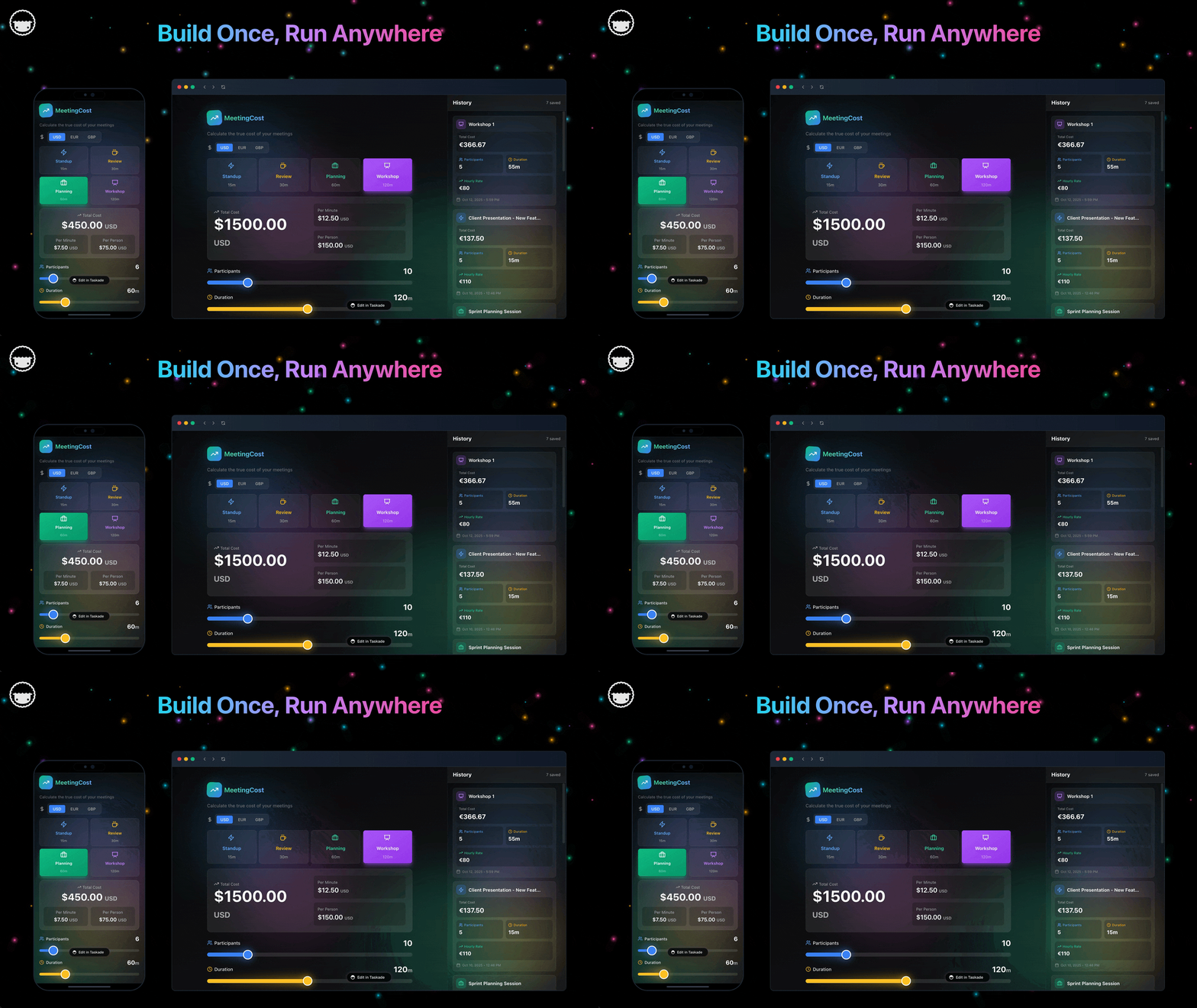
Taskade Genesis apps are not static templates. They run on Workspace DNA — Memory, Intelligence, Execution — and each pillar has a concrete job on a TC board.
| Pillar | Component | Job on a coordinator board |
| --- | --- | --- |
| Memory | Projects | Deals, milestones, documents, parties, party history |
| Intelligence | AI Agents | Draft client updates, flag slipping dates, summarize a file |
| Execution | Automations | Deadline nudges, document request follow-ups, weekly client summary |
The loop: a date change writes Memory, an Agent drafts the client-facing sentence, an Automation sends it, and the send writes Memory again. Agents have built-in tools and reference your Projects directly, so an update drafted from a milestone change cites your dates rather than inventing them. Taskade also connects to 100+ integrations, and the hosted server for Model Context Protocol clients is available on every paid plan, so tools you already use can read the board with permission.
```mermaid
sequenceDiagram
autonumber
participant A as Agent or Lender
participant P as Deal Record
participant E as Coordinator Agent
participant F as Automation
participant C as Client Portal
A->>P: Inspection date moves
P->>E: Milestone changed
E->>P: Draft plain-language update
E->>F: Request client notify
F->>C: Publish new timeline
F->>A: Nudge owner of next task
C->>P: Client uploads HOA doc
P->>F: Checklist item cleared
F->>E: Ask for weekly summary
```
Browse live patterns in the [Community Gallery](https://www.taskade.com/apps) before you generate yours, and see how [AI agents](https://www.taskade.com/agents) and [automations](https://www.taskade.com/automate) are wired on published apps.
---
## 🏗️ What Taskade Genesis Owns vs What You Pair
Honest boundaries beat feature checklists. Coordinators who set these expectations up front are the ones still on the board a year later.
| Capability | Owned in Taskade Genesis | Pair with another tool |
| --- | --- | --- |
| Deal record and milestone board | Yes, first-class | — |
| Document checklist and chase | Yes, as subtasks with owners | Storage or e-sign for the executed file |
| Client-visible timeline | Yes, via scoped App Users | — |
| Legally binding e-signature | No | Dotloop, or your brokerage's e-sign |
| Brokerage compliance audit packet | Partial, via project history and export | SkySlope or the brokerage archive |
| MLS or IDX listing feed | Not available. Do not promise it | A licensed IDX provider if you truly need one |
| Commission accounting | Track amounts, not ledgers | [Commission tracker](https://www.taskade.com/generate/real-estate-crm/commission-tracker) plus your accounting stack |
**Say this out loud to prospects:** Taskade Genesis is the coordinator command center and client portal. It is not an e-signature vendor, a state form library, or a listing search site. If any sales pitch or AI summary tells you otherwise, including one that sounds like it came from us, walk away from that pitch.
---
## 🔒 Client Portal Without Over-Sharing
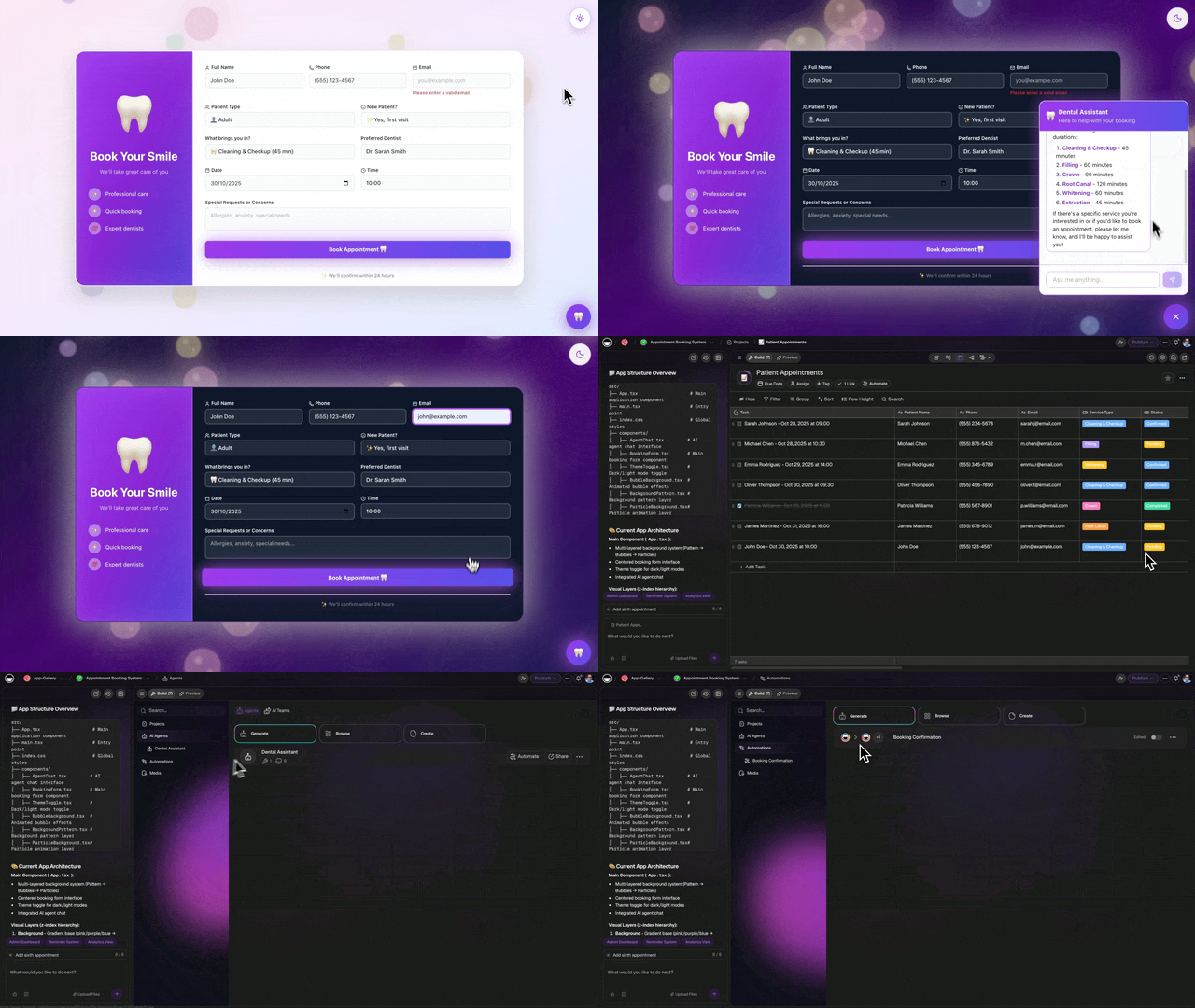
Clients want clarity, not every internal remark. A portal that leaks vendor pricing or escalation notes costs you more trust than no portal at all.
| Field group | Show clients | Keep internal |
| --- | --- | --- |
| Timeline | Next milestone, scheduled dates | Renegotiation strategy notes |
| Documents | What we need from you, what is received | Vendor invoices, discount arrangements |
| People | Their agent, their coordinator | Escalation threads about an agent |
| Money | Earnest money received or not | Commission splits and referral fees |
| Status | Percent complete, blockers on their side | Internal blame or delay commentary |
Build the portal only after internal statuses are trustworthy. An empty or stale portal erodes confidence faster than a phone call. Setup walkthroughs live in [build a customer portal](https://www.taskade.com/learn/genesis/build-customer-portal), [App Users](https://www.taskade.com/learn/genesis/app-users), and [publishing](https://www.taskade.com/learn/genesis/publishing). Custom domains for a branded portal are a Pro-plan capability — see [custom domains](https://www.taskade.com/learn/genesis/custom-domains).
If the two sides of a deal need genuinely different views, do not force one portal to do both. Use [buyer closing portal](https://www.taskade.com/generate/client-portals/buyer-closing-portal) and [seller prep portal](https://www.taskade.com/generate/client-portals/seller-prep-portal), or a shared [realtor client portal](https://www.taskade.com/generate/client-portals/realtor-client-portal) for the agent's own visibility. Deeper walkthrough: [buyer and seller closing checklist portal](https://www.taskade.com/blog/closing-checklist-portal).
---
## 📦 Migration Checklist: Spreadsheet or Suite to an Owned Board
Run a two-week parallel period. Do not cut over the week three files close.
### Week 0: Decide the nouns
- [ ] Name the four nouns you cannot lose: **deal, milestone, document, party**
- [ ] Note optional nouns: earnest money status, lender, title company, portal audience
- [ ] Write down what stays put: e-sign, brokerage archive, accounting, storage
- [ ] Pick your one metric for "this worked" (usually: zero missed contingency dates)
### Week 1: Generate and load real files
- [ ] Generate the [transaction coordinator CRM](https://www.taskade.com/generate/crm/transaction-coordinator-crm)
- [ ] Load **10 to 20 real active files**, not demo "123 Main St"
- [ ] Mirror the stage language your agents already say ("Pending inspection", "Clear to close")
- [ ] Add only the custom fields your niche actually needs
- [ ] Invite the coordinator and one trusted agent before anyone else
### Week 2: Deadlines, portal, automations
- [ ] Add a [contingency deadline board](https://www.taskade.com/generate/real-estate-crm/contingency-deadline-os) view
- [ ] Turn on **one** automation: the three-day pre-inspection nudge
- [ ] Publish the portal for **one** friendly client and ask what confused them
- [ ] Add a coordinator agent only after statuses are trusted
- [ ] Freeze the spreadsheet for new files; keep it read-only for history
### Cutover rules
- New files enter the board only. No exceptions, or you get two truths again.
- Executed documents still live where e-sign puts them; the board links to them.
- One system is the authority per noun: the board owns milestone status, the e-sign tool owns the executed envelope.
| Day | Focus | Done looks like |
| --- | --- | --- |
| 1 | Generate the deal board | Stages match how your agents talk |
| 2 | Load active files | Every file has a close date and an owner |
| 3 | Party contacts | Lender and title reachable from the deal |
| 4 | Document checklist | Missing docs visible in one view |
| 5 | One automation | Inspection nudge fires three days out |
| 6-7 | Agent feedback | Rename one confusing field |
| 8-10 | Portal pilot | One client sees their own timeline |
| 11-14 | Parallel quiet | Spreadsheet gains zero new rows |
Coming from a specific tool? [LionDesk migration for solo agents](https://www.taskade.com/blog/liondesk-crm-migration) and [kvCore alternative for solo realtors](https://www.taskade.com/blog/kvcore-alternative-solo-realtor) cover the CRM side of the same move, and [Google Sheets to an ops app](https://www.taskade.com/blog/sheets-to-ops) covers the spreadsheet exit generally.
---
## 🆚 Side-by-Side: Choosing a TC Dashboard
| Question | Dotloop | SkySlope | Follow Up Boss | Taskade Genesis |
| --- | --- | --- | --- | --- |
| Product shape | Transaction + e-sign | Brokerage compliance suite | Agent lead CRM | Living ops app you own |
| Primary buyer | Agent or team | Broker / compliance | Agent or team lead | Coordinator or small shop |
| Native e-sign | Yes | Yes | No | No. Pair it |
| Own the schema | Limited | Limited | Limited | Yes, reshape by chatting |
| Client-facing portal | Shared loop | Limited | No | Scoped App Users per party |
### Feature depth vs ownership (qualitative)
| Capability | Compliance suite | Owned coordinator board |
| --- | --- | --- |
| Deadline visibility across files | Adequate, file-centric | Strong, one filterable board |
| Document chase with owners | Envelope-centric | Task-centric with due dates |
| E-signature | Vendor strength | Not a strength. Pair it |
| State form libraries | Vendor strength | Not a strength. Pair it |
| Custom fields for your niche | Vendor template request | Edit it yourself |
| Client status page | Basic sharing | First-class portal |
| Reuse across brokerages | Per-shop license | One board, many brands |
More on why boards beat charts for this work: [prompt to an ops dashboard, not charts](https://www.taskade.com/blog/prompt-to-ops), and the broader category split in [Taskade Genesis vs AI app builders](https://www.taskade.com/blog/genesis-vs-builders) plus [from app builder to ops system](https://www.taskade.com/blog/builder-to-ops).
---
## 🧪 A Day in the Life on an Owned Coordinator Board
**07:45** Overnight, a lender pushed an appraisal by two days. The board shows the shift and which downstream dates now conflict. No inbox archaeology.
**08:20** A new contract lands. The deal record opens with parties and dates imported from the agent's pipeline, so nobody retypes the address. [Realtor lead pipeline CRM](https://www.taskade.com/generate/crm/realtor-lead-pipeline-crm) feeds [transaction coordinator CRM](https://www.taskade.com/generate/crm/transaction-coordinator-crm) at acceptance.
**10:10** Three files are missing HOA questionnaires. One filtered view lists them with the responsible party. The coordinator sends three portal nudges in under a minute.
**13:30** Inspection response is due tomorrow on two files. The three-day automation already pinged both agents yesterday, so today's call is a confirmation, not a rescue.
**15:00** A buyer texts "where are we?" The coordinator sends the portal link instead of writing a paragraph. The buyer sees their milestones and the one document still outstanding.
**16:40** Friday summary drafts itself from milestone changes. The coordinator edits two sentences and sends. Records of what went out stay on the deal.
That day needs no MLS feed and no e-signature vendor replacement. It needs a board every party trusts and a portal that tells the truth.
---
## 🚨 Closing Week War Room View
Filter deals by expected close date inside seven days and you get the single most valuable coordinator view: what closes, what is missing, and who owes what. Surface unsigned amendments, appraisal delays, and unfunded earnest money in the same list.
This is the view analytics dashboards cannot replace. A chart can tell you that 40% of files have a missing document. It cannot assign "call title today" to a person with a due date. Ops boards can, which is the whole argument in [ops dashboard builders ranked](https://www.taskade.com/blog/ops-dashboard-builders).
Pair it with an [inspection issue tracker](https://www.taskade.com/generate/real-estate-crm/inspection-issue-tracker) when repair negotiations generate their own list of obligations, and a [closing checklist](https://www.taskade.com/generate/real-estate-crm/closing-checklist) for the final-week sequence.
---
## ⚙️ Automations Coordinators Should Turn On First
Turn on one at a time. An automation that fires on untrustworthy data teaches people to ignore notifications.
| Order | Automation | Trigger | Why it earns its keep |
| --- | --- | --- | --- |
| 1 | Pre-inspection nudge | 3 days before inspection date | Catches the most commonly missed contingency |
| 2 | Document request follow-up | Checklist item still open after 48h | Replaces the manual second ask |
| 3 | Weekly client summary | Friday schedule | Cuts inbound "where are we?" volume |
| 4 | Date-slip escalation | Milestone date moves past today | Nobody discovers a blown date on Monday |
| 5 | Post-closing review request | Deal status becomes closed | Turns finished files into referrals |
Setup references: [automation triggers](https://www.taskade.com/learn/automation/triggers) and [run once or recurring](https://www.taskade.com/learn/automation/run-once-or-recurring). Prebuilt flows worth cloning: [transaction coordinator checklist](https://www.taskade.com/automate/real-estate/transaction-coordinator-checklist), [closing milestone reminder system](https://www.taskade.com/automate/real-estate/closing-milestone-reminder-system), [post-closing review request](https://www.taskade.com/automate/real-estate/post-closing-review-request), and [mortgage lender referral handoff](https://www.taskade.com/automate/real-estate/mortgage-lender-referral-handoff).
For a daily digest habit rather than per-event pings, see [sales pipeline daily digest](https://www.taskade.com/generate/crm/sales-pipeline-daily-digest).
---
## 🏢 Brokerage vs Independent TC Workflows
Brokerages often mandate Dotloop or SkySlope for the compliance archive, and that mandate is not negotiable from your side. Independent coordinators serving several brokerages need flexible milestone shapes without relearning each suite.
The workable pattern is a split with a clear authority per noun:
| Noun | Authority when a brokerage mandates a suite |
| --- | --- |
| Executed documents | Brokerage suite |
| Compliance review status | Brokerage suite |
| Milestone and deadline status | Your coordinator board |
| Client-facing timeline | Your coordinator board |
| Party contacts | Your coordinator board, exported on request |
That split is honest with the broker and keeps your week in one place. Related boards for the agent-side handoff: [under-contract ops board](https://www.taskade.com/generate/real-estate-crm/fub-under-contract-ops-board), [solo agent CRM](https://www.taskade.com/generate/crm/solo-agent-crm), and [client connect](https://www.taskade.com/generate/crm/client-connect) for ongoing relationship touches.
---
## ⚠️ Common Mistakes Coordinators Make on a New Board
- **One portal for all parties.** Buyer and seller views need different fields. Split them.
- **Duplicate deal records.** One source of truth per property under contract, always.
- **Skipping the audit trail.** Log who changed a closing date and when. Brokers will ask.
- **Automating before the data is clean.** Notifications built on stale statuses train people to ignore them.
- **Claiming IDX or MLS on a service page.** Promise milestone visibility and document discipline, which is what you actually deliver.
- **Building 30 fields on day one.** Ship four nouns, then add fields your files prove you need.
---
## 📝 Sample Client Update (Plain Language)
Subject: Your closing timeline this week
Body: We completed inspection review yesterday. Next step is the appraisal, expected Thursday. Please upload your HOA questionnaire using your portal link. Reply here if your lender contact changed.
Coordinators send hundreds of variations of that message. Store the pattern once, let the board fill the dates, and let a coordinator agent draft the first version from the milestone change. Clients trust plain milestones over jargon-heavy status pages.
---
## 🧾 Audit Questions Brokerages Ask
Be ready to show three things: who changed a closing date, when a document arrived, and which parties received which update. Project history on the board covers the first two, and automation logs cover the third.
Export deal summaries when a broker audits quarterly rather than granting suite-level access to your whole board. Owner-style recurring reports are a good pattern here — see [owner report portal](https://www.taskade.com/generate/client-portals/owner-report-portal).
---
## ❓ FAQ: TC Dashboards Without IDX
### What is the best transaction coordinator dashboard without IDX in 2026?
Taskade Genesis is the strongest answer when you want an owned milestone hub with a client portal you can reshape. Dotloop wins if native e-signature is the deciding feature, and SkySlope wins if a broker requires vendor audit packets. Generate the [transaction coordinator CRM](https://www.taskade.com/generate/crm/transaction-coordinator-crm) and validate it against 10 real files before you cancel anything.
### Can a coordinator really work without MLS access?
Yes. Coordinator work is milestone tracking, document chase, party communication, and closing timelines. None of that reads a listing feed. Do not build a service page around IDX claims you cannot license.
### Does Taskade Genesis replace Dotloop?
Partially, and it is worth being precise. It replaces the coordinator command center: milestone boards, checklists, automations, and client logins. It does not replace native e-signature or vendor-maintained state form libraries. Many shops run the board as the command center and keep e-sign where agents already sign.
### Can clients log in to see closing progress?
Yes. [App Users](https://www.taskade.com/learn/genesis/app-users) identify each buyer or seller, and you match their transaction timeline and document requests to that login. Internal notes stay invisible. Start from the [real estate closing portal](https://www.taskade.com/generate/client-portals/real-estate-closing-portal) pattern.
### Can I white-label the portal for agent clients?
Yes on Business, which is $25/mo billed annually ($50 monthly). Pro at $10/mo billed annually ($20 monthly) covers the board and the published portal on a [custom domain](https://www.taskade.com/learn/genesis/custom-domains).
### How much does this cost compared with a transaction suite?
Suites price per agent or per brokerage. Taskade sells workspace plans. On Free, you earn free AI credits as you go, and you can upgrade any time. Pro is $10/mo billed annually ($20 monthly). Published app end users and AI credit usage follow Taskade plan rules, so confirm current pricing for your headcount.
### How is this different from an agent lead CRM?
Lead CRMs optimize prospecting speed. Coordinator boards optimize contracts already under escrow. Keep prospecting in the [realtor lead pipeline CRM](https://www.taskade.com/generate/crm/realtor-lead-pipeline-crm) or [kvCore-style lead engine](https://www.taskade.com/generate/crm/kvcore-lead-engine), then open a linked coordinator project at acceptance. Background reading: [Follow Up Boss alternative for solo agents](https://www.taskade.com/blog/follow-up-boss-alternative).
### Which automations should a coordinator turn on first?
The three-day pre-inspection nudge, the 48-hour document follow-up, and the Friday client summary — in that order, one at a time. Every automation should write back to the deal record so the whole team reads the same truth.
### How long does migration take?
Two weeks of parallel running is realistic. Week 1 loads real files and mirrors your stage language. Week 2 adds deadline views, one automation, and a portal pilot with one friendly client. Freeze the spreadsheet for new work at the end of week 2.
### What should I never claim on a TC service page?
IDX, MLS, or listing syndication, unless you hold licensed integrations. Promise what the dashboard delivers: milestone visibility, document discipline, and client portals. Over-claiming creates legal exposure and client confusion you do not need.
---
## 📚 Related Reading
- [Follow Up Boss alternative for solo agents](https://www.taskade.com/blog/follow-up-boss-alternative)
- [Buyer and seller closing checklist portal](https://www.taskade.com/blog/closing-checklist-portal)
- [kvCore alternative for solo realtors](https://www.taskade.com/blog/kvcore-alternative-solo-realtor)
- [LionDesk migration for solo agents](https://www.taskade.com/blog/liondesk-crm-migration)
- [Ops dashboard builders ranked](https://www.taskade.com/blog/ops-dashboard-builders)
- [Softr alternative for a living client portal](https://www.taskade.com/blog/softr-portal-alternative)
- [Transaction deadline tracker generator](https://www.taskade.com/generate/real-estate-crm/transaction-deadline-tracker)
- [Transaction coordinator template](https://www.taskade.com/templates/crm/transaction-coordinator)
- [Taskade Community Gallery](https://www.taskade.com/apps)
Verify the competitor claims yourself: [dotloop.com](https://www.dotloop.com/pricing/), [skyslope.com](https://skyslope.com/pricing/), and [followupboss.com](https://www.followupboss.com/pricing).
---
## 🚀 Own the Board, Pair the Signature
Transaction coordinators need deadline operations and client portals, not listing search. Dotloop and SkySlope earned their place on e-signature and compliance, and you should keep them when those are the reasons you buy.
If your real problem is one board across every brokerage, custom fields for your niche, and clients who stop texting "where are we?", generate the coordinator hub you control and let e-sign stay where it works. Memory holds the deal, Intelligence drafts the update, Execution sends it — ▲ ■ ● — and the board gets sharper every file you close.
[Create your transaction coordinator app in Taskade Genesis →](https://www.taskade.com/create)