# Introducing Taskade AI
> Hi Taskaders! 🎉 We are thrilled to announce the beta launch of Taskade AI. 🤖 W...
- Source: https://www.taskade.com/blog/introducing-taskade-ai
- Published: 2022-12-12
- Updated: 2026-04-07
- Author: John Xie
Hi Taskaders! 🎉
We are thrilled to announce the beta launch of **[Taskade AI](https://www.taskade.com/learn/agents/ai-chat)**. 🤖
> **TL;DR:** December 2022 was the moment Taskade became an AI-native workspace. Taskade AI launched as a beta assistant — and seeded the entire product line that followed: AI Agents v1 (2023), Agents v2 with [built-in tools](https://www.taskade.com/agents) (2024), and today's [Taskade Genesis](https://www.taskade.com/create) building living apps from a single prompt with [100+ integrations](https://www.taskade.com/integrations) and [Automations](https://www.taskade.com/automate).
**Watch the arc from AI assistant → Workspace DNA** — a 3-minute explainer on how the 2022 `/ai` commands grew into today's self-reinforcing Memory → Intelligence → Execution loop:
[How Taskade Genesis Works: Workspace DNA Explained](https://www.youtube.com/embed/pgMl8GY_6t4?rel=0)
*The [Workspace DNA model](https://www.taskade.com/learn/genesis/workspace-dna) is the direct descendant of these five `/ai` commands — read it once and the rest of this post clicks into place.*
## The Taskade AI origin story
```mermaid
flowchart LR
A[2022
Taskade AI Beta]:::pink --> B[2023
Custom AI Agents]:::teal
B --> C[2024
Multi-Agent Teams]:::blue
C --> D[Agents v2
Built-in Tools]:::teal
D --> E[2025+
Taskade Genesis
Living Apps]:::pink
classDef pink fill:#2a1225,color:#ff8fa3,stroke:#ff2d60,stroke-width:2px
classDef teal fill:#11111b,color:#cdd6f4,stroke:#00d4aa
classDef blue fill:#0d1b2a,color:#7dd3fc,stroke:#38bdf8,stroke-width:1.5px
```
> **Then → Now:** A single AI assistant in 2022 → today's [Taskade Genesis](https://www.taskade.com/create) powered by frontier models from top AI labs, with [AI Agents v2](https://www.taskade.com/agents) running [built-in tools](https://www.taskade.com/agents) and [Automations](https://www.taskade.com/automate) handling reliable multi-step workflows across [100+ integrations](https://www.taskade.com/integrations).
| AI milestone | When | What shipped |
| --- | --- | --- |
| First AI release | Dec 11, 2022 (v4.22) | AI Assistant Commands — `/ask`, `/outline`, `/expand`, `/rewrite`, `/summarize` |
| Custom AI Agents | Nov 2023 | Per-workspace agents with personas + [knowledge sources](https://www.taskade.com/learn/agents/knowledge) |
| Multi-Agent Teams | Sep 2024 (v5.96) | [Agent teams](https://www.taskade.com/learn/agents/ai-teams) + Automation v2 engine |
| Custom tools | Oct 2024 | built-in [agent tools](https://www.taskade.com/learn/agents/agent-tools) + custom tool authoring |
| Taskade Genesis | Aug 2025 (v6.0) | Prompt → [living app](https://www.taskade.com/create) with custom domains |
```mermaid
xychart-beta
title "Taskade AI release cadence by year"
x-axis [2022, 2023, 2024, 2025]
y-axis "Releases shipped" 0 --> 200
bar [1, 133, 128, 161]
```
```text
DEC 11, 2022 — TASKADE AI v4.22
┌─────────────────────────────────────────────┐
│ /ai │
│ ├─ /ask answer from knowledge │
│ ├─ /outline structured hierarchy │
│ ├─ /expand enrich content │
│ ├─ /rewrite improve clarity │
│ └─ /summarize condense long text │
└─────────────────────────────────────────────┘
│
4 years of compounding
▼
┌─────────────────────────────────────────────┐
│ TASKADE GENESIS (2026) │
│ • prompt → living app │
│ • Built-in agent tools │
│ • Frontier models │
│ • 100+ native integrations │
│ • multi-agent collaboration │
│ • custom domains + password protect │
└─────────────────────────────────────────────┘
```
The five commands above were the seed crystal. Every later release — [Custom AI Agents](https://www.taskade.com/agents), [Multi-Agent Teams](https://www.taskade.com/learn/agents/ai-teams), [built-in tools](https://www.taskade.com/learn/agents/agent-tools), and [Taskade Genesis](https://www.taskade.com/create) — grew from this same `/ai` slash command grammar. If you're starting fresh today, skip the five commands and jump straight to [building your first Genesis app](https://www.taskade.com/learn/genesis/first-app), then layer on [custom agents with persistent memory](https://www.taskade.com/learn/agents/custom-agents) once you know what you want to automate. See it in action in the [Community Gallery](https://www.taskade.com/apps) or build your first app at [/create](https://www.taskade.com/create).
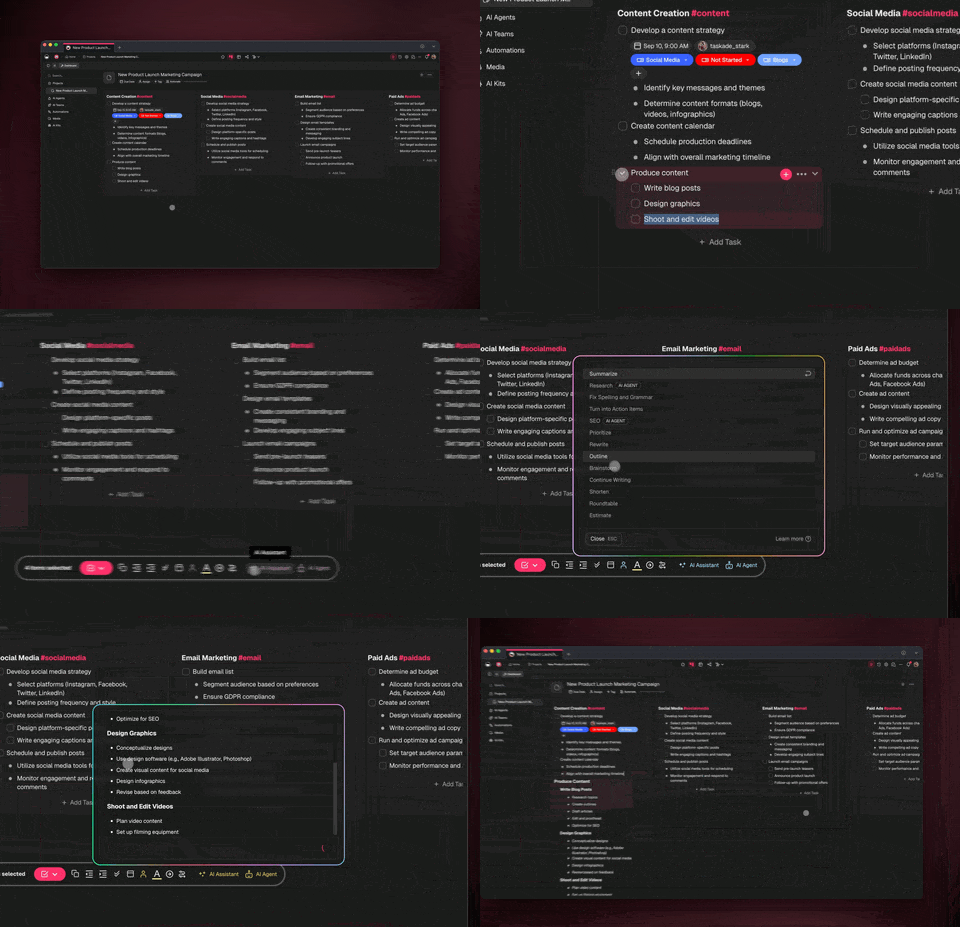
Whether you need answers to complex questions, help with writing and organizing, or assistance with summarizing long-form content, Taskade AI has you covered.
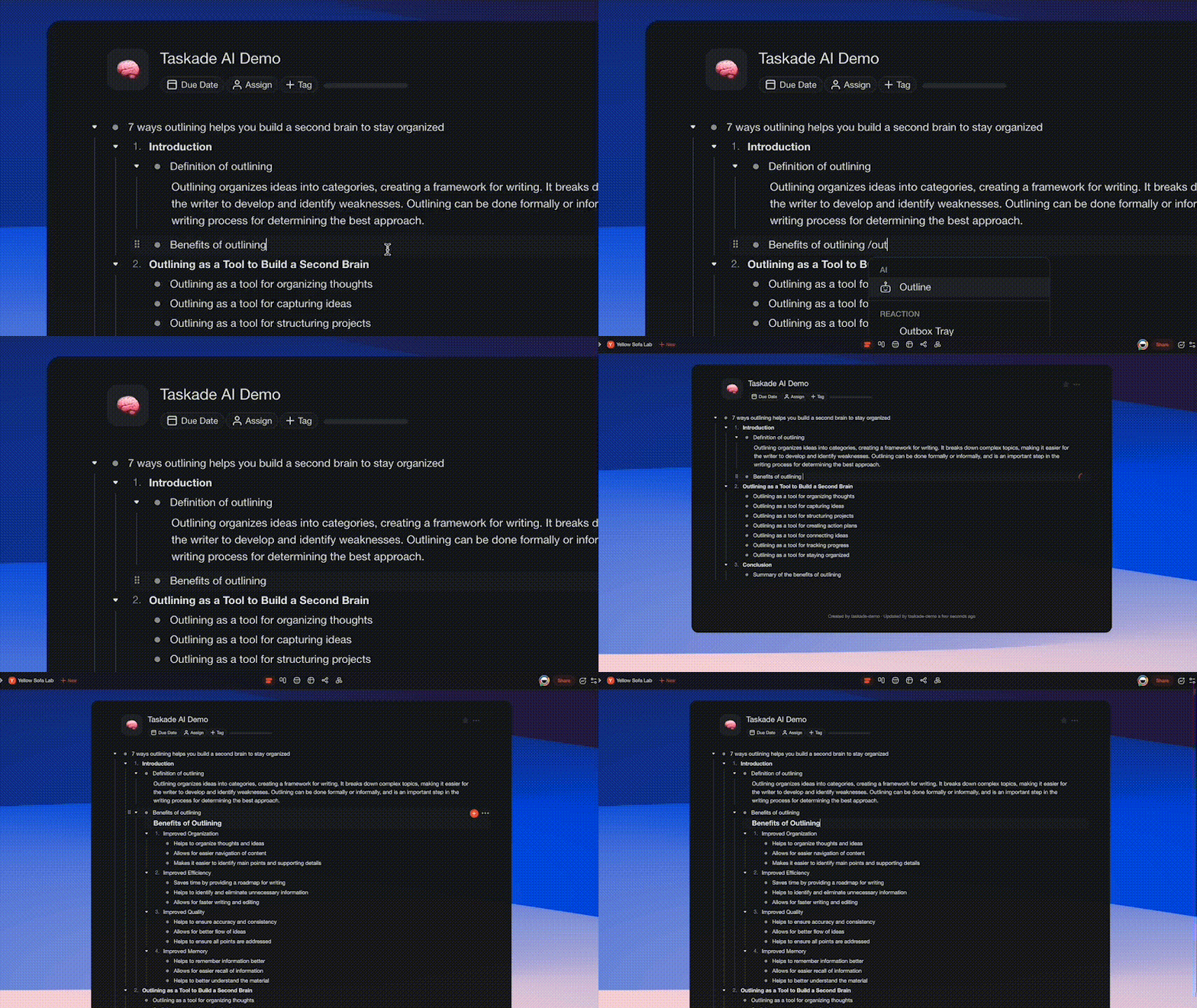
Simply type "**/ai**", select a command, and hit enter. Work faster and smarter across any project using Taskade AI, and it is completely free!
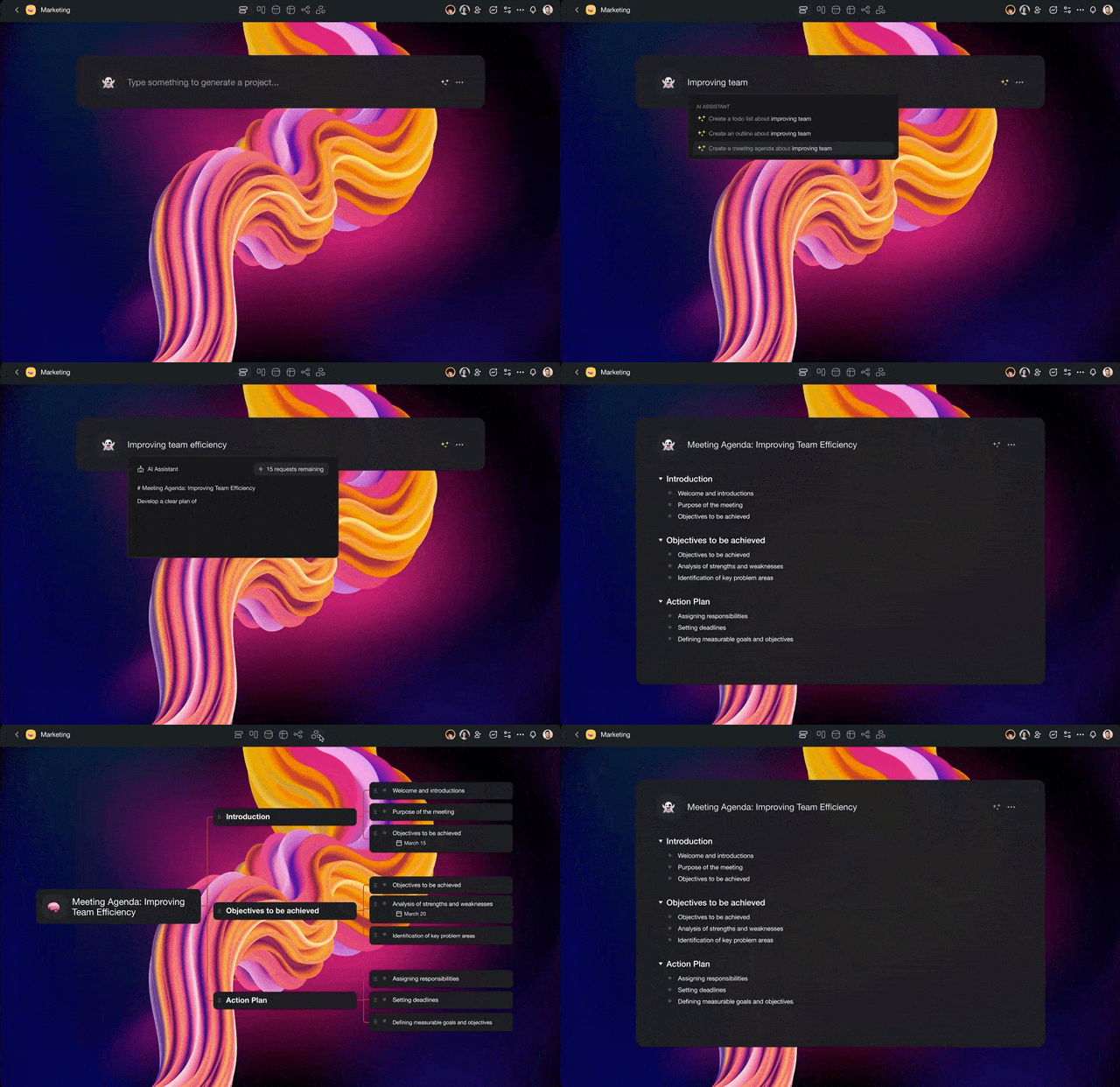
## ******************************⚡️ Taskade AI Commands******************************
Here is the starting list of **/AI** commands:
1. **/ask**: Answer your question based on AI's existing knowledge.
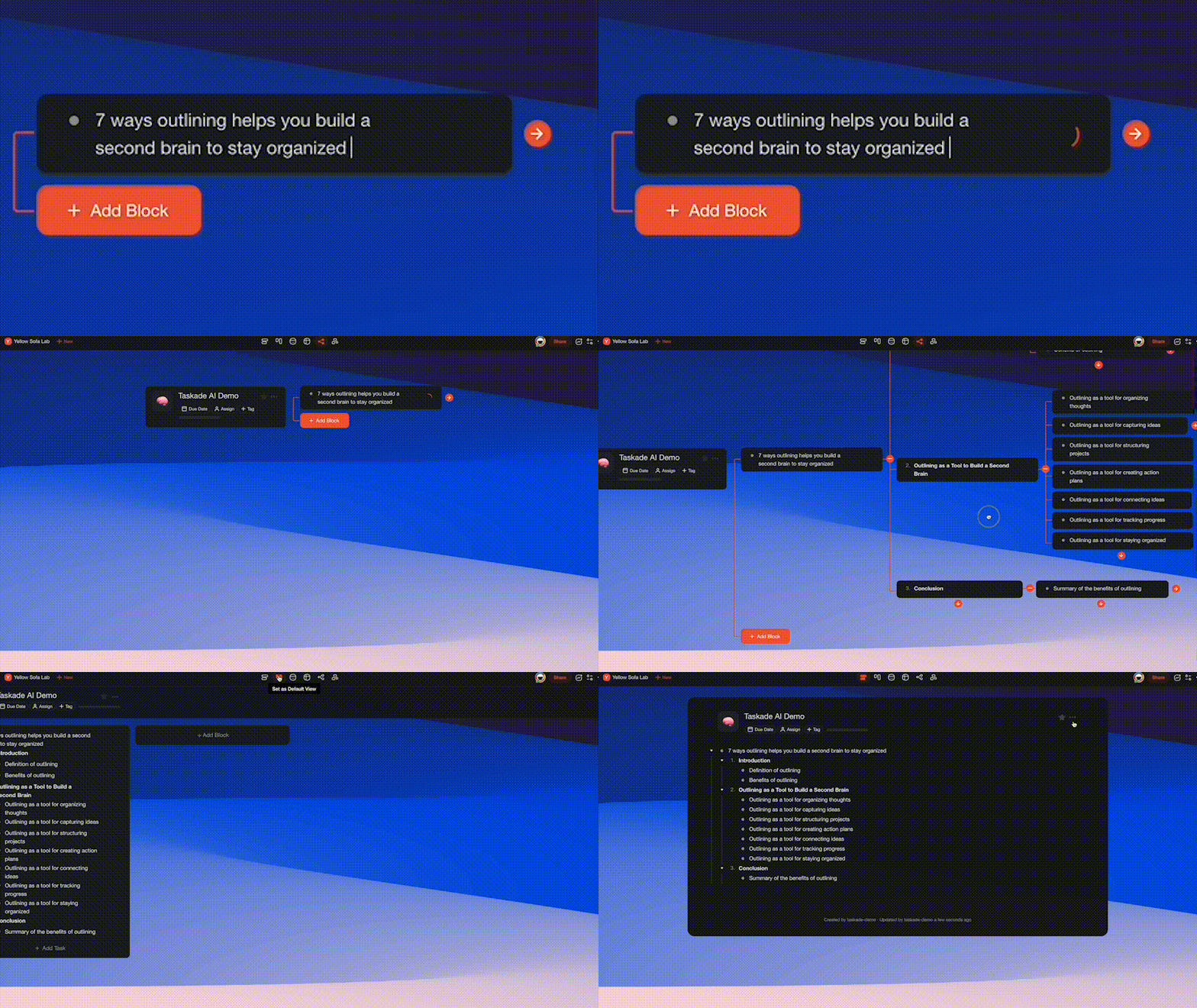
3. **/outline:** Generate an outline of your topic or question in structured hierarchy.
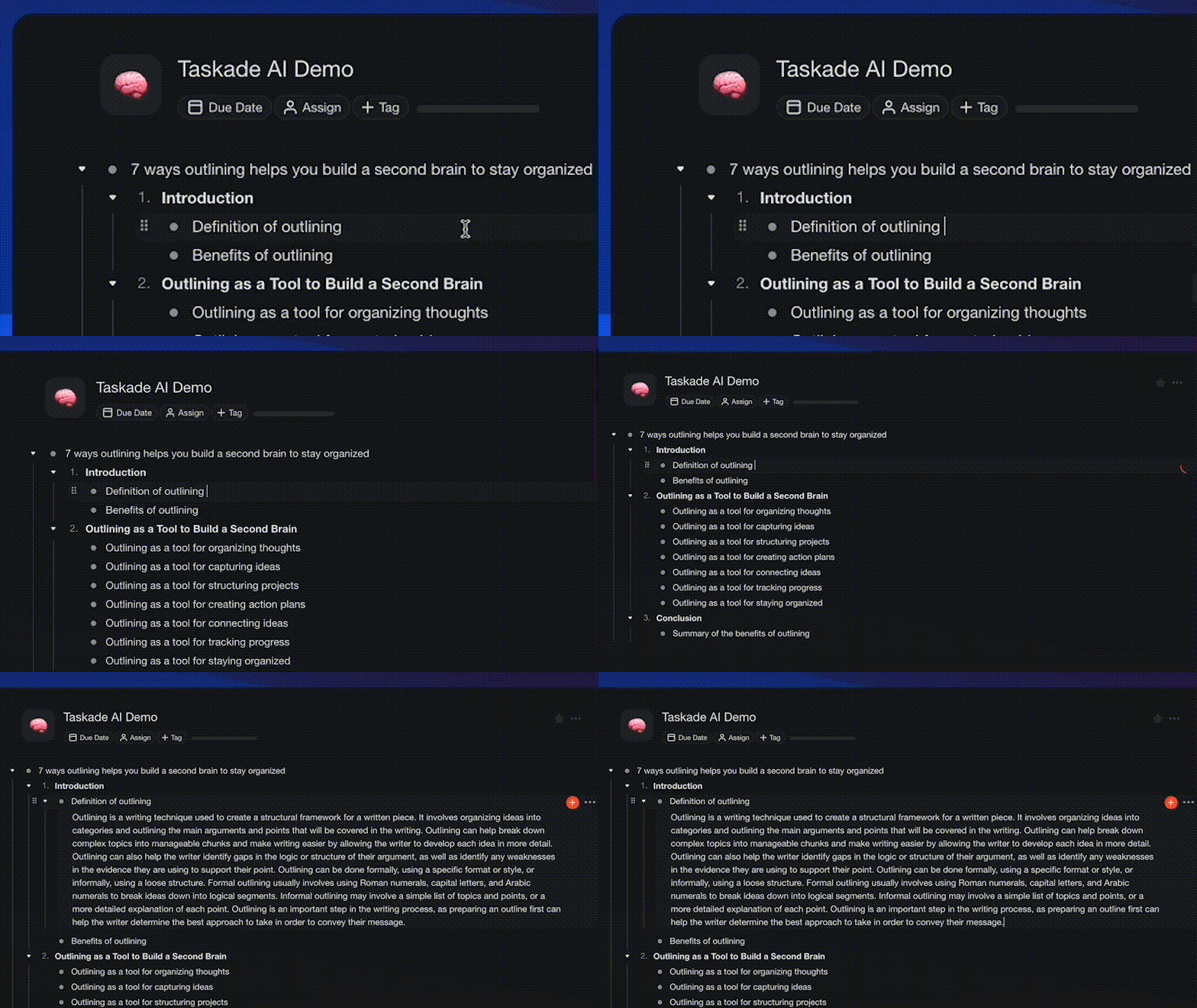
5. **/expand**: Expand and enrich your content to be more descriptive.
7. **/rewrite**: Improve the legibility and clarity of your writing.
9. **/summarize**: Turn long content into a quick summary.
Experience the future of work with Taskade AI. Give it a try and let us know what you think—we can't wait to hear from you. Don't forget to try it with your friends, clients, and teams.
In addition to **/ai**, you can improve your productivity and streamline your workflow using the power of **/slash commands** for writing, organizing, and managing your tasks. [Learn more](https://www.taskade.com/learn/agents/agent-tools)
We have more exciting announcements coming up in December, so stay tuned!
## ************🎉 Other Improvements************
- New: Project Chat now highlights the completed task on click
- New: Set default notification settings to Mention Only
- Fix: Background Upload in project settings errors
- Fix: Workspace and folder permissions
- Fix: Action View general visual and layout issues
- Fix: Guest projects loading incorrect theme color
- Fix: Quick Add loading too few number of projects
- Fix: Redirect when leaving or deleting a folder / workspace
- Fix: My Tasks displaying tasks from non-workspace projects
- Fix: Projects missing the "View Only" badge for Viewer Members
- Fix: Task due date email notifications misalignment
- Various performance improvements and bug fixes
Thanks again for supporting Taskade, and as always, don’t hesitate to [reach out](https://www.taskade.com/contact) or visit our [Help Center](https://www.taskade.com/learn) if you need help. We’re here for you! 😊
— Team Taskade 🐑
P.S. Want to help us improve Taskade? You can also [suggest a feature](https://www.taskade.com/feedback). Follow us and join the discussion on [Twitter](http://twitter.com/taskade) and [Reddit](http://reddit.com/r/taskade).
## 💬 Frequently Asked Questions About Taskade AI
### What is Taskade AI?
Taskade AI is an advanced productivity assistant that uses machine learning to help you write documents, plan tasks, and organize your work, alone or with your team. With Taskade AI, you can easily create and edit outlines, notes, drafts, and task lists using natural language prompts, right inside your projects.
### What version of GPT does Taskade AI use?
Taskade AI uses the GPT-3.5 (Generative Pre-trained Transformer 3.5) version of the GPT language model developed by OpenAI. We're in the process of migrating our mobile and desktop apps to GPT-4, so stay tuned!
### How much does Taskade AI cost?
Taskade AI is free for all users on desktop, mobile, and in a web browser. However, we also offer paid plans that increase the number of generations you can perform each month. Visit our [pricing page](https://www.taskade.com/pricing) to learn more about available pricing tiers.