# 5 Google Drive Automations You Can Launch Instantly with Taskade (2026)
> A typical office worker spends up to 2.5 hours a day searching for information. These 5 Google Drive automations eliminate manual sorting, sharing, and folder hunting — launching in one click with Taskade AI Kits.
- Source: https://www.taskade.com/blog/google-drive-automations
- Published: 2025-06-16
- Updated: 2026-04-08
- Author: Dawid Bednarski
Google Drive is supposed to make storing and sharing files easy. But did you know a typical office dweller spends up to 2.5 hours a day searching for information? Want that time back? Google Drive automation connects your documents to the rest of your workflow, eliminating the manual overhead that turns a simple file system into a daily time sink.
> **TL;DR:** Taskade AI Kits automate Google Drive file management with one-click setup — archiving, converting, organizing, alerting, and onboarding. Teams save 6-10 hours per week. No coding required. [Launch your first automation →](https://www.taskade.com/create)
* * *
Let's get one thing straight first: storing files isn't the issue; it's everything that happens before and after that creates the mess. In this article, we'll show you how you can automate your Google Drive workflow with Taskade AI Kits to eliminate manual sorting, sharing, and folder hunting.
* * *
## Why Google Drive Needs Automation in 2026
Google Drive is the backbone of file storage for millions of teams, but it was designed for storage — not workflow management. Without automation, teams face these recurring pain points:
- **Manual file organization** — Dragging files into folders, renaming duplicates, sorting by date
- **Missed uploads** — Important client files sit unreviewed because no one gets notified
- **Scattered follow-ups** — Files arrive without context, ownership, or next steps
- **End-of-project cleanup** — Archiving deliverables takes 30-60 minutes per project
- **Format conversion overhead** — Copy-pasting from workspace tools into Google Docs
Taskade's [automation engine](https://www.taskade.com/automate) solves these with pre-built kits that connect Google Drive to your project workspace, AI agents, and [100+ other integrations](https://www.taskade.com/integrations).
### Google Drive Automation Tools Compared
| Tool | Setup Time | Pricing | AI Built-in | Project Management | Integrations |
|------|-----------|---------|-------------|-------------------|-------------|
| **Taskade AI Kits** | 1 click | Free to $25/mo | Yes — AI agents | Yes — multiple views | 100+ |
| **Zapier** | 15-30 min | $20-$69/mo (750-2K tasks) | No | No | 6,000+ |
| **Make (Integromat)** | 20-40 min | $9-$16/mo (10K ops) | No | No | 1,000+ |
| **Google Apps Script** | Hours | Free (dev time) | No | No | Google only |
| **Microsoft Power Automate** | 15-30 min | $15/user/mo | Copilot (extra) | No | 400+ |
For teams already using Taskade for project management and [AI agents](https://www.taskade.com/agents), the AI Kits provide the fastest path to Google Drive automation with zero additional tools.
* * *
## Top Google Drive Automations at a Glance
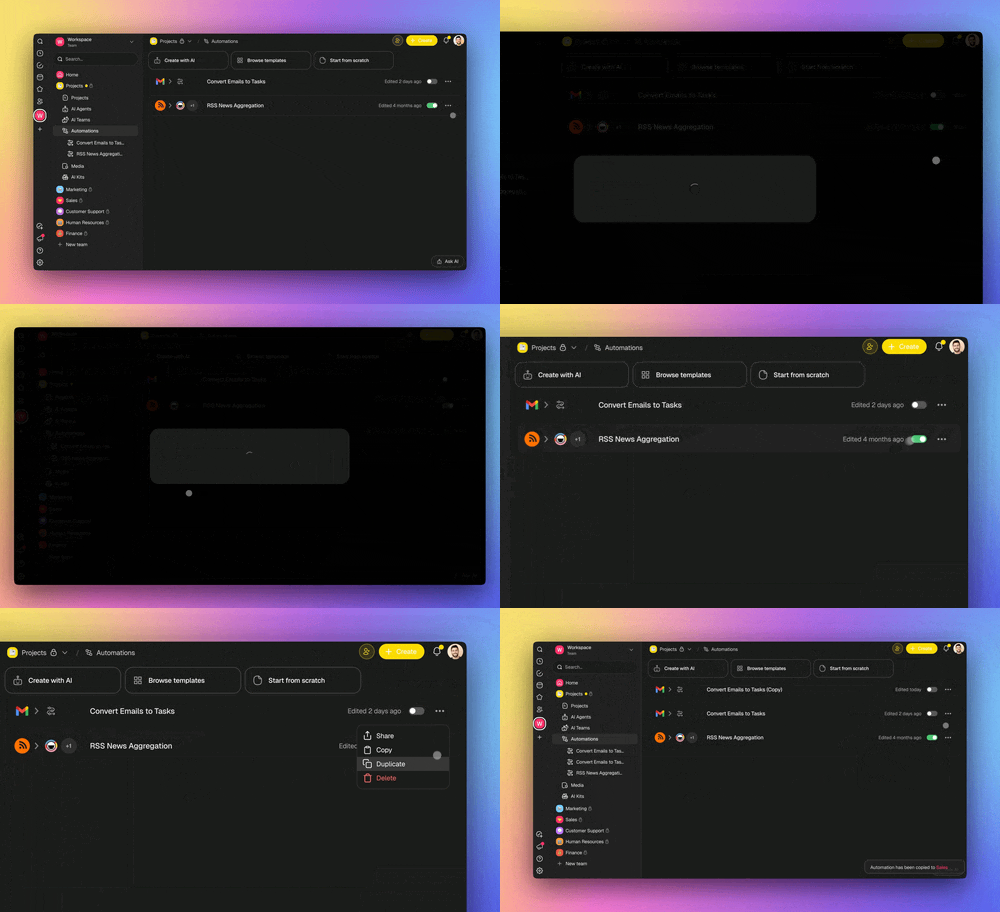
Here's a quick look at the one-click Google Drive automation recipes featured in this article. Scroll down for a more detailed walkthrough of how each kit works and what it includes.
| **Kit** | **What It Does** | **Best For** | **Time Saved** |
| --- | --- | --- | --- |
| Google Drive Archive | Creates Drive folders when projects are marked complete | Staying organized and keeping archives accessible | 30-60 min/project |
| Convert Notes to G Docs | Turns finished notes/tasks into shareable Google Docs | Client updates, reports, meeting recaps | 15-30 min/doc |
| Organize New Drive Files | Sorts new files into folders or flags them for review | Managing incoming files in shared folders | 30-60 min/week |
| Alert Team to New Uploads | Creates tasks when new files appear in Drive | Making uploads actionable for your team | 15-20 min/day |
| Automate Client Folder | Uses webhooks to upload files to Drive from any tool | Custom workflows and non-integrated apps | 10-20 min/client |
```mermaid
graph TD
subgraph GoogleDrive["Google Drive"]
F["Files & Folders"]
end
subgraph TaskadeKits["Taskade AI Kits"]
K1["Archive Kit"]
K2["Convert Kit"]
K3["Organize Kit"]
K4["Alert Kit"]
K5["Client Folder Kit"]
end
subgraph Outputs["Automated Outcomes"]
O1["Structured archives"]
O2["Polished Google Docs"]
O3["Sorted file system"]
O4["Actionable tasks"]
O5["Client folders"]
end
F --> K1 --> O1
F --> K3 --> O3
F --> K4 --> O4
K2 --> O2
K5 --> O5
style F fill:#0d1b2a,color:#7dd3fc,stroke:#38bdf8,stroke-width:1.5px
style K1 fill:#2a1225,color:#ff8fa3,stroke:#ff2d60,stroke-width:2px
style K2 fill:#2a1225,color:#ff8fa3,stroke:#ff2d60,stroke-width:2px
style K3 fill:#2a1225,color:#ff8fa3,stroke:#ff2d60,stroke-width:2px
style K4 fill:#2a1225,color:#ff8fa3,stroke:#ff2d60,stroke-width:2px
style K5 fill:#2a1225,color:#ff8fa3,stroke:#ff2d60,stroke-width:2px
style O1 fill:#0d1a0e,color:#86efac,stroke:#22c55e,stroke-width:1.5px
style O2 fill:#0d1a0e,color:#86efac,stroke:#22c55e,stroke-width:1.5px
style O3 fill:#0d1a0e,color:#86efac,stroke:#22c55e,stroke-width:1.5px
style O4 fill:#0d1a0e,color:#86efac,stroke:#22c55e,stroke-width:1.5px
style O5 fill:#0d1a0e,color:#86efac,stroke:#22c55e,stroke-width:1.5px
style GoogleDrive fill:#0a1420,stroke:#1a2a45
style TaskadeKits fill:#0a1a14,stroke:#1b3d2a
style Outputs fill:#0a1a14,stroke:#1b3d2a
```
* * *
## Archived Completed Projects in Google Drive
```
Time Saved: Save 30-60 minutes per project on end-of-project admin tasks
```
Every project creates a trail of assets, files, approvals, and final deliverables. Without a consistent way to organize that trail, teams fall back on messy folders, lost documents, and last-minute searches when something important resurfaces. The more projects you finish, the harder it gets to keep things tidy.
The **Google Drive Archive Kit** solves that by creating a structured Drive folder the moment a project is marked "complete" in Taskade. It also sends a follow-up email to ensure your team knows exactly where everything lives. You can personalize the folder name and email to match your workflow.

* * *
- **Who It's For**
- Marketing and client service teams archiving deliverables
- Ops and admin leads preparing for audits or internal reviews
- Project managers closing out recurring campaigns
- **What's Included**
- **Projects**
- Kit Quickstart Guide
- Q3 Marketing Campaign
- **Automations**
- Project Completed Flow
- **Business Benefits**
- Keep Google Drive clean, organized, and ready for audits
- Improve visibility with consistent final handoffs
- Reduce errors and missing documents during project wrap-up
- Help teams revisit past work quickly and confidently
**How to customize:** Adjust the folder naming convention in the automation settings. Most teams use `[Client Name] - [Project Name] - [Date]` for easy search. You can also add additional [automation triggers](https://www.taskade.com/learn/automation/triggers) to copy specific file types.
[**Add the Google Drive Archive Kit to your workspace**](https://www.taskade.com/k/01JXW2EYYN1JD491MH6S4KSRBN)
* * *
## Convert Notes to Google Docs
```
Time Saved: Save 15-30 minutes per document vs. manual copy/paste + formatting
```
All your best ideas live inside Taskade where they're tied to tasks and projects. But sometimes, you need to get that content out into more traditional document formats. Maybe it's for a vendor, a stakeholder who lives in Google Docs, or a client embedded in Google's ecosystem.
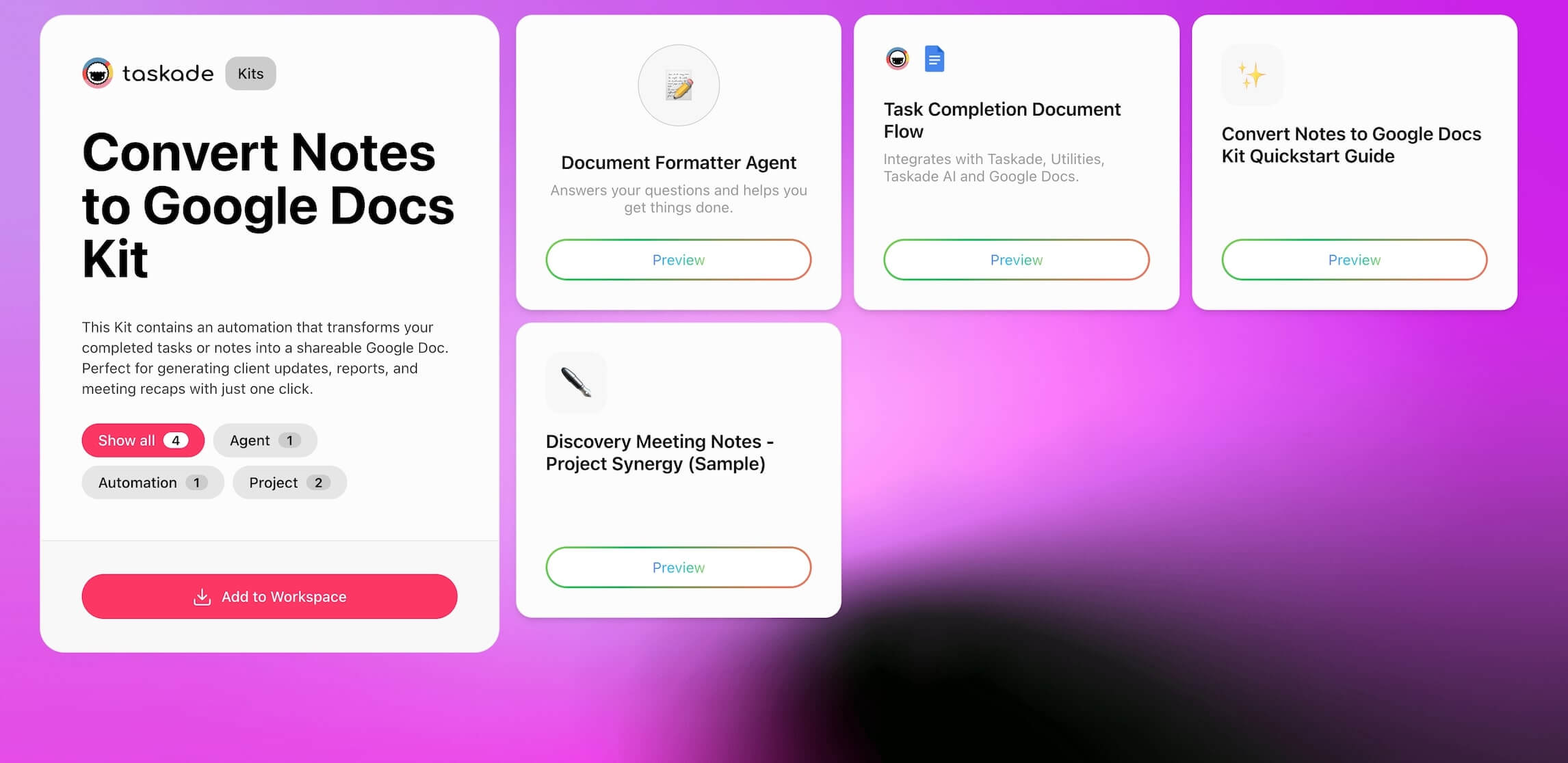
The **Convert Notes to Google Docs Kit** automates this process end-to-end. When you check off a task in Taskade, the included automation finds the relevant content, sends it through a built-in AI Agent to clean up formatting and structure, and creates a polished Google Doc saved directly to your Drive.
This is a great example of how Taskade's [AI agents](https://www.taskade.com/agents) and [automations](https://www.taskade.com/automate) work together — the agent handles the intelligence (formatting, structuring), and the automation handles the execution (creating the Doc, saving to Drive).
* * *
- **Who It's For**
- Team leads and consultants sharing summaries with clients
- Managers documenting updates and action items
- Anyone tired of reformatting raw notes into presentable files
- **Kit Contents**
- **Projects**
- Discovery Meeting Notes
- Kit Quickstart Guide
- **Automations**
- Task Completion Document Flow
- **Agents**
- Document Formatter Agent
- **Business Benefits**
- Deliver polished documentation without touching Google Docs
- Standardize reports and recaps across teams
- Eliminate busywork after meetings or task completion
- Build a reliable archive of shareable, consistent updates
[**Add the Convert Notes to Google Docs Kit to your workspace**](https://www.taskade.com/k/01JXW1ZMJ08FMPATXRS91Q37CS)
* * *
## Keep Your Drive Organized Automatically
```
Time Saved: Save 30-60 minutes/week otherwise spent dragging files into folders
```
Staying on top of file management — especially when you're uploading new things to your Google Drive every day — can get messy fast. Files land in the wrong folders, old versions get duplicated, and before you know it, your team is scrolling through PDFs titled "\_final2\_reallyfinal\_USETHISONE.pdf."
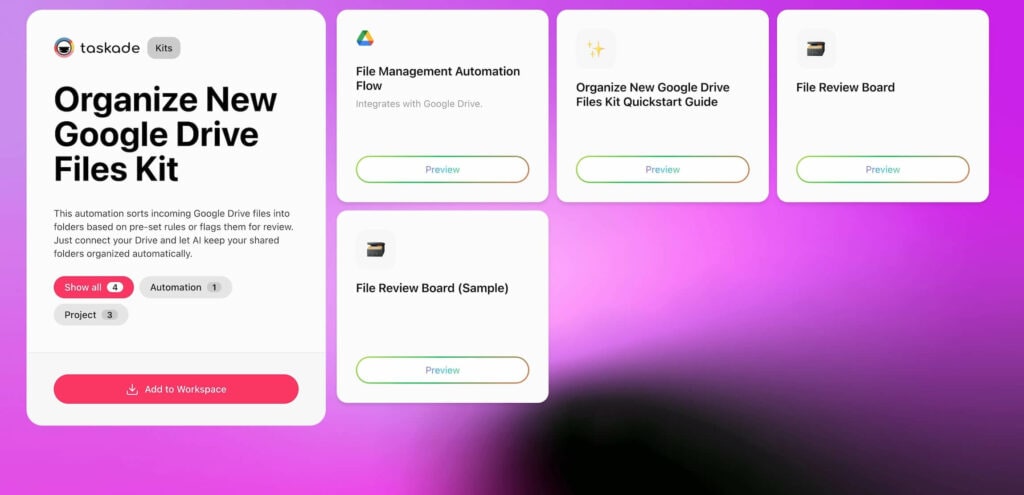
The **Organize New Google Drive Files Kit** adds an invisible layer of structure. As new files arrive in Google Drive, this automation sorts them into folders based on file type, name, or owner — or flags them for manual review. You get clarity, consistency, and zero clutter, without lifting a finger.
* * *
- **Who It's For**
- Ops, marketing, or creative teams with high file volume
- Admins managing large shared Drives across departments
- Anyone tired of hunting down "final\_v3\_USE\_THIS\_ONE.pdf"
- **Kit Contents**
- **Projects**
- Kit Quickstart Guide
- File Review Board (sample project)
- File Review Board
- **Automations**
- File Management Automation Flow
- **Business Benefits**
- Maintain a clear, navigable Drive for the whole team
- Reduce clutter and misplaced uploads across shared folders
- Free up ops and admin teams from digital housekeeping
- Add structure instantly without creating extra work
[**Add the Organize New Google Drive Files Kit to your workspace**](https://www.taskade.com/k/01JXJ6MGC956EMTJD7BD0S2141)
* * *
## Instantly Alert Your Team to New Drive Files
```
Time Saved: Save up to 15-20 minutes per day in manual file checking
```
Your Google Drive might be full of uploads, but how many actually get reviewed? Without follow-ups or ownership, critical files — like client inputs, contracts, or creative assets — can sit untouched. Drive notifications alone won't get the job done. You need to make every upload actionable.
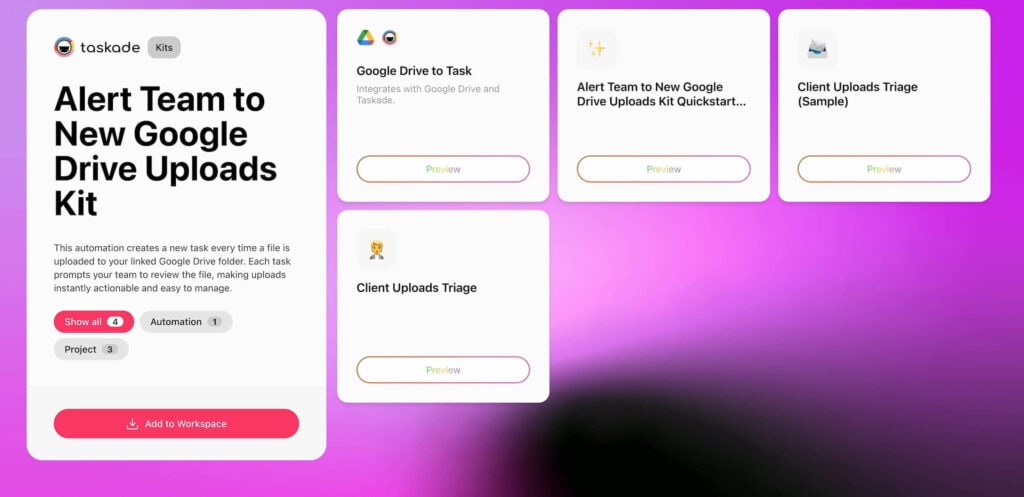
The **Alert Team to New Google Drive Uploads Kit** closes that loop. Every time a file is uploaded to your Drive, this automation creates a task inside Taskade. It works on a rolling 15-minute sync and adds files to your triage table, so your team always knows what's new and what needs review.
* * *
- **Who It's For**
- Creative agencies or service teams managing client uploads
- Legal or finance teams working from shared submission folders
- Anyone tired of checking Drive manually to see "what just landed"
- **Kit Contents**
- **Projects**
- Kit Quickstart Guide
- Client Uploads Triage
- Client Uploads Triage (sample project)
- **Automations**
- Google Drive to Task
- **Business Benefits**
- Make every Drive upload actionable within minutes
- Keep review workflows moving without email follow-ups
- Ensure every client or stakeholder file gets acknowledged and processed
- Improve traceability and accountability across your team
[**Add the Alert Team to New Google Drive Uploads Kit to your workspace**](https://www.taskade.com/k/01JXJ979C7Z7TX6Z2Y7NK2FS5M)
* * *
## Automate Client Folders in Google Drive
```
Time Saved: Save 10-20 minutes per client by eliminating manual setup
```
You close a deal. Great. Now what? It's go-time, but... instead of diving into the work, your team's stuck setting up Drive folders, pasting links into task boards, and figuring out who's supposed to do what. And when you're onboarding multiple clients a week? That's a productivity drain no team can afford.
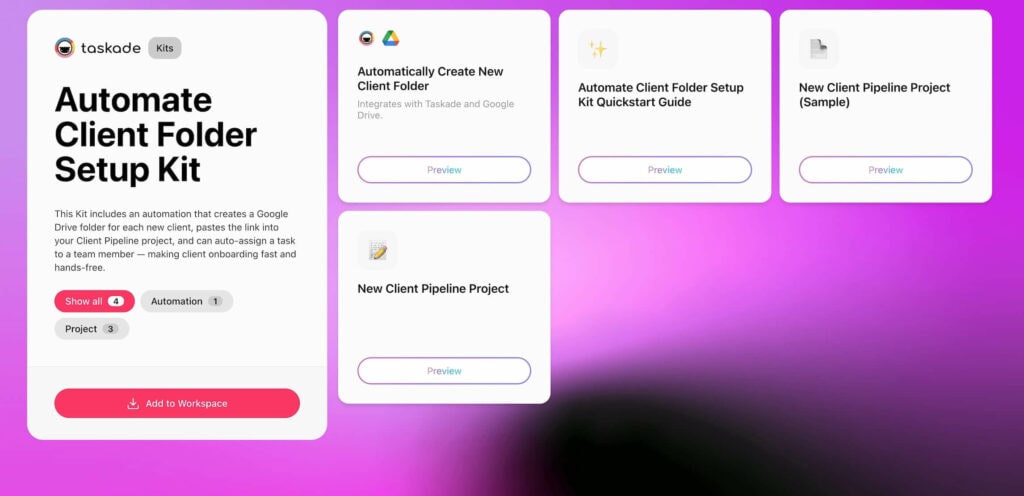
The **Automate Client Folder Setup Kit** handles all that behind the scenes. Every time you add a new client task to your pipeline, this automation spins up a Google Drive folder, drops the link into the task, updates fields, and assigns the right teammate automatically. Clean, fast, and totally hands-free.
* * *
- **Who It's For**
- Agencies onboarding new clients regularly
- Freelancers managing multiple deliverables or projects
- Service-based teams that need a structured, repeatable intake flow
- **Kit Contents**
- **Projects**
- Kit Quickstart Guide
- New Client Pipeline Project
- New Client Pipeline Project (sample project)
- **Automations**
- Automatically Create New Client Folder
- **Business Benefits**
- Save files from any tool, even without a direct integration
- Centralize your assets in Drive without manual uploads
- Maintain visibility and traceability for all incoming content
[**Add the Automate Client Folder Setup Kit to your workspace**](https://www.taskade.com/k/01JXW1MN22EEASGW8X2NMP9ZAX)
* * *
## Building Custom Google Drive Automations
The five kits above cover the most common Google Drive workflows, but Taskade's [automation builder](https://www.taskade.com/automate) lets you create custom automations for any Google Drive scenario. Here's how the building blocks work:
### Triggers (What Starts the Automation)
| Trigger | Description | Example Use Case |
|---------|-------------|-----------------|
| **File uploaded** | Fires when a new file appears in a monitored folder | Alert team to client deliverables |
| **Task completed** | Fires when a Taskade task is checked off | Archive project files on completion |
| **Form submitted** | Fires when a Taskade form receives a submission | Create client folder from intake form |
| **Scheduled** | Fires on a recurring schedule (daily, weekly) | Weekly Drive cleanup and organization |
| **Webhook** | Fires when an external system sends data | Sync uploads from non-integrated apps |
Learn more about configuring triggers in the [automation triggers guide](https://www.taskade.com/learn/automation/triggers).
### Actions (What the Automation Does)
| Action | Description | Pairs Well With |
|--------|-------------|----------------|
| **Create Google Drive folder** | Generates a new folder with custom naming | Client onboarding, project archiving |
| **Upload to Google Drive** | Saves files or content to a specific folder | Note conversion, report generation |
| **Create Google Doc** | Generates a formatted document from Taskade content | Meeting recaps, client updates |
| **Send email notification** | Alerts team members about file activity | Upload alerts, archive confirmations |
| **Update Taskade project** | Adds links, updates fields, assigns tasks | Client pipeline management |
| **Run AI Agent** | Processes content through an AI agent for formatting | Document cleanup, data extraction |
### Example: Custom Document Review Workflow
```mermaid
graph TD
A["Client uploads file
to Google Drive"] --> B["Automation triggers"]
B --> C["Create task in
Taskade project"]
C --> D["AI Agent summarizes
document contents"]
D --> E["Assign to reviewer
based on file type"]
E --> F["Send notification
with summary"]
F --> G["Reviewer approves
or requests changes"]
style A fill:#0d1b2a,color:#7dd3fc,stroke:#38bdf8,stroke-width:1.5px
style B fill:#11111b,color:#cdd6f4,stroke:#00d4aa
style C fill:#11111b,color:#cdd6f4,stroke:#00d4aa
style D fill:#2a1225,color:#ff8fa3,stroke:#ff2d60,stroke-width:2px
style E fill:#11111b,color:#cdd6f4,stroke:#00d4aa
style F fill:#0d1a0e,color:#86efac,stroke:#22c55e,stroke-width:1.5px
style G fill:#0d1a0e,color:#86efac,stroke:#22c55e,stroke-width:1.5px
```
* * *
## Beyond Google Drive: Automations Across Your Stack
Google Drive is just one of 100+ integrations available in Taskade's automation platform. Here are popular automation combinations that work alongside Google Drive:
| Integration Pair | Automation | Use Case |
|-----------------|-----------|----------|
| Google Drive + Slack | File upload → Slack notification | Real-time team alerts |
| Google Drive + HubSpot | New contact → Client folder created | CRM-driven file management |
| Google Drive + Gmail | Project complete → Archive email sent | End-of-project documentation |
| Google Drive + Shopify | New order → Invoice folder created | E-commerce file organization |
| Google Drive + GitHub | PR merged → Release docs archived | Development workflow documentation |
Explore all available integrations at the [integrations page](https://www.taskade.com/integrations) or browse automation templates at [/automate](https://www.taskade.com/automate).
For teams building more complex workflows, [Taskade Genesis](https://www.taskade.com/create) can generate complete automation systems from a single prompt — including the Google Drive connections, AI agents, and project structure.
* * *
## Google Drive Automation Best Practices
### Start Small, Then Scale
Don't try to automate everything at once. Pick the automation that addresses your biggest time sink — usually file organization or upload alerts — and expand from there.
### Use Consistent Naming Conventions
Automations work best with predictable folder structures. Establish naming conventions like `[Client] - [Project] - [YYYY-MM]` before deploying archive or organization kits.
### Combine Kits for End-to-End Workflows
The real power comes from stacking multiple kits. For example:
1. **Client Folder Kit** creates the folder structure when you onboard a new client
2. **Alert Kit** notifies your team when the client uploads deliverables
3. **Organize Kit** sorts uploads into the right subfolders
4. **Archive Kit** packages everything when the project completes
5. **Convert Kit** turns final notes into polished Google Docs for the client
### Monitor and Adjust
Check your automation logs weekly for the first month. Look for edge cases — unusual file names, unexpected folder structures — and adjust the rules. After that, the system runs itself.
* * *
## Parting Words
Managing files isn't hard because the tools are broken. It's hard because real work rarely follows a predictable structure. Files land in the wrong folder. Notes get forgotten. Projects end, but the clean-up never really does. It's easy for things to get lost or duplicated.
Setting up targeted Google Drive automations with Taskade AI Kits takes a few of those loose ends off your plate. It helps turn scattered habits into repeatable systems, so you can spend less time cleaning up and more time actually finishing what you started.
So, what's the next step?
[**Join Taskade and start building!**](https://www.taskade.com/create)
**Read more:**
- [What Is Vibe Coding?](https://www.taskade.com/blog/what-is-vibe-coding) — Build apps from natural language
- [How Workspace DNA Works](https://www.taskade.com/blog/how-workspace-dna-works) — The architecture behind Taskade
- [What Are AI Agents?](https://www.taskade.com/blog/what-are-ai-agents) — Complete guide to AI teammates
- [AI Dashboard Examples](https://www.taskade.com/blog/ai-dashboard-examples) — Business intelligence apps
- [Ultimate Taskade Genesis Guide](https://www.taskade.com/blog/ultimate-guide-taskade-genesis-2026) — Everything about Genesis
**Explore Taskade:**
- [AI App Builder](https://www.taskade.com/ai/apps) — Build complete apps from one prompt
- [AI Agents](https://www.taskade.com/agents) — Digital teammates with built-in tools
- [Automation Workflows](https://www.taskade.com/automate) — 100+ integrations
- [Taskade App Factory](https://www.taskade.com/apps) — Clone and customize apps
- [Integrations](https://www.taskade.com/integrations) — Connect all your tools
- [Pricing](https://www.taskade.com/pricing) — Free to Business plans
- [Templates](https://www.taskade.com/templates) — Pre-built project templates
- [Learn Taskade](https://www.taskade.com/learn) — Step-by-step help articles

## Frequently Asked Questions
### How can I automate Google Drive file management?
Google Drive automation connects your files to your workflow. Taskade AI Kits auto-archive completed projects, convert notes to Google Docs, organize new uploads into folders, and alert team members when files are added. Each kit launches with one click and requires no coding.
### What is the best tool for Google Drive automation in 2026?
Taskade AI Kits offer one-click setup with pre-built workflows for Google Drive. Zapier provides broad app connections but charges per-task pricing. Google Apps Script offers full customization but requires JavaScript knowledge. Make (formerly Integromat) supports visual workflows but has steeper learning curves. Taskade bundles automation with AI agents and project management starting at $0.
### Can I automatically organize files uploaded to Google Drive?
Yes. The Organize New Google Drive Files Kit automatically sorts new files into designated folders based on file type, name, or owner. It flags files for review and creates tasks for team members. This eliminates manual sorting and saves 30-60 minutes per week.
### How do I alert my team when new files are added to Google Drive?
The Alert Team to New Uploads Kit creates a task in Taskade every time a file is uploaded to a monitored Google Drive folder. It syncs on a rolling 15-minute interval, adding files to a triage table so your team always knows what needs review.
### How does Taskade Google Drive automation compare to Zapier?
Taskade bundles Google Drive automation with AI agents, project management, and 100+ other integrations in one workspace. Zapier connects 6,000+ apps but charges per-task pricing starting at $20/month for 750 tasks. Taskade includes unlimited automation runs in all paid plans, starting at $10/month billed annually.
### Can I convert Taskade notes to Google Docs automatically?
Yes. The Convert Notes to Google Docs Kit automates this end-to-end. When you check off a task, the automation sends content through a built-in AI Agent for formatting cleanup, then creates a polished Google Doc saved directly to your Drive. This saves 15-30 minutes per document versus manual copy and paste.
### How do I set up automated client folders in Google Drive?
The Automate Client Folder Setup Kit creates a structured Google Drive folder whenever you add a new client task to your pipeline. It drops the folder link into the task, updates fields, and assigns the right teammate automatically. This saves 10-20 minutes per client onboarding.
### What Google Drive automations save the most time?
The highest time-saving Google Drive automations are: project archiving (30-60 minutes per project), file organization (30-60 minutes per week), note-to-doc conversion (15-30 minutes per document), upload alerts (15-20 minutes per day), and client folder setup (10-20 minutes per client). Combined, teams save 6-10 hours per week.
### Do I need coding skills to automate Google Drive with Taskade?
No. Taskade AI Kits are pre-built, one-click automation workflows. Each kit includes projects, automations, and in some cases AI agents. You add the kit to your workspace, customize the settings, and the automation runs. For more advanced workflows, Taskade's visual automation builder supports branching, looping, and filtering without code.
### Can Taskade automations work with Google Workspace apps beyond Drive?
Yes. Taskade integrates with the full Google Workspace suite including Google Docs, Google Sheets, Google Calendar, and Gmail. The automation builder supports 100+ integrations across 10 categories. You can set up triggers from Google Calendar events, send automated emails via Gmail, and sync data with Google Sheets.