# Customize Sub-Tasks, Mindmap View, Mobile & Desktop App Update
> Happy Holidays 🎉 Before we bid farewell to this eventful year, we have another exciting update for you this week, just in time for the holidays. ## ...
- Source: https://www.taskade.com/blog/customize-sub-tasks-mindmap-view-mobile-desktop-app-update
- Published: 2020-12-15
- Updated: 2026-04-06
- Author: John Xie
Happy Holidays 🎉
Before we bid farewell to this eventful year, we have another exciting update for you this week, just in time for the holidays.
> **TL;DR:** The 2020 sub-task customization and Mindmap improvements set the stage for today's [multiple project views including Mind Map](https://www.taskade.com/templates) — now powered by [frontier AI models](https://www.taskade.com/agents), [100+ integrations](https://www.taskade.com/integrations), and [Automations](https://www.taskade.com/automate). [Taskade Genesis](https://www.taskade.com/create) turns prompts into living apps that render across every view your team prefers.
> **Then → Now:** A single Mindmap view became today's [multiple project views including Mind Map](https://www.taskade.com/templates) — see [Learn Taskade: Projects](https://www.taskade.com/learn/projects/mindmap-view).
| Brainstorm | 2020 (this release) | Today (2026) |
|---|---|---|
| Mind Map | Vertical add + customizable sub-tasks | [Mind Map view](https://www.taskade.com/learn/projects/mindmap-view) + AI-suggested branches |
| Sub-tasks | Format per item (task / note / paragraph) | Same + [custom fields](https://www.taskade.com/learn/projects/custom-fields) + agent-filled cells |
| Views | List, Mind Map, Org Chart, Calendar sync | [multiple project views](https://www.taskade.com/learn/projects/project-views) including Board, Table, Gantt, Timeline |
| Mobile | Landscape mode + mobile undo/redo | Above + [mobile AI chat](https://www.taskade.com/learn/projects/ai-chat) + [mobile quick add widget](https://www.taskade.com/learn/projects/add-widget) |
| Output | Static outline | Prompt-to-app via [Taskade Genesis](https://www.taskade.com/create) |
```mermaid
flowchart TD
Root["Project Idea"]:::primary
Root --> A["Branch A"]:::teal
Root --> B["Branch B"]:::teal
Root --> C["Branch C"]:::teal
A --> A1["Sub-task
(checkbox)"]:::blue
A --> A2["Note
(bullet)"]:::blue
B --> B1["Paragraph"]:::green
C --> C1["Sub-task"]:::blue
classDef primary fill:#2a1225,color:#ff8fa3,stroke:#ff2d60,stroke-width:2px
classDef teal fill:#11111b,color:#cdd6f4,stroke:#00d4aa
classDef blue fill:#0d1b2a,color:#7dd3fc,stroke:#38bdf8,stroke-width:1.5px
classDef green fill:#0d1a0e,color:#86efac,stroke:#22c55e,stroke-width:1.5px
```
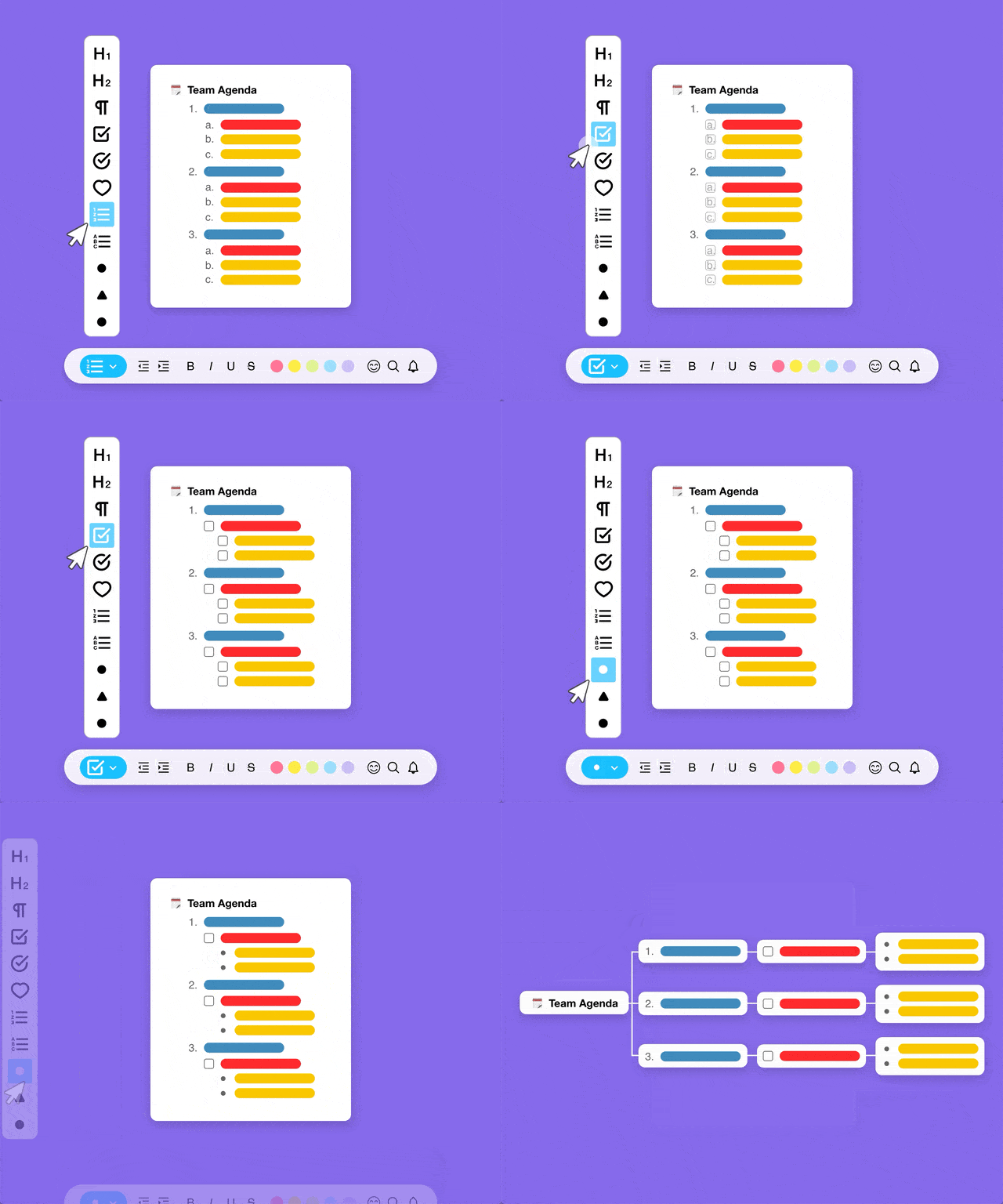
## ********🧠 Customize your Sub-Tasks********
**Customize** the format of your sub-tasks at any level across all views.
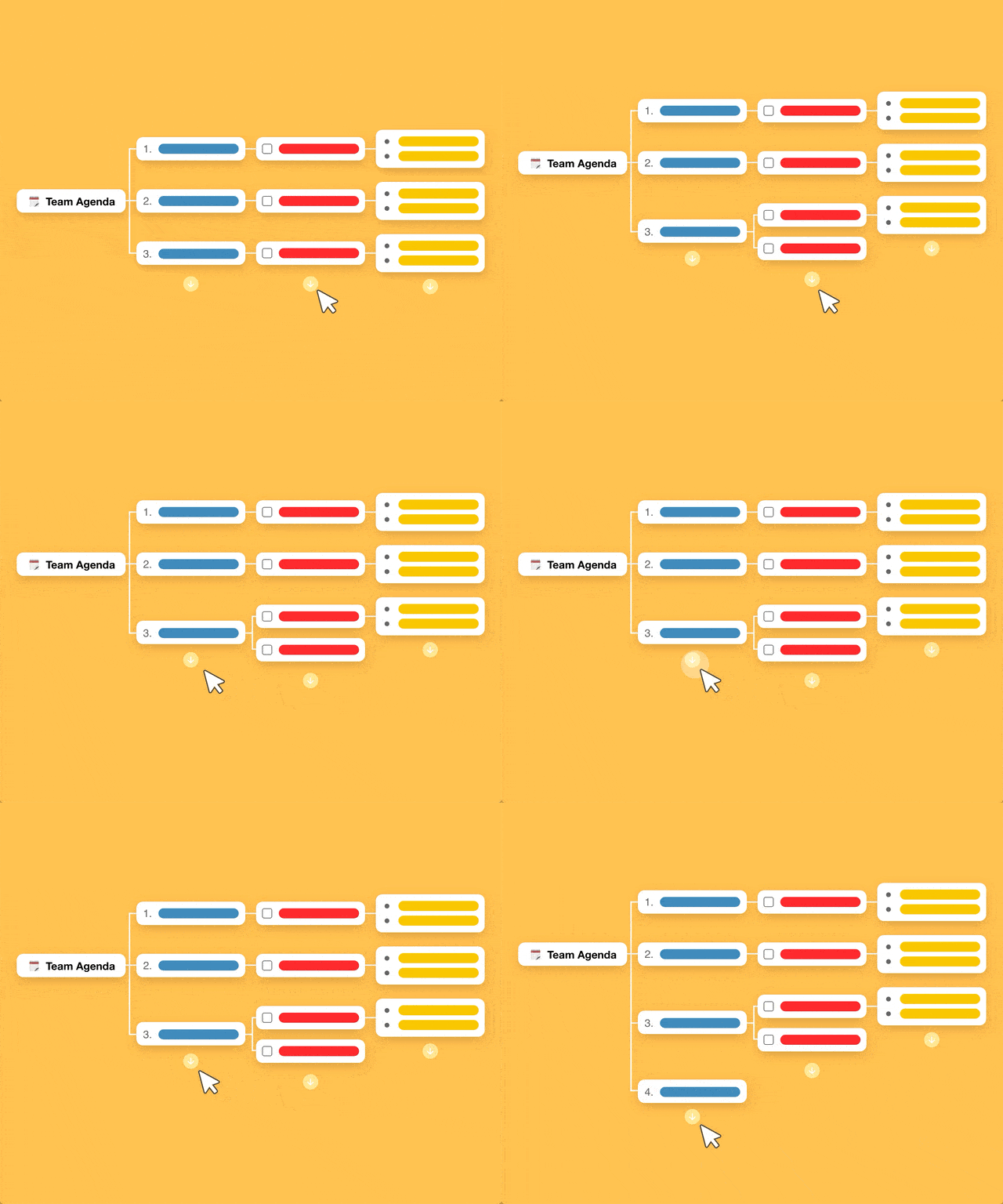
You can now click to add items vertically in the **Mindmap** view.
## ********⚡️ Mobile Update********
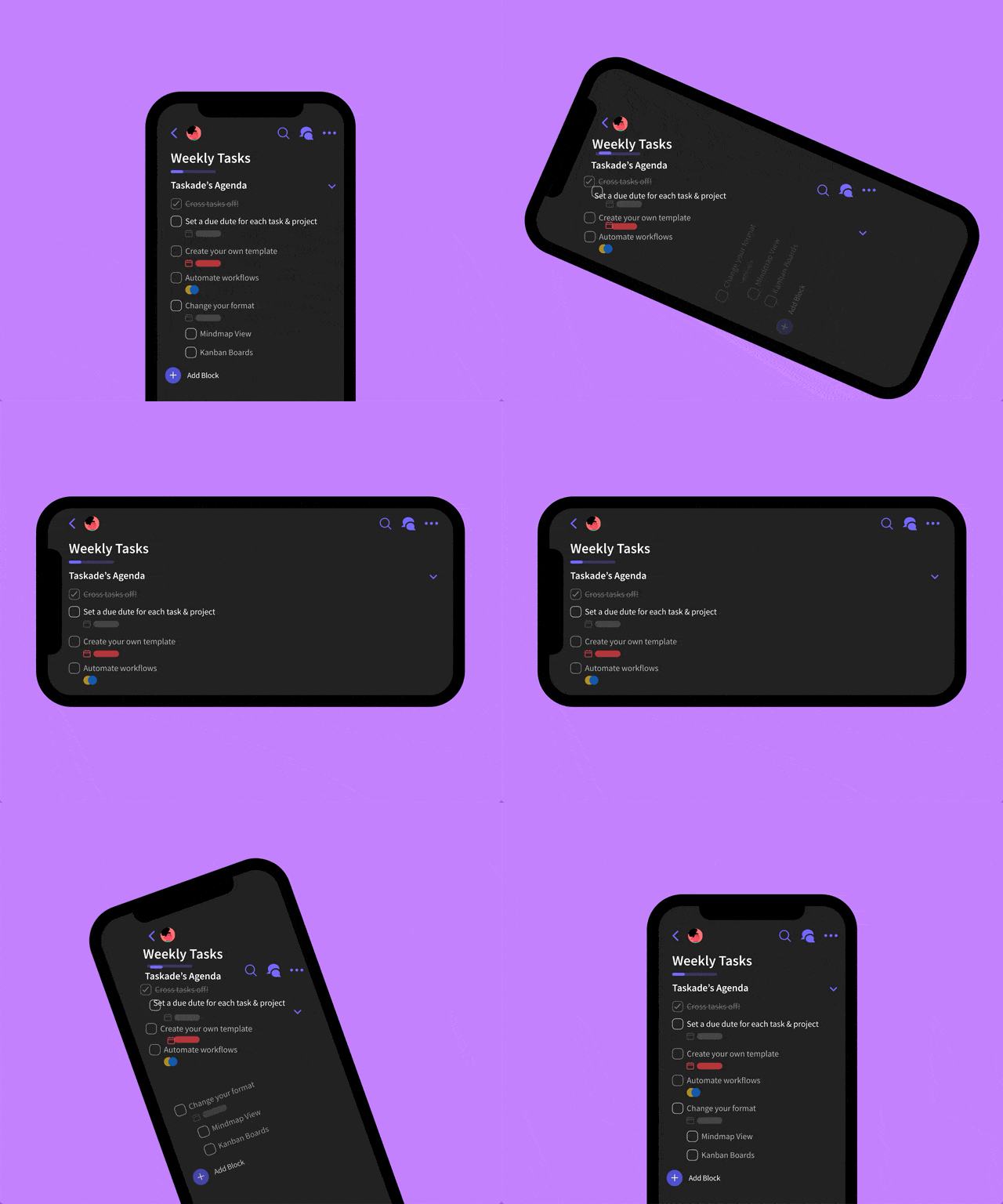
Experience the new Taskade in **landscape mode** on iOS & Android!
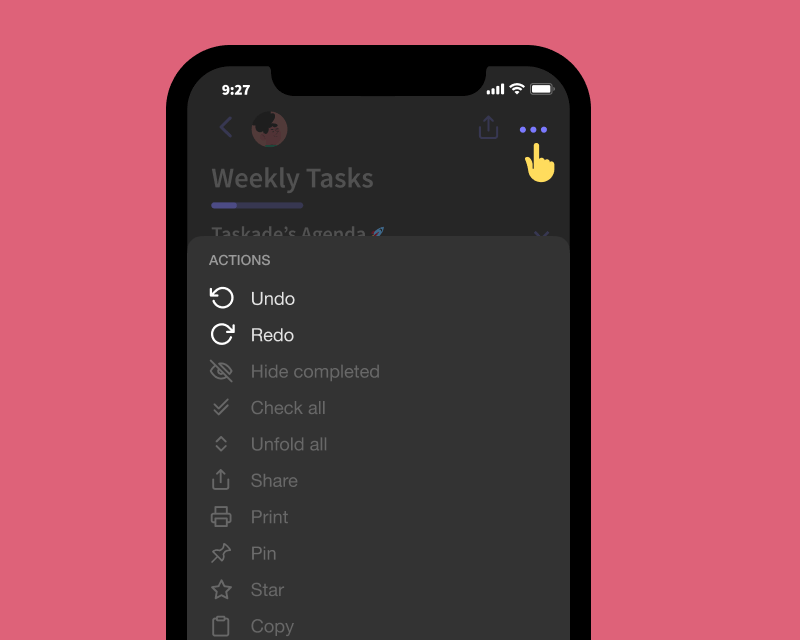
**Undo and redo** is now supported on mobile, simply open the project menu.
## ********👩💻 Desktop Update********
Taskade for Mac, Windows, and Linux have been improved with the latest update. **[Download](https://www.taskade.com/downloads)** today!
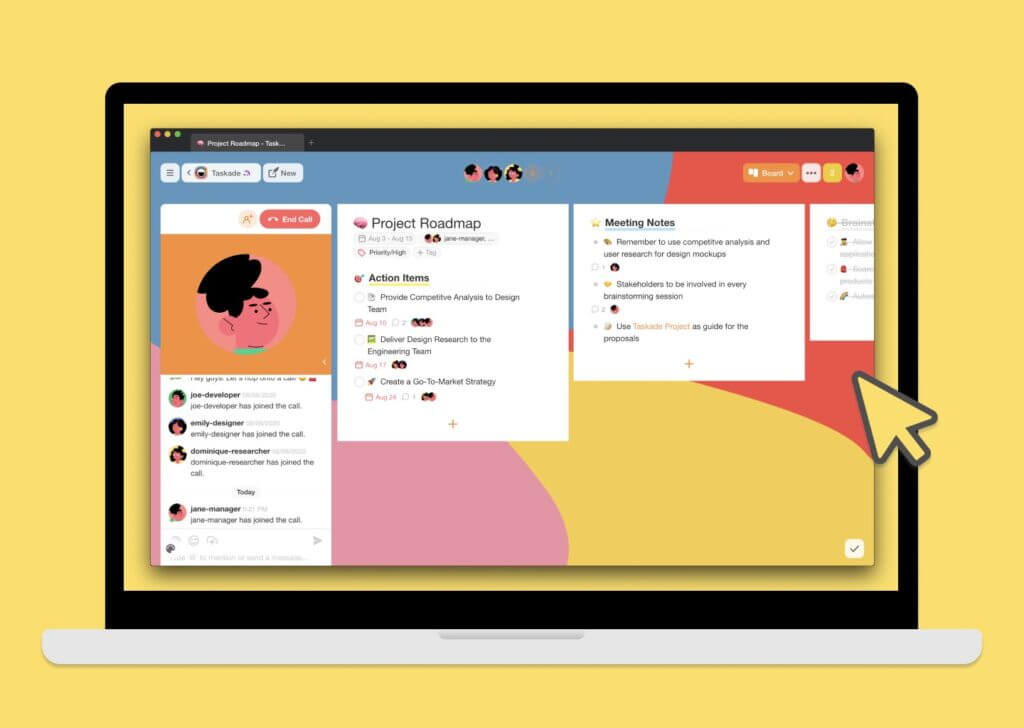
## 🌳 A Mind Map, In Plain Text
The December 2020 update made Mind Map view feel right — vertical adds, mixed sub-task formats, customizable nodes. Today the same view is one of [8](https://www.taskade.com/learn/projects/project-views) and accepts AI-suggested branches.
```
┌──────────────────┐
│ Q1 Product Plan │
└────────┬─────────┘
┌────────────┼────────────┐
▼ ▼ ▼
┌─────────┐ ┌─────────┐ ┌─────────┐
│ Roadmap │ │ Hiring │ │ Launch │
└────┬────┘ └────┬────┘ └────┬────┘
│ │ │
☐ Q1 OKRs ☐ 2 PMs ☐ Press kit
☐ Spec ☐ 1 Designer ☐ Demo video
📝 Notes 🤖 EVE drafts 🔁 Auto-publish
JD copy on launch day
```

## 🔗 Related Reading
- [My Tasks, Team Agenda, Project Links](https://www.taskade.com/blog/my-tasks-team-agenda-project-links) — two weeks earlier
- [Customize Sub-Tasks](https://www.taskade.com/blog/multiselect-tasks-reorder-shortcut-project-activity) — October's bulk-format release
- [Learn Taskade: Mind Map View](https://www.taskade.com/learn/projects/mindmap-view) · [Project Views](https://www.taskade.com/learn/projects/project-views) · [Custom Fields](https://www.taskade.com/learn/projects/custom-fields)
- Today, prompt a Mind Map app into existence with [Taskade Genesis](https://www.taskade.com/create), or wire it to [agents](https://www.taskade.com/agents), [automations](https://www.taskade.com/automate), and [100+ integrations](https://www.taskade.com/integrations).
Thanks again for supporting Taskade, and as always, don’t hesitate to [reach out](https://www.taskade.com/contact) if you need help. We’re here for you! 😊
Say goodbye to 2020, and start 2021 the right way with Taskade! 
— Team Taskade 🐑
## Frequently Asked Questions
### Can I customize sub-task formats in Taskade?
Yes. Taskade lets you customize the format of sub-tasks at any hierarchy level across all views. Change individual items between tasks (checkboxes), notes (bullets), and paragraphs independently, even within the same parent item — giving you full control over project structure.
### Does Taskade's Mind Map view support adding items vertically?
Yes. In Mind Map view, you can click to add new items vertically (as child branches) from any node. This lets you build out mind map hierarchies visually, expanding branches downward to organize ideas, sub-tasks, and details in an intuitive tree structure.
### Does Taskade support landscape mode on mobile?
Yes. Taskade's iOS and Android apps support landscape (horizontal) mode, giving you more screen space for editing projects, viewing mind maps, and managing tasks on phones and tablets. Rotate your device to switch between portrait and landscape automatically.
### Does Taskade mobile support undo and redo?
Yes. Undo and redo are available on Taskade's mobile apps. Open the project menu to access undo/redo buttons, letting you revert accidental changes, deletions, or edits while working on your phone or tablet — the same safety net available on web and desktop.