# How to Build a Help Desk Ticketing System Without Code (2026)
> Build a help desk without code: tickets arrive by form or email, AI sorts and assigns them, and staff get a morning list of old tickets. Steps, prices, limits.
- Source: https://www.taskade.com/blog/build-support-dashboard
- Published: 2026-01-08
- Updated: 2026-10-19
- Author: Ryan Liong
A help desk takes in requests, sorts them, gives each one an owner and chases the ones that wait too long. This guide shows how to build one in Taskade Genesis without code, what it costs, four other ways to do the same job, and when a dedicated help desk is the better fit. To compare full support platforms side by side, read the guide to [AI customer support software](https://www.taskade.com/blog/ai-customer-support-software).
> **TL;DR:** A help desk takes in requests, sorts them, gives each one an owner and chases the ones that wait too long. Taskade Genesis builds that as one app: a ticket form, an AI step that sorts each ticket, and a morning list of aging tickets. Free covers 2 members and 10 automation runs a month. Pro is $10/month billed annually. [See plans and prices](https://www.taskade.com/pricing)
## Quick answer
To build a help desk without code, set up four parts: a form or email address where tickets land, a ticket list with a status and a priority, a rule that gives each ticket an owner, and a daily check on tickets that wait too long. Zoho Desk is free for 3 agents if you want a ready-made tool. Taskade Genesis builds all four parts in one app that you own and can change.
The rest of this guide covers the parts in detail, response targets, the three build steps, a worked example with year costs, the numbers to review, the alternatives and the limits. The build needs no code. You describe the help desk, or you clone one that works, and then you edit it in plain language or by hand.
## What a small-team help desk needs
A small-team help desk needs five parts on day one: one place where requests land, a status on every ticket, one owner per ticket, a reply the requester can read, and a daily list of tickets that are getting old. Reports, ratings and a public help center can come later. Each part below maps to one thing you set up in Taskade.
| Part | Why it matters | How Taskade does it |
|---|---|---|
| Intake | Nothing gets lost in a personal inbox | A ticket form, or a [Mailhook](https://www.taskade.com/learn/automation/mailhook) email address (all plans) |
| Ticket list | Everyone sees the same queue | One project with Status, Priority, Category and Owner fields |
| Sorting | The right person sees each ticket first | A [Categorize with AI](https://www.taskade.com/learn/automation/ai-categorize) step (uses AI credits) |
| Owner | One name on every ticket | An [Assign Task](https://www.taskade.com/learn/automation/assign-task) step by category |
| Reply | The requester knows the ticket moved | A built-in email step, or Gmail on a paid plan |
| Aging list | Old tickets surface by themselves | A morning [Schedule](https://www.taskade.com/learn/automation/schedule) plus [Find Task(s)](https://www.taskade.com/learn/automation/find-tasks) |
The picture below shows the same parts as one line of work. A ticket enters on the left. The morning digest runs on its own clock underneath.
```
TICKET FLOW (runs on every new ticket)
+-----------------+ +--------------+ +-------------+ +-----------+ +------------------+
| Form or email | --> | Ticket list | --> | AI sort | --> | Owner | --> | Email to the |
| (Mailhook) | | Status: New | | category + | | assigned | | requester |
+-----------------+ +--------------+ | urgency | +-----------+ +------------------+
+-------------+
MORNING DIGEST (runs every weekday at 08:00)
+-----------------+ +-------------------------------+ +------------------------------+
| Schedule 08:00 | --> | Find open tickets older than | --> | Email the list to the |
| | | 2 days | | support lead |
+-----------------+ +-------------------------------+ +------------------------------+
```
### The fields to start with
The ticket fields decide what the AI can sort and what the digest can find. Start with the eight fields below and add more only when a real question needs them. Field values stay short so that the AI step can return one of them exactly.
| Field | Values to start with | Who sets it |
|---|---|---|
| Subject | "Cannot log in to payroll" | The requester. It becomes the ticket title |
| Description | What happened, what they tried, a screenshot | The requester. It becomes the ticket note |
| Status | New, In progress, Waiting on requester, Resolved | The owner, by hand. Mark the ticket complete at Resolved |
| Priority | Urgent, High, Normal, Low | The AI step, and the owner can change it |
| Category | Access, Billing, Hardware, How-to, Other | The AI step |
| Owner | One person for each category | The assign step |
| Requester email | The address on the form or the email | The form or the Mailhook trigger |
| Created date | The date the ticket arrived | Taskade sets it when the ticket is added |
Update the values with the Update Custom Fields step when an automation must change them. A shared field list also lets the [AI agent](https://www.taskade.com/agents) answer questions such as "How many billing tickets are open?"
## How a ticket moves through the help desk
A ticket moves through the help desk in one direction: it arrives, the AI gives it a category and an urgency, the urgency decides who hears about it first, and the owner works it to Resolved. The diagram shows the path for a new ticket. A ticket that waits too long is picked up by the morning digest, which is a separate automation.
```mermaid
graph TD
A["New ticket
form or email"] --> B["Categorize with AI
category + urgency"]
B --> C{"Urgent?"}
C -->|"Yes"| D["Assign to the owner
and email the support lead"]
C -->|"No"| E["Assign to the owner
by category"]
D --> F["Email the requester
ticket received"]
E --> F
F --> G["Owner works the ticket"]
G --> H["Resolved
email the requester"]
style A fill:#2a1225,color:#ff8fa3,stroke:#ff2d60,stroke-width:2px
style B fill:#0d1b2a,color:#7dd3fc,stroke:#38bdf8,stroke-width:1.5px
style C fill:#11111b,color:#cdd6f4,stroke:#00d4aa
style D fill:#1a140a,color:#ffb74d,stroke:#e65100,stroke-width:1.5px
style E fill:#0d1b2a,color:#7dd3fc,stroke:#38bdf8,stroke-width:1.5px
style F fill:#11111b,color:#cdd6f4,stroke:#00d4aa
style G fill:#1e1e2e,color:#94a3b8,stroke:#475569
style H fill:#0d1a0e,color:#86efac,stroke:#22c55e,stroke-width:1.5px
```
The morning digest is the step most small teams skip, and it is the one that keeps old tickets from going quiet. It runs on a clock, not on a new ticket. The sequence below shows one run.
```mermaid
sequenceDiagram
participant S as Schedule (08:00)
participant F as Find Task(s)
participant L as Ticket list
participant E as Email step
participant P as Support lead
S->>F: Start the morning run
F->>L: Find tickets not completed, created 2+ days ago
L-->>F: Return the matching tickets
F->>E: Pass the list
E->>P: Send "Tickets waiting 2+ days"
```
## Set response targets before the first ticket
A response target (an SLA, short for service level agreement) is the time a ticket can wait before someone acts on it. Write one target per priority before the first ticket arrives, so the team knows what "late" means. The targets below suit a small internal team. Pick your own, then build the check that matches them.
| Priority | Example | First response within | Resolve within | How Taskade checks it |
|---|---|---|---|---|
| Urgent | Nobody can take payments | 1 hour | Same day | An hourly check emails the lead every open Urgent ticket |
| High | One person cannot log in | 4 working hours | 1 working day | The morning digest lists High tickets older than 1 day |
| Normal | The invoice shows the wrong amount | 1 working day | 3 working days | The morning digest lists tickets older than 2 days |
| Low | How do I add a printer? | 2 working days | 5 working days | The weekly review |
Pause the clock while you wait for the requester. Set the Status to Waiting on requester, and leave that status out of the digest filter, so the list shows only tickets that wait on your team. Schedules run hourly, daily, weekly or monthly, so the Urgent check can run every hour of the working day.
## Build it in Taskade in 3 steps
To build the help desk in Taskade, clone a working help desk app, connect the place where tickets come from, then turn on sorting and the morning digest. A team that already has a support email can take its first ticket the same day. The steps below use built-in Taskade steps wherever they can, so most of the help desk runs on every plan.
For the click-by-click version, follow the [help desk tutorial](https://www.taskade.com/learn/genesis/help-desk) in Learn Taskade.
### Step 1: Clone the help desk app
[Clone the help desk app](https://www.taskade.com/app/support-workflow-manager-s4pf46i9wi60h0rv?action=clone&utm_source=landing_blog&utm_medium=howto&utm_campaign=build-support-dashboard) and pick the workspace for it. Taskade copies the app, its projects and its agent into that workspace. A clone counts as 1 of the 3 apps on the Free plan.

The app opens as a Support Hub. Here is what each screen holds when you first open it.
| Screen | What it holds | What you change first |
|---|---|---|
| Tickets | Sample tickets with status, priority and category, plus search and filters | Delete the samples, keep the fields |
| Team | The people who own tickets | Add your owners |
| Knowledge Base | Articles that answer repeat questions | Add your top 10 fixes |
| AI assistant | An agent that answers from the knowledge base | Point it at your articles |
| New Ticket | The form a requester fills | Rename the categories to yours |
To start from a blank page instead, describe the help desk in [Create](https://www.taskade.com/create). Prompts that build or change the app use [AI credits](https://www.taskade.com/learn/genesis/model-credits). Paste a prompt like this one and edit the categories and times:
```text
Build a help desk. Employees submit tickets with a form: name, email,
subject, description and an optional file. Sort each ticket by category
(Access, Billing, Hardware, How-to, Other) and urgency with AI, assign it
to the owner of that category, and email the requester that it arrived.
Every weekday at 8:00, list tickets that are not Resolved and are older
than 2 days, and email the list to the support lead.
```
New to app building? The [first app guide](https://www.taskade.com/learn/genesis/first-app) walks through the editor, and [AI internal tools](https://www.taskade.com/wiki/genesis/ai-internal-tools) explains what this kind of app is for.
### Step 2: Connect where tickets come from
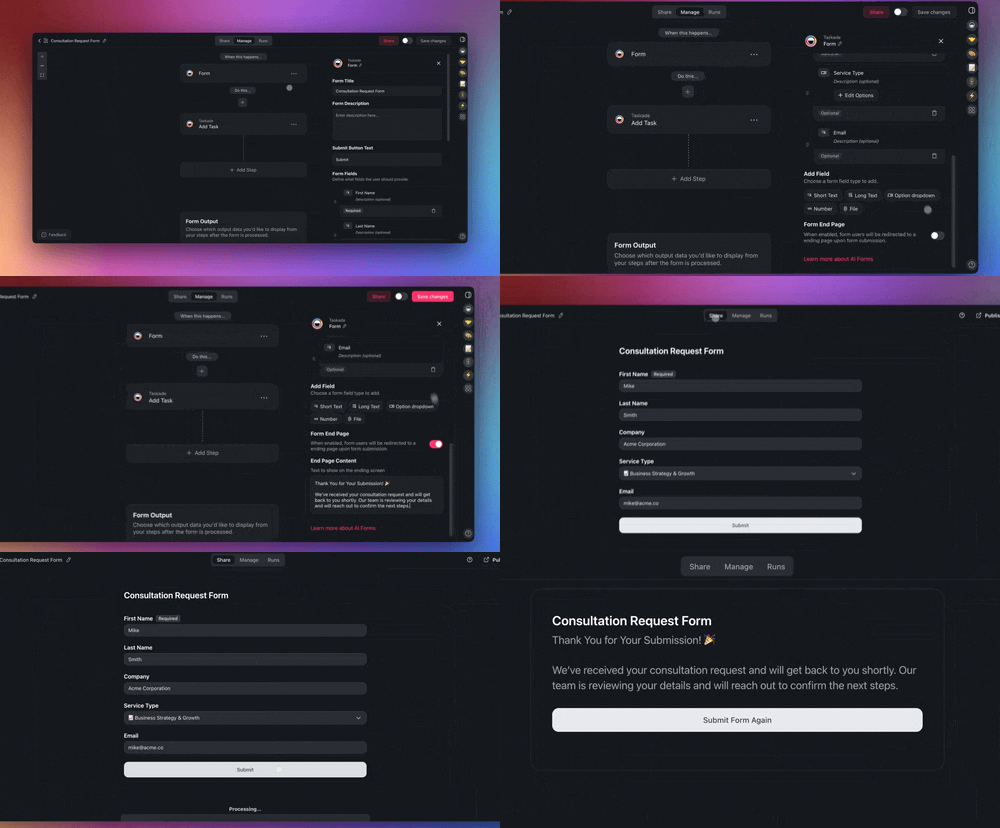
Tickets reach the help desk in one of two ways, and many teams use both. Share the ticket form link with staff, or copy the Mailhook address and forward your support inbox to it. Each new form entry or email becomes a ticket with the status New.
| Intake | Best for | Plan | Set it up |
|---|---|---|---|
| Ticket form in the app | Staff who report from a browser or phone | Every plan | Share the app link. See [AI Forms](https://www.taskade.com/learn/automation/forms-trigger) |
| Mailhook email address | Teams that already have support@ | Every plan | Forward the inbox. See [Mailhook](https://www.taskade.com/learn/automation/mailhook) |
| Gmail trigger | Reading a Gmail inbox directly | Paid plans | Connect Gmail in the automation |
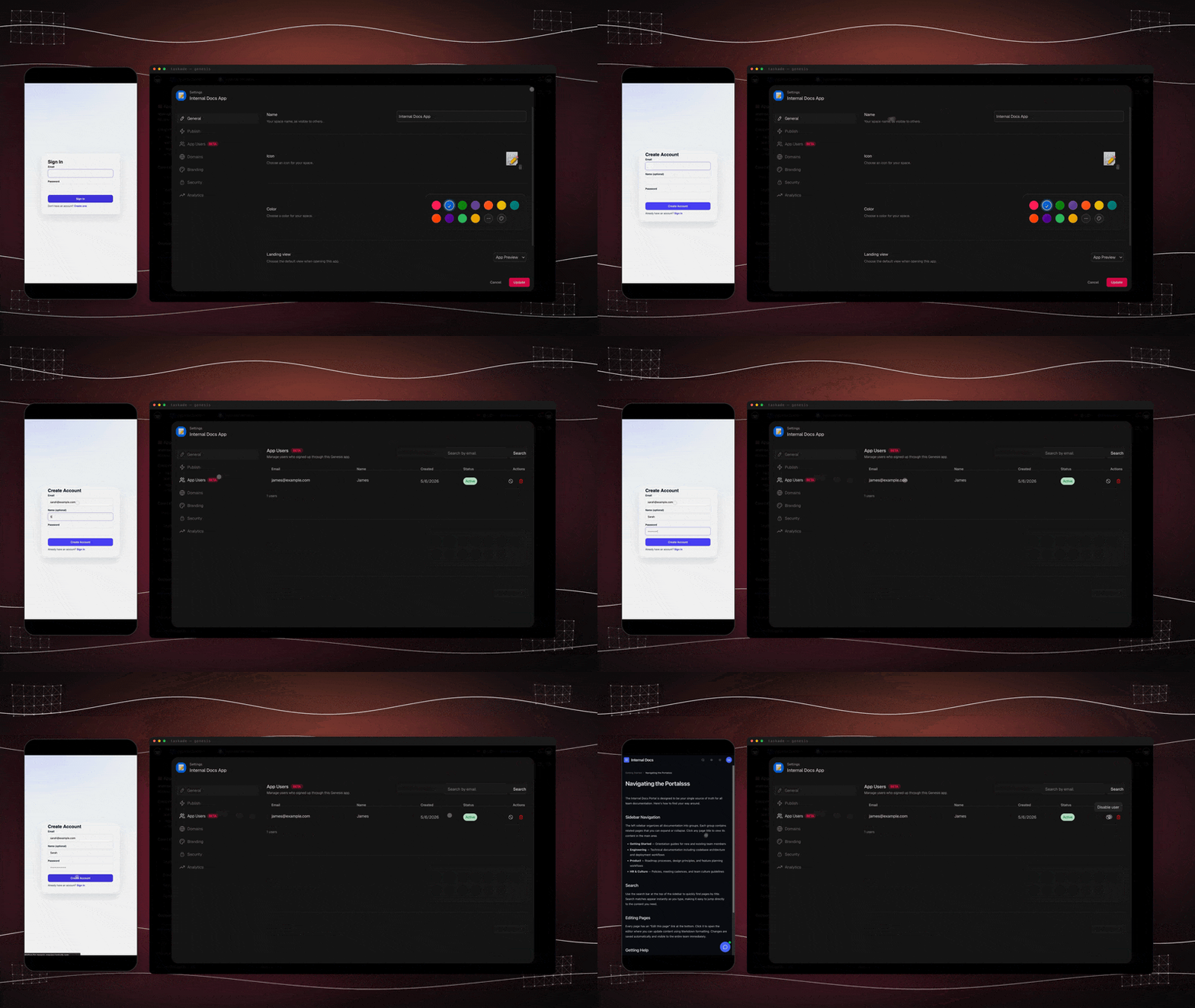
Staff can sign in to the help desk on every plan, Free included. Sign-in confirms who each person is. To show each employee only the tickets they raised, match each ticket to the requester's email and test it with a second account before you share the link. The [App Users guide](https://www.taskade.com/learn/genesis/app-users) covers the settings.
### Step 3: Turn on sorting, owners and the morning digest
The help desk runs on two automations. The first runs on every new ticket. The second runs every weekday morning. Open **Automations** in the app and set them up as the table shows.
| Automation | Starts when | Steps | Plan |
|---|---|---|---|
| 1. Sort and assign | A ticket is added | Categorize with AI, Assign Task by category, email the requester | Every plan (the AI step uses AI credits) |
| 2. Morning digest | Every weekday at 08:00 | Find Task(s) not completed and created more than 2 days ago, email the list to the lead | Every plan |
| 3. Resolved notice (optional) | Status changes to Resolved | Email the requester with the fix | Every plan |
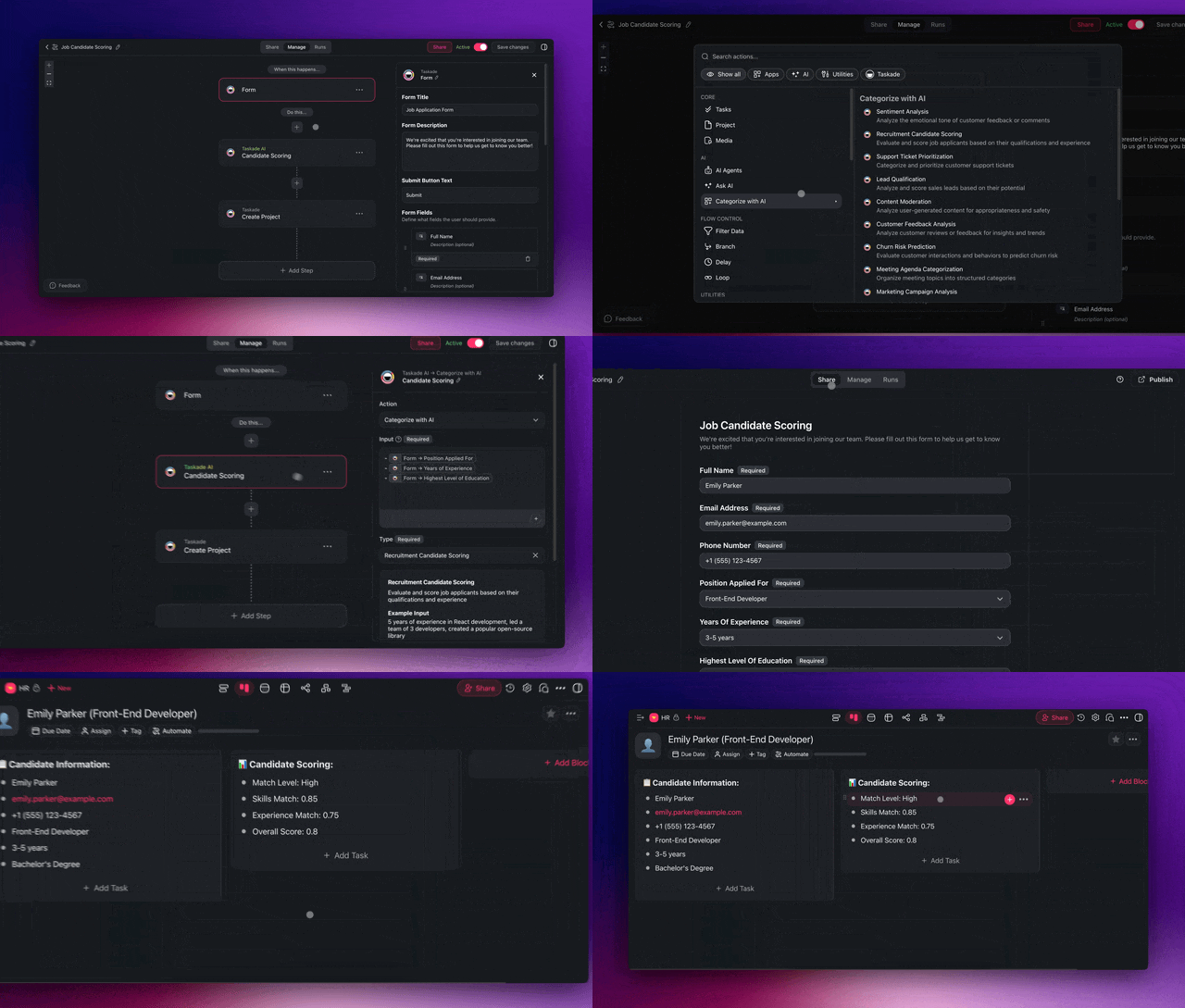
The Categorize with AI step reads the ticket text and returns one label from the list you give it. Give it your exact Category values, and add a second step for urgency if you want both. The [Categorize with AI guide](https://www.taskade.com/learn/automation/ai-categorize) shows the presets. The Assign Task step then uses the label to pick the owner.
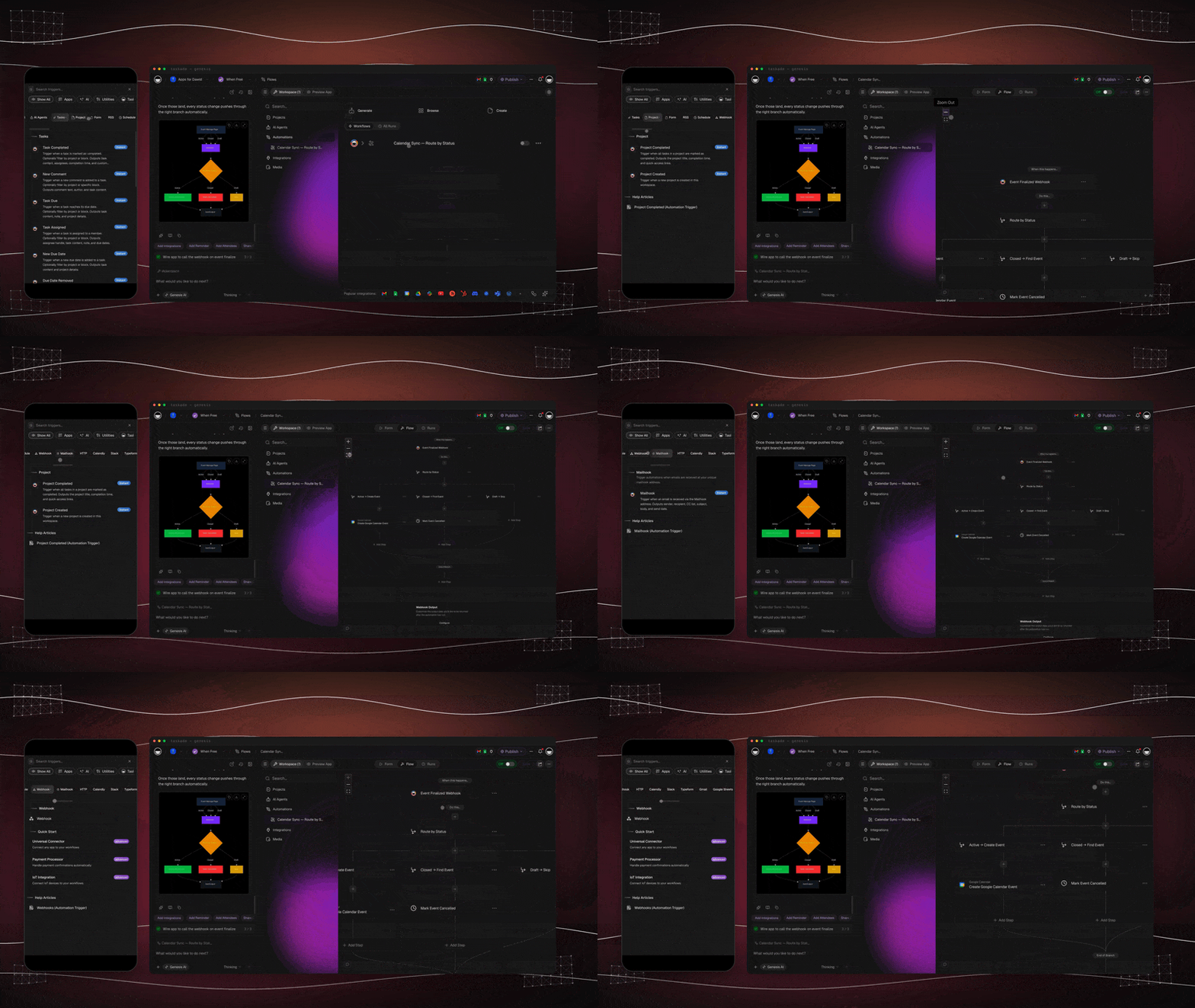
Set the Schedule trigger to **Every Day** or **Every Week** with the weekdays selected, at 08:00 in your time zone. Taskade starts a scheduled run within a few minutes of the time you set. Then test both automations with three sample tickets before the team uses the help desk.
| Test ticket | Expected category | Expected result |
|---|---|---|
| "I cannot log in since this morning" | Access, Urgent | Assigned to the access owner, and the lead gets an email |
| "My invoice shows the wrong amount" | Billing, Normal | Assigned to the billing owner |
| "How do I add a printer?" | How-to, Low | Assigned to the how-to owner |
You are done when all three tickets carry an owner, the requester email arrived, and a test run of the digest, with the age filter set to 0 days, lists all three open test tickets. Then set the filter back to 2 days.
An internal IT team runs its help desk in one Taskade Genesis app with 4 screens: employees submit tickets, an automation sorts and assigns each one, a fixes library answers repeat questions, and a daily digest flags old tickets.
### Add a fixes library the agent can answer from
A fixes library is a project of short articles, one per repeat question, that the app's agent reads before it answers. It cuts the tickets that a one-paragraph answer can close. Add each fix as a task with the question as the title and the answer as the note, then add the project to the agent's knowledge. The [agent knowledge guide](https://www.taskade.com/learn/agents/knowledge) shows how. A Free workspace gives each agent one knowledge source, and every paid plan allows up to 50 sources per agent.
To put the agent on your intranet or website, [embed it as a widget](https://www.taskade.com/learn/agents/agent-widgets). Publishing and embedding an agent work on every plan. For a full library of procedures with read confirmations, see [how to build an SOP library](https://www.taskade.com/blog/team-knowledge-base-ai), and for customer-facing support scripts, see [customer service SOPs](https://www.taskade.com/blog/creating-customer-services-sops).
## Worked example: 3 people and 80 tickets a month
A 3-person support team with 80 tickets a month uses about 380 automation runs a month, which fits Pro. Each automation counts one run from trigger to finish. The sums below use the three automations from Step 3 plus the hourly Urgent check from the response targets.
| Automation | What sets it off | Runs a month |
|---|---|---|
| Sort and assign | 80 new tickets | 80 |
| Resolved notice | 80 tickets resolved | 80 |
| Morning digest | 22 weekdays | 22 |
| Urgent check | 9 working hours x 22 weekdays | 198 |
| Total | | 380 |
The sort step also uses AI credits for each ticket. Pro includes 50,000 AI credits a month. The year cost for the same 3 people, from each vendor's pricing page on 2026-10-19, is in the next table. A dedicated help desk prices each agent, and Taskade Pro prices the workspace for up to 10 members.
| Option | Plan | Price shown | Year cost for 3 people |
|---|---|---|---|
| Zoho Desk | Free | $0 for 3 users | $0 |
| Zoho Desk | Express | $7 per user a month, billed annually | $252 |
| Freshdesk | Growth | $19 per agent a month, billed annually | $684 |
| Help Scout | Standard | $25 per user a month | $900 |
| Taskade Genesis | Pro | $10 a month billed annually, up to 10 members | $120 |
The dedicated tools include things this build does not, such as threaded replies and SLA reports. Read the limits below before you compare on price alone.
A four-week rollout keeps the change small for the team:
```
Week 1 Clone the app, add owners, write the 4 response targets
Week 2 Staff use the form. Forward support@ to the Mailhook
Week 3 Turn on AI sorting and the morning digest. Fix wrong labels
Week 4 Add the 10 most common fixes to the library. Review the numbers
```
## Dashboard numbers to review each week
Four numbers on the support dashboard tell a small team whether the help desk works: ticket volume (tickets opened), tickets older than the target, the median response time to the first reply, and the top 3 categories. Review them once a week, and act on the category that grows. A category that keeps growing is a fix to write for the library or a problem to remove at its source.
| Number | Where to read it in Taskade | What to do when it is high |
|---|---|---|
| Tickets opened | The ticket list, grouped by week | Check the top category |
| Tickets past the target | The morning digest | Add an owner or move work |
| Time to the first reply | Ask the agent, or sort by created date | Shorten the queue for Urgent |
| Top 3 categories | The board, grouped by Category | Write a fix for the library |
The app's agent can answer these from the ticket list, for example "How many Access tickets were opened last week, and how many are still open?" Each answer uses AI credits.
## What Taskade Genesis adds to a help desk
Taskade Genesis turns one prompt into a live app with its own database, so the ticket list, the fixes library, the agent and the automations live in one app. Here is what that gives a small help desk:
- **One prompt builds the live app.** [Create](https://www.taskade.com/create) makes the form, the ticket list and the screens. Taskade EVE edits it in chat, for example "add a Location field and send Hardware tickets for the warehouse to the site lead".
- **An AI agent answers repeat questions.** An [AI agent](https://www.taskade.com/agents) with your fixes library as knowledge answers the questions a one-paragraph fix can close.
- **Automations connect the inbox and the team.** [Automations](https://www.taskade.com/automate) work with 100+ integrations. Triggers pull events in, such as a new email, and actions push data out, such as a Slack message on a paid plan.
- **Workspace DNA keeps it together.** The tickets and the fixes are memory, the agent is intelligence, and the automations are execution. The [Taskade Genesis wiki](https://www.taskade.com/wiki/genesis) explains the model.
- **Start from a kit and share a link.** Clone a ready-made app from the [Taskade App Factory](https://www.taskade.com/apps), share the link with staff, and put it on your own domain on Business and up.
Plan facts: Free has 3 apps, 1 agent, 2 members and no starting AI credits. Pro is $10 a month billed annually.
## What it costs
A Taskade help desk runs on Free for 2 members and 10 automation runs a month, which fits a trial with a handful of tickets. Each new ticket uses one run for the sort-and-assign automation, and each morning digest uses one run. AI sorting needs AI credits, and Free starts with none. Pro is $10/month billed annually for up to 10 members.
| Plan | Price | Members | Automation runs a month | AI credits a month | Custom domain |
|---|---|---|---|---|---|
| Free | $0 | 2 | 10 | None to start | No |
| Pro | $10/mo billed annually ($20 monthly) | Up to 10 | 1,000 | 50,000 | No |
| Business | $25/mo billed annually ($50 monthly) | Unlimited | 10,000 | 150,000 | Yes |
On Free, you earn free AI credits with referrals and invites, and you can upgrade any time. A team that takes about 20 tickets a week needs more than 10 runs a month, so Pro is the practical plan once the help desk is in daily use. App sign-in works on every plan, and a custom domain is Pro and up. The full table is on the [pricing page](https://www.taskade.com/pricing).
## Other ways to do it
A dedicated help desk is the faster choice when you want threaded email replies, a public help center and SLA reports on day one. A shared inbox and a spreadsheet are enough while the volume stays low. We checked each vendor's pricing page on 2026-10-19. The prices are from the plan cards, not from search snippets.
| Option | Free plan | Paid from | Best for |
|---|---|---|---|
| [Zoho Desk](https://www.zoho.com/desk/pricing.html) | Yes, 3 users | Express $7 per user a month, billed annually | A tiny team that wants email ticketing at no cost |
| [Help Scout](https://www.helpscout.com/pricing/) | Yes, 5 users, 100 contacts a month | Standard $25 per user a month | Email-first teams that want a shared inbox feel |
| [Freshdesk](https://www.freshworks.com/freshdesk/pricing/) | No, 14-day trial | Growth $19 per agent a month, billed annually | SLA rules and support reports out of the box |
| [Jira Service Management](https://www.atlassian.com/software/jira/service-management/pricing) | Yes, 3 agents | Standard $21.50 per agent a month | Internal IT teams that already use Jira |
| Shared inbox and a spreadsheet | Yes | $0 | Very low volume and one person on support |
| Taskade Genesis | Yes, 2 members and 3 apps | Pro $10 a month, billed annually | Tickets, the fixes library and the internal work in one app |
Zoho Desk is the cheapest real help desk, because its free plan covers 3 users with email ticketing. Its Standard plan is $14 per user a month, billed annually. Help Scout feels like a shared inbox, so customers see normal email replies, and its free plan includes a Docs site for help articles. Freshdesk is a full support platform with SLA rules and support reports, so a small team does not have to build them. Jira Service Management is free for 3 agents and suits an internal IT team whose developers already work in Jira.
A shared inbox and a spreadsheet cost nothing and need no setup. They break when two people answer the same email or when nobody notices an old row. That is the moment to move to one of the tools above, or to the Taskade build in this guide. For large teams that also run phone and live chat, [Zendesk](https://www.zendesk.com/) and [Intercom](https://www.intercom.com/) are the usual picks.
## Limitations: when Taskade is not the right fit
Choose a dedicated help desk if your support runs on phone calls, live chat with routing to human agents, or contract SLA reports for enterprise customers. Taskade fits a team that wants tickets, owners, a daily chase list and the internal work around each ticket in one app. These are the limits to know before you build:
- **No shared inbox with threaded replies.** Replies go out through an email step in an automation. Help Scout and Zoho Desk keep each conversation as one thread.
- **No phone channel and no live-chat queue for human agents in this build.** The agent widget answers questions from your fixes library. Anything it cannot answer goes into the ticket form.
- **SLA reports are something you build.** You can add a due date, a priority and a view that sorts tickets by age. A dedicated help desk gives you SLA reports by default.
- **AI sorting uses AI credits on every plan.** Free starts with no AI credits, so plan for Pro before the help desk goes live.
- **Gmail and Slack steps need a paid plan.** The Mailhook trigger and the built-in email steps run on every plan.
## FAQ
### Can I build a help desk without code?
Yes. A small-team help desk needs four parts: a form or email address where tickets land, a ticket list with a status and a priority, a rule that gives each ticket an owner, and a daily check on tickets that wait too long. Taskade Genesis builds all four as one app. Clone a working help desk app, connect your support email, and turn on two automations.
### How does the AI sort and route tickets?
An automation runs when a new ticket arrives. Its Categorize with AI step reads the ticket text and returns one label, such as Billing, Access or How-to, plus an urgency. The next steps assign the ticket to the person who owns that label and email the requester. Each AI step uses AI credits.
### Can employees sign in to the help desk?
Yes. App sign-in works on every plan, Free included. Sign-in confirms who each employee is. To show each employee only the tickets they raised, match each ticket to the requester's email, and test it with a second account before you share the link.
### Can tickets come in by email?
Yes. The Mailhook trigger gives an automation its own email address, and it is available on all plans. Forward your support inbox to that address. Each email starts the automation, which turns the email into a ticket and saves any attached files.
### How do I get a list of old tickets every morning?
Add a second automation with the Schedule trigger set to Every Day at 08:00 in your time zone. A Find Task(s) step collects tickets that are not completed and were created more than 2 days ago, and an email step sends that list to the support lead. Mark a ticket complete when you resolve it, so the digest skips it. Daily, weekly and monthly schedules run on every plan.
### How much does a Taskade help desk cost?
Free covers 2 members, 3 apps, 1 agent and 10 automation runs a month, which fits a trial. Free starts with no AI credits, so AI sorting needs free AI credits from referrals and invites, or a paid plan. Pro is $10 a month billed annually ($20 monthly) for up to 10 members, with 50,000 AI credits and 1,000 automation runs a month.
### Can I put the help desk on my own domain?
Yes, on Pro and up. Pro is $10 a month billed annually and connects up to 10 custom domains, and Business and up connect unlimited custom domains. App sign-in works on every plan, and a custom domain is Pro and up. The two are separate controls. The [custom domain guide](https://www.taskade.com/learn/genesis/custom-domains) covers the DNS step.
### What response times should a small help desk set?
Set one target per priority before the first ticket. A common small-team set is a first response within 1 hour for Urgent, 4 working hours for High, 1 working day for Normal and 2 working days for Low. Pause the clock while a ticket waits on the requester. In Taskade an hourly check lists open Urgent tickets and the morning digest lists the rest.
### Is a Taskade help desk cheaper than Freshdesk or Help Scout?
For 3 people, Taskade Pro costs $120 a year, Freshdesk Growth costs $684 and Help Scout Standard costs $900, from each pricing page on 2026-10-19. Zoho Desk is free for 3 users. The dedicated tools include threaded replies and SLA reports that you build or skip in Taskade, so compare the jobs as well as the prices.
### When is Zendesk, Freshdesk or Help Scout the better choice?
Pick a dedicated help desk when you need a shared inbox with threaded email replies, a public help center, phone or live chat, or ready-made SLA reports on day one. Zoho Desk is free for 3 users, Freshdesk Growth is $19 per agent a month billed annually, and Help Scout Standard is $25 per user a month.
## Sources
- Zoho Desk pricing: https://www.zoho.com/desk/pricing.html (checked 2026-10-19)
- Help Scout pricing: https://www.helpscout.com/pricing/ (checked 2026-10-19)
- Freshdesk pricing: https://www.freshworks.com/freshdesk/pricing/ (checked 2026-10-19)
- Jira Service Management pricing: https://www.atlassian.com/software/jira/service-management/pricing (checked 2026-10-19)
- Taskade plans: [pricing](https://www.taskade.com/pricing) (checked 2026-10-19)
## Related reading
- [How to automate customer support](https://www.taskade.com/blog/automate-customer-support)
- [How to build a CRM without code](https://www.taskade.com/blog/build-crm) and [how to build a client portal without code](https://www.taskade.com/blog/build-client-portal)
- [Help desk templates](https://www.taskade.com/templates/helpdesk), [customer service templates](https://www.taskade.com/templates/customer-service) and the [customer service agents](https://www.taskade.com/agents/customer-service)
- [Customer support automations](https://www.taskade.com/automate/customer-support)
- [The best AI app builders](https://www.taskade.com/blog/best-ai-app-builders)
Start from a working app in the [Taskade App Factory](https://www.taskade.com/apps), see what else [Taskade Genesis](https://www.taskade.com/ai/apps) can build, or browse [automations](https://www.taskade.com/automate) for the rest of your support work.
▲ ■ ● Memory · Intelligence · Execution. Your tickets, your agent and your morning digest in one app.