# Build an Internal App With No Engineers: A 2026 Guide
> Describe the internal tool you need in plain English and ship a live app — a project dashboard, an ops tracker, an approval workflow — with AI agents and automations built in. No engineers, no code, no waiting on a backlog.
- Source: https://www.taskade.com/blog/build-internal-app
- Published: 2026-07-13
- Author: Taskade Team
> **TL;DR:** You do not need an engineering team to ship an internal tool. Describe the app you need in plain English — a project dashboard, an ops tracker, an approval flow — and **[Taskade Genesis](https://www.taskade.com/create)** builds a live one with a database, AI agents, and automations inside. 150,000+ apps have been built this way. It starts free.
Every operations lead has the same backlog: a project dashboard the team actually checks, a request intake that doesn't live in email, a status report that updates itself. The blocker is never the idea. It's that building it means filing a ticket, waiting for sprint capacity, and hoping it survives the next reprioritization.
There is a faster path. You describe the internal tool you need, and an AI builds a working **app** — not a mockup, not a spreadsheet, a deployed app your team logs into. The database is there. The views are there. The agents and automations are already running.
This guide shows a non-technical operator how to ship a real internal app in an afternoon, with a live demo you can clone right now.
```text
┌─ Q3 Delivery Dashboard ─────────────────────────────────────┐
│ Board ▸ Table Calendar Gantt List [+ New request] │
├──────────────┬──────────────┬──────────────┬───────────────┤
│ INTAKE (4) │ IN PROG. (3) │ REVIEW (2) │ SHIPPED (6) │
├──────────────┼──────────────┼──────────────┼───────────────┤
│ ▸ SSO rollout│ ▸ Vendor port│ ▸ Asset audit│ ▸ Laptop fleet│
│ ◷ owner? │ ▰▰▰▱ 75% │ ☑ QA pass │ ✓ closed │
│ ⤷ triage │ due Fri │ ⤷ sign-off │ │
│ agent │ │ │ │
│ │ │ │ │
│ ▸ Badge sync │ ▸ Onboarding │ │ ▸ VPN upgrade │
│ ⏰ auto- │ ▰▰▱▱ 50% │ │ ✓ closed │
│ remind │ 2 blockers │ │ │
├──────────────┴──────────────┴──────────────┴───────────────┤
│ 🤖 Triage · Status · Report Agents · built-in tools │
└─────────────────────────────────────────────────────────────┘
```
## Can you really build an internal app with no engineers?
Yes — and it is the fastest way to clear an operations backlog. In [Taskade Genesis](https://www.taskade.com/create) you describe the internal tool you need in plain English, and it builds a live app with a real database, a UI, AI agents, and automations already wired in. There is no canvas to assemble and no server to manage. 150,000+ apps have been built this way since launch, each with a shareable URL your team can open today.
The difference from a spreadsheet is that the app can *act*. A sheet stores rows. A Taskade Genesis app holds your data in [multiple project views](https://www.taskade.com/wiki/genesis/projects), runs agents that read and reason over it, and triggers automations that move work forward — all without a single line of code.
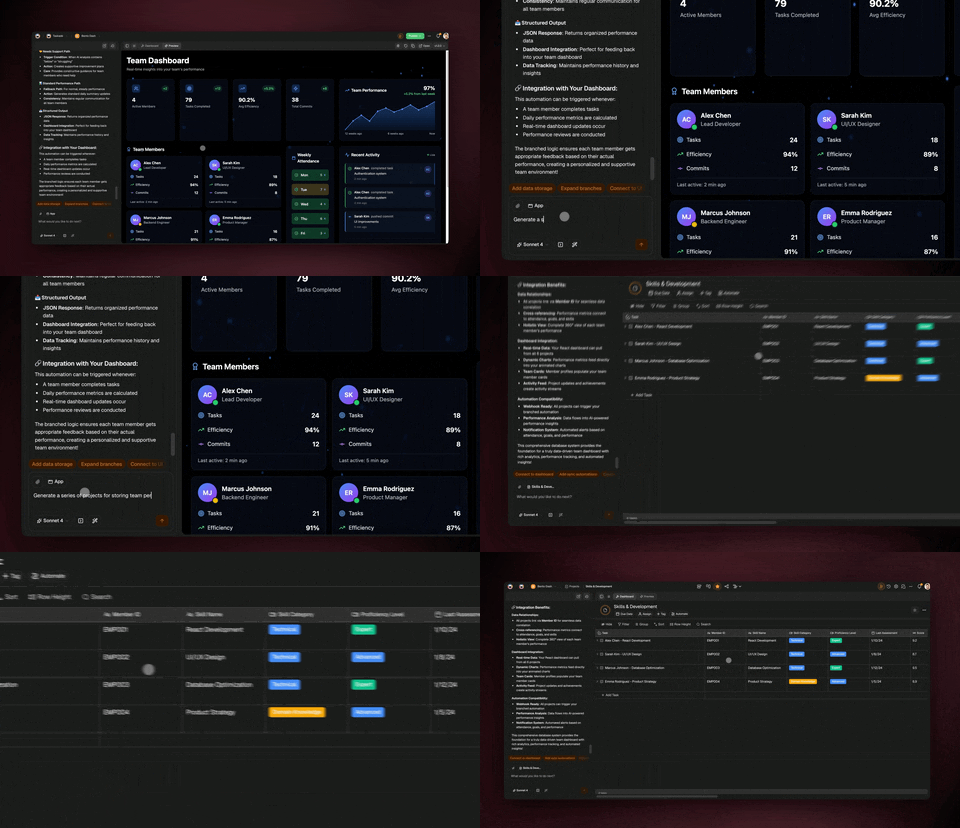
Here is the whole build as one connected system instead of a ticket sitting in a backlog:
```mermaid
graph LR
A[Describe the
tool you need] --> B[Taskade Genesis
builds the app]
B --> C[🗂️ Database
+ multiple views]
B --> D[🤖 AI agents
built-in tools]
B --> E[⚙️ Automations
+ integrations]
C --> G([A live internal app
your team logs into])
D --> G
E --> G
classDef pink fill:#2a1225,color:#ff8fa3,stroke:#ff2d60,stroke-width:2px;
classDef blue fill:#0d1b2a,color:#7dd3fc,stroke:#38bdf8;
class B pink;
class G blue;
```
## What internal tools can you build without code?
You can build almost any operational tool that lives on data and moves work between people. The most common asks — and what each one becomes in Taskade Genesis — look like this:
| You need | It becomes | Built-in pieces |
|---|---|---|
| A project dashboard | A board + Gantt app with status rollups | Status agent, weekly report automation |
| A request intake | A form-fed tracker with a triage queue | Triage agent, auto-assign + reminders |
| An approval workflow | A staged board with sign-off gates | Approval automation that waits + nudges |
| A status report | A live page that updates itself | Report agent, scheduled digest |
| An inventory or asset log | A table app with quantities and alerts | Low-stock automation, audit agent |
Each one ships as living software — a database, views, agents, and automations — not a static file your team forgets to update. You describe the outcome; the app assembles around it. Explore ready-made starting points in the [Taskade App Factory](https://www.taskade.com/apps) or the [automation library](https://www.taskade.com/automate).
## How do you build it — the whole path, in plain English
You write one prompt describing the outcome, refine in plain language, then publish. There is no design phase and no deployment step. Here is the path from idea to a tool your team uses, start to finish:
```mermaid
sequenceDiagram
participant You
participant Genesis as ✨ Taskade Genesis
participant Team as 👥 Your team
You->>Genesis: Describe the internal tool I need
Genesis-->>You: A live app — database, views, agents, automations
You->>Genesis: Add a triage agent and a weekly report
Genesis-->>You: Updated app, no code touched
You->>Team: Share the link (or custom domain)
Team->>Genesis: Log requests, move cards, get reminders
Genesis-->>You: Automations chase blockers and post the digest
```
Five steps, none of which need an engineer:
| Step | What you do | What you get |
|---|---|---|
| 1. Describe | One prompt: the tool, the stages, the data | A working app, generated |
| 2. Refine | "Add a triage agent" · "remind owners on Friday" | Agents and automations, in plain English |
| 3. Connect | Link Slack, Gmail, Sheets, Shopify, Stripe | 100+ bidirectional integrations |
| 4. Publish | Add a custom domain + built-in sign-in | A private app only your team can open |
| 5. Run | Your team logs requests and moves work | Automations chase the rest |
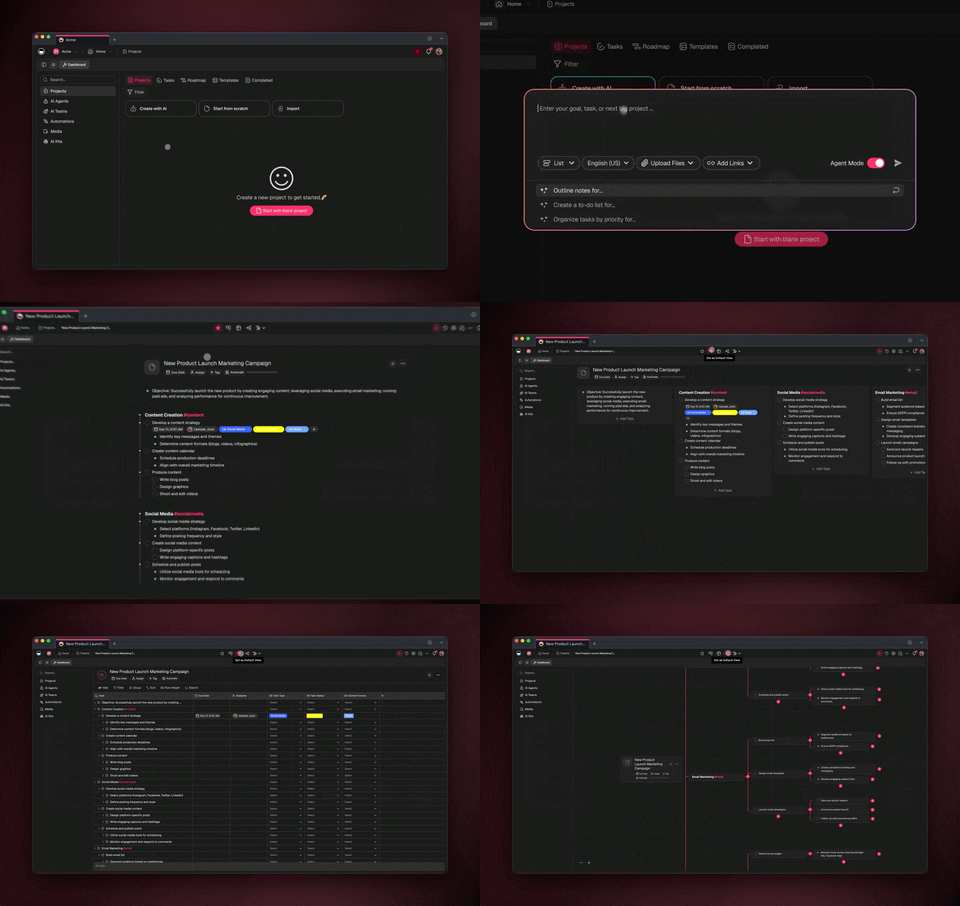
To go deeper on the structure behind multi-piece apps, the [AI system builder guide](https://www.taskade.com/wiki/genesis/ai-system-builder) explains how projects, agents, and automations connect into one running system, and the [app builder overview](https://www.taskade.com/wiki/genesis/app-builder) covers the build itself.
## See it live, then clone it
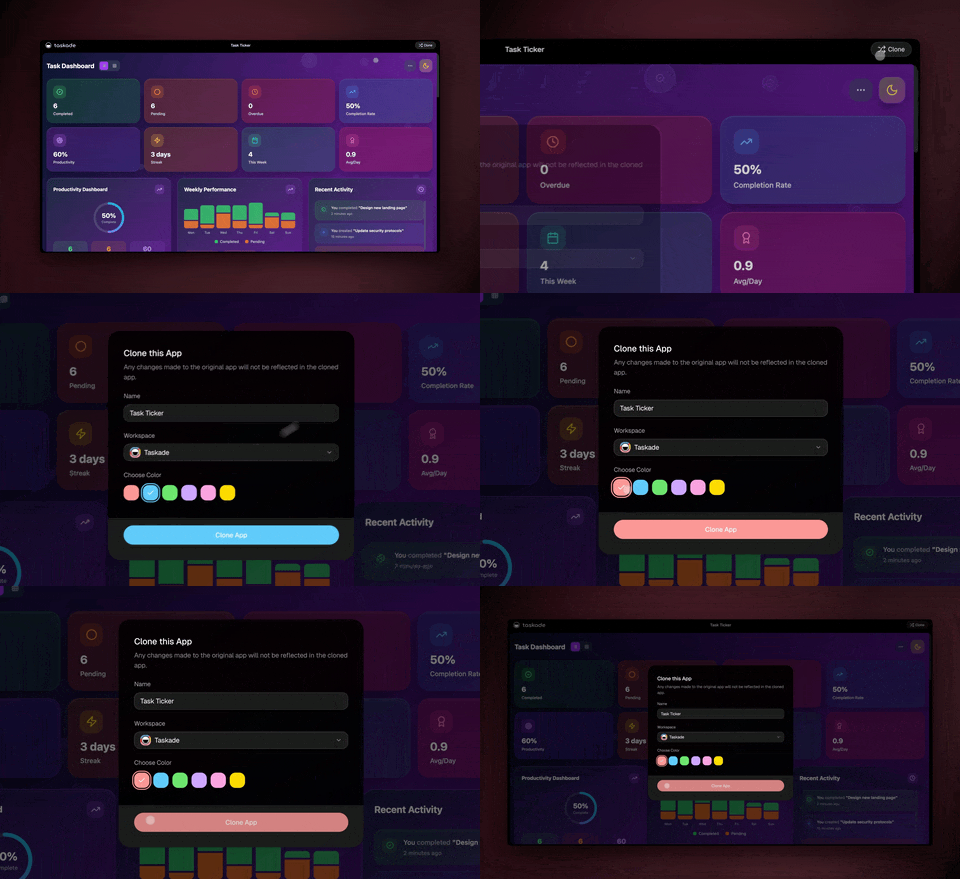
You do not have to start from a blank prompt. Below is a real, live Taskade Genesis app — a **Monochrome Project Dashboard** with task management, timeline tracking, and an AI agent built in — running right here on the page. Preview it, then clone it into your own workspace and rename the stages to match how your team actually works.
[Monochrome Project Dashboard — live preview and clone](https://www.taskade.com/app/monochrome-project-dashboard-caioxj3gzp5d8gc7)
This app ships with 3 projects, an AI agent, and 2 automations — a complete project-tracking tool you can run on day one. [Clone it from the Taskade App Factory](https://www.taskade.com/apps) and point it at your real initiatives.
## How do AI agents work inside an internal app?
Agents turn a passive tracker into a tool that does work. Every Taskade Genesis app can include [AI agents](https://www.taskade.com/agents) with built-in tools — web search, file analysis, custom slash commands, and persistent memory — that read your data and act on it. A triage agent sorts incoming requests, a status agent summarizes a board into a one-paragraph update, and a report agent drafts the weekly digest from the live data.
Because the workspace remembers context, agents stay grounded in your real projects rather than starting cold each time. Browse cloneable [project-management agents](https://www.taskade.com/agents/project-management) or [business operations agents](https://www.taskade.com/agents/business) to drop a ready-made teammate into your app.
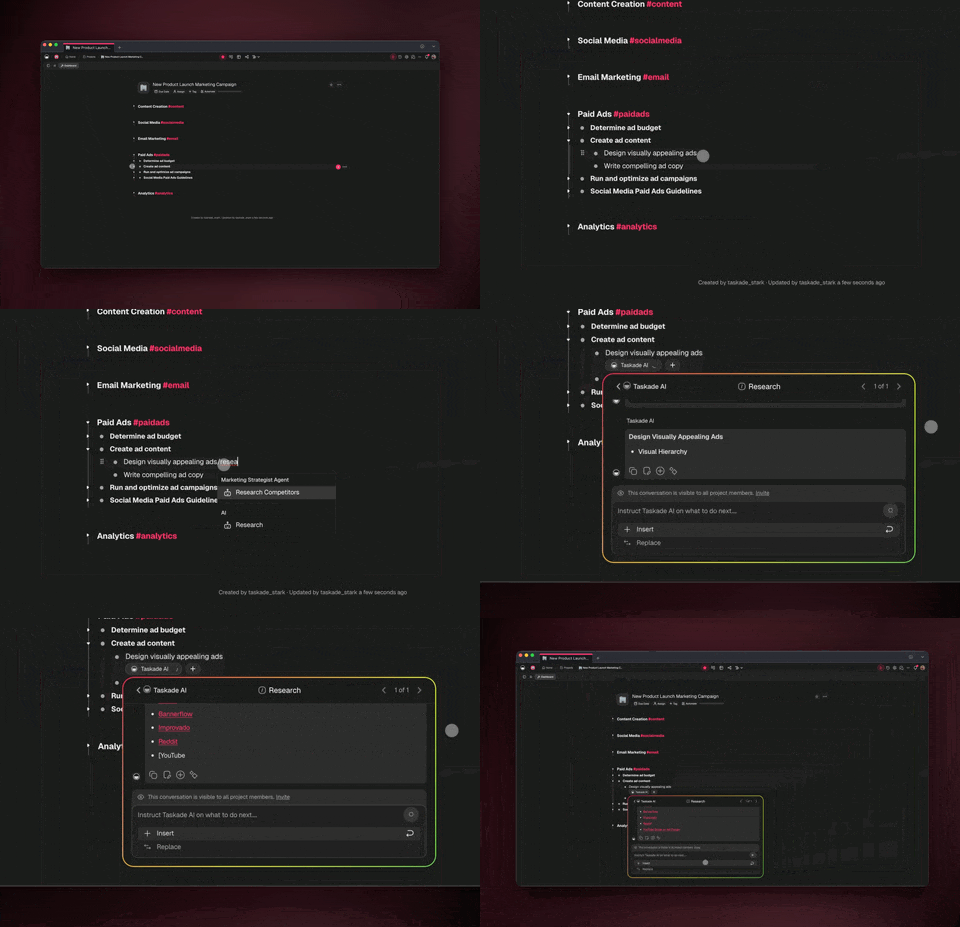
What a single agent handles inside an ops dashboard, end to end:
| You ask | The agent does |
|---|---|
| "Summarize this board for my standup" | Writes a tight status paragraph from live cards |
| "Which requests are blocked and why?" | Scans the tracker and flags stuck items |
| "Draft the weekly update for leadership" | Produces a ready-to-send digest |
| "Who owns the unassigned intake items?" | Lists gaps and suggests owners |
| "Turn these notes into tracked tasks" | Creates cards with owners and dates |
## Can a team of agents run the whole tool together?
Yes. In **orchestration mode**, several AI agents collaborate like an ops team working inside your app. One triages and routes incoming requests, one keeps the tracker current, one drafts status updates, and one preps the leadership report. They hand work off to each other and route across frontier models from top AI labs — so each task runs on a capable model without you picking one.
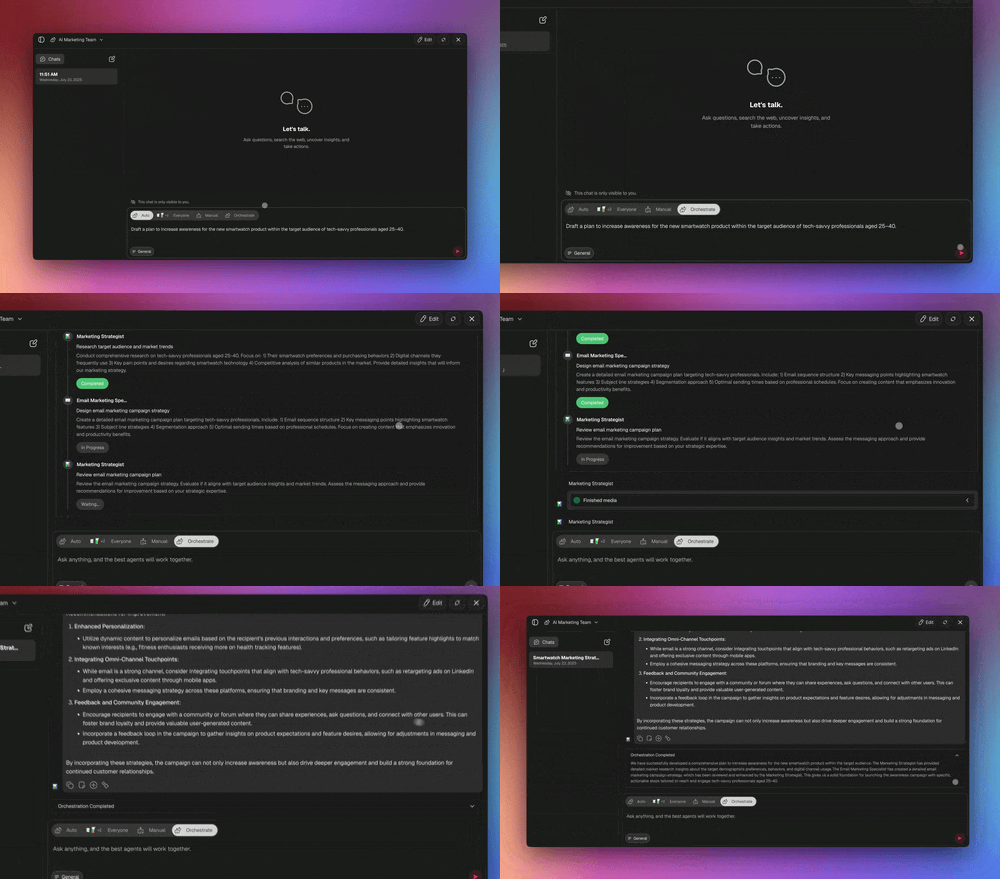
```mermaid
stateDiagram-v2
[*] --> Triage
Triage: 🔀 Triage Agent\nroutes new requests
Track: 🗂️ Status Agent\nkeeps the board current
Report: 📊 Report Agent\ndrafts the digest
Notify: 📣 Notify Agent\nposts to Slack + email
Triage --> Track
Track --> Report
Report --> Notify
Notify --> [*]
```
This is the [Workspace DNA](https://www.taskade.com/agents) loop applied to internal tooling: **Memory** (your tracked requests and history) feeds **Intelligence** (the agents), which triggers **Execution** (the automations), which records new results back into Memory. Every cycle makes the tool smarter about your team.
## How do automations and integrations keep the tool moving?
Reliable, durable automation workflows do the chasing your team forgets under pressure. With [100+ bidirectional integrations](https://www.taskade.com/automate), your internal app reads events from the tools you already use and pushes updates back out — triggers pull events in, actions push data out, including native Shopify and Stripe. A new form submission becomes a tracked request; an overdue card triggers a reminder; a shipped item posts a digest to Slack.
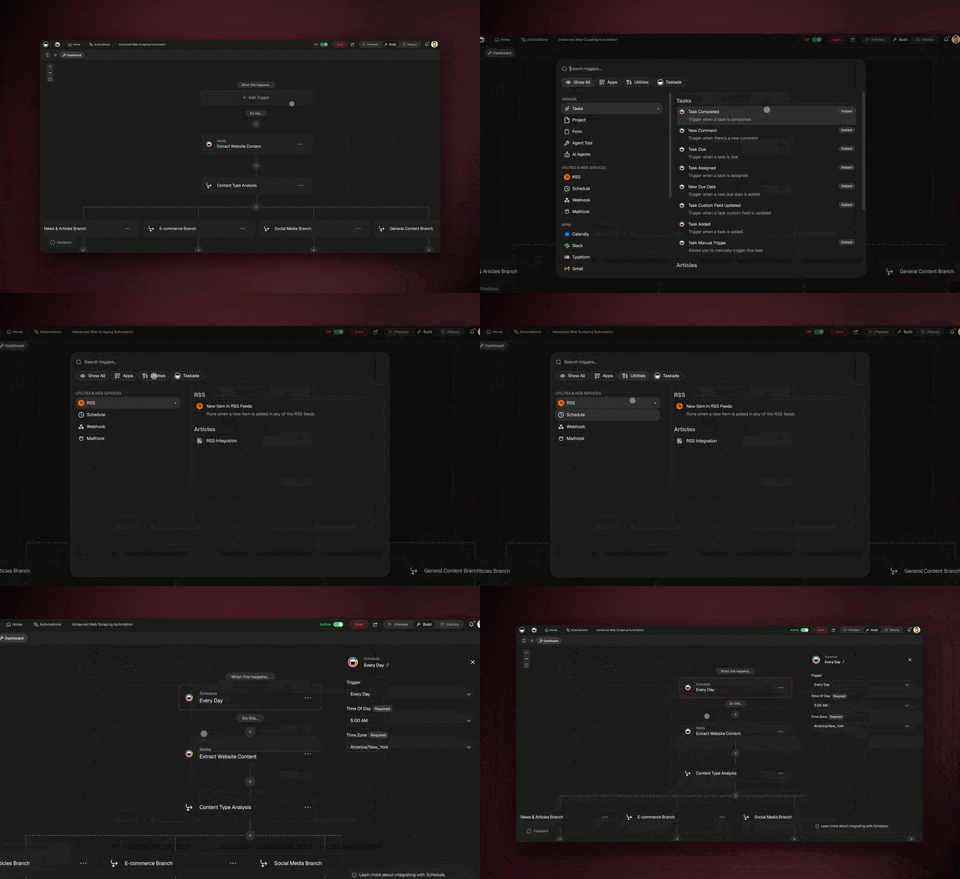
A typical ops automation, in plain English:
```text
WHEN a request sits in "Intake" with no owner for 1 day
DO assign it from the on-call rota
→ notify the owner in Slack
→ if still untouched after 2 days, escalate to the lead
→ log the action back to the tracker
```
Because these run as durable workflows, a stuck approval or a delayed sync resumes from the exact step that failed instead of silently dropping the work — which is what makes an internal tool trustworthy enough to run a team on.
## What's the fastest way to ship your first internal app?
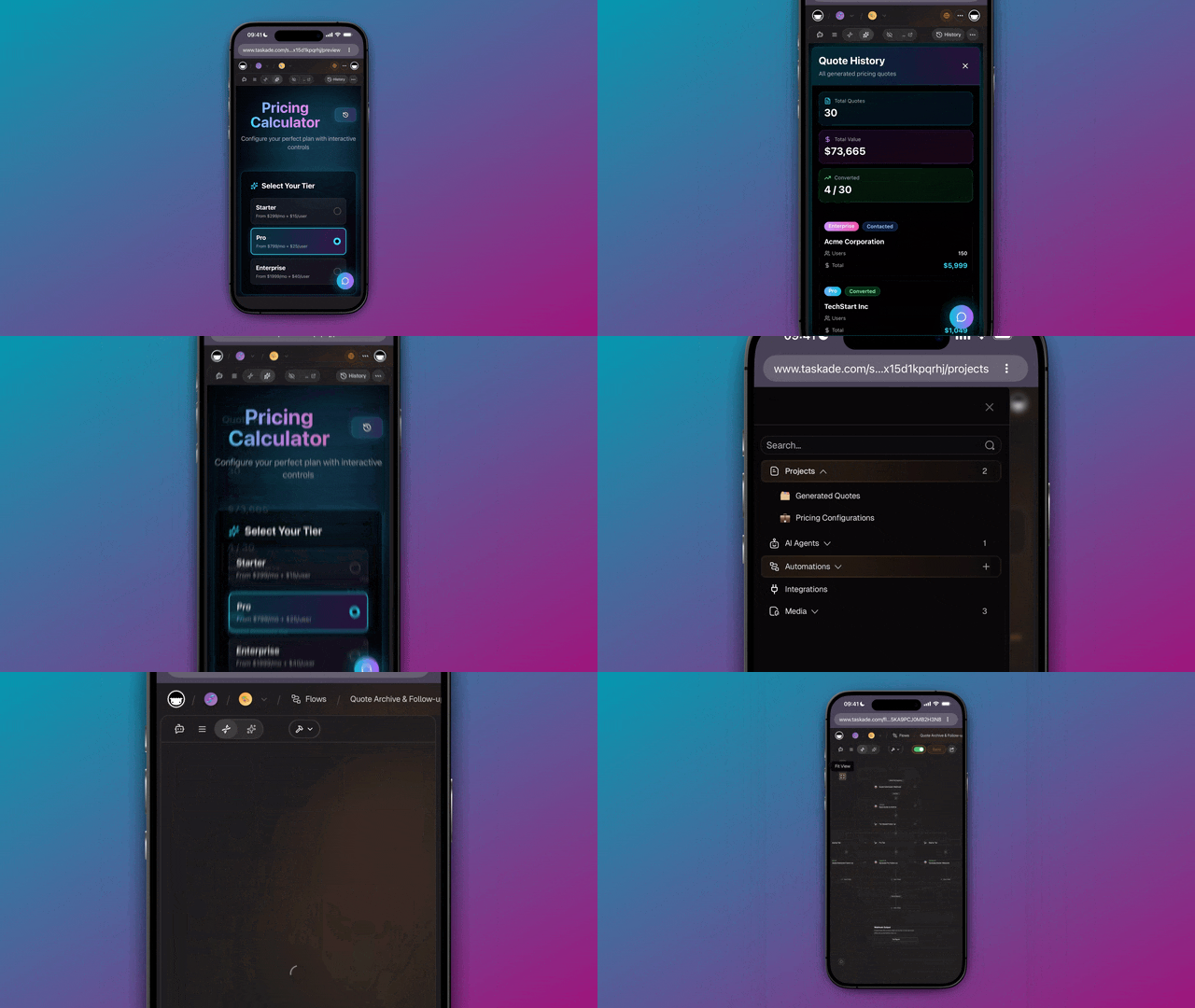
Describe the whole thing in one prompt and let Taskade Genesis assemble it. You state the outcome and get a working app with the views, agents, and automations already inside — then refine in plain language. Here is the capability set you are turning on:
| Capability | What it does for your tool |
|---|---|
| **One-prompt app** | Describe it; get a live app with a database and UI |
| **AI agents (built-in tools)** | Triage, summarize, report, and act on your data |
| **Multi-agent orchestration** | An ops team of agents that hand work off |
| **Frontier models** | Top AI labs, routed for you |
| **100+ bidirectional integrations** | Pull events in; push updates out (Shopify, Stripe native) |
| **Durable automations** | Chase blockers, wait, resume from any failed step |
| **Multiple project views** | List, Board, Calendar, Table, Mind Map, Gantt, Org Chart |
| **Publish privately** | Custom domains, built-in sign-in, role-based access control |
Try a starting prompt like this in [Taskade Genesis](https://www.taskade.com/create):
```text
Build me an internal project dashboard. Add a board with stages
Intake → In Progress → Review → Shipped, a table with owner,
priority, and due date, a triage agent that assigns new requests,
a status agent that drafts my weekly update, and an automation
that reminds owners on Friday and escalates stuck items.
```
Timeline scrolling lives inside the Gantt view, so you can zoom your whole delivery plan across weeks without leaving the app. For the building blocks, see the [AI workflow builder](https://www.taskade.com/wiki/genesis/ai-workflow-builder), and if you are comparing tools, our [best AI app builders](https://www.taskade.com/blog/best-ai-app-builders) and [Make.com alternatives](https://www.taskade.com/blog/make-alternatives) guides show where prompt-to-app fits versus node-by-node wiring.
## Frequently Asked Questions
### Can a non-technical person build an internal app without engineers?
Yes. In [Taskade Genesis](https://www.taskade.com/create) you describe the tool you need in plain English and it builds a live app with a database, a UI, AI agents, and automations. There is no canvas to wire and no server to manage. 150,000+ apps have been built this way since launch. It starts free.
### What kinds of internal tools can I build without code?
Project dashboards, ops trackers, approval workflows, request intakes, status reports, inventory logs, and onboarding portals. Each ships as a living app with [multiple project views](https://www.taskade.com/wiki/genesis/projects), AI agents, and durable automations — not a static spreadsheet.
### How long does it take to build an internal app?
Minutes, not sprints. You write one prompt and Taskade Genesis generates a working app with views, agents, and automations already inside, then you refine it in plain language. Most operators have a usable dashboard running on their first afternoon.
### Do internal apps connect to my other tools?
Yes. With [100+ bidirectional integrations](https://www.taskade.com/automate), including native Shopify and Stripe, your app reads events from your tools and pushes updates back out. Triggers pull events in; actions push data out — no glue code required.
### Can AI agents run inside my internal app?
Yes. Every app can include [AI agents](https://www.taskade.com/agents) with built-in tools — web search, file analysis, custom slash commands, and persistent memory — that read your data and act on it. In orchestration mode, several agents collaborate as a team.
### How is this different from a spreadsheet or form builder?
A spreadsheet stores data but cannot act on it; a form builder collects input and stops. A Taskade Genesis app is living software that holds your data in a real database, runs agents that reason over it, and triggers automations that move work forward.
### Is an internal app built this way secure and private?
Apps run in your own workspace and stay private by default. When you publish, you can add a [custom domain](https://www.taskade.com/wiki/genesis/custom-domains) and built-in sign-in, plus role-based access with role-based access from Owner to Viewer from Owner through Viewer.
### What happens when an automation fails?
A [durable automation](https://www.taskade.com/automate) branches, loops, waits, and resumes from the exact step that failed rather than starting over — so a stuck approval or delayed sync recovers cleanly instead of silently dropping work.
### How much does it cost to build internal apps?
It starts free, then Pro at $10/month for 10 users, Business at $25/month, Max at $100/month, and Enterprise at $250/month on annual billing. Built-in sign-in works on every plan, and custom domains are available on Pro and up.
---
**Ready to clear the backlog?** [Start free with Taskade Genesis](https://www.taskade.com/create) — describe the internal tool you need, and watch it build the database, the agents, and the automations for you. Then [browse cloneable apps](https://www.taskade.com/apps) and [explore AI agents](https://www.taskade.com/agents) to make it yours.
▲ ■ ● Memory, Intelligence, Execution — your tracked requests feed the agents, the agents read and report on the work, and the automations chase the blockers. That's the difference between a backlog ticket and an internal app your team actually uses.