
🤖 Automate with Loops, WhatsApp, Smarter AI Agents, and Exports!
Hi Taskaders! 🎉 Happy New Year and welcome to 2025! We’re starting the year with powerful new automation tools and smarter ways to collaborate with your [AI...
Hi Taskaders! 🎉
Happy New Year and welcome to 2025!
We’re starting the year with powerful new automation tools and smarter ways to collaborate with your AI Agents. There is so much to explore. Let’s dive in!
🤖 Introducing Loops for Automation
The new Loop Action is here to automate repetitive tasks and supercharge your workflows in Taskade. From managing data to streamlining processes, Loops make it easier than ever to handle complex tasks efficiently. Learn more.
With Loops in Automation, you can now:
Schedule social media posts across platforms with ease.
Send personalized emails to team members or customers in bulk.
Follow up on survey responses and analyze them for actionable insights.
Use nested loops to process multi-step workflows with multiple data points.
Speed up data processing tasks like batch updates & syncing across platforms.
Go to Automations tab → Add Automation → Add Step → Select Loop Action.
✅ WhatsApp Business Integration
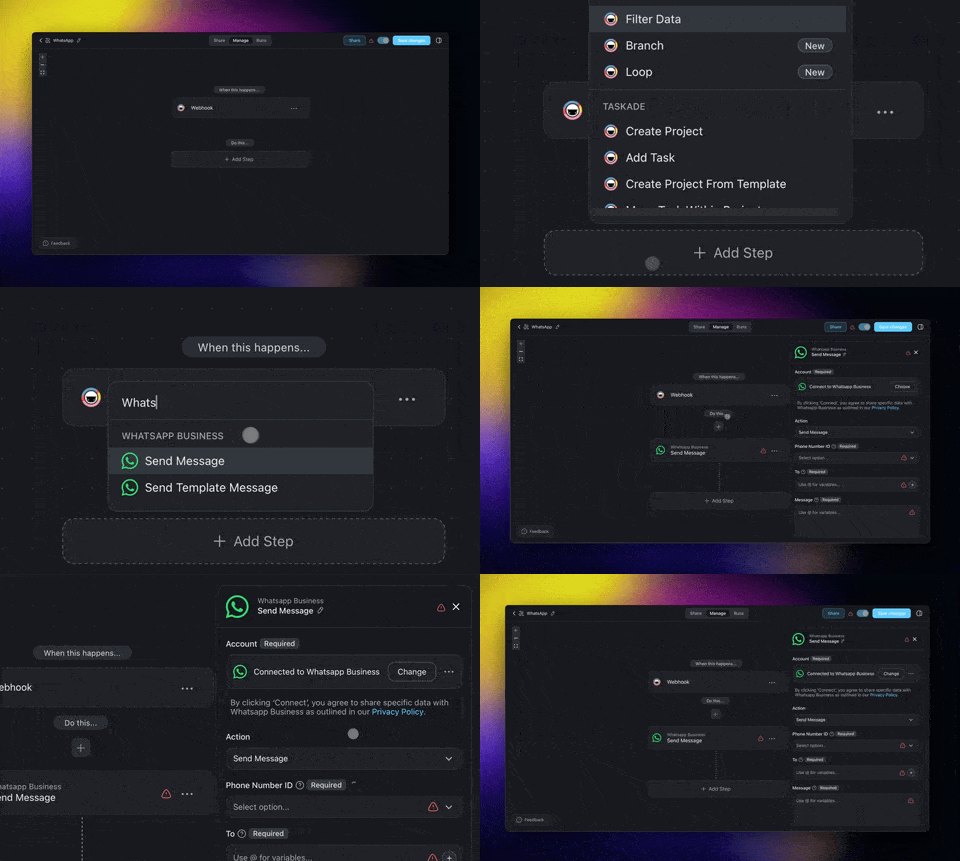
Automate your business operations, enhance customer engagement, and simplify support workflows by connecting your WhatsApp with Taskade!
Set up automated messaging and pair them with your AI Agents working 24/7 in the background for personalized, always-on interactions. Learn more.
With WhatsApp Integration in Automation, you can now:
Automate order updates and send notifications directly to customers.
Streamline onboarding with personalized welcome messages.
Schedule product launch announcements for instant delivery.
Organize event reminders and updates for attendees.
Pair WhatsApp actions with Taskade AI Agents for smarter interactions!
Go to Automations tab → Add Automation → Select WhatsApp Action.
🔎 Search AI Agents in Sidebar
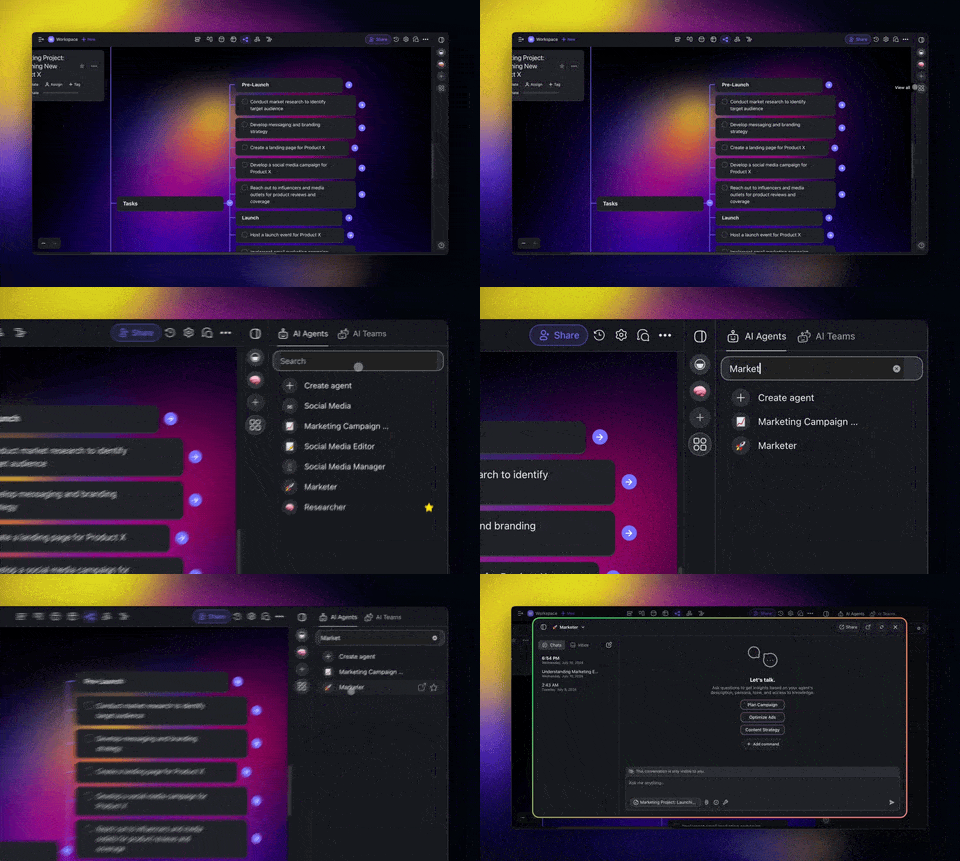
Finding the right AI Agent is now as easy as search, click, and go. No more scrolling through lists. Just filter and get started! Learn more.
Quickly search and find AI Agents in your workspace.
Filter agents by expertise for specific tasks.
Open Agent Sidebar (top-right)→ Search for your AI Agent.
🔮 Export AI Agent Conversations
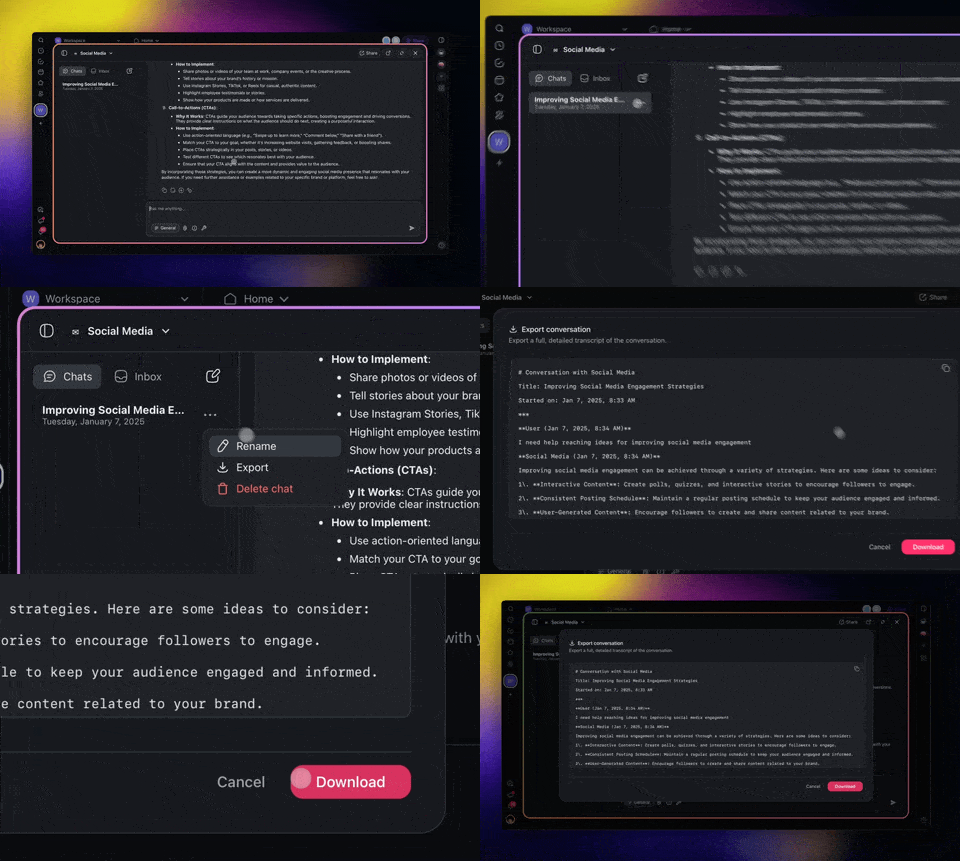
Now you can export your full AI Agent chat and conversation history, whether it's private or public, with just a few clicks. Learn more.
Export full chat history with AI Agents.
Share interactions with teammates seamlessly.
Repurpose conversations for content, documentation, or insights.
Open the AI Agent Chat → Click ··· next to a thread → Select Export.
🤖 Generate HTTP Schema
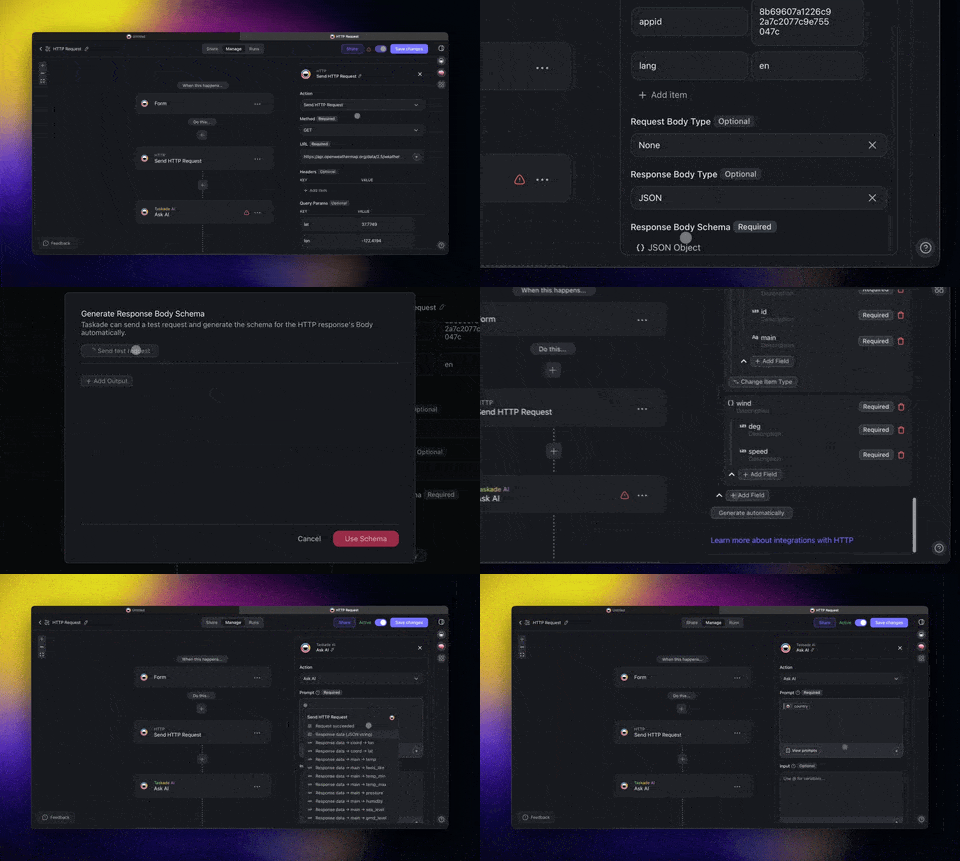
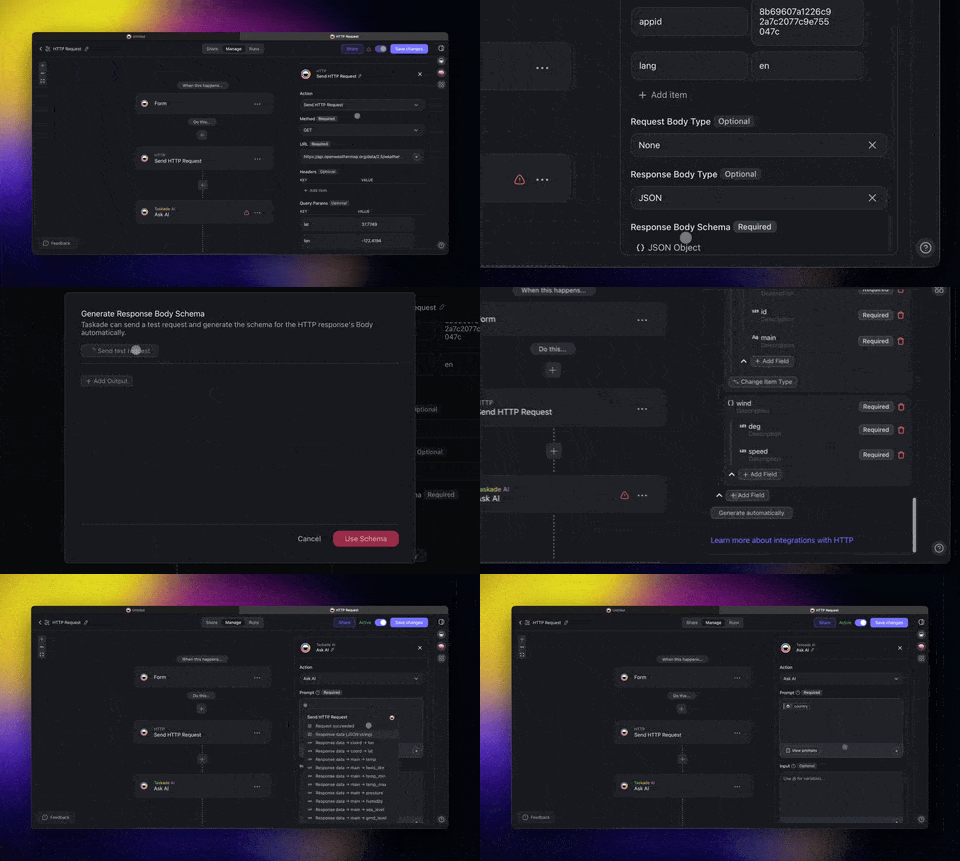
Mapping API responses just got easier. With the new HTTP Request action, Taskade can automatically generate schemas for your automations.
Simplify complex JSON structures and ensure consistency in your workflows. Learn more.
Auto-generate schemas from API responses.
Streamline handling of complex JSON data.
Reduce manual effort and ensure schema accuracy.
Add HTTP Request action → Choose JSON Response Schema → Click Generate Automatically.
🚀 Other Improvements
New: Taskade Kits Now in Beta! Share fully pre-configured workspaces with AI agents, automations, and projects bundled for One-Click Install.
Exclusive Early Access: Try Taskade Kits today on LinkedIn, Twitter / 𝕏, and Reddit. Reply with "Agent Kit" for an invite.
One-Click Install: Bundle selected AI agents, projects, and automations into a Taskade Kit for instant workspace deployment with a single link.
Instant Onboarding: Share pre-trained AI agents and workflows to onboard teams or clients instantly with connected, ready-to-use workspaces.
Customizable & Shareable Kits: Publish custom bundles like Marketing Automation Kits or AI Agent Kits for any use case, wherever you need them!
Improved: Autonomous Agent Actions:
Create & Complete Tasks: "Complete review tasks."
Manage Due Dates: "Remove due dates on finished tasks."
Assign Tasks: "Assign this to me" or "Unassign marketing tasks."
Combine Commands: "Assign tasks to me and set due dates."
Improved: Import Anything into Taskade:
Convert to Taskade: Create structured, collaborative documents.
Summarize with AI: Generate outlines from files, articles, or videos.
Supported Sources: Import from webpages, YouTube, markdown, and files.
New: AI Agent Enhancements:
Markdown Imports/Exports: Improved markdown formatting for better project imports and exports.
Enhanced Agent Knowledge Integration:
Add links directly to agent knowledge.
Use the "Scrape Webpage" tool in agents, media, and automations.
Agent Tool Approval: Added the ability to toggle approvals for agent tools.
Copy Agent Chat Widget Code: Easily embed agent widgets with generated code.
Export Direct Conversations: Export Space Agent direct conversations to markdown.
Improved Sidebar Access: Streamlined ribbon and pane access for agents in the primary panel.
Agent Favorites: Automatically add newly created agents to your favorites.
New: AI Automation Enhancements:
HTTP Enhancements:
Generate schemas automatically for HTTP responses.
Added "Send HTTP Response" action with improved response data.
Webhook Trigger Enhancements: Support for array data types and nested JSON validation.
WhatsApp Business Integration: Added WhatsApp actions for automation workflows.
Loop Action: Process batch tasks, sync Google Sheets, and enable nested workflows.
Advanced Filtering: New condition added for "is empty" in automation rules.
Improved Error Handling: Enhanced tracking and error resolution across automations.
GitHub Actions: New automation actions for GitHub integrations.
Improved: UI and User Experience
Redesigned sidebar and ribbon for better navigation.
Dropdowns now open downwards for better usability.
Enhanced automation UI, including hierarchical reference names.
Updated paywall design for a smoother upgrade experience.
Improved table view UI with clickable links and editable custom fields.
Fixed agent name display issues in markdown exports.
Fixed caching errors in agent operations for smoother workflows.
Fixed dropdown positioning and overlay issues in automation.
Fixed handling of custom fields in table views and automation rules.
Fixed various bugs to improve overall performance and stability.
Check out all the latest updates on our Changelog Forum.
🚀 Join the Community
Join us every Thursday at 4 PM (US PST) for our weekly Taskade LIVE stream, featuring demos, advanced use cases, and Q&A with the Taskade team.
Connect with us on our official Forum, Subreddit, Facebook Group, and Twitter/X, and don’t forget to watch our past Streams on Youtube.
Check out our Latest Updates and share your feedback—we’d love to hear from you! Have questions? Visit our Help Center or contact us.
Whether you’re deploying your first agent or scaling your team, Taskade is here to empower you every step of the way.
Here’s to 2025, the Age of Agents.
Let’s build the future, together! 🚀
John Xie, Co-founder and CEO, Taskade
Team Taskade 🐑
P.S. Love Taskade? Share your experience on our testimonials page to get featured, or dive into our Affiliate Partnership program today!
