# How to Automate 99% of Healthcare Admin with AI Agents (Full Guide, 2026)
> Automate appointment requests, scheduling, reminders, and staff follow-ups with AI agents, and keep patient records in your EHR. One clinic cut waitlist work from 40 hours a month to under 5.
- Source: https://www.taskade.com/blog/automate-healthcare-admin
- Published: 2026-07-05
- Updated: 2026-11-03
- Author: Taskade Team
**You can automate roughly 99% of your healthcare administration with AI agents in 2026, and the 1% you keep is the part that must stay human: clinical decisions, patient relationships, and the final yes on anything that touches care.** AI agents now read an appointment request, find an open slot, book the appointment, send the reminder, and remind staff when an eligibility check is due in your practice-management system, without asking you at every turn. One clinic that moved waitlist management onto agents cut the work from 40 hours a month to under 5 hours. The fastest way to get there is to stop wiring tools together and instead **describe the front-office system you want**, then let it build itself. This guide covers non-clinical administrative workflows only, never clinical care.
> **TL;DR:** Healthcare admin automation in 2026 is no longer fixed reminder rules. It is AI agents that route appointment requests, schedule, send reminders, and chase staff follow-up tasks across your tools. One clinic cut waitlist work from 40 hours a month to under 5. The fastest path is to describe the outcome and let **[Taskade Genesis](https://www.taskade.com/create)** build the agents, automations, and live app. Keep patient records and other protected health information (PHI) out of Taskade: Taskade does not offer a HIPAA Business Associate Agreement (BAA) and is not built for regulated data ([Terms](https://www.taskade.com/terms)). [Clone the working clinic app below →](#see-it-live)
## See it live — clone a working clinic ops app
You do not have to imagine this. The app below was built from a single prompt and runs in your browser right now. **Clone it in about 30 seconds** and it lands in your own workspace, ready to connect to your forms, calendar, and email — for the non-clinical side of the front office. Your EHR or practice-management system keeps the patient record, because Taskade does not offer a BAA.
[Healthcare Admin Automation App — clone and run a clinic front-office system in your workspace](https://www.taskade.com/app/appointment-booking-system-te01cx15e4tv558x)
That is the whole point of agentic admin: the output is not a flowchart, it is **software that works**. You describe the front-office job, and you get a real app with a database, AI agents, and automations — no canvas to wire, no server to host. Browse more [cloneable healthcare and operations apps](https://www.taskade.com/apps) or [start your own from a prompt](https://www.taskade.com/create).
## What does it mean to automate healthcare admin with AI agents?
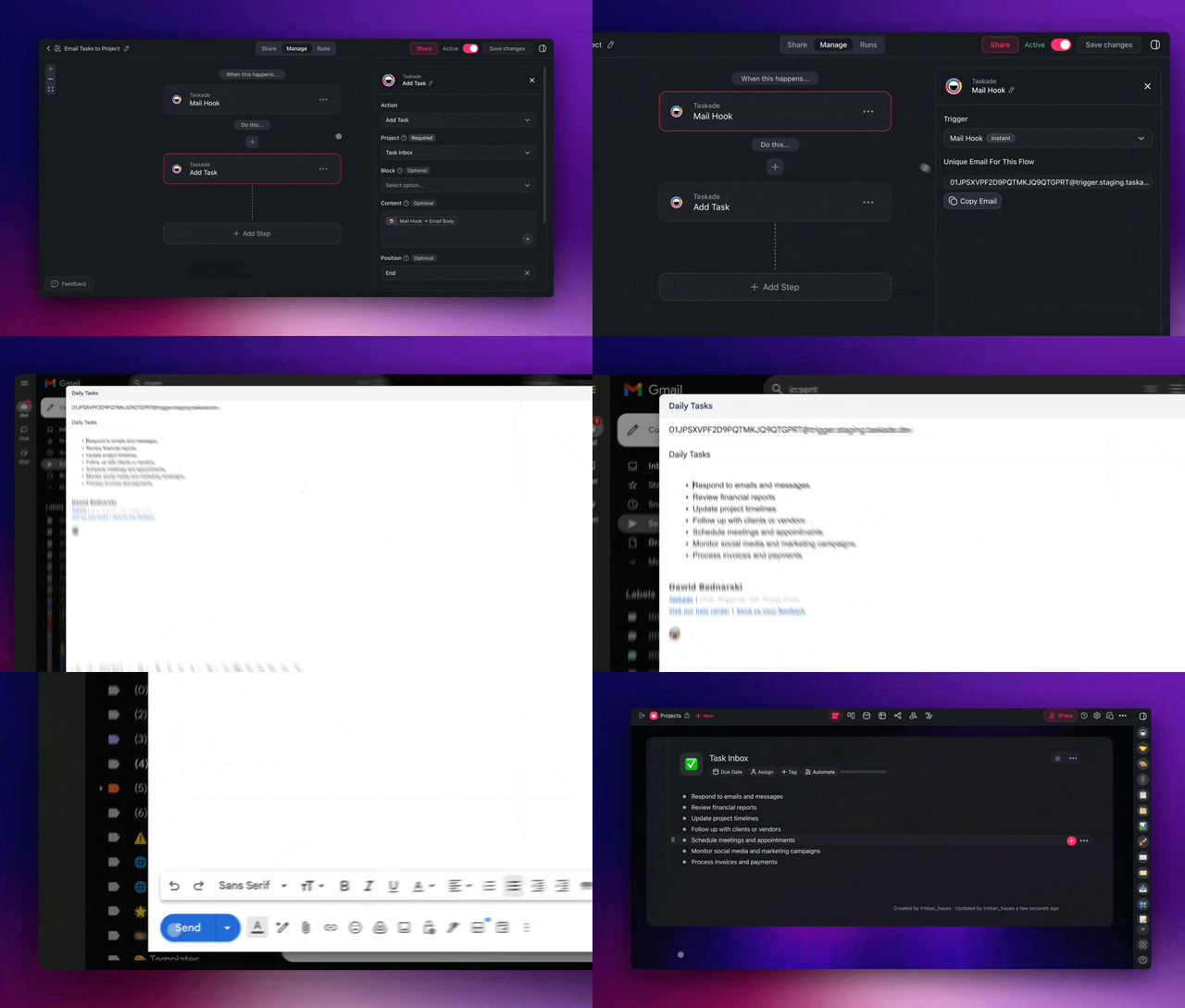
Automating healthcare admin with AI agents means handing each repeatable front-office job to software that **reasons** instead of software that just follows a single fixed rule. An agent sets a goal (fill this open slot, send this reminder, chase this overdue staff task), then plans the steps, executes across your tools, checks the result, and adjusts. That is the line between old scheduling software and 2026 automation: old software fires a pre-wired reminder, and an agent decides what to do next, including rebooking a canceled slot from the waitlist on its own.
The scope matters more than anything else in healthcare. **Agents handle administrative work only.** They do not diagnose, triage clinically, or decide treatment. They route appointment requests, find slots, send reminders, create and chase staff tasks, and draft routine replies about logistics: the high-volume, low-judgment work that buries front-office staff. Insurance eligibility checks and prior authorizations run in your practice-management system, EHR, or clearinghouse, and patient records stay there, because Taskade does not offer a HIPAA Business Associate Agreement. Everything clinical stays with the licensed humans.
Here is the difference in one picture. Classic clinic software is a straight pipe. An AI agent is a loop that learns and adapts.
```mermaid
graph LR
subgraph Old["Rule-based clinic software"]
T1[Appointment booked] --> T2[Send fixed reminder]
T2 --> T3([Done])
end
subgraph New["Agentic admin (2026)"]
G1[Goal:
fill the schedule] --> G2[Plan steps]
G2 --> G3[Execute across
requests, calendar, email]
G3 --> G4[Evaluate:
no-show or open slot?]
G4 -->|rebook from waitlist| G2
end
style T1 fill:#11111b,color:#cdd6f4,stroke:#00d4aa
style T2 fill:#11111b,color:#cdd6f4,stroke:#00d4aa
style T3 fill:#1e1e2e,color:#94a3b8,stroke:#475569
style G1 fill:#2a1225,color:#ff8fa3,stroke:#ff2d60,stroke-width:2px
style G2 fill:#0d1b2a,color:#7dd3fc,stroke:#38bdf8
style G3 fill:#0d1b2a,color:#7dd3fc,stroke:#38bdf8
style G4 fill:#1a140a,color:#ffb74d,stroke:#e65100
```
The shift is not cosmetic. When McKinsey-style "set a goal, plan, execute, evaluate, adjust" behavior replaces fixed rules, the system stops needing a human for every branch. That is why a front office that once needed a full-time coordinator for the waitlist can run it in a few hours of review per month. See the building blocks in [AI agents](https://www.taskade.com/agents) and [automations](https://www.taskade.com/automate).
## Can you really automate 99% of healthcare administration?
You can automate the repeatable 99% of front-office work (appointment requests, scheduling, reminders, waitlist rebooking, staff follow-up tasks, and reporting) while a human keeps the 1% that needs judgment. The 1% is not a rounding error. It is the most important part: anything that touches a clinical decision or a sensitive patient conversation. Everything else is mechanical, repetitive, and rule-driven, which is precisely what agents do well.
The numbers back the pattern. **One clinic cut waitlist management from 40 hours a month to under 5 hours** after moving it onto agents — roughly 35 staff hours returned every month. At a larger scale, **UCHealth estimated 8 million dollars in added value from reducing unused provider time** after applying automation to scheduling and no-show reduction. The mechanism is the same in both cases: agents fill empty slots faster than humans can work a phone list.
Here is the honest split of what to automate and what to keep human.
| Task | Automate with agents | Keep human |
|------|:---:|:---:|
| Appointment-request routing (visit type, preferred time, contact method) | Yes | No |
| Appointment scheduling and rebooking | Yes | No |
| Appointment reminders and no-show follow-up (no health details in the message) | Yes | No |
| Staff task tracking, such as "eligibility check due for appointment 123" (no patient or payer data) | Yes | No |
| Staff SOPs and admin-volume reporting | Yes | No |
| Running eligibility checks and prior authorizations | In your HIPAA-covered system, not Taskade | Yes |
| Clinical triage and diagnosis | No | Yes |
| Treatment decisions and care plans | No | Yes |
| Final approval on anything touching a record of care | No | Yes |
The reframe for staff is simple. They stop typing the same five fields all day and start reviewing the handful of exceptions the agent flags. Build your first agent in [Taskade Genesis](https://www.taskade.com/create), then read how teams structure the human-in-the-loop in [AI agents](https://www.taskade.com/agents).
## What healthcare admin tasks should you automate first?
Automate the highest-volume, lowest-judgment task in your front office first. For most practices that is **appointment reminders or appointment requests**, both repetitive and rule-driven, both freeing staff hours immediately. The compounding order is appointment requests, then scheduling, then reminders, then the waitlist, then staff follow-up tasks. Each agent you add reinforces the last, because they share one workspace and one memory.
Use this priority map to sequence your build. Start at the top and add one agent at a time.
| Priority | Admin task | What the agent does | Hours freed (typical) |
|:---:|------|------|:---:|
| 1 | Appointment requests | Collects visit type, preferred time, and contact method, validates fields, routes to the right team | High |
| 2 | Scheduling | Finds an open slot, books it, sends confirmation | High |
| 3 | Reminders | Sends timed nudges, rebooks no-shows from the waitlist | Very high |
| 4 | Staff follow-up tasks | Creates tasks such as "eligibility check due for appointment 123" with no patient or payer data, reminds staff, tracks the status staff set | Medium |
| 5 | Admin reporting | Counts requests, bookings, no-shows, and open staff tasks by status | Medium |
The reason to go one at a time is measurement. Build the reminder agent, count the hours it saves over two weeks, then move to scheduling. The clinic that hit "40 hours to under 5" did not flip everything on at once — it stacked agents on the single most painful workflow first. See [/automate/calendar](https://www.taskade.com/automate/calendar) for the scheduling primitives and [/automate/booking](https://www.taskade.com/automate/booking) for the booking flow.
## Which high-leverage admin tasks save the most hours?
The two admin tasks that return the most hours are the ones that bury staff on the phone: **prior authorization and insurance eligibility verification**. Both run on patient and payer data, so they belong in a HIPAA-covered system: your practice-management system, your EHR, or a clearinghouse. Industry benchmarks for 2026 are consistent: vendor tools that automate benefits checks and prior-auth drafting inside those systems save a mid-size practice roughly **10 to 30 hours a week**, and practices report a **50 to 70 percent reduction in prior-authorization turnaround time**. Patient intake automation lands in the same range, with a typical **40 to 60 percent cut in front-desk intake time** because patients complete forms on their phone before they arrive.
The reason these tasks top the list is volume plus repetition. A coordinator can lose half a day chasing one payer's portal for a single approval. Covered-system automation runs the same lookup in the background and flags only the exceptions. Taskade's part is the admin layer around it: the task that says a check is due, the reminder to staff, and the status board. Here is how the highest-impact admin tasks rank by hours returned, where each one runs, and what Taskade does.
| Admin task | Old workload (human) | Where it runs | Taskade's role | Typical impact (2026 benchmarks) |
|------|------|------|------|------|
| Prior authorization | Half a day per payer portal | HIPAA-covered system (practice management, EHR, or clearinghouse) | Task "prior auth due for appointment 123", staff reminder, status column | 50 to 70% faster turnaround (industry) |
| Insurance eligibility check | Phone the payer, retype results | HIPAA-covered system | Task "eligibility check due", status that staff set: Pending, Done, or Needs follow-up | 10 to 30 hrs/week returned across PA + eligibility (industry) |
| Patient intake (health forms) | Re-key every form field | EHR or its patient portal | None, Taskade takes the appointment request only | 40 to 60% less front-desk intake time (industry) |
| Appointment scheduling | Phone tag and calendar juggling | Taskade | Find slot, book, confirm | Hours returned weekly |
| No-show rebooking | Manual waitlist phone list | Taskade | Rebook from waitlist instantly | Fewer empty slots |
| Referral routing | Fax and follow-up chase | EHR or referral system | Task "follow up on referral 123", status tracking | Faster patient throughput |
A note on scope, because it matters most here: an **eligibility check and a prior-auth request run on patient and payer data**, so they stay in your covered system. Taskade does not offer a HIPAA Business Associate Agreement, so keep patient names, payer IDs, and member IDs out of it. In Taskade, build a **follow-up agent** that creates the task, reminds staff, and chases it until staff run the check and mark the result. Build your first follow-up agent at [/create](https://www.taskade.com/create) and see the connector side in [/automate](https://www.taskade.com/automate).
Here is where the hours go before and after automation, across the four heaviest front-office jobs. Prior auth, eligibility, and health-form intake run in your covered systems, and scheduling runs in Taskade. The pattern holds whether you are a two-provider clinic or a multi-site group: the phone-heavy work shrinks the most.
```mermaid
xychart-beta
title "Weekly staff hours by task: before vs after automation"
x-axis [Prior auth, Eligibility, Intake, Scheduling]
y-axis "Hours / week" 0 --> 20
bar [18, 12, 10, 8]
bar [5, 4, 4, 3]
```
The top bar is the old manual load, and the lower bar is what remains as review-and-approve once automation owns the repetitive run. Nothing here replaces a clinician. It replaces the hold music.
## How do you build a healthcare admin agent team in Taskade Genesis?
You build a healthcare admin agent team in Taskade Genesis by describing the front-office outcome in plain English, and Taskade Genesis builds the agents, the automations, the database, and a shareable app from that one prompt. There is nothing to wire or host. A practice administrator with no engineers can ship a working appointment-request and reminder system in an afternoon, and clone a working example to start in about 30 seconds.
The right structure is a **multi-agent team**, not one giant agent. Each agent owns one job, carries persistent memory of your practice's rules, and hands off to the next. Here is the flow for a front office.
```mermaid
sequenceDiagram
participant P as Patient
participant I as Request Agent
participant S as Scheduling Agent
participant R as Reminder Agent
participant H as Staff (human)
P->>I: Submits appointment request
I->>I: Validate fields, route by visit type
I->>S: Hand off validated request
S->>S: Find open slot, book it
S->>P: Send confirmation
S->>R: Queue reminders
R->>P: Timed reminder, rebook if no-show
R->>H: Flag exceptions for review
H->>H: Approve anything touching care
```
Each agent in this team carries **built-in tools** (web search, file analysis, calendar actions, and more) and routes across **frontier models from top AI labs** so it always uses the right brain for the task. Persistent memory means the request agent remembers your form rules and the scheduling agent remembers your slot preferences. Start the build at [/create](https://www.taskade.com/create) and learn the agent mechanics in [/agents](https://www.taskade.com/agents).
A quick decision tree for whether a task belongs to an agent or to a human:
```text
┌─────────────────────────────┐
│ New front-office task? │
└──────────────┬──────────────┘
│
┌──────────────▼──────────────┐
│ Does it touch a clinical │
│ decision or care record? │
└───────┬─────────────┬────────┘
│ YES │ NO
▼ ▼
┌───────────────┐ ┌──────────────────────────┐
│ HUMAN OWNS IT │ │ Is it repetitive & │
│ (the 1%) │ │ rule-driven? │
└───────────────┘ └──────┬─────────────┬─────┘
│ YES │ NO
▼ ▼
┌───────────────┐ ┌──────────────┐
│ AGENT OWNS IT │ │ Agent drafts,│
│ (the 99%) │ │ human approves│
└───────────────┘ └──────────────┘
```
### A concrete five-step build for a front-office agent team
Here is the exact sequence to stand up a working request-to-follow-up team, with the prompt-level detail that turns the diagram above into a running app. Each step is one plain-English instruction to Taskade Genesis, with nothing to wire.
1. **Describe the outcome.** Tell Taskade Genesis: "Build a clinic front-office app with an appointment-request agent, a scheduling agent, a reminder agent, and a follow-up agent that tracks staff checks, plus an appointment-request tracker and a waitlist that hold no health details, and a staff task list that names appointment numbers only." It generates the app, the agents, the database, and the automations.
2. **Connect the front-office tools.** Link your appointment-request form, shared calendar, and email so triggers can pull events in and actions can push confirmations back out.
3. **Give each agent its rules.** The request agent learns your required fields. The scheduling agent learns your slot preferences and buffer times. The follow-up agent learns which visit types need a check in your practice-management system and how far ahead to remind staff. Persistent memory keeps these rules across every run.
4. **Set the human-approval gate.** Mark anything that touches a record of care, and any first-time reply to a patient, as requiring staff sign-off. Agents draft, and staff approve.
5. **Pilot one agent, then stack.** Turn on reminders or appointment requests first, measure the hours saved over two weeks, then add scheduling, then the follow-up agent. The agents share one workspace, so each one you add reinforces the last.
The follow-up agent is the one most clinics underestimate, so here is its run in detail. The check itself happens in your practice-management system, EHR, or clearinghouse. Taskade tracks only the task and the status that staff set.
```mermaid
stateDiagram-v2
[*] --> TaskCreated
TaskCreated --> Pending: appointment 123, no patient data
Pending --> RemindStaff: check due before the visit
RemindStaff --> StaffRunsCheck: staff open the covered system
StaffRunsCheck --> Done: staff set Done
StaffRunsCheck --> NeedsFollowUp: staff set Needs follow-up
NeedsFollowUp --> RemindStaff: agent chases the task
Done --> [*]
note right of StaffRunsCheck
Check runs outside Taskade,
in the HIPAA-covered system
end note
note right of NeedsFollowUp
Human owns the
exception (the 1%)
end note
```
Notice the two paths after staff run the check: Done closes the task, and Needs follow-up sends it back to the agent, which reminds staff again until someone resolves it. The agent never sees patient or payer data. It tracks an appointment number and a status. That split (the agent owns the reminders and the chase, staff own the check and the exception) is the whole governance model in one diagram. Start the build at [/create](https://www.taskade.com/create) and see how teams structure task tracking and data validation in [automate data entry with AI agents](https://www.taskade.com/blog/automate-data-entry).
## How do healthcare AI agents connect to your existing systems?
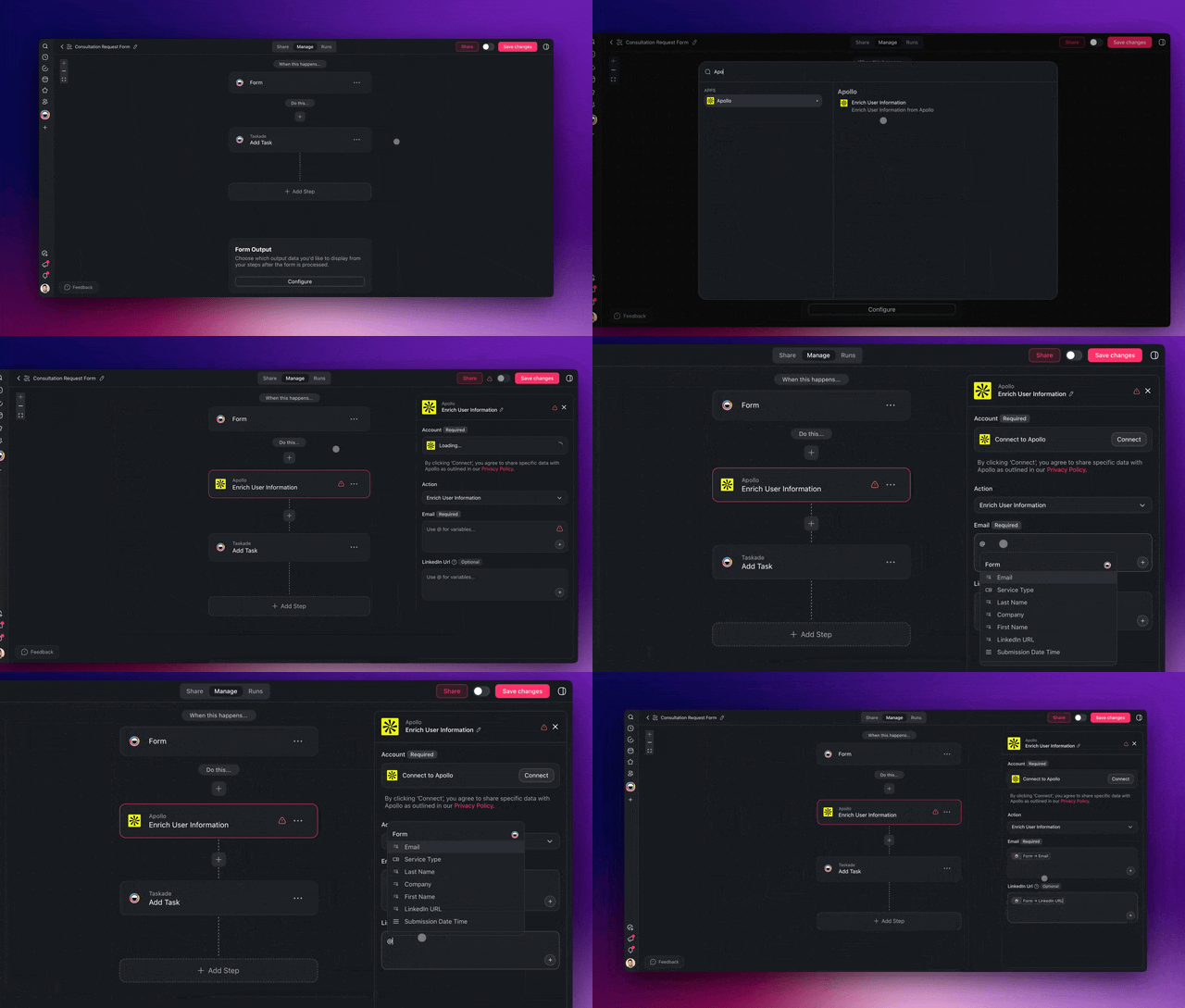
Healthcare AI agents connect to your existing systems through **100+ bidirectional integrations**: triggers pull events in from your forms, calendars, and email, and actions push data back out to those same tools. An agent can read a new appointment request, check the calendar for an open slot, book the appointment, send a confirmation, and create a staff task for any check that is due in your practice-management system, in one continuous run, with no manual re-entry between steps.
Bidirectional is the key word. A one-way export leaves staff retyping data; a bidirectional integration keeps your front-office tools in sync automatically. Here is how the two directions map to real admin tasks.
| Direction | What it does | Healthcare admin example |
|------|------|------|
| Trigger (pulls in) | An event in another tool starts a workflow | New appointment request submitted starts the scheduling agent |
| Action (pushes out) | The agent writes data back to a tool | Booked slot written to the shared calendar, confirmation emailed |
| Round trip | Read, decide, write, all in one run | Read no-show, find next waitlist patient, rebook, notify |
Because every integration works both ways, the front office stops being a relay of copy-paste. The data flows once, the agents act on it, and the results land back in the tools your staff already use. Explore the connectors in [/automate](https://www.taskade.com/automate) and the calendar-specific actions in [/automate/calendar](https://www.taskade.com/automate/calendar).
## How does Taskade do it differently?
Taskade does it differently by shipping a **living app from one prompt** instead of asking you to wire nodes on a canvas. This is the wedge worth understanding before you choose a tool. Most automation platforms hand you a blank graph and a node palette; Taskade Genesis hands you a working app with a database, AI agents, and automations already connected.
To be fair about the alternatives — and several are genuinely strong:
- **n8n** is excellent if you want open-source, self-hosted control and you have an engineer who enjoys building node graphs. Its flexibility is real.
- **Zapier** has the broadest app catalog in the industry and is the fastest way to connect two specific apps with a simple trigger and action.
- **Make** gives you a powerful visual canvas with fine-grained control over branching and data shaping.
- **Lindy** ships capable AI assistants for specific email and meeting workflows.
Each of those is a fine choice when the job is "connect tool A to tool B." But a healthcare front office is not one connection. It is appointment requests **and** scheduling **and** reminders **and** the waitlist **and** staff follow-up tasks, all sharing one source of truth. On a node canvas, that means building and maintaining many separate graphs. In Taskade Genesis, it is one app powered by **Workspace DNA**.
| Approach | What you get | Who maintains it | Healthcare front-office fit |
|------|------|------|------|
| Node-wiring platforms | Connected triggers and actions | Whoever built the graph | Strong for single connections |
| Chat-only AI assistants | Answers and drafts | The model | Strong for one-off replies |
| **Taskade Genesis** | A living app: data + agents + automations | The workspace itself | Strong for a whole front office |
### Taskade Genesis vs the healthcare automation specialists
A handful of dedicated healthcare-automation tools rank for this keyword, and several are genuinely strong at the slice they own. The honest framing: **specialist tools deliver deep, pre-built healthcare workflows with EHR write-back and HIPAA posture out of the box, but they are single-purpose products you configure. Taskade Genesis builds a whole front-office app you own and can clone, from one prompt.** If your only need is a voice agent for a call center, a specialist may fit. If a workflow needs patient data, a HIPAA-covered tool with a BAA is the right home for that part. If you need appointment requests **and** scheduling **and** reminders **and** staff follow-up tasks **and** reporting in one place, the living-app model wins.
| Tool | Best at | Build model | Where it shines | Where Taskade Genesis wins |
|------|------|------|------|------|
| **Keragon** | HIPAA-compliant workflow automation | No-code node builder | 300+ healthcare integrations, strong compliance posture | One living app vs many separate graphs to maintain |
| **Notable** | Enterprise EHR-native automation | Implementation project | Deep EHR write-back, large-system scale | Ship in an afternoon, not a 10–16 week rollout |
| **Prosper AI** | Voice agents for access + RCM calls | Configured voice product | Payer-IVR navigation, call containment | Full front office, not just the phone line |
| **Feather** | HIPAA-compliant AI medical chat/admin | Assistant product | Note summaries, pre-auth letter drafting | Agents + automations + database in one app you own |
| **Taskade Genesis** | A living front-office app from one prompt | One prompt → app | Multi-agent team, multiple views, cloneable, 100+ integrations | Describe the outcome, own the app, clone to other sites |
Read the comparison honestly: a hospital system already mid-rollout with one of these may not switch, and that is fine. But a clinic, specialty group, or new practice that wants to **stand up its own front-office system this week** — and keep full ownership of the app and its data — gets there fastest by describing the outcome in Taskade Genesis. The same pattern powers operations beyond healthcare; see [automate operations with AI agents](https://www.taskade.com/blog/ai-operations-automation) and [automate data entry](https://www.taskade.com/blog/automate-data-entry) for adjacent playbooks.
Workspace DNA is the self-reinforcing loop that makes one app run a whole front office:
```mermaid
graph TD
M["▲ Memory
Projects: schedules,
admin SOPs, waitlist"]
I["■ Intelligence
AI agents: requests,
scheduling, reminders"]
E["● Execution
Automations: book, remind,
track, route"]
M -->|feeds| I
I -->|triggers| E
E -->|creates new| M
style M fill:#2a1225,color:#ff8fa3,stroke:#ff2d60,stroke-width:2px
style I fill:#0d1b2a,color:#7dd3fc,stroke:#38bdf8
style E fill:#0d1a0e,color:#86efac,stroke:#22c55e
```
Memory (your **[Projects](https://www.taskade.com/automate)**: schedules, admin SOPs, waitlist) feeds Intelligence (your **[AI agents](https://www.taskade.com/agents)**: appointment requests, scheduling, reminders), which triggers Execution (your **[automations](https://www.taskade.com/automate)**: book, remind, track, route), which creates new Memory. Competitors give you the wiring; Taskade gives you the organism. And because every result is a real app, you can publish it and let other clinics **clone it** from the [Taskade App Factory](https://www.taskade.com/apps), a one-prompt distribution loop that a node graph cannot match. Start yours at [/create](https://www.taskade.com/create).
## How do you keep patient data private and compliant?
You keep patient data private by keeping it out of Taskade. Taskade does not offer a HIPAA Business Associate Agreement (BAA) and is not built for regulated data ([Terms](https://www.taskade.com/terms), [Privacy](https://www.taskade.com/privacy)), so patient records and other protected health information (PHI) stay in your EHR or practice-management system. Inside Taskade, you control **scope, access, and approval**: agents stay on non-clinical admin work, and a human approves anything that touches care. Always confirm your setup with your compliance team before going live; this guide is operational, not legal advice.
Three controls do most of the work:
```text
┌──────────────────────────────────────────────────────────┐
│ PATIENT-DATA SAFETY: THREE CONTROLS │
├──────────────────────────────────────────────────────────┤
│ 1. SCOPE Agents touch admin only — never clinical │
│ decisions, diagnosis, or triage. │
│ │
│ 2. ACCESS role-based access (Owner to Viewer). │
│ No charts or PHI live in Taskade. │
│ │
│ 3. APPROVAL Human signs off before anything writes to │
│ a record of care. Agents draft; staff send. │
└──────────────────────────────────────────────────────────┘
```
Taskade uses **role-based access** from Owner to Viewer, so a front-desk coordinator can run the scheduling agent without seeing data they should not. You also restrict which integrations any agent can reach, so a request agent that needs the calendar and email does not get a path to anything else. Pair that with the human-approval gate and the agent becomes a drafter, not a decider.
Here is the access model as a quick reference.
| Role | Typical front-office use | Scope of admin data |
|------|------|:---:|
| Owner | Practice admin, builds the system | Full workspace |
| Editor | Front-desk lead, manages workflows | Assigned workflows |
| Checker | Coordinator, runs daily tasks and leaves notes | Assigned tasks |
| Viewer | Audit or read-only oversight | Read-only |
The governing rule: **agents draft, humans approve, and clinical decisions never leave licensed staff.** Read how roles work in [/learn/account](https://www.taskade.com/learn/account) and how to scope agent tools in [/agents](https://www.taskade.com/agents).
## What can Taskade Genesis actually do for a front office?
Taskade Genesis runs a whole healthcare front office as one living app because it unifies the four things a clinic system needs — data, AI agents, automations, and integrations — under a self-reinforcing loop called **Workspace DNA**. Most tools give you one of those four. Genesis gives you all four, generated from a single plain-English description, and ties each capability directly to a real admin job. Here is the full platform mapped to the front-office use case in this guide.
| Capability | What it is | Front-office use in this guide |
|------|------|------|
| **Workspace DNA loop** | Memory + Intelligence + Execution, self-reinforcing | Records feed agents, agents trigger automations, results write new records |
| **built-in agent tools** | Web search, file analysis, calendar actions, custom slash commands, more | Request agent validates forms, scheduling agent reads the calendar, follow-up agent tracks staff tasks by status |
| **Multiple project views** | List, Board, Calendar, Table, Mind Map, Gantt, Org Chart | Front desk works the Calendar view; admin tracks the waitlist as a Table or Board |
| **Multi-agent teams** | Specialized agents that share memory and hand off | Request, scheduling, reminder, and follow-up agents coordinate as one team |
| **100+ bidirectional integrations** | Triggers pull events in, actions push data out | Read a new request, book a slot, write the confirmation back, create the staff task for a check that is due |
| **Frontier models** | Routes across models from top AI labs | The right model for each task, such as drafting a reminder vs parsing an appointment request |
| **Custom domains + app publishing** | Ship the app on your own domain or share it | Run the front-office app on your clinic's domain, or publish a clean patient portal |
| **Role-based access** | Owner through Viewer | Front desk sees scheduling; only the practice lead sees the full build |
The project views matter more than they sound for a clinic. The same schedule data shows up as a **Calendar** for the front desk, a **Table** for the office lead tracking staff tasks by status, a **Board** for triaging the waitlist, and a **Gantt** for planning a multi-week vaccine drive: one source of truth, four ways to look at it, no exports. And because all of it lives in one workspace, the request agent's memory of your form rules is the same memory the scheduling agent reads when it books the slot.
```mermaid
graph TD
subgraph DNA["Workspace DNA — one self-reinforcing loop"]
M["▲ Memory
Projects: schedules,
admin SOPs, waitlist, tasks"]
I["■ Intelligence
AI agents: requests, scheduling,
reminders, follow-up"]
E["● Execution
Automations: book, remind,
track, route, report"]
M -->|feeds| I
I -->|triggers| E
E -->|writes new| M
end
INT["100+ integrations
forms · calendar · email"] -->|triggers pull in| I
E -->|actions push out| INT
style M fill:#2a1225,color:#ff8fa3,stroke:#ff2d60,stroke-width:2px
style I fill:#0d1b2a,color:#7dd3fc,stroke:#38bdf8
style E fill:#0d1a0e,color:#86efac,stroke:#22c55e
style INT fill:#1a140a,color:#ffb74d,stroke:#e65100
```
Pricing keeps the whole platform reachable for a small practice. Taskade Genesis is **free to start**, with paid plans on annual billing at **Pro $10/mo (Popular)**, Business $25/mo, Max $100/mo, and Enterprise $250/mo. Because one app replaces a separate scheduler, reminder service, appointment-request form, and reporting dashboard, most practices cut total front-office software spend after consolidating. Start building at [/create](https://www.taskade.com/create), explore the agent layer at [/agents](https://www.taskade.com/agents), and wire the connectors at [/automate](https://www.taskade.com/automate).
## Where is healthcare admin automation heading?
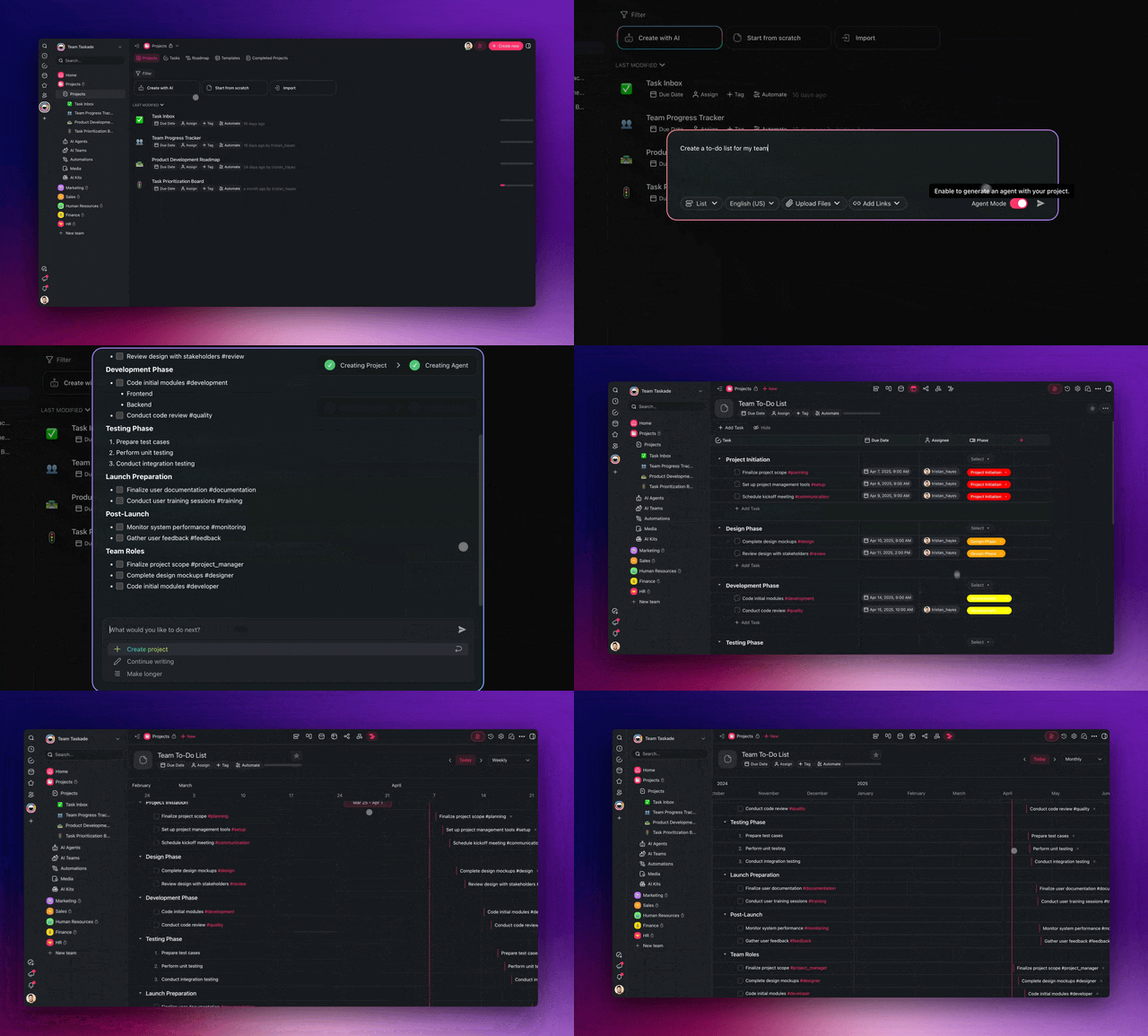
Healthcare admin automation is heading toward front offices that run on a **self-reinforcing Memory + Intelligence + Execution loop**, where one prompt becomes a living, self-improving app. The near-term direction is clear from the 2026 benchmarks: scheduling and reminders in tools like Taskade, and eligibility and prior authorization in HIPAA-covered systems, move from human-in-every-step to human-on-exceptions, and the systems that win are the ones where memory compounds. Every booking the scheduling agent makes, every request the request agent validates, and every overdue task the follow-up agent chases becomes memory the whole team reads next time, so the app gets better at your specific practice the longer it runs.
Taskade's vision is that every team — a two-provider clinic or a multi-site group — describes the outcome it wants once, and the workspace builds and continuously improves the app that delivers it. The front office stops being a stack of disconnected point tools and becomes a single organism: records feed agents, agents trigger automations, automations write new records, and the loop tightens with every cycle. The clinic that cut waitlist work from 40 hours a month to under 5 is the first step of that curve, not the ceiling.
## What results can a clinic expect from automating admin?
A clinic can expect to return staff hours and fill more empty appointment slots within weeks of automating its highest-volume admin task. The two grounded outcomes worth anchoring on: **one clinic cut waitlist management from 40 hours a month to under 5 hours**, and **UCHealth estimated 8 million dollars in added value from reducing unused provider time** after applying automation to scheduling and no-show reduction. Your numbers will differ by size and specialty, but the direction is consistent.
The hours saved compound because each agent removes a recurring weekly drag, not a one-time task.
```mermaid
xychart-beta
title "Waitlist management hours per month: before vs after"
x-axis [Before, After]
y-axis "Staff hours / month" 0 --> 45
bar [40, 5]
```
What drives those results, in plain terms:
| Lever | Mechanism | Outcome |
|------|------|------|
| Faster slot filling | Agent rebooks no-shows from the waitlist instantly | Fewer empty appointments |
| Fewer no-shows | Timed, multi-channel reminders go out automatically | Higher attendance |
| Fewer re-keyed requests | Agent collects and validates appointment-request fields | Staff hours returned |
| One tool, not four | Scheduler, reminders, request forms, reporting in one app | Lower software spend |
The compounding effect is the real story. A reminder agent that returns 35 hours a month does it again next month, and the month after. Stack a scheduling agent and a request agent on top, and the front office runs on review-and-approve instead of type-and-call. Build the first one at [/create](https://www.taskade.com/create) and browse working examples in the [Taskade App Factory](https://www.taskade.com/apps).

The benchmarks from the broader 2026 wave back the same direction. More than **80 percent of healthcare executives expect agentic AI to deliver significant value**, and the published outcomes cluster around the front office. One large hospital that automated patient registration and vaccine scheduling cut **check-in time from about 4 minutes to roughly 10 seconds** — a more than 90 percent reduction — by letting an agent collect and validate the data before the patient reached the desk. The lesson repeats at every scale: the gains come from removing the repetitive run, not from replacing the clinician.
| Outcome (2026) | Reported result | What drove it |
|------|------|------|
| Clinic waitlist management | 40 hrs/month → under 5 hrs | Agent rebooks no-shows from the waitlist instantly |
| Provider time recovered | ~$8M added value (UCHealth est.) | Automation on scheduling + no-show reduction |
| Patient check-in | ~4 min → ~10 sec | Agent collects and validates intake before arrival |
| Prior-auth turnaround | 50 to 70% faster | Covered-system automation drafts, submits, and tracks the request |
| Front-desk intake time | 40–60% reduction | Patients complete forms on their phone pre-visit |
| Executive confidence | 80%+ expect significant value | Measurable hours and cost returned |
Treat these as direction, not promises — your numbers depend on your specialty, payer mix, and volume. The honest read is that the **highest-volume, lowest-judgment tasks move first and move fastest**, and the savings recur every month because the agent removes a standing weekly drag rather than a one-time chore.
## How is agentic admin different from old scheduling software?
Agentic admin is different from old scheduling software because agents **reason and adapt** while old software only fires fixed rules. Old software sends a reminder 24 hours before an appointment and stops there. An agent reads context, decides the next step, uses tools, and changes course: it rebooks a canceled slot from the waitlist, escalates an exception to staff, or drafts a clear reply about appointment logistics. Taskade Genesis combines both: durable rule-based automations for reliable reminders plus AI agents for the judgment calls.
The practical difference shows up the moment something goes off-script.
| Situation | Old scheduling software | AI agent in Taskade |
|------|------|------|
| Patient cancels | Slot sits empty until staff notice | Agent rebooks the next waitlist patient |
| Reminder ignored | One message, then silence | Agent escalates and tries another channel |
| Eligibility check not done | Staff discovers it at check-in | Agent reminds staff before the visit and chases the task until staff mark it Done |
| Reschedule request | Staff drafts every reply | Agent drafts, staff approves |
This is why "set it and forget it" finally works for a front office. The agent handles the branches that used to require a human to babysit a queue. You get reliability from the automations and adaptability from the agents, in one app. See the project views — List, Board, Calendar, Table, Mind Map, Gantt, and Org Chart — that let staff see the same schedule the way they think in [/automate/calendar](https://www.taskade.com/automate/calendar), and the automation primitives in [/automate](https://www.taskade.com/automate).
## How do you get started today?
You get started today by cloning the working clinic app above, connecting it to your forms and calendar, and turning on one agent, usually reminders or appointment requests. It takes about 30 seconds to clone and an afternoon to tailor. From there you stack the next agent once you have measured the hours the first one saves.
Here is the launch path as a simple flow.
```mermaid
stateDiagram-v2
[*] --> Clone
Clone --> Connect
Connect --> Pilot
Pilot --> Measure
Measure --> Expand
Expand --> Measure
Measure --> [*]
note right of Clone
Clone the app
in ~30 seconds
end note
note right of Pilot
Start with one agent:
reminders or requests
end note
```
A simple first-30-days plan:
| Week | Focus | Action |
|:---:|------|------|
| 1 | Clone and connect | Clone the app, link forms, calendar, email |
| 2 | Pilot one agent | Turn on reminders or appointment requests, watch exceptions |
| 3 | Measure | Count hours saved, tune the agent's rules |
| 4 | Expand | Add the scheduling or follow-up agent |
Keep the guardrails on from day one: admin tasks only, role-based access scoped to each person, and a human approving anything that touches care. Then let the system compound. **[Clone the app above](#see-it-live)**, **[start a new app from a prompt](https://www.taskade.com/create)**, explore **[AI agents](https://www.taskade.com/agents)** and **[automations](https://www.taskade.com/automate)**, and browse more cloneable builds in the **[Taskade App Factory](https://www.taskade.com/apps)**.
### Related guides
The same agentic playbook — describe the outcome, let Taskade Genesis build the agents and automations, keep humans on the exceptions — works across every back office, not just the clinic front desk:
- **[Automate operations with AI agents](https://www.taskade.com/blog/ai-operations-automation)** — the broader operations version of this pattern, from inventory to reporting.
- **[Automate customer success with AI agents](https://www.taskade.com/blog/automate-customer-success)** — the same intake-route-follow-up loop applied to onboarding and retention.
- **[Automate data entry with AI agents](https://www.taskade.com/blog/automate-data-entry)**: the validation layer that powers appointment requests and staff task tracking here.
- Build any of them from one prompt at **[/create](https://www.taskade.com/create)**, or browse working apps in the **[Taskade App Factory](https://www.taskade.com/apps)**.
---
This is the Workspace DNA loop at work in a clinic front office: **▲ Memory** (your schedules, admin SOPs, and waitlist) feeds **■ Intelligence** (your request, scheduling, reminder, and follow-up agents), which triggers **● Execution** (book, remind, track, route), and every result writes new memory back into the workspace. Describe the outcome once, and the system runs the 99% so your team can own the 1% that matters. [Build yours free at /create →](https://www.taskade.com/create)
## Frequently Asked Questions
### How do you automate healthcare admin with AI agents in 2026?
You hand each repeatable administrative job to an AI agent that sets a goal, plans the steps, executes across your tools, checks the result, and adjusts without per-step approval. Start with one agent per task: an appointment-request agent, a scheduling agent, a reminder agent, and a follow-up agent that reminds staff when a check is due in your practice-management system. In Taskade Genesis you describe the administrative outcome in plain English and it builds the agents, the automations, and a live app to run them. One clinic cut waitlist management from 40 hours a month to under 5 hours after moving it onto agents. It starts free, with Pro at 10 dollars per month on annual billing. This covers non-clinical administrative work only, never clinical decisions, and patient records stay in your EHR.
### Can you really automate 99 percent of healthcare administration?
You can automate the repeatable 99 percent (appointment requests, scheduling, reminders, waitlist rebooking, staff follow-up tasks, and reporting) while a human keeps the 1 percent that needs judgment: clinical decisions, patient relationships, and final approval on anything that touches care. Administrative tasks are high-frequency and low-ambiguity, which is exactly what AI agents handle well. The staff member moves from typing the same fields all day to reviewing exceptions the agent flags.
### Is it safe to use AI agents with patient data?
Keep patient data out of Taskade and use AI agents for the non-clinical admin work only. Taskade does not offer a HIPAA Business Associate Agreement (BAA) and is not built for regulated data, so patient records and other protected health information (PHI) stay in your EHR or practice-management system. In Taskade, agents run scheduling logistics, reminder timing, staff SOPs, internal docs, and task tracking, and never clinical decisions. Use role-based access from Owner to Viewer, restrict which integrations an agent can reach, and require human approval before anything touches care. Confirm your setup with your compliance team before going live.
### What healthcare admin tasks should I automate first?
Start with the highest-volume, lowest-judgment task in your front office, usually appointment reminders or appointment requests. Both are repetitive, rule-driven, and free up staff hours immediately. The compounding order is appointment requests, then scheduling, then reminders, then the waitlist, then staff follow-up tasks such as an eligibility check that is due in your practice-management system. One clinic that automated waitlist management this way cut the work from 40 hours a month to under 5 hours. Measure the hours saved on the first agent, then add the next.
### How much time and money does healthcare automation save?
Results vary by practice, but the pattern is consistent. UCHealth estimated 8 million dollars in added value from reducing unused provider time after applying automation to scheduling and no-show reduction. A single clinic cut waitlist management from 40 hours a month to under 5 hours, freeing roughly 35 staff hours every month. The savings compound because one platform replaces a separate scheduler, reminder service, appointment-request form, and reporting dashboard.
### Do I need to know how to code to automate healthcare admin?
No. Taskade Genesis is fully no-code. You describe the administrative system you want in plain English and it builds the AI agents, the automation workflows, the database, and a shareable app. There is nothing to wire, host, or deploy. An IT program manager or practice administrator with no engineers can ship a working appointment-request and reminder system in an afternoon. You can clone a working example app and connect it to your own tools in about 30 seconds.
### How do healthcare AI agents connect to my existing systems?
Through 100 plus bidirectional integrations: triggers pull events in from your forms, calendars, and email, and actions push data back out to those same tools. An agent can read a new appointment request, check the calendar for an open slot, book the appointment, send a confirmation, and create a staff task for any check that is due in your practice-management system, in one continuous run. Each integration works in both directions, so your front-office data stays in sync without manual re-entry.
### What is the difference between old scheduling software and AI agents?
Old scheduling software follows fixed rules, such as a reminder 24 hours before an appointment. AI agents reason. They read context, decide the next step, use tools, and adapt when the situation changes, such as rebooking a canceled slot from the waitlist automatically. Taskade Genesis combines both: durable rule-based automations for reliable reminders plus AI agents for judgment calls like prioritizing a waitlist or drafting a clear reply about appointment logistics.
### How much does it cost to automate healthcare admin with Taskade Genesis?
Taskade Genesis is free to start. Paid plans on annual billing are Pro at 10 dollars per month, Business at 25 dollars per month, Max at 100 dollars per month, and Enterprise at 250 dollars per month. Because one platform replaces several point tools, most practices cut total front-office software spend after consolidating a scheduler, reminder service, and appointment-request form into one app.
### Can AI agents handle appointment scheduling and reminders together?
Yes. A scheduling agent can read an appointment request, find an open slot across your linked calendar, book it, and send a confirmation, while a reminder agent sends timed nudges and rebooks no-shows from the waitlist. Because the agents share one workspace and persistent memory, they coordinate as a team rather than as disconnected tools. One clinic ran exactly this pattern and cut waitlist management from 40 hours a month to under 5 hours.
### Can AI agents help with insurance eligibility and prior authorization?
Yes, inside a HIPAA-covered system. Many practice-management, EHR, and clearinghouse vendors automate eligibility checks and prior-authorization requests, and industry benchmarks for 2026 show practices saving roughly 10 to 30 hours a week across the two, with 50 to 70 percent faster prior-authorization turnaround. Taskade is not that system. It does not offer a HIPAA Business Associate Agreement, so keep patient names, payer data, and member IDs out of it. In Taskade, a follow-up agent can create a task such as eligibility check due for appointment 123, remind staff before the visit, and chase the task until staff run the check in the covered system and set its status to Done or Needs follow-up.
### How is Taskade Genesis different from healthcare automation tools like Keragon or Notable?
Tools like Keragon, Notable, Prosper AI, and Feather are strong single-purpose healthcare products you configure — a workflow builder, an enterprise EHR-automation rollout, a voice agent, or an admin chat assistant. Taskade Genesis builds a whole front-office app you own from one plain-English prompt, combining a database, a multi-agent team, automations, and 100 plus integrations in a single living app. You can clone a working example in about 30 seconds and stand up your own system in an afternoon instead of a multi-week implementation. It starts free, with Pro at 10 dollars per month on annual billing.