# Track Every Lead. Close More Deals. (Free AI Sales Pipeline Template, 2026)
> Own a pipeline that enriches every lead, drafts the follow-up, books the call, and marks the deal closed-won. The free AI sales pipeline template, plus five live apps you can clone in three seconds.
- Source: https://www.taskade.com/blog/ai-sales-pipeline
- Published: 2026-05-02
- Updated: 2026-07-31
- Author: Taskade Team
> **TL;DR:**
>
> **You can own a pipeline that works the leads instead of storing them.** A lead lands, gets enriched, scored, and emailed, then moves a stage when the prospect replies and posts to Slack when Stripe clears. [Taskade Genesis](https://www.taskade.com/create) ships the AI Sales Pipeline Template — 2 AI agents plus 100+ integrations — at **$10/mo on Pro billed annually**. [Clone the pipeline →](https://www.taskade.com/app/sales-pipeline-workflow-dry36084slddvvrh)
Here is the thing you get to keep at the end of this page: a pipeline that does the work between the leads. Nobody re-types a name into a second tool. Nobody exports a CSV on Friday to find out what happened this week. The enrichment, the first draft, the stage change, the calendar hold, and the close-won receipt all happen on one surface, and every one of them leaves a record the next agent run reads.
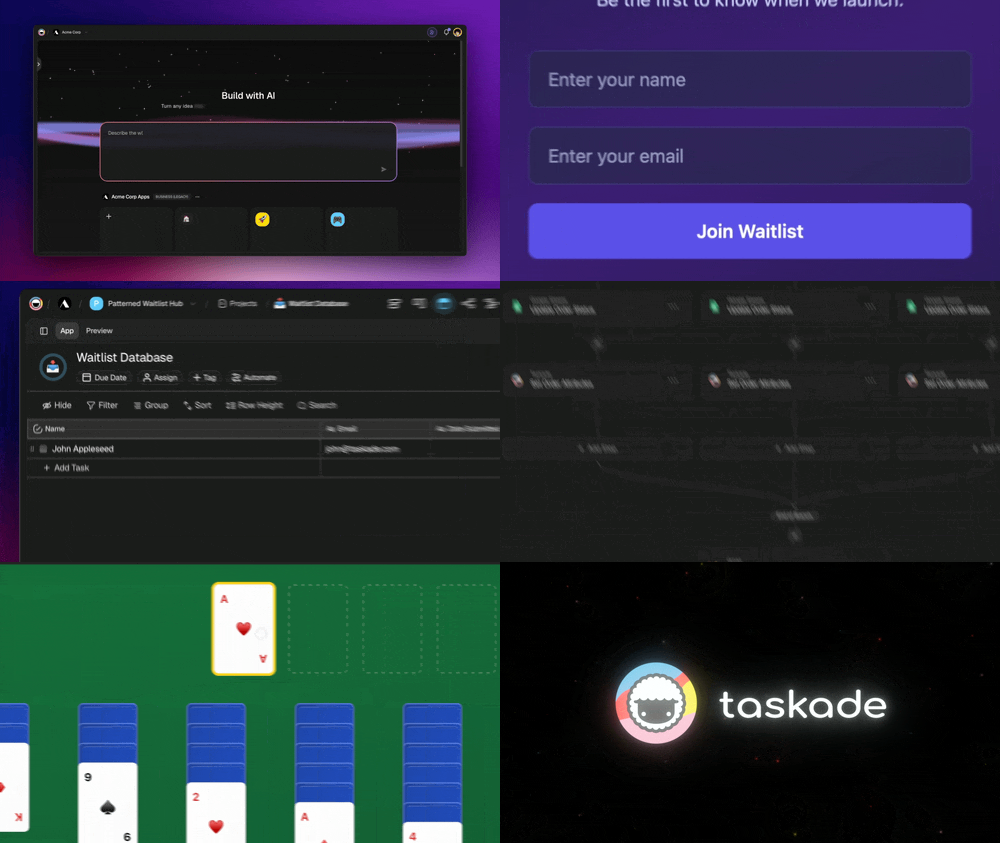
That is a different object from a "sales pipeline template." A template is a schema — columns, stage names, a Kanban board. It is the *shape* of the work. What a revenue team actually wants is the work itself: **lead enrichment, scoring, cold email drafting, follow-up sequences, Slack alerts, Calendly auto-confirm, Stripe close-won, and pipeline analytics, wired by default.** Five live Taskade Genesis apps below do exactly that, embedded so you can click inside them before you decide anything. Five more cloneable workflows follow.
The static-template search results are why this post exists. Type "free CRM template" or "AI sales pipeline template" into Google and the top ten are Notion, Airtable, and Google Sheets files. They are good schemas. They are not systems, and the distance between the two is the distance between a board you maintain and a pipeline that maintains itself. The same shift is playing out across every internal tool — see [running a whole business from one workspace](https://www.taskade.com/blog/business-one-workspace) and [what an owner-operated stack looks like end to end](https://www.taskade.com/blog/run-whole-business).
---
## What Makes a Sales Pipeline Template "AI"?
A modern AI sales pipeline template needs four properties code generators and static templates can't combine:
```
┌─────────────────────────────────────────────────────────────┐
│ ▲ MEMORY ■ INTELLIGENCE ● EXECUTION │
│ ────────── ─────────────── ───────────── │
│ Contacts Sales Coach Apollo enrich │
│ Deals (4-stage) Research Gmail send │
│ Activity Log CRM QA Slack alert │
│ Forecasting Pipeline Coach Calendly book │
│ │
│ Memory feeds Intelligence │
│ Intelligence triggers Execution │
│ Execution creates new Memory → loop compounds │
└─────────────────────────────────────────────────────────────┘
```
Glyph order is fixed: ▲ ■ ● = Memory · Intelligence · Execution. Notion templates ship Memory only. Pipedrive ships Memory + light Execution. Apollo ships Execution + light Memory. **Taskade Genesis is the only template that ships all three primitives + the loop.**
The capability check works as a 7-row rubric. Every row is something an "AI sales pipeline template" search visitor was already going to ask:
| Capability | Notion CRM | Airtable Sales | Pipedrive | HubSpot CRM | **Taskade Genesis** |
|---|:---:|:---:|:---:|:---:|:---:|
| Persistent contact + deal data | Yes | Yes | Yes | Yes | Yes |
| Pipeline view (Board/Kanban) | Board only | Yes | Yes | Yes | Yes (multiple views) |
| AI lead scoring inside the template | No | No | No | Paid add-on | Yes (Sales Coach) |
| AI cold-email drafting from contact data | No | No | Paid add-on | Paid sequences | Yes (Outreach Drafter) |
| Native Apollo / Gmail / Slack integrations | Manual Zapier | Zapier | Workflow add-on | Paid | Yes (100+ bidirectional) |
| Multi-agent collaboration (Research + Score + QA) | No | No | No | No | Yes |
| Cloneable live demo (not a static template) | Static | Static | No | No | Yes (inline below) |
| **Score** | **2 / 7** | **2 / 7** | **3 / 7** | **4 / 7** | **7 / 7** |
A genuine "AI sales pipeline template" needs all 7. **Taskade Genesis ships all 7, on the entry plan**, with a single agent calling concrete API verbs across the stack: `Apollo.enrich` → `Gmail.send` → `Slack.postMessage` → `Activity.log`, native, no Zapier, no per-action credit meter. The [AI agents](https://www.taskade.com/agents) do the reading and writing; the [automations](https://www.taskade.com/automate) do the firing; both ship inside the same app you cloned.
---
## The Five Live AI Sales Pipeline Demos
Every iframe is a real Taskade Genesis app. Click inside, hit "Use this app," clone into your free workspace.
### 1. Sales Pipeline Workflow: the canonical AI pipeline
[Sales Pipeline Workflow, live Taskade Genesis demo](https://www.taskade.com/app/sales-pipeline-workflow-dry36084slddvvrh)
> **▲ ■ ●** This is live. 4 projects, 2 AI agents, 3 automations.
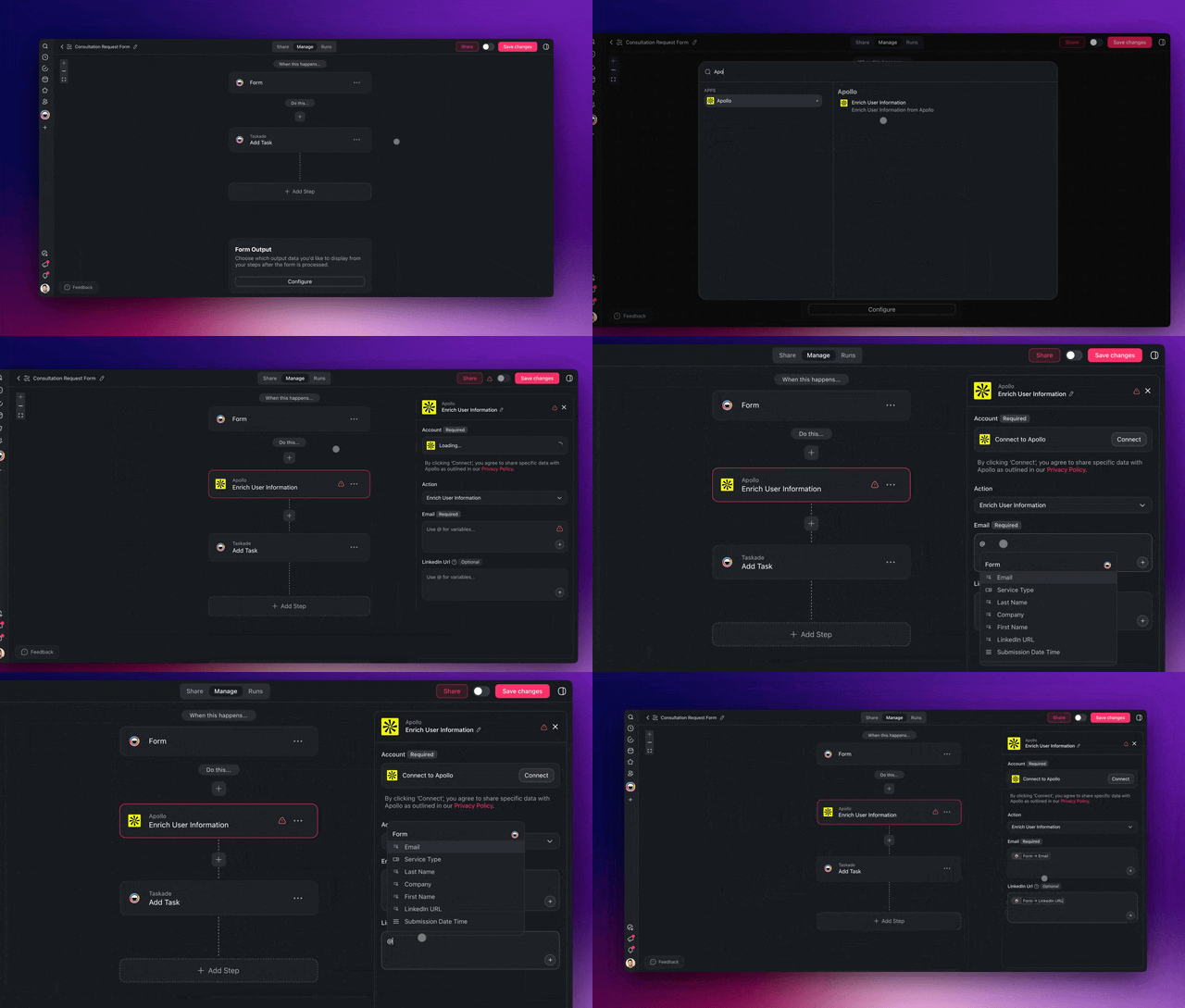
- **Lead capture** — a web form, a Calendly invitee, or a pasted event list lands in Contacts already enriched, not as a row someone has to clean up later.
- **Deal stages** — Lead → Qualified → Proposal → Closed on a Board view that moves itself when Gmail sees a reply or Stripe sees a payment.
- **Follow-up automations** — Sales Coach drafts the email, Gmail sends it, Slack announces the stage change with the deal context attached.
What's inside when you clone: Contacts (Table view, custom fields for email/phone/company/status/score), Deals Pipeline (Board view, 4 stages: Lead → Qualified → Proposal → Closed), Activity Log (List view of touchpoints), Forecasting (Table view of weighted pipeline). Sales Coach drafts follow-ups; CRM QA flags duplicates and missing fields; 3 automations fire on stage changes. The [multiple project views](https://www.taskade.com/learn/projects/project-views) mean the same deal data renders as a board for the rep and a Gantt for the forecast, without a second tool.
This is the **Pipedrive/HubSpot replacement**, at $10/mo on Taskade Genesis Pro billed annually vs $49/seat Pipedrive Premium or $100/seat HubSpot Pro. Ready-made variants live under [/templates/sales-pipeline](https://www.taskade.com/templates/sales-pipeline).
### 2. Sales Agent Studio: the AI SDR layer
[Sales Agent Studio, live Taskade Genesis demo](https://www.taskade.com/app/sales-agent-studio-uo9fc7tfidydkdw9)
> **▲ ■ ●** This is live. The agent layer that runs cold outreach.
- **Research** — every prospect arrives with a title, a company size, and a recent funding or hiring signal attached, before a human reads the name.
- **Drafting** — the Outreach Drafter writes the first email against that enriched profile and your tone doc, in two variants, so the A/B is free.
- **Reply routing** — a reply pauses the sequence, logs to Activity Log, and pings the owning rep instead of sending step 3 into a live conversation.
What's inside: Prospect List project, Research agent that enriches each lead from Apollo + LinkedIn signals, Scoring agent that runs the rubric, Outreach Drafter agent that writes personalized first emails (with A/B variants), Gmail send automation, reply-detection automation that logs replies back to Activity Log. Tuning any of them is the walkthrough at [/learn/agents/custom-agents](https://www.taskade.com/learn/agents/custom-agents); pre-built variants live under [/agents/sales](https://www.taskade.com/agents/sales).
This is the **Outreach.ai / Salesloft replacement**, without the 6-week implementation and without per-seat enterprise pricing.
### 3. Sales Pipeline Dashboard: pipeline visibility + AI analyst
[Sales Pipeline Dashboard, live Taskade Genesis demo](https://www.taskade.com/app/sales-pipeline-dashboard-j1n0746e1z0olf6r)
> **▲ ■ ●** This is live. Pipeline analytics with AI interpretation.
- **Weighted forecast** — stage volumes and win-rate trend recomputed from the deal records themselves, not from a slide someone rebuilt on Sunday.
- **Written commentary** — the Pipeline Analyst agent explains *why* the number moved, by deal name, in plain sentences leadership can read.
- **Read-only publishing** — leadership gets the dashboard URL, not a seat, via [role-based access](https://www.taskade.com/learn/account/roles-permissions).
What's inside: stage-by-stage volumes, win-rate trend, weighted forecast, plus a Pipeline Analyst agent that explains *why* the forecast moved ("Q2 dropped 18%, driven by 3 stalled deals in Proposal: Acme, Globex, Initech"). Publish it and the whole org can read it through role-based access; putting it on `pipeline.yourdomain.com` is a [custom domain](https://www.taskade.com/learn/genesis/custom-domains), available on Pro and above.
### 4. Neon CRM Dashboard: modern CRM front-end
[Neon CRM Dashboard, live Taskade Genesis demo](https://www.taskade.com/app/neon-crm-dashboard-nsrm12wns3e1cgni)
> **▲ ■ ●** This is live. CRM dashboard with multi-view persistence.
- **Contact cards** — a person, not a row: profile, deal value, last touch, and the agent's read on where the relationship stands.
- **Value rollups** — pipeline totals that recalculate as deals move, so the number on the wall is the number in the system.
- **Client-facing view** — the same records, published as a portal an outside stakeholder can open without a workspace seat.
What's inside: Contact list with rich profile cards, deal value rollups, recent-activity stream, and an embeddable customer portal view. Designed for teams that want a modern Folk/Attio look with Taskade Genesis's agent + automation layer underneath. If the CRM front end is the piece you care about most, [the AI CRM builder breakdown](https://www.taskade.com/blog/ai-crm-builders) compares this pattern against the dedicated CRM tools, and [/agents/crm](https://www.taskade.com/agents/crm) collects the agents that run on top of it.
### 5. Multi-Platform Publisher: outbound on LinkedIn + email
[Multi-Platform Publisher, live Taskade Genesis demo](https://www.taskade.com/app/content-workflow-hvu1z1ab0fyp9dkh)
> **▲ ■ ●** This is live. Cross-channel outbound from one workspace.
- **One calendar** — every outbound post lives on a single Calendar view instead of three tools with three notions of "scheduled."
- **Tone adaptation** — the Tone Adapter agent rewrites one message into the voice each channel actually rewards.
- **Scheduled sends** — publishing runs on [automation schedules](https://www.taskade.com/learn/automation/schedule), so the week ships whether or not anyone opens the app.
What's inside: Content Calendar project, Channel Map (which posts go where), Tone Adapter agent that rewrites a single post for each channel's voice, scheduling automations across LinkedIn, email, and Slack.
---
## The Verified May-2026 Sales-Tool Pricing Card
| Tool | Lowest paid | Most popular | Hidden cost |
|---|---|---|---|
| **[Taskade Genesis](https://www.taskade.com/create)** | **$10/mo Pro, billed annually (≤10 seats)** | **$10/mo Pro, billed annually (≤10 seats)** | **None — flat** |
| **Clay** | $185/mo Launch | **$446/mo Growth (annual)** | Two credit meters: Data + Actions |
| **Apollo** | $49/seat Basic | **$79/seat Professional** | Organization 3-seat min ($357/mo) |
| **HubSpot Sales Hub** | $15/seat Starter (annual) | **$100/seat Professional** | $1,500 onboarding fee on Pro |
| **Pipedrive** | $14/seat Lite | **$49/seat Premium** | 5 add-ons → ~$130/seat real |
| **Folk** | $24/member Standard | **$48/member Premium** | Per-member, not flat |
| **Attio** | $29/seat Plus | **$69/seat Pro** | Automation credits cap fast |
| **Salesforce Sales Cloud** | $25/seat Starter | **$100/seat Pro · $175 Enterprise** | Agentforce 1 = $550/seat |
| **Salesloft** | (no public price) | **$125-150/seat Advanced** | $300-400/seat dialer add-on |
| **Outreach** | (no public price) | **$100/seat Standard** | $5K-15K onboarding |
| **Close** | $35/seat Essentials | **$99/seat Growth** | Power Dialer locked above Growth |
| **Copper** | $9/seat Starter | **$59/seat Professional** | No native AI agents |
| **Salesflare** | $29/seat Growth | **$49/seat Pro** | Tiny enrichment credits |
The read here is not that the incumbents are expensive. It is that a five-person team can own the whole loop for the price of one lunch. A 5-person team running Pipedrive Premium = $245/month. Same team running HubSpot Sales Pro = $500/month + $1,500 onboarding. Same team running Salesforce Pro + Outreach + Clay Growth = $1,376/month before onboarding. **Same team running Taskade Genesis Pro = $10/month billed annually, flat.**
---
## The 10-CRM Comparison Table
This is the matrix sales-ops buyers actually care about: not just price, but whether the tool ships the four AI primitives an SDR team needs in 2026, agent inside the CRM, enrichment built-in, cold-email engine, and pipeline that auto-updates from real-world events (calendar bookings, payments, replies).
| Tool | $/seat (popular tier) | AI agent in CRM | Enrichment built-in | Cold email engine | Auto-updates from email/calendar | Sequences | Integrations | Custom domain | RBAC tiers | Mobile app | Free tier |
|---|---|:---:|:---:|:---:|:---:|:---:|---|:---:|:---:|:---:|:---:|
| **[Taskade Genesis](https://www.taskade.com/create)** | **$10/mo flat, billed annually (10 seats)** | Yes (multi-agent) | Yes (Apollo + LinkedIn) | Yes (Sales Coach) | Yes (native) | Yes | 100+ bidirectional | Yes | 7 | Yes | Yes |
| Pipedrive Premium | $49 | No (paid AI add-on) | No | Workflow only | Partial | Yes | 400+ via Marketplace | No | 3 | Yes | No (trial) |
| HubSpot Sales Pro | $100 | Breeze (paid) | Paid Breeze | Yes | Yes | Yes | 1,500+ | No | 5 | Yes | Yes (free CRM) |
| Salesforce Sales Cloud Pro | $100 | Agentforce ($550) | AppExchange | Cadences | Yes | Yes | 4,000+ | No | Custom | Yes | No |
| Folk Premium | $48 | Follow-up Assistant | Basic | Yes | Yes | Yes | 6,000+ via Zapier | No | 3 | Yes | No (trial) |
| Attio Pro | $69 | Automations | Add-on | Workflow | Yes | Yes | 130+ | No | 4 | Yes | Yes (3 seats) |
| Clay Growth | $446 (no per-seat) | Claygent (partial) | Yes (75+ providers) | Partial | No | No | 100+ | No | 3 | No | Yes (100 credits) |
| Close Growth | $99 | Built-in AI | No | Yes (sequences) | Yes | Yes | 60+ | No | 3 | Yes | No (trial) |
| Salesloft Advanced | $125-150 | Drift integration | No | Yes (Cadences) | Yes | Yes | 200+ | No | 3 | Yes | No |
| Outreach Standard | $100+ | Kaia + Smart Account | No (Bombora add-on) | Yes (sequences) | Yes | Yes | 100+ | No | 4 | Yes | No |
| Copper Pro | $59 | Limited | No | Workflow | Yes (Gmail) | Limited | 200+ via Zapier | No | 3 | Yes | No (trial) |
**5-tool stack at 5 SDRs/mo (Pipedrive + Clay + Outreach + HubSpot Pro + Calendly Teams):** $245 + $446 + $500 + $500 + $80 = **$1,771/month**, with Calendly Teams at $16/seat × 5 added in.
**Taskade Genesis Pro alone:** **$10/month billed annually** (10 seats included).
**Cost asymmetry:** ~177× cheaper for the same 5-seat AI-pipeline capability matrix, before adding the five-figure onboarding fees Salesforce / Outreach / HubSpot Pro ship with.
---
## Per-Deal Cost Math (ASCII)
The headline price hides the per-deal economics. Once you map seat fees + credit meters + enrichment burn against the deals an SDR team actually moves through, the asymmetry is brutal. The block below is the real per-deal cost across a 4-tool stack vs Taskade Genesis Pro at three SDR-team scales.
```
PER-DEAL COST · 5-SDR TEAM RUNNING SAME WORKLOAD · MAY 2026
─────────────────────────────────────────────────────────────
Stack: Pipedrive Premium + Clay Growth + Outreach Std + HubSpot Pro
Seats: 5 × $49 + flat $446 + 5 × $100 + 5 × $100 = $1,691/mo
vs Taskade Genesis Pro: $10/mo billed annually, flat (10 seats included)
100 DEALS / MONTH 1,000 DEALS / MONTH 10,000 DEALS / MONTH
───────────────── ──────────────────── ────────────────────
4-tool stack $16.91 / deal 4-tool stack $1.69 / deal 4-tool stack $0.169 / deal
██████████████████████████ █████████████████ █████
Genesis Pro $0.10 / deal Genesis Pro $0.010 / deal Genesis Pro $0.0010 / deal
█ ▏ ▏
ASYMMETRY: ~169× ────────────────── ~169× ──────────────────────────── ~169×
─────────────────────────────────────────────────────────────
Year-1 onboarding burden:
4-tool stack: HubSpot Pro $1,500 + Outreach $5,000-15,000 = $6,500-16,500
Genesis Pro: $0
─────────────────────────────────────────────────────────────
At 1,000 deals/mo a 5-SDR team pays $20,292/yr for the 4-tool stack,
vs $120/yr for Taskade Genesis Pro. Difference: $20,172. That is one full SDR salary.
```
The bars above are not rhetoric. They are the math of replacing four tools with one Workspace DNA loop. Every credit meter you remove is an hour your RevOps team gets back.
---
## The AI Sales Pipeline Workflow, Visualized
```mermaid
sequenceDiagram
actor SDR
participant TG as Taskade Genesis Sales Pipeline
participant Apollo
participant Gmail
participant Slack
participant Calendly
SDR->>TG: paste 100 leads from event
TG->>Apollo: enrich (HTTP action)
Apollo-->>TG: titles, signals, contact info
TG->>TG: Research Agent reads + scores
TG->>TG: CRM QA Agent flags low-fit
TG->>Gmail: Sales Coach drafts + sends to high-fit
Gmail-->>TG: reply detected
TG->>Slack: stage-change alert + context
SDR->>Calendly: book screen call
Calendly-->>TG: booking confirmed
TG->>TG: stage = Qualified, weekly digest auto-prepped
Note over TG,SDR: Memory + Intelligence + Execution loop closes.
Next agent run reads enriched data,
not stale spreadsheet rows.
```
---
## The Pipeline-as-Living-System Architecture
The traditional sales stack is a relay race: Clay enriches, exports to Salesforce, syncs to HubSpot, fires Outreach. Each handoff is a copy, a credit, and a chance for drift. The Workspace DNA model collapses the relay into a single living system, Memory, Intelligence, and Execution sharing one substrate.
```mermaid
graph TD
subgraph M["▲ MEMORY · Pipeline Project"]
M1[Contacts · Table view]
M2[Deals · Board view]
M3[Activity Log · List view]
M4[Forecasting · Gantt + Org Chart]
end
subgraph I["■ INTELLIGENCE · Sales Agents"]
I1[Lead Enrichment Agent]
I2[Cold Email Agent]
I3[Deal Health Agent]
I4[Pipeline Coach Agent]
end
subgraph E["● EXECUTION · Triggers + Actions"]
T1[Calendly · booking]
T2[Gmail · reply]
T3[HubSpot · stage change]
T4[Stripe · checkout]
A1[Apollo enrich · action]
A2[Slack alert · action]
A3[Markdown export · action]
end
M1 --> I1
M1 --> I2
M2 --> I3
M3 --> I3
M2 --> I4
M4 --> I4
I1 --> A1
I2 --> A2
I3 --> A2
I4 --> A3
T1 -.creates.-> M2
T2 -.writes.-> M3
T3 -.updates.-> M2
T4 -.closes.-> M2
A1 -.writes.-> M1
A2 -.writes.-> M3
A3 -.archives.-> M4
style M fill:#0a1420,stroke:#1a2a45
style I fill:#0a1a14,stroke:#1b3d2a
style E fill:#1a140a,stroke:#3a2a1a
style M1 fill:#2a1225,color:#ff8fa3,stroke:#ff2d60,stroke-width:2px
style M2 fill:#2a1225,color:#ff8fa3,stroke:#ff2d60,stroke-width:2px
style M3 fill:#2a1225,color:#ff8fa3,stroke:#ff2d60,stroke-width:2px
style M4 fill:#2a1225,color:#ff8fa3,stroke:#ff2d60,stroke-width:2px
style I1 fill:#0d1b2a,color:#7dd3fc,stroke:#38bdf8,stroke-width:1.5px
style I2 fill:#0d1b2a,color:#7dd3fc,stroke:#38bdf8,stroke-width:1.5px
style I3 fill:#0d1b2a,color:#7dd3fc,stroke:#38bdf8,stroke-width:1.5px
style I4 fill:#0d1b2a,color:#7dd3fc,stroke:#38bdf8,stroke-width:1.5px
style T1 fill:#0d1a0e,color:#86efac,stroke:#22c55e,stroke-width:1.5px
style T2 fill:#0d1a0e,color:#86efac,stroke:#22c55e,stroke-width:1.5px
style T3 fill:#0d1a0e,color:#86efac,stroke:#22c55e,stroke-width:1.5px
style T4 fill:#0d1a0e,color:#86efac,stroke:#22c55e,stroke-width:1.5px
style A1 fill:#1a140a,color:#ffb74d,stroke:#e65100,stroke-width:1.5px
style A2 fill:#1a140a,color:#ffb74d,stroke:#e65100,stroke-width:1.5px
style A3 fill:#1a140a,color:#ffb74d,stroke:#e65100,stroke-width:1.5px
```
Read the diagram top to bottom. Memory is one project, Contacts, Deals, Activity Log, Forecasting, rendered across 4 of the Taskade view types. Intelligence is the agent layer reading from Memory. Execution is the trigger/action layer: Calendly bookings create Deals records, Gmail replies write to Activity Log, HubSpot stage changes update Deals, Stripe checkouts close-won. Actions go the other direction: Apollo enriches, Slack alerts, Markdown exports archive forecasts. **Every arrow back into Memory is a free agent context refresh, no copy, no sync, no drift.**
For more on the substrate, see [Workspace DNA: Context Engineering Blueprint](https://www.taskade.com/blog/workspace-dna-context).
---
## The 5 AI-Powered Sales Workflows You Can Clone Today
The five iframes above are full Taskade Genesis apps. The five workflows below are the named SDR-team primitives, each one is a slice of the bigger pipeline, each one cloneable in three seconds, each one solving a single SDR-team pain point that costs thousands a month elsewhere.
### Workflow 1: Inbound Lead Triage Agent
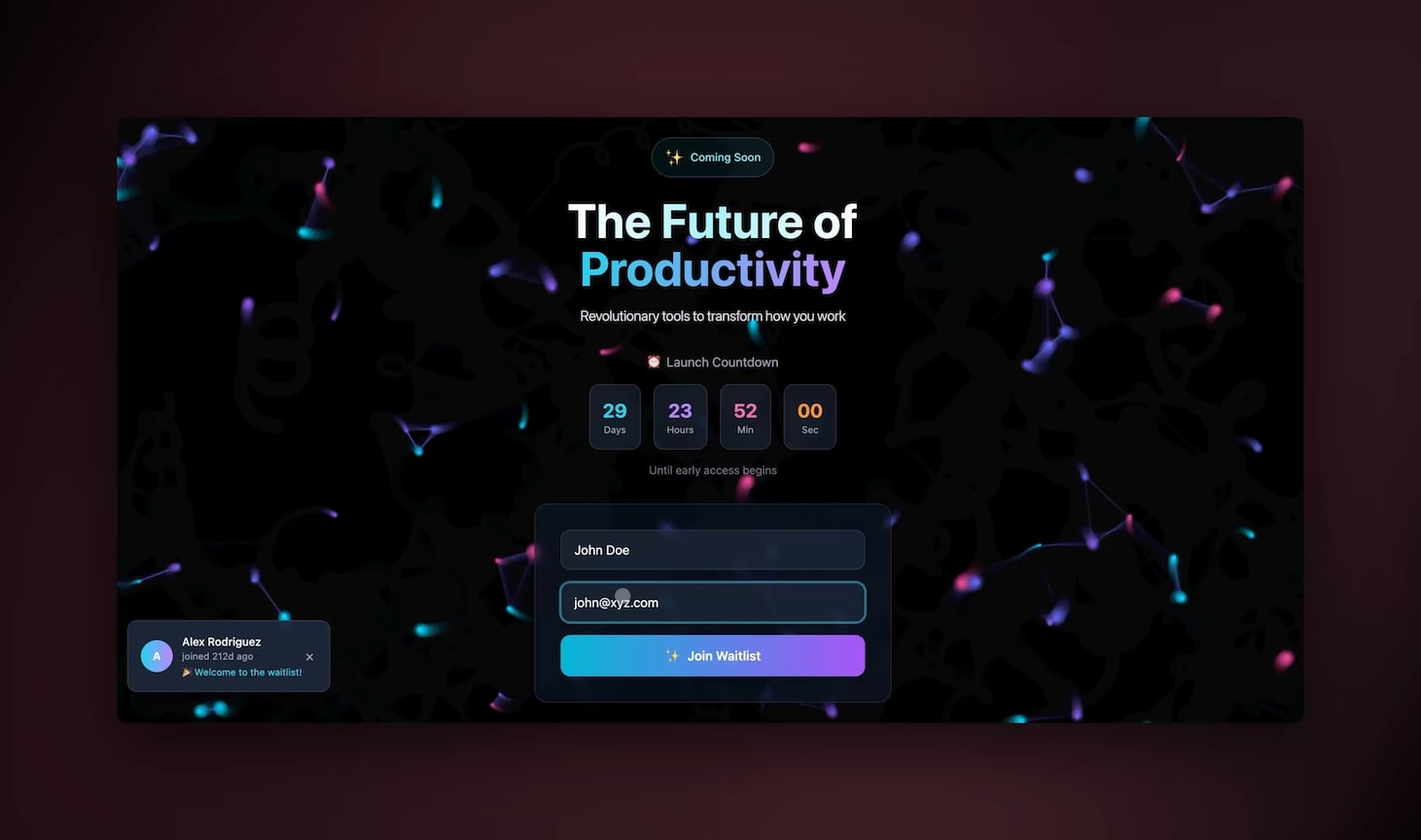
**What it does:** Captures form submissions (web form, Calendly intake, Apollo signals), enriches every record via Apollo on intake, runs the lead through a scoring rubric (ICP fit, company size, intent signals), and assigns to the right SDR via Slack DM with one-click "claim" buttons. Runs in under 90 seconds per lead. Replaces the "form submission → spreadsheet → manual triage → forgotten lead" funnel that loses ~30% of inbound at SaaS companies. The 90-second number is the point: [the speed-to-lead rules behind a sub-five-minute first touch](https://www.taskade.com/blog/speed-to-lead) explain why the clock matters more than the scoring rubric.
**Cloneable from:** [share/apps/dry36084slddvvrh](https://www.taskade.com/app/sales-pipeline-workflow-dry36084slddvvrh) — more intake agents at [/agents/sales](https://www.taskade.com/agents/sales).
| Component | Detail |
|---|---|
| Trigger | Webhook (form), Apollo signal, Calendly invitee |
| Agent | Lead Enrichment + Scoring (multi-step) |
| Memory write | Contacts (enriched fields), Activity Log (intake event) |
| Action | Slack DM to round-robin SDR, Gmail acknowledgment |
| Cost vs alternative | Replaces Apollo + Clay + custom Zapier — saves $250-450/mo at 5 SDRs |
### Workflow 2: Cold Outbound Sequence Agent
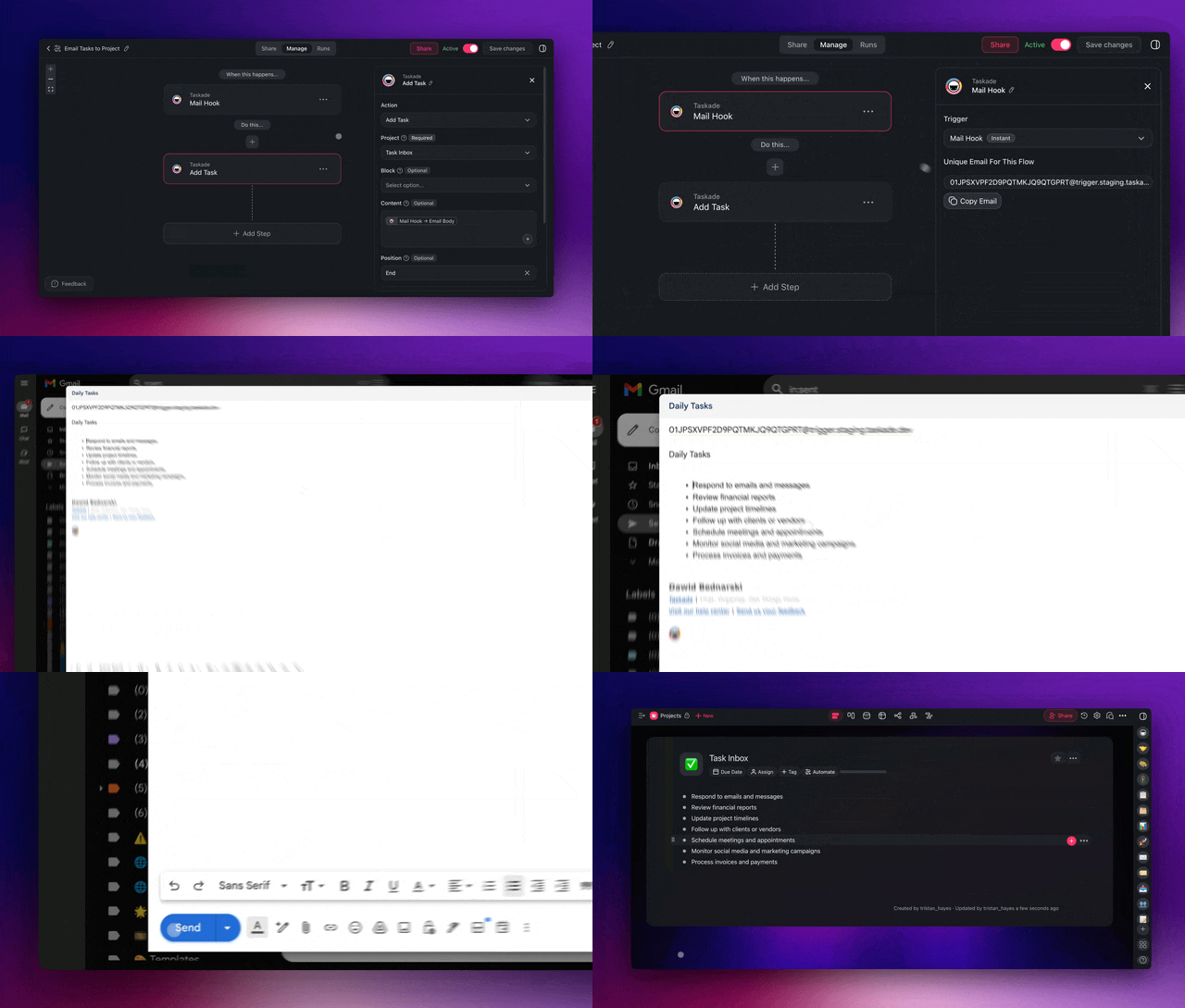
**What it does:** Pulls a curated prospect list (filtered by industry, headcount, role, recent funding), drafts a 4-step personalized sequence per contact using Cold Email Agent (with personalization tokens for company, role, recent news, mutual connections), schedules sends via Gmail, A/B-tests subject lines and opening lines, detects replies and routes to SDR, auto-pauses on out-of-office. Replaces the "Outreach.io for sequences + Apollo for data + Clay for enrichment" stack.
**Cloneable from:** [share/apps/uo9fc7tfidydkdw9](https://www.taskade.com/app/sales-agent-studio-uo9fc7tfidydkdw9) — the outbound triggers live at [/automate/sales](https://www.taskade.com/automate/sales), and [webhook triggers](https://www.taskade.com/learn/automation/webhook-trigger) cover any list source Apollo does not.
| Component | Detail |
|---|---|
| Trigger | Manual ("Run sequence on this list"), or daily cron |
| Agent | Cold Email Agent (multi-variant, frontier models from top AI labs) |
| Memory write | Contacts (last_touched, sequence_step), Activity Log (send/open/reply) |
| Action | Gmail send, A/B variant pick, reply-detection auto-pause |
| Cost vs alternative | Replaces Outreach $100/seat + Apollo $79/seat + Clay $446 — saves ~$1,425/mo at 5 SDRs |
### Workflow 3: Deal Health Monitor Agent
**What it does:** Runs nightly across the Deals Pipeline. Flags every deal where last_activity > 7 days, deal_value > threshold but stage stale, or required field missing. Posts a daily digest to a #deal-health Slack channel with deal name, owner, stage, days-since-activity, and one-click "ping owner" buttons. The agent reads the Activity Log, not just the deal record. So it catches "the last email was opened twice but never replied to" patterns that simple stage-change rules miss. Replaces Salesforce Process Builder + a $3K/quarter RevOps consultant.
**Cloneable from:** [share/apps/j1n0746e1z0olf6r](https://www.taskade.com/app/sales-pipeline-dashboard-j1n0746e1z0olf6r)
| Component | Detail |
|---|---|
| Trigger | Nightly cron, plus on-demand `/health` slash command in Slack |
| Agent | Deal Health Agent (reads Deals + Activity Log, semantic risk scoring) |
| Memory write | Deals (risk_score, last_flagged), Activity Log (escalation event) |
| Action | Slack #deal-health digest, Gmail nudge to owner, optional CSV export |
| Cost vs alternative | Replaces Salesforce Einstein opportunity insights ($75/seat) + RevOps time |
### Workflow 4: Calendar-to-CRM Auto-Sync (Calendly + Stripe)
**What it does:** Two flows in one. (a) Calendly invitee → creates a Deals record at Qualified stage with all enriched profile data, sends Slack alert to assigned SDR, drafts a personalized Gmail prep doc; (b) Stripe checkout session completed → moves the Deals record to Closed-Won, posts a celebration Slack message, fires the Markdown export action to write a deal recap into a `wins/` folder for next quarter's pipeline review. Closes the loop most CRMs leave open: the moment money moves, the pipeline updates without a single manual click.
**Cloneable from:** [share/apps/dry36084slddvvrh](https://www.taskade.com/app/sales-pipeline-workflow-dry36084slddvvrh) (extend with the [Stripe checkout action](https://www.taskade.com/learn/automation/stripe-checkout); more payment flows at [/automate/stripe](https://www.taskade.com/automate/stripe))
| Component | Detail |
|---|---|
| Trigger | Calendly invitee.created, Stripe checkout.session.completed |
| Agent | Pipeline Coach (drafts prep doc + win recap) |
| Memory write | Deals (stage transitions), Activity Log (booking + payment events) |
| Action | Slack alert, Gmail prep doc, Stripe checkout-session creation, Markdown export |
| Cost vs alternative | Replaces Zapier Pro ($30/mo) + Calendly Teams ($16/seat) + custom dev |
### Workflow 5: Quarterly Pipeline Health Dashboard
**What it does:** Renders the full pipeline across the Taskade views. Org Chart shows account hierarchy and SDR ownership. Gantt shows close-date timeline with stalled-deal callouts. Table shows weighted forecast. Mind Map shows ICP segments. The Pipeline Coach agent runs at the start of each week and writes a 200-word commentary at the top, "Q2 weighted pipeline is up 14% week-over-week, driven by 3 new Qualified deals in fintech; one watch-out is Acme has slipped 11 days in Proposal." Publishes to a custom domain so leadership can read it without a Taskade login. Replaces a Looker dashboard + a RevOps weekly slide deck.
**Cloneable from:** [share/apps/j1n0746e1z0olf6r](https://www.taskade.com/app/sales-pipeline-dashboard-j1n0746e1z0olf6r)
| Component | Detail |
|---|---|
| Trigger | Weekly cron (Monday 8 a.m.) |
| Agent | Pipeline Coach (forecast commentary, deal-level explanation) |
| Memory write | Forecasting (weighted_total), Activity Log (commentary entry) |
| Action | Custom-domain publish, Gmail digest to leadership, Slack #revenue post |
| Cost vs alternative | Replaces Looker ($60-100K/yr) + RevOps deck-prep time |

---
## What Each CRM Gets Right vs Where Taskade Genesis Wins
Every tool below has earned its market share. Pretending otherwise is unserious. The comparison that matters is what each one *nailed* and where Taskade Genesis delivers something structurally different, not feature parity, but a substrate change.
### Pipedrive
**What they nailed:** the cleanest, most focused pipeline-board UX in the market, and a price point ($14 Lite, $49 Premium) that an SDR can adopt without finance approval. Pipedrive is the gold standard for "drag a deal across stages and move on." If you only need a board, it is the right answer.
**Where Taskade Genesis wins:** the AI agent and enrichment layer is native, not a $39/seat add-on. Pipedrive's AI Sales Assistant is a paid SKU that recommends next-step actions; Taskade's Sales Coach drafts the actual email and fires the actual Gmail send. The views (Board, Table, Calendar, Mind Map, Gantt, Org Chart, List) replace 3 separate Pipedrive add-ons.
### HubSpot
**What they nailed:** the largest integration marketplace in CRM (1,500+), Breeze AI as a serious agent SKU, and a free CRM tier that has onboarded a generation of GTM teams. HubSpot Sales Pro is genuinely powerful for inbound-led teams with $100K+ ACV deals and a marketing org that already runs HubSpot.
**Where Taskade Genesis wins:** the price ladder. $100/seat × 5 SDRs = $500/month + $1,500 onboarding before a single email is sent. Taskade Genesis Pro is $10/month billed annually, flat, 10 seats. Breeze costs extra; Taskade's multi-agent layer is included. And HubSpot can't ship a cloneable live demo URL, every prospect has to "request a demo" first.
### Folk
**What they nailed:** the prettiest CRM UI shipped in the last five years, plus three legitimately useful AI features (Follow-up Assistant, Recap Assistant, Research Assistant) that save 5-10 minutes per contact. Folk is the right answer for relationship-led teams (founder GTM, agency client books, investor-relations) where every contact is a person, not a row.
**Where Taskade Genesis wins:** Folk locks email sequences and API access behind the $48/member Premium tier, and there's no multi-agent collaboration. Taskade Genesis ships the same relationship UX (Neon CRM Dashboard demo above) with sequences, the API, and 4 agents working together, at roughly a fifth of Folk's per-seat price and without per-member metering.
### Attio
**What they nailed:** the data model. Attio's custom-objects engine is the most flexible CRM data layer on the market. You can model anything, link anything, query anything. Attio Pro at $69/seat is what RevOps teams pick when they've outgrown Pipedrive's rigidity but don't want HubSpot's bloat.
**Where Taskade Genesis wins:** automation credits. Attio's hybrid pricing (seat + credits) means every AI run, every workflow, every enrichment chips a meter. Taskade's flat-rate Pro, with a monthly credit allowance, makes agent-heavy workflows safe to run at SDR scale. Plus Taskade ships Mind Map, Gantt, and Org Chart views, Attio is table-and-list-only.
### Clay
**What they nailed:** the waterfall enrichment model. Clay can hit 75+ data providers in a single workflow, fall through them in priority order, and stitch the best record from all of them. For pure prospect-data enrichment at scale, Clay is the most powerful tool in the category.
**Where Taskade Genesis wins:** Clay is a data-prep tool, not a CRM. The output of a Clay workflow has to live somewhere, Salesforce, HubSpot, Pipedrive, a sheet, and that "somewhere" is where the actual sales work happens. Clay Growth at $446/month annual ($495 monthly post-March-2026) is a line item on top of your CRM, not a replacement. Taskade Genesis is the CRM *and* the enrichment *and* the sequencer *and* the dashboard, in one Workspace DNA loop.
### Salesforce, Outreach, Salesloft
**What they nailed:** the enterprise feature set and the integration depth that 1,000-seat orgs need. If you have a CFO who already approved a Salesforce contract, you keep your Salesforce contract. There is no scenario where a 500-rep sales org rips out Salesforce for any other tool.
**Where Taskade Genesis wins:** for the 5-50 seat SDR team that *isn't* an enterprise. Salesforce Pro at $100/seat + Outreach at $100/seat + Salesloft Cadences = $300/seat/month before onboarding fees that run $5K-$15K. A 5-SDR team paying that stack is at $18,000+ annual cost to do what Taskade Genesis Pro does for $120/year. The asymmetry isn't fairness. It's that the enterprise stack was priced for enterprise, and the SDR team in 2026 doesn't have to pay enterprise prices anymore.
### Salesflare, Close, Copper
**What they nailed:** the "easier-than-Salesforce, fuller-than-Pipedrive" middle. Close ships built-in calling at every plan, Salesflare auto-builds contact records from Gmail, Copper integrates natively with Google Workspace. Each is a sensible answer if your team's bottleneck is one of those specific axes.
**Where Taskade Genesis wins:** none of them ship a multi-agent layer. Close has a single AI feature; Salesflare has light enrichment; Copper has none. Taskade Genesis ships Lead Enrichment + Cold Email + Deal Health + Pipeline Coach as four agents collaborating across the same Memory layer, the AI primitive these tools are catching up to, not leading.

---
## The Workspace DNA Loop, Mapped to Sales
```mermaid
graph TB
subgraph "▲ Memory · Sales Projects"
M1[Contacts]
M2[Deals Pipeline]
M3[Activity Log]
M4[Forecasting]
end
subgraph "■ Intelligence · Sales Agents"
I1[Sales Coach]
I2[Research]
I3[CRM QA]
I4[Pipeline Coach]
end
subgraph "● Execution · Sales Automations"
E1[Apollo enrich]
E2[Gmail draft + send]
E3[Slack stage alert]
E4[Calendly book]
E5[Weekly digest]
end
M1 --> I1
M1 --> I2
M3 --> I3
M2 --> I4
M4 --> I4
I2 --> E1
I1 --> E2
I3 --> E3
I4 --> E5
E1 -.writes.-> M1
E2 -.writes.-> M3
E4 -.writes.-> M2
style M1 fill:#2a1225,color:#ff8fa3,stroke:#ff2d60,stroke-width:2px
style M2 fill:#2a1225,color:#ff8fa3,stroke:#ff2d60,stroke-width:2px
style M3 fill:#2a1225,color:#ff8fa3,stroke:#ff2d60,stroke-width:2px
style M4 fill:#2a1225,color:#ff8fa3,stroke:#ff2d60,stroke-width:2px
style I1 fill:#0d1b2a,color:#7dd3fc,stroke:#38bdf8,stroke-width:1.5px
style I2 fill:#0d1b2a,color:#7dd3fc,stroke:#38bdf8,stroke-width:1.5px
style I3 fill:#0d1b2a,color:#7dd3fc,stroke:#38bdf8,stroke-width:1.5px
style I4 fill:#0d1b2a,color:#7dd3fc,stroke:#38bdf8,stroke-width:1.5px
style E1 fill:#0d1a0e,color:#86efac,stroke:#22c55e,stroke-width:1.5px
style E2 fill:#0d1a0e,color:#86efac,stroke:#22c55e,stroke-width:1.5px
style E3 fill:#0d1a0e,color:#86efac,stroke:#22c55e,stroke-width:1.5px
style E4 fill:#0d1a0e,color:#86efac,stroke:#22c55e,stroke-width:1.5px
style E5 fill:#0d1a0e,color:#86efac,stroke:#22c55e,stroke-width:1.5px
```
Memory is the substrate, not a side-effect. Every Apollo enrichment writes back to the Contacts project. So the next agent run reads enriched data, not stale lead lists. Compare to Clay/Salesforce/Outreach: enrichment writes to Clay → exports to Salesforce → syncs to HubSpot → triggers Outreach. Each hop is a copy and a potential drift. **Taskade Genesis collapses the loop into one source of truth.**
---
## Annualized Cost vs Pipeline Lift (ASCII)
```
ANNUAL COST · 5-SDR TEAM · ALL-IN ────────────────── (May 2026)
─────────────────────────────────────────────────────────────
Salesforce Pro + Outreach + Clay Growth + onboarding
Year-1: $1,500 ($18,000 SF) + $6,000 ($1,200/seat × 5 Outreach) +
$5,952 ($446 × 12 + $600 onboarding) + $5,000 onboarding (Outreach)
Year-1 TOTAL: ███████████████████████████████████████ $34,952
HubSpot Sales Pro + Apollo + Clay Growth
Year-1: $6,000 ($100 × 5 × 12) + $4,740 ($79 × 5 × 12) + $5,352 +
$1,500 onboarding (HubSpot)
Year-1 TOTAL: ██████████████████████ $17,592
Pipedrive Premium + Apollo + Folk Premium
Year-1: $2,940 ($49 × 5 × 12) + $4,740 + $2,880 ($48 × 5 × 12)
Year-1 TOTAL: ████████████ $10,560
Taskade Genesis Pro (10 seats included, agents native, enrichment via Apollo HTTP)
Year-1 TOTAL: ▏ $120
─────────────────────────────────────────────────────────────
Delta vs Salesforce stack: $34,832/yr saved · ~291× cheaper.
Delta vs HubSpot stack: $17,472/yr saved · ~147× cheaper.
Delta vs Pipedrive stack: $10,440/yr saved · ~88× cheaper.
That delta is a full junior SDR salary.
```
The bars above exist to make the per-deal economics legible to the founder or RevOps lead who has been told "you need the enterprise stack." You need it at 100+ seats. Below that, the money is better spent on the pipeline itself — and the loop you get for $120 a year is the same loop, running the same enrichment, on the same [Workspace DNA](https://www.taskade.com/wiki/genesis/workspace-dna) substrate.
---
## Pricing Trap Decoder
Three patterns hide the real cost of the alternatives. Recognize them before you sign.
```
TRAP 1 · CREDIT METER MULTIPLIERS
─────────────────────────────────
Clay ─→ Data Credits + Actions (two meters, since Mar 2026)
Attio ─→ Automation credits (cap at the $69 tier)
HubSpot ─→ Breeze credits (separate from Sales Hub seats)
Salesforce ─→ Agentforce credits (the $550 SKU)
Apollo ─→ Enrichment credits (Org plan = 3-seat min)
Result: published price × 1.4× to 2.5× by month 3.
TRAP 2 · ONBOARDING LANDMINES
─────────────────────────────
HubSpot Sales Pro $1,500 mandatory
HubSpot Sales Ent. $3,500 mandatory
Outreach Std/Pro $5,000 - $15,000
Salesloft Premier Custom (typically $5K+)
Salesforce Ent. Implementation partner $20K-100K
Result: Year-1 cost ≠ Year-2. Pricing pages show Year-2.
TRAP 3 · SEAT-MIN HOSTAGES
──────────────────────────
Apollo Org 3-seat minimum ($357/mo at Pro tier)
Salesloft 10-seat typical minimum
Outreach Annual upfront, no monthly
Clay Enterprise $30K/yr starting, year commit
Result: even a solo founder pays for a "team."
─────────────────────────────────────────────────────
Genesis Pro: $10/mo billed annually · 10 seats included · no onboard ·
no credit meter multipliers · pay-as-you-grow.
```
The three traps above are why CRM buyers spend a quarter on procurement. The Workspace DNA model removes all three, flat seat price, no onboarding, one credit meter (the AI credits you already understand).
---
## The Founder Dinner CRM Callout
If you're a founder running a relationship-led GTM motion, the Sales Pipeline Workflow pairs with the **[Event Management Portal](https://www.taskade.com/app/event-management-portal-scv62ou1yocu3sno)** for the founder-dinner pattern: pre-event invite tracking → day-of Slack alerts → post-event follow-up sequencing. Read more in [GTM Engineering System](https://www.taskade.com/blog/gtm-engineering-system).
The mechanics are simple. Calendly intake fires a trigger; the Lead Enrichment Agent looks up each invitee's company, role, and recent funding; the Cold Email Agent drafts a "great to see you next Thursday" note; day-of, the Slack channel fills with one-line context cards for each guest; day-after, follow-up sequences fire on intent signals (which guests RSVP'd, who showed up, who skipped). The whole loop runs on a single project, Memory holds the guest list, Intelligence holds the agents, Execution fires the calendar/Slack/Gmail actions. Founder GTM stops being a part-time spreadsheet job and becomes a pipeline.
---
## How Teams Actually Migrate (15-Minute Setup)
The clone-and-customize loop is faster than reading the Pipedrive onboarding doc. Concrete order, with the memory writes explicit:
```
T+0 Click any iframe above → "Use this app" → app appears in your workspace.
T+1 Open Contacts project → import your existing CSV (or Pipedrive/HubSpot export).
T+2 Open Deals Pipeline → rename the 4 stages to match your funnel
(e.g., Lead / SQL / Demo Booked / Closed-Won).
T+5 Settings → Integrations → connect Gmail (OAuth), Slack (workspace),
Apollo (API key), Calendly (token).
T+8 Open the Sales Coach agent → paste your tone-of-voice doc into the
agent's persistent memory ("Reply concise, no exclamation points,
first email always references their company's recent news").
T+10 Run the Lead Enrichment Agent on your imported contacts.
Watch Apollo signals + LinkedIn data populate the Contacts table.
T+12 Set roles: Owner = you, Editor = SDR team, Viewer = leadership.
(Custom domain crm.yourdomain.com: Pro plan and above.)
T+15 Done. First lead enrichment is already running. Sales Coach has
drafted the first 3 follow-up emails for review. Pipeline is live.
```
15 minutes. No onboarding fee. No procurement cycle. No "schedule a demo." That is the gap between a static template and a Workspace DNA app.
For the agent-tuning step in particular, see [/learn/agents/custom-agents](https://www.taskade.com/learn/agents/custom-agents); for the trigger setup step see [/learn/automation/triggers](https://www.taskade.com/learn/automation/triggers); for the integration credentials step see [/learn/connect](https://www.taskade.com/learn/connect). If you have never shipped a Taskade Genesis app before, [build your first app](https://www.taskade.com/learn/genesis/first-app) walks the same loop from an empty prompt.
---
## Clone and Run: Four Apps, Four Jobs
These four cover the revenue cycle end to end. Each is a live app, not a screenshot. Open it, hit "Use this app," and it lands in your workspace with its projects, agents, and automations attached.
| Clone this | It owns | Concrete outcome |
|---|---|---|
| **[Neon CRM Dashboard](https://www.taskade.com/app/neon-crm-dashboard-nsrm12wns3e1cgni)** | Contacts and deals | Every account has one profile card, one value, one last-touch date, and one agent read on where it stands. |
| **[Sales Agent Studio](https://www.taskade.com/app/sales-agent-studio-uo9fc7tfidydkdw9)** | Outbound | Research enriches, Scoring ranks, Outreach Drafter writes both variants. You approve, Gmail sends. |
| **[Client Connect](https://www.taskade.com/app/client-connect-dashboard-avl35iqxc8t7wk3e)** | The handoff | The won deal becomes a client portal with its own sign-in, so onboarding starts the same day the payment clears. |
| **[Invoice Generator](https://www.taskade.com/app/invoice-generator-v71ywf2zs5bu9a5m)** | Getting paid | The most-used app in the Taskade community, around 10,000 sessions a month. Closed-Won in, invoice out. |
Two ways in, and both are free:
- **Clone one and edit it.** Fastest path. Stage names, scoring rubric, and tone doc are the only three things most teams change in week one.
- **[Describe your own pipeline and let Taskade Genesis build it →](https://www.taskade.com/create)** if your funnel does not look like anyone else's. Six minutes from prompt to live URL.
Adjacent kits worth taking at the same time: [/automate/sales](https://www.taskade.com/automate/sales) for the outbound triggers, [/automate/stripe](https://www.taskade.com/automate/stripe) for the payment-to-Closed-Won leg, and [/templates/client-onboarding](https://www.taskade.com/templates/client-onboarding) for what happens after the handshake. The [Community Gallery](https://www.taskade.com/apps) has the rest. For the invoicing leg specifically, [the AI invoice generator roundup](https://www.taskade.com/blog/ai-invoice-generators) covers what to look for; for the portal leg, [agency client portal templates](https://www.taskade.com/blog/agency-client-portal-templates).
---
## FAQ
### What is the best AI sales pipeline template in 2026?
Taskade Genesis ships a free AI sales pipeline template with Contacts + Deals + Activity Log + Forecasting projects, two core agents (Sales Coach + CRM QA) and three automations including Apollo enrichment, Gmail follow-ups, and Slack alerts, at $10/month on Pro billed annually for up to 10 seats. The companion Sales Agent Studio app adds Research + Outreach + Scoring agents on top.
### How much does an AI sales pipeline template cost?
Free with Taskade Genesis. Pipedrive Premium $49/seat, HubSpot Sales Pro $100/seat + $1,500 onboarding, Salesforce Sales Cloud Pro $100/seat, Folk Premium $48/member, Salesflare Pro $49/seat, Close Growth $99/seat. None include AI lead enrichment or multi-agent collaboration in the base price.
### Can I add AI lead enrichment to my sales pipeline?
Yes. Taskade Genesis automations call Apollo, LinkedIn signals, Sheets, Webhooks, or any HTTP endpoint. The Sales Pipeline Workflow ships with a CRM QA agent for hygiene; the Sales Agent Studio app adds a dedicated Research agent that enriches contacts on intake. Clay's Growth plan does the enrichment alone for $446/month annual ($495 monthly post-March-2026).
### Does the template include a cold email agent?
Yes. Sales Coach agent drafts personalized first emails. Gmail/SMTP-relay automation sends. Reply detection logs back to Activity Log. Multi-variant A/B drafting is available via the Sales Agent Studio companion app.
### What is Workspace DNA in a sales context?
Memory is the CRM (Contacts, Deals, Activity Log, Forecasting). Intelligence is the agent layer across the cluster, Sales Coach + CRM QA in the core pipeline; Research, Outreach, and Pipeline Coach via the companion Sales Agent Studio + Sales Pipeline Dashboard apps. Execution is the automation layer (Apollo, Gmail, Slack, Calendly, weekly digest, Stripe close-won, Markdown export). The loop compounds.
### Can multiple sales reps share the same pipeline?
Yes. RBAC (Owner to Viewer). Pipedrive/Folk have 2-3 tier perms; HubSpot Pro requires the higher tier for granular permissions; Salesforce uses custom profiles requiring admin work.
### How long does it take to set up an AI sales pipeline?
6 minutes from prompt to live URL. 3 seconds to clone the embedded demo above. 15 minutes to fully customize stages, import a CSV, connect Gmail/Slack/Apollo/Calendly, and tune the Sales Coach agent's tone-of-voice memory.
### Can the pipeline trigger Slack alerts and Gmail follow-ups?
Yes. Built-in automations include stage-change Slack notifier, Gmail follow-up sender (drafts via Sales Coach), weekly digest, Calendly auto-confirm, and Stripe close-won.
### How does Taskade Genesis compare to Salesforce or Outreach?
Salesforce Sales Cloud Pro is $100/seat annual; Enterprise is $175; Agentforce 1 is $550. Outreach Standard is $100/seat plus $5,000-15,000 onboarding. Salesloft Advanced lists $125-150/seat. A 5-SDR team paying Salesforce Pro + Outreach + Clay Growth crosses $34,000/year before onboarding. Taskade Genesis Pro is $10/month billed annually ($120/year), 10 seats included.
### Can I close the deal cycle without leaving the pipeline?
Yes. Calendly bookings flow into the Deals Pipeline as Qualified records, Stripe checkout sessions can mark deals Closed-Won via the built-in [Stripe checkout action](https://www.taskade.com/learn/automation/stripe-checkout), and the export-to-Markdown action lets you ship a deal recap into a Notion-ready file. The closed-won event becomes Memory the Pipeline Coach reads next quarter when forecasting.
### Which live sales apps can I clone right now?
Four cover the whole revenue cycle: Neon CRM Dashboard (contacts and deals), Sales Agent Studio (outbound agents), Client Connect (the client portal after the win), and Invoice Generator (billing, and the most-used app in the Taskade community at roughly 10,000 sessions a month). Each clones in about three seconds and keeps working on the Free plan.
### Do I need a credit card to run the pipeline?
No. The Free plan runs the cloned pipeline and its agents. On Free, you earn free AI credits as you go, and you can upgrade any time. The pipeline's automations — Slack stage alerts, the Gmail follow-up sequencer, the weekly digest — start on Pro at $10/month billed annually, which also adds unlimited generation, live web hosting, and 10 seats. Publishing the pipeline on your own domain starts on Pro.
---
## Try the AI Sales Pipeline Template Free
Stop reading. Start cloning.
| App | Direct clone | Closest paid alternative |
|---|---|---|
| Sales Pipeline Workflow | [share/apps/dry36084slddvvrh](https://www.taskade.com/app/sales-pipeline-workflow-dry36084slddvvrh) | Pipedrive Premium $49/seat |
| Sales Agent Studio | [share/apps/uo9fc7tfidydkdw9](https://www.taskade.com/app/sales-agent-studio-uo9fc7tfidydkdw9) | Outreach ~$100-150/seat |
| Sales Pipeline Dashboard | [share/apps/j1n0746e1z0olf6r](https://www.taskade.com/app/sales-pipeline-dashboard-j1n0746e1z0olf6r) | Salesforce dashboards $175/seat |
| Neon CRM Dashboard | [share/apps/nsrm12wns3e1cgni](https://www.taskade.com/app/neon-crm-dashboard-nsrm12wns3e1cgni) | Folk Premium $48/member |
| Multi-Platform Publisher | [share/apps/hvu1z1ab0fyp9dkh](https://www.taskade.com/app/content-workflow-hvu1z1ab0fyp9dkh) | Buffer/Hootsuite |
Or build your own from a fresh prompt at **[taskade.com/create](https://www.taskade.com/create)**, Free Forever plan, no card.
Browse [/templates](https://www.taskade.com/templates), [/generate/dashboards](https://www.taskade.com/generate/dashboards), and [/generate](https://www.taskade.com/generate) for more. Browse the [Community Gallery](https://www.taskade.com/apps) for 150,000+ live cloneable Taskade Genesis apps, and [/integrations](https://www.taskade.com/integrations) for the 100+ bidirectional connections that keep them fed.
Read the rest of the cluster:
- **[I Built 7 AI Apps in 1 Day](https://www.taskade.com/blog/ai-app-demos)**, full build-day with 7 demos
- **[GTM Engineering System](https://www.taskade.com/blog/gtm-engineering-system)**, the broader GTM stack
- **[Internal Tools Dashboard Builder](https://www.taskade.com/blog/internal-tools-dashboard)**, Retool alternative
- **[Founder Operating System](https://www.taskade.com/blog/founder-operating-system)**, founder-OS flavor
- **[Event Management Portal, live demo](https://www.taskade.com/app/event-management-portal-scv62ou1yocu3sno)**, founder dinner / relationship motion
- **[Taskade Genesis vs Bolt vs Lovable vs v0](https://www.taskade.com/blog/genesis-bolt-lovable)**, code-generator showdown
- **[Workspace DNA: Context Engineering Blueprint](https://www.taskade.com/blog/workspace-dna-context)**, the substrate
- **[Best AI CRM Builders](https://www.taskade.com/blog/ai-crm-builders)**, the CRM front end compared tool by tool
- **[Best AI App Builders](https://www.taskade.com/blog/best-ai-app-builders)**, where the pipeline sits in the wider builder landscape
- **[Run Your Whole Business in One Workspace](https://www.taskade.com/blog/business-one-workspace)**, the same loop applied past sales
- **[Speed to Lead](https://www.taskade.com/blog/speed-to-lead)**, why the first five minutes decide the deal
- **[Track Customer Health, Catch Churn Early](https://www.taskade.com/blog/customer-health-churn-tracking)**, keeping the accounts this pipeline won
- **[Agency Client Portal Templates](https://www.taskade.com/blog/agency-client-portal-templates)**, what happens after Closed-Won
Concept background: [the Taskade Genesis loop](https://www.taskade.com/wiki/genesis/genesis-loop) and [the three pillars of Workspace DNA](https://www.taskade.com/wiki/dna/three-pillars). Head-to-head pricing against the incumbents: [Taskade vs HubSpot](https://www.taskade.com/compare/free-hubspot-alternative) and [Taskade vs Salesforce](https://www.taskade.com/compare/free-salesforce-alternative).
For step-by-step setup, see [/learn/agents/custom-agents](https://www.taskade.com/learn/agents/custom-agents) · [/learn/automation/automations-execution](https://www.taskade.com/learn/automation/automations-execution) · [/learn/automation/triggers](https://www.taskade.com/learn/automation/triggers) · [/learn/genesis/faq](https://www.taskade.com/learn/genesis/faq).
A template gives you a board to keep tidy. **A Workspace DNA app gives you a pipeline that keeps itself tidy — and hands you the deal.** [Clone one free →](https://www.taskade.com/create)