# AI Content Pipelines: Automate Your Distribution in 2026
> Build an AI content pipeline that pulls from YouTube and RSS, summarizes every piece with AI agents, and posts to social on a schedule — automatically. Set it up once in Taskade Genesis and your distribution runs itself, no engineering team required.
- Source: https://www.taskade.com/blog/ai-content-pipelines
- Published: 2026-07-10
- Author: Taskade Team
> **TL;DR:** An AI content pipeline pulls from YouTube and RSS, summarizes every new item with AI agents, and posts to social on a schedule. **[Taskade Genesis](https://www.taskade.com/create)** builds one from a plain-English description and ships it as a live app. Free has 3 apps. Pro is $10 a month billed yearly. [See plans and prices](https://www.taskade.com/pricing). [Clone the publisher app](https://www.taskade.com/app/multi-platform-publisher-qngl9kn1vwun7bag?action=clone&utm_source=landing_blog&utm_content=ai-content-pipelines)
Your best content is already made. The problem is distribution. A video goes up and never gets repurposed. A great article sits in an RSS feed nobody on your team has time to read. Industry news that should become a LinkedIn post just scrolls by.
An **AI content pipeline** fixes that. It is an automated system that monitors your sources, processes every new item with AI, and pushes the result to your audience on a schedule — without you checking anything by hand. This guide shows you how to build one in [Taskade Genesis](https://www.taskade.com/create) by *describing the outcome* instead of wiring it together node by node.
This post is about **distribution** — getting your existing content in front of people automatically. If you want to automate the *making* of content (idea, draft, schedule, publish), read the companion guide on the [AI content workflow](https://www.taskade.com/blog/ai-content-workflow). The two fit together: the workflow creates, the pipeline distributes.
## What is an AI content pipeline?
An AI content pipeline is an automated system that moves content from a source to your audience with no manual handoffs. It has three jobs: **pull** new items from sources like YouTube and RSS, **process** each one with an AI agent that summarizes or reformats it, and **post** the result to social or your team on a schedule.
The difference from a one-off automation is that a pipeline runs *continuously*. It watches many sources at once, fires the moment new content appears, and keeps your distribution flowing in the background. You set it up once, and it works while you sleep.
```mermaid
graph LR
subgraph Sources["📥 Pull"]
Y[YouTube channels] --> T
R[RSS feeds] --> T
end
subgraph Process["🤖 Process"]
T[New-item trigger] --> A[AI agent
summarize & reformat]
A --> M[(Save to project
persistent memory)]
end
subgraph Distribute["📤 Post"]
A --> S[Social channels
LinkedIn, Slack]
S --> SCHED([On a schedule])
end
classDef pink fill:#2a1225,color:#ff8fa3,stroke:#ff2d60,stroke-width:2px;
class A pink;
```
## Pipeline vs workflow: which one do you need?
A content **workflow** makes one piece of content from idea to published. A content **pipeline** distributes content you already have, at scale, to many channels at once. Most teams need both — but they solve different problems, so it helps to be precise.
| | Content workflow | Content pipeline |
|---|---|---|
| **Goal** | Create one new asset | Distribute existing content at scale |
| **Direction** | Idea → draft → publish | Source → summarize → post everywhere |
| **Runs** | Per piece, on demand | Continuously, in the background |
| **Triggers from** | A new idea or calendar date | New YouTube video or RSS item |
| **Best for** | Writers and creators | Operators and growth teams |
| **Guide** | [AI content workflow](https://www.taskade.com/blog/ai-content-workflow) | This post |
If you make content occasionally and want help drafting it, start with the [workflow guide](https://www.taskade.com/blog/ai-content-workflow). If you publish a lot already and the bottleneck is *getting it everywhere*, a pipeline is what you want. Keep reading.
## How to build an AI content pipeline in Taskade Genesis
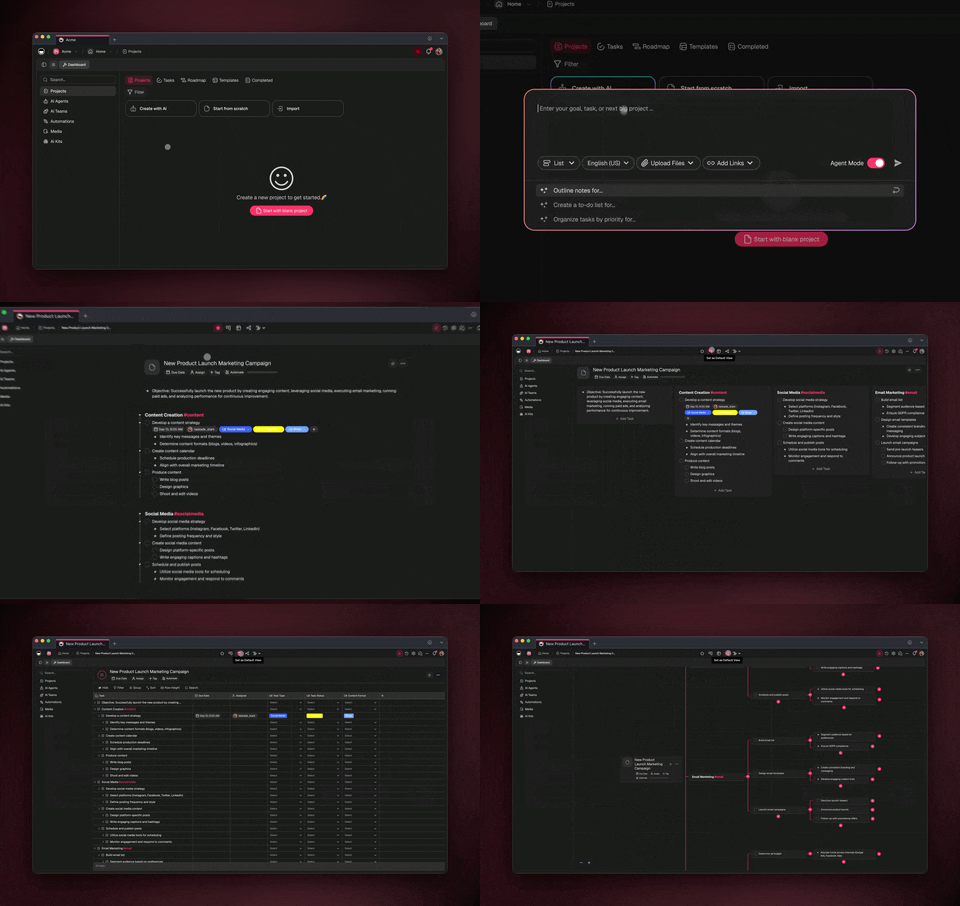
You build a content pipeline in [Taskade Genesis](https://www.taskade.com/create) by describing what you want in plain English. There is no canvas to wire and no server to manage. Below is the same pipeline broken into five parts so you can see exactly what each piece does — then you can have Taskade Genesis assemble the whole thing in one prompt.
Here is the prompt that builds it end to end:
```text
┌─ Taskade Genesis ─────────────────────────────────────────┐
│ ✦ Describe the app you want to build │
├───────────────────────────────────────────────────────────┤
│ │
│ "Build a content pipeline that monitors my YouTube │
│ channel and my top 5 industry blogs, transcribes every │
│ new video, summarizes each new article, and posts │
│ daily highlights to Slack and LinkedIn." │
│ │
│ [ ⚡ Build it → ] │
├───────────────────────────────────────────────────────────┤
│ Taskade Genesis will assemble: │
│ ✓ Content database (Projects, multiple views) │
│ ✓ Research agent (built-in tools, memory) │
│ ✓ YouTube + RSS triggers │
│ ✓ Scheduled posting automations │
│ ✓ A live, shareable app │
└───────────────────────────────────────────────────────────┘
```
### Part A — Pull from YouTube
Monitor multiple YouTube channels with a single trigger. When a new video drops, the pipeline fires — no manual checking, no missed uploads. You just paste the channel links, and Taskade Genesis captures the title, description, URL, and thumbnail for every new upload. See the [YouTube integration guide](https://www.taskade.com/learn/connect/youtube-integration) for setup.
### Part B — Pull from RSS
Add unlimited RSS feed URLs to one trigger — blogs, news sites, podcasts. The moment a new item appears, the pipeline picks up the title, link, description, publish date, and full article text when available. This turns the feeds you never have time to read into an automatic input stream. The [RSS integration guide](https://www.taskade.com/learn/connect/rss-integration) walks through it.
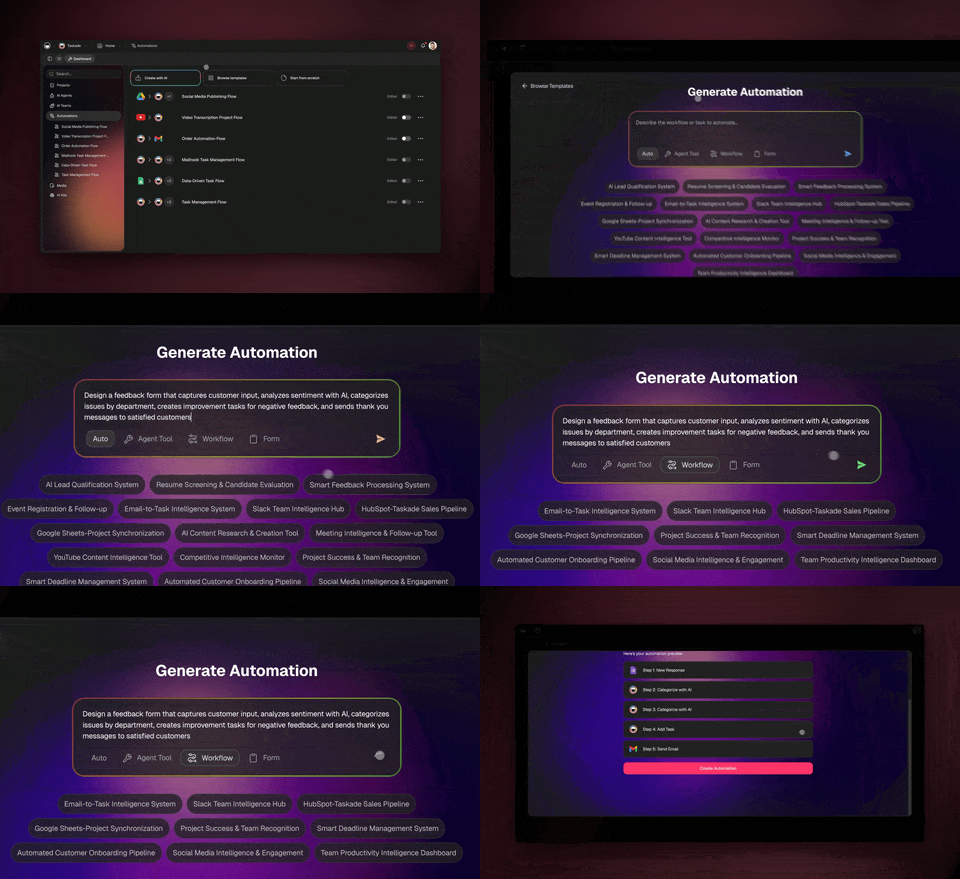
### Part C — Summarize with an AI agent
This is where the pipeline gets smart. An AI agent transcribes each video and summarizes each article, pulling out the key points in your format. Agents in Taskade Genesis carry **built-in tools** and persistent memory, so they learn your topics and stay sharper over time. See the [AI agents library](https://www.taskade.com/agents) for what they can do.
### Part D — Post on a schedule
A reliable automation drafts the post and sends it where it needs to go — a LinkedIn update, a Slack digest, a draft in your project — on the schedule you set. Because the automation is durable, it can wait for the right time of day and resume from the exact step that failed instead of starting over. Browse the [automation hub](https://www.taskade.com/automate) for ready-made flows.
### Part E — Remember everything
Every transcript, summary, and post is saved to your [Projects](https://www.taskade.com/wiki/genesis/projects) — the memory layer of your workspace. So the pipeline is not just moving data through; it is building a searchable content database that your agents reference on the next run. Content comes in, your workspace gets smarter.
Here is how the five parts connect over time:
```mermaid
sequenceDiagram
participant Y as YouTube / RSS
participant T as Trigger
participant A as AI Agent
participant P as Projects (Memory)
participant S as Social / Slack
Y->>T: New video or article
T->>A: Hand off content
A->>A: Transcribe & summarize
A->>P: Save transcript + summary
A->>S: Draft post
S->>S: Wait for scheduled time
S-->>Y: Published — pipeline ready for next item
```
## Verify your pipeline is working
Before you let a content pipeline run unattended, check each stage once. This table is the quick acceptance test — confirm each row and your distribution is on autopilot.
| Stage | What to check | Where it lives |
|---|---|---|
| Pull | A new YouTube upload or RSS item appears in your project | [Triggers](https://www.taskade.com/learn/automation/triggers) |
| Process | The agent's summary reads in your voice and format | [AI agents](https://www.taskade.com/agents) |
| Memory | The transcript and summary are saved and searchable | [Projects](https://www.taskade.com/wiki/genesis/projects) |
| Post | The draft lands on the right channel at the right time | [Actions](https://www.taskade.com/learn/automation/actions) |
| Recover | A failed post resumes instead of dropping the rest | [Automate](https://www.taskade.com/automate) |
## See a content pipeline running live
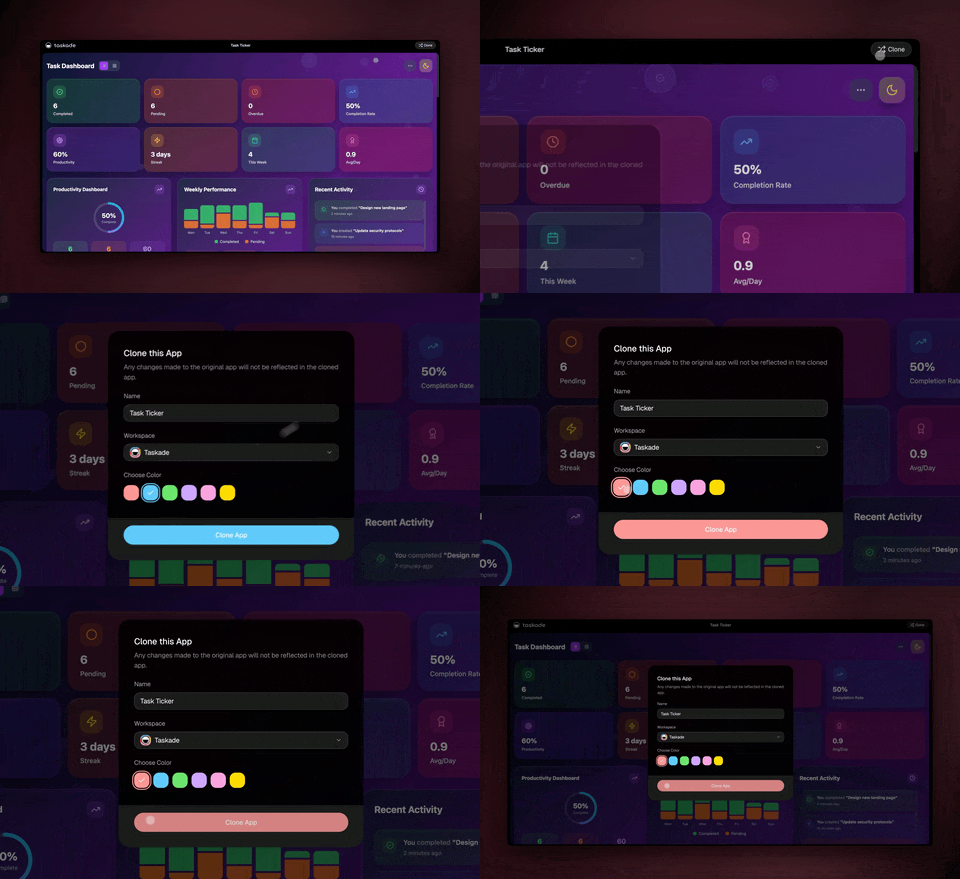
Below is a real Taskade Genesis app — a **Multi-Platform Publisher** that builds and publishes content across YouTube, LinkedIn, X, and more from one workspace. It is live, not a screenshot. Preview it, then clone it into your own workspace in about 30 seconds and point it at your own channels.
[Multi-Platform Publisher — live preview and clone](https://www.taskade.com/app/multi-platform-publisher-qngl9kn1vwun7bag)
[Clone it](https://www.taskade.com/apps) and you have a working distribution pipeline you own — no setup from zero. Prefer a reader-style inbox first? The Taskade App Factory also has an RSS-Feed Inbox that aggregates feeds and gets you AI summaries automatically.
## What you can automate with a content pipeline
Once the pieces are in place, you mix and match YouTube, RSS, AI agents, and your tools into pipelines for any job. These are proven patterns operators run every day:
| Pipeline | Source → AI → Destination |
|---|---|
| **Video to blog** | YouTube → transcribe → AI draft → saved to project |
| **Social clips** | YouTube → transcribe → AI summary → LinkedIn post |
| **Research hub** | RSS feeds → AI summarize → knowledge base |
| **Competitor intel** | RSS blogs → AI insights → tasks for your team |
| **Newsletter curation** | RSS + YouTube → AI curate → draft newsletter |
| **Podcast notes** | YouTube → transcribe → AI takeaways → Slack |
All of these come pre-built in Taskade Genesis, or you generate your own in minutes. For more on turning one source into many channels, see the [AI content repurposing tools](https://www.taskade.com/blog/ai-content-repurposing-tools) guide. To plan what posts when, pair it with [AI content calendar tools](https://www.taskade.com/blog/ai-content-calendar-tools).
## Why Taskade Genesis for content pipelines
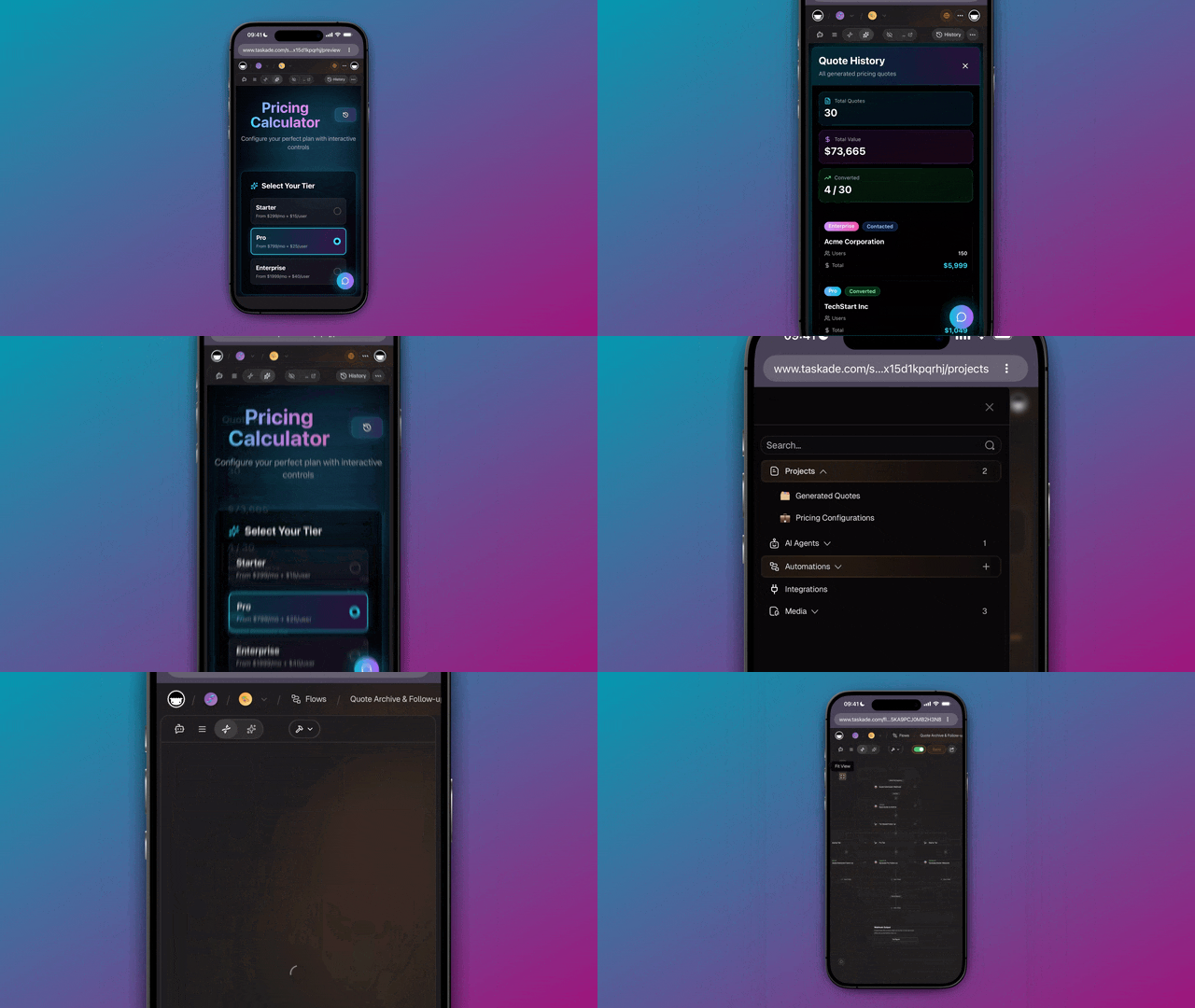
Most automation tools only move data between apps. Taskade Genesis goes further — it gives you the agents, the memory, and the app around your pipeline, all built from one prompt. The whole platform runs as a self-reinforcing loop: **Memory + Intelligence + Execution**.
```mermaid
graph TD
M["🧠 Memory
Content database
(Projects, multiple views)"] --> I["🤖 Intelligence
AI agents
(built-in tools)"]
I --> E["⚙️ Execution
Durable automations
+ 100+ integrations"]
E --> M
E --> APP(["🚀 A live, shareable app
custom domain + sign-in"])
classDef pink fill:#2a1225,color:#ff8fa3,stroke:#ff2d60,stroke-width:2px;
class APP pink;
```
Here is the full capability set behind every pipeline you build:
| Capability | What it means for your pipeline |
|---|---|
| **One-prompt apps** | Describe a pipeline; get a live, deployed one with a database |
| **AI agents (built-in tools)** | Summarize, reformat, and route content automatically |
| **Multi-agent collaboration** | Agents work as a team — research, draft, review, hand off |
| **Frontier models** | Top AI labs, routed for you |
| **100+ bidirectional integrations** | Triggers pull events in; actions push data out |
| **Reliable, durable automations** | Branch, loop, filter, wait days, resume from the failed step |
| **Multiple project views** | List, Board, Calendar, Table, Mind Map, Gantt, Org Chart |
| **Publish & share** | Custom domains, built-in sign-in, Taskade App Factory, app kits |
| **Persistent memory** | Workspace DNA so your pipeline gets smarter every run |
Agents can even collaborate as a team in [orchestration mode](https://www.taskade.com/wiki/ai-agents/agent-orchestration) — one researches, one drafts, one reviews — for content that needs more than a single pass. To go deeper on building the flow itself, see the [AI workflow builder](https://www.taskade.com/wiki/genesis/ai-workflow-builder) and the [automation hub](https://www.taskade.com/automate).
**Honest tradeoff:** if you want a node-by-node visual canvas to fine-tune every branch by hand, a dedicated automation platform gives you more granular control over the wiring. Taskade Genesis trades that for speed — you describe the outcome and get the pipeline, the agents, and the app in one place.
## Frequently asked questions
### What is an AI content pipeline?
An AI content pipeline is an automated system that pulls new items from sources like YouTube and RSS, summarizes each one with an AI agent, and posts the result to social or your team on a schedule. In [Taskade Genesis](https://www.taskade.com/create) you describe it in plain English and it builds the triggers, agents, and automations for you.
### How is a content pipeline different from a content workflow?
A [content workflow](https://www.taskade.com/blog/ai-content-workflow) makes one piece from idea to published. A content pipeline distributes content you already have, continuously, to many channels at once. Workflows create; pipelines distribute. Most teams run both.
### Do I need to know how to code to build one?
No. [Taskade Genesis](https://www.taskade.com/agents) is built for non-technical operators. You describe the outcome — monitor my channel and top blogs, summarize each, post highlights to Slack — and it assembles the database, agents, and automations with no server to manage.
### How does an AI agent summarize content automatically?
Agents in Taskade Genesis have built-in tools and persistent memory. When a transcript or article arrives, the agent reads it, pulls the key points, and writes a summary in your voice — getting sharper with every piece, across frontier models.
### What happens if a step in my pipeline fails?
Taskade Genesis runs automations as reliable, durable workflows that branch, loop, wait, and resume from the exact step that failed. A single failed post recovers instead of dropping the rest of your content.
### Can I clone a content pipeline instead of building it?
Yes. The [Taskade App Factory](https://www.taskade.com/apps) has live, cloneable apps like a Multi-Platform Publisher and an RSS-Feed Inbox. Clone one into your workspace in about 30 seconds, then point it at your own channels and feeds.
---
**Ready to put your distribution on autopilot?** [Start free with Taskade Genesis](https://www.taskade.com/create) — describe the content pipeline you want, and watch it build the triggers, connect your tools, and ship a live app. Then [clone a working app](https://www.taskade.com/apps) to start in seconds, or explore the [automation hub](https://www.taskade.com/automate) for ready-made flows.
▲ ■ ● Memory, Intelligence, Execution — your content comes in, Taskade Genesis remembers it, reasons over it, and posts it everywhere on schedule. That's the difference between making content and getting it seen.