# AI Chat, Schedule Templates, SAML & SCIM
> Introducing Taskade AI Chat, scheduled templates, and enterprise SSO with SAML and SCIM. Generate tasks, mind maps, and outlines with AI-powered assistance.
- Source: https://www.taskade.com/blog/ai-chat-schedule-templates-saml-scim
- Published: 2023-04-12
- Updated: 2026-04-06
- Author: John Xie
Hi Taskaders! 👋
We're thrilled to bring you another round of exciting updates to speed up your Taskade workflow. Give them a spin and let us know what you think!
> **TL;DR:** AI Chat, scheduled templates, and SAML/SCIM shipped in April 2023 marked Taskade's push into enterprise-ready AI. Today Taskade ships role-based access (Owner to Viewer), spans multiple project views, frontier AI models from top AI labs, and 100+ [integrations](https://www.taskade.com/integrations) — and [Taskade Genesis](https://www.taskade.com/create) turns any prompt into a living app.
> **Then → Now:** AI Chat + scheduled templates + SAML/SCIM (2023) → today's [role-based access plus enterprise SSO and Automations](https://www.taskade.com/automate), and [AI Agents v2](https://www.taskade.com/agents).
| Enterprise | 2023 H1 | Today (2026) |
|---|---|---|
| SSO | v4.62 SAML (Okta, Google, Azure) | [SAML Okta](https://www.taskade.com/learn/account/saml-okta) + [SAML Azure](https://www.taskade.com/learn/account/saml-azure) + [SAML Google](https://www.taskade.com/learn/account/saml-google) |
| Provisioning | SCIM on Enterprise | [SCIM via Okta](https://www.taskade.com/learn/account/scim-okta) + [SCIM via Azure](https://www.taskade.com/learn/account/scim-azure) |
| Roles | Owner / Editor / Viewer | [RBAC](https://www.taskade.com/learn/projects/permissions) (Owner to Viewer) |
| Recurring | Scheduled templates (daily/weekly/monthly) | [Schedule trigger](https://www.taskade.com/learn/automation/schedule) + [Automations](https://www.taskade.com/learn/automation) |
```mermaid
flowchart LR
IDP[Identity Provider
Okta · Google · Azure] -- SAML --> T[Taskade]
IDP -- SCIM provisioning --> T
T --> W[Workspace
RBAC]
style IDP fill:#0d1b2a,color:#7dd3fc,stroke:#38bdf8,stroke-width:1.5px
style T fill:#11111b,color:#cdd6f4,stroke:#00d4aa
style W fill:#2a1225,color:#ff8fa3,stroke:#ff2d60,stroke-width:2px
```
```text
Enterprise login flow (April 2023, still true today)
┌───────────────┐ 1. SAML AuthN ┌─────────────────┐
│ Okta / Azure │ ───────────────────► │ Taskade │
│ / Google IdP │ ◄─────────────────── │ Workspace │
└───────┬───────┘ 2. Assertion └────────┬────────┘
│ │
│ 3. SCIM provisioning │
└──────────────────────────────────────►│
▼
┌─────────────────┐
│ RBAC roles │
│ Owner→Viewer │
└─────────────────┘
```
Enterprise teams pair this with the [Business and Enterprise plans](https://www.taskade.com/pricing) to roll out [SAML via Okta](https://www.taskade.com/learn/account/saml-okta), [SAML via Azure](https://www.taskade.com/learn/account/saml-azure), and [SCIM provisioning](https://www.taskade.com/learn/account/scim-okta) across their org — then layer in [AI Agents v2](https://www.taskade.com/agents) and [Automations](https://www.taskade.com/automate) inside [Taskade Genesis](https://www.taskade.com/create) workspaces. Note: in 2023 this was the "Ultimate" plan; today it lives in the [Business tier ($25/mo)](https://www.taskade.com/pricing) and above.
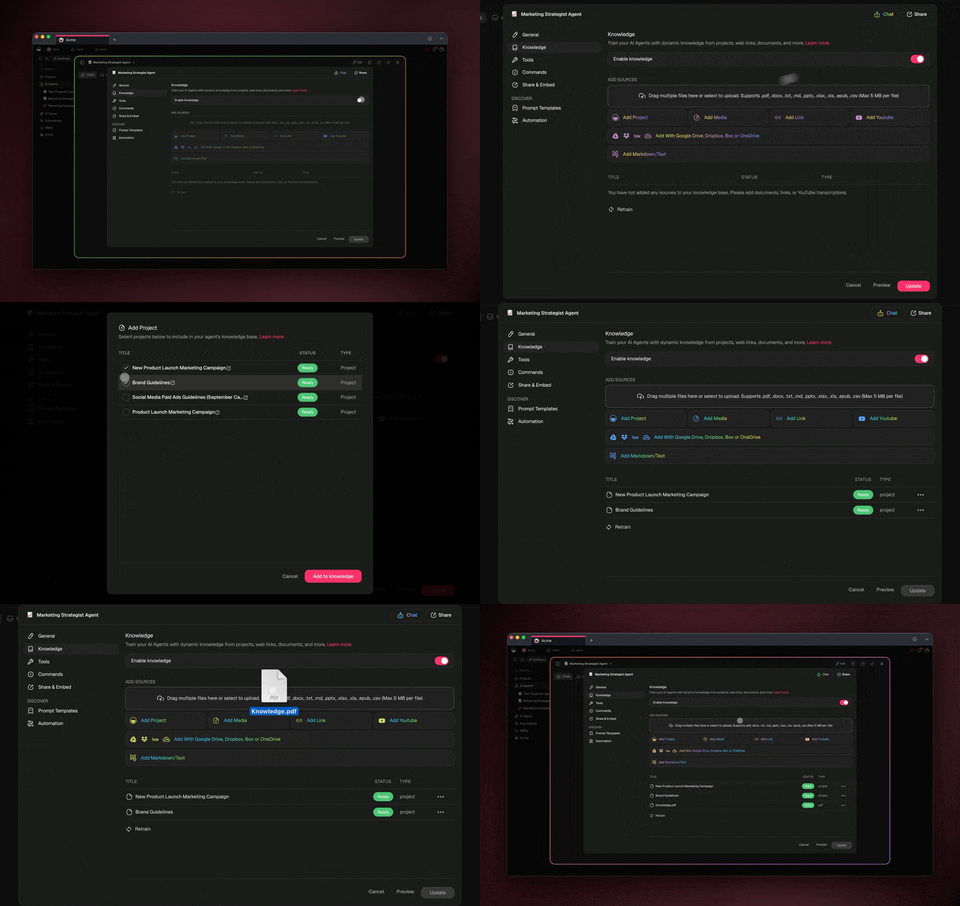
## **🤖 💬 AI Chat Is Here!**
Upgrade your productivity with AI Chat, a powerful assistant that lives in the project chat box. Generate lists, tasks, mind maps and outlines for your personal and team projects. [Learn more](https://www.taskade.com/learn/agents/ai-chat)
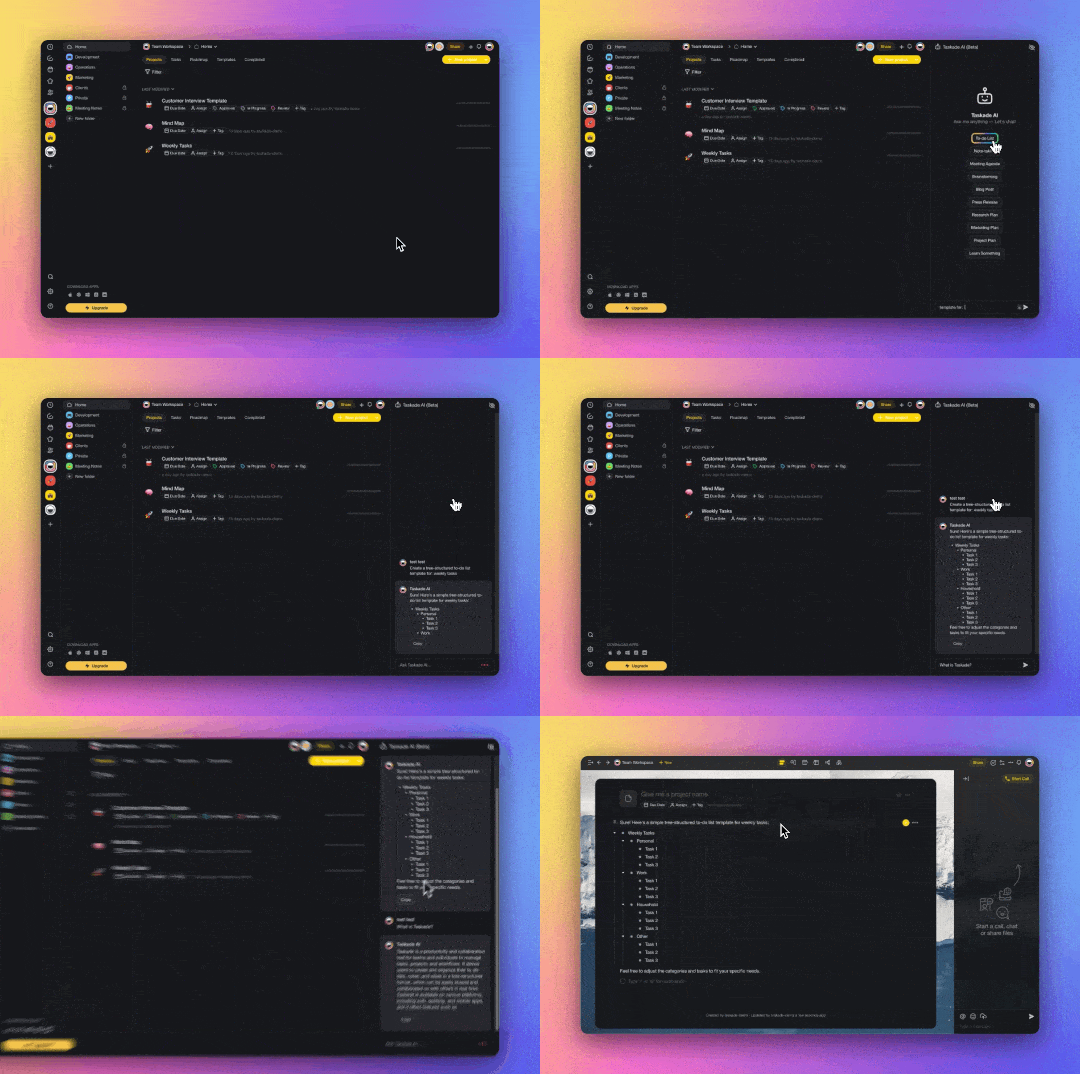
## 🗓️ Schedule Templates
Want to schedule and create new projects ahead of time? You can now automatically create new projects using scheduled templates in your workspace or folder. [Learn more](https://www.taskade.com/learn/projects/schedule-templates)
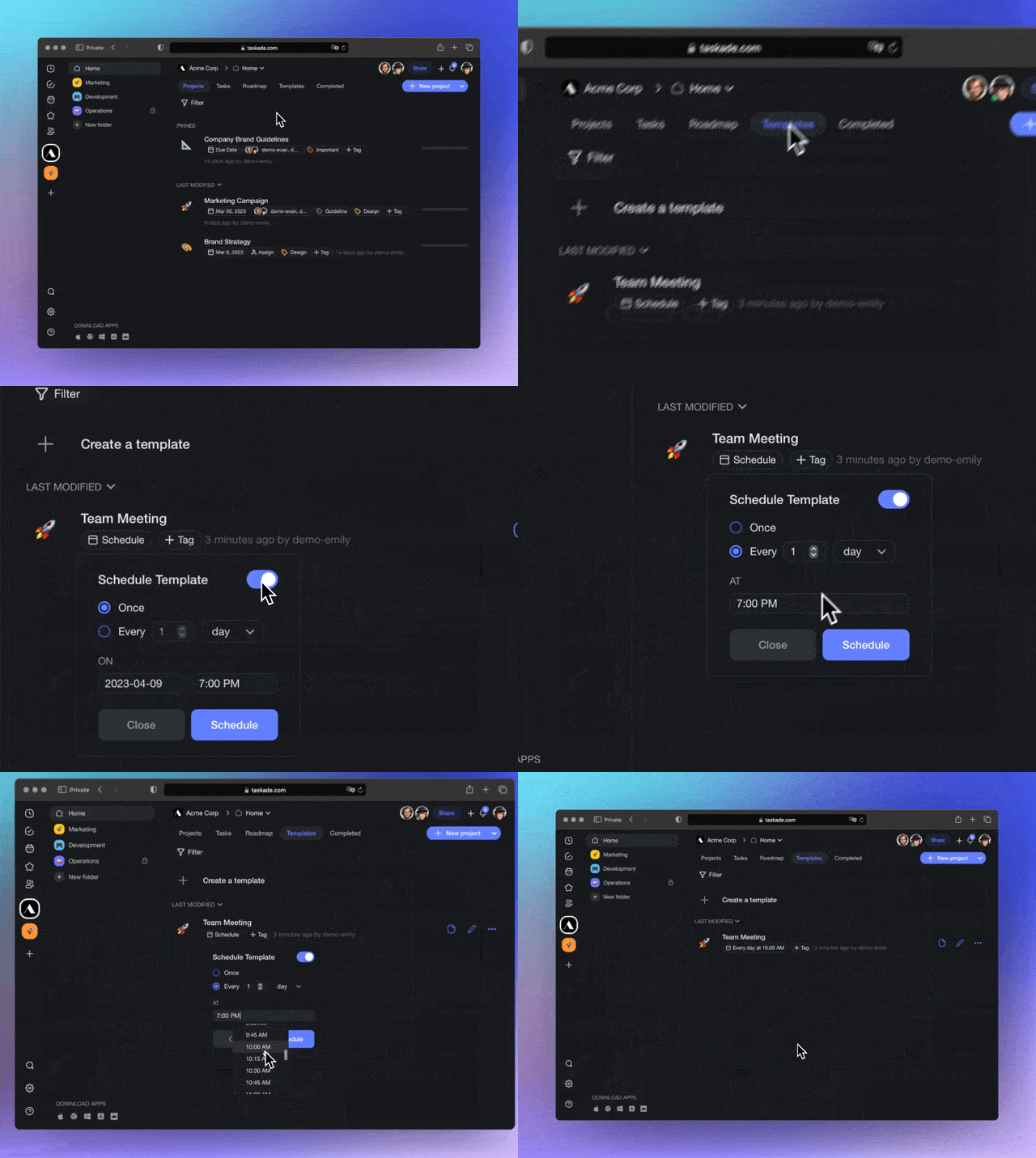
## 🖼️ New Backgrounds & Wallpapers
Transform your projects with new colors, gradients, and artwork. Choose from hundreds of options when customizing your project layout and settings. Apply these new personalization options to any project view! [Learn more](https://www.taskade.com/learn/projects/customize-project).
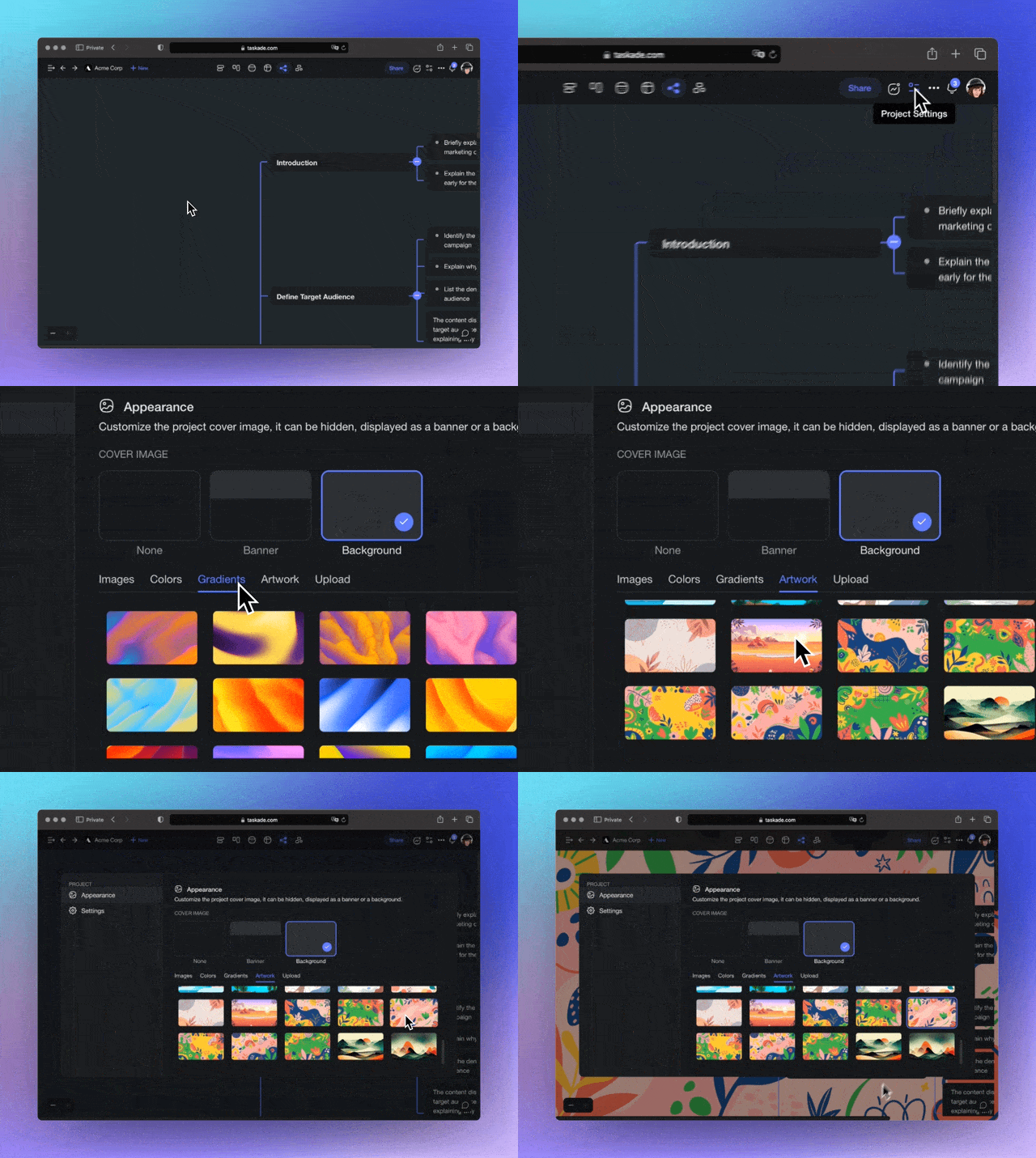
## 👤 **SAML & SSO Authentication**
Does your company rely on an identity provider for secure logins? We're excited to announce that Taskade now supports SAML authentication.
This feature is available for our [Ultimate plan](https://www.taskade.com/pricing) and higher. We currently support major identity providers including Okta, Google, and Azure. [Learn more](https://www.taskade.com/learn/account/saml-okta).
## **🔑 SCIM & Enterprise Grade Security**
We've made user management easier in Taskade by adding SCIM provisioning alongside SAML authentication. This helps IT admins in larger organizations centralize account management with their identity provider system. [Learn more](https://www.taskade.com/learn/account/saml-okta).
With SCIM enabled, user accounts stay synced between Taskade and your identity provider. This feature is available for [Enterprise plans](https://www.taskade.com/pricing).
## **️⚡️ Other Improvements:**
- New: Added organization support for SCIM
- New: AI Translate for Czech, German, Italian, Korean, Portuguese, Slovak, and Vietnamese
- New: Added additional [AI Generators](https://www.taskade.com/generate) and [AI Templates](https://www.taskade.com/templates)
- New: Added checkbox support for /todo and /task commands
- New: [Global Search](https://www.taskade.com/learn/projects/search) now supports assignee filters for projects and tasks
- Improved Multi-Select toolbar when selecting multiple items
- Improved /slash command support for NLP date suggestions
- Improved email notifications for mobile responsiveness
- Improved project import menu and user interface
- Removed Taskade logo branding in email notification headings
- Updated /AI command to default to English regardless of language
- Improved Due Date Picker and resolved various UI issues
- Fixed: Calendar View now hides completed tasks properly
- Fixed: Action View now hides the fold icon when sub-tasks are hidden
- Fixed: Action View now displays the Hide Completed button at the bottom
- Fixed: List and Action View now display Add Block button at the bottom
- Various bug fixes and performance improvements
Have any questions? Visit our [Help Center](https://www.taskade.com/learn) or [let us know](https://www.taskade.com/contact). 😊
— Team Taskade 🐑
## Frequently Asked Questions
### What is Taskade AI Chat?
AI Chat is an AI assistant built into the project chat box. It generates lists, tasks, mind maps, and outlines using natural language prompts. Available in both personal and team projects, it provides instant AI-powered assistance without leaving your workspace.
### How do scheduled templates work in Taskade?
Scheduled templates automatically create new projects on a recurring basis — daily, weekly, or monthly. Set up a template in any workspace or folder, configure the schedule, and Taskade generates fresh projects ahead of time so your recurring workflows are always ready.
### Does Taskade support SAML SSO and SCIM provisioning?
Yes. Taskade supports SAML authentication for single sign-on with identity providers like Okta, Google, and Azure (available on Ultimate plans). SCIM provisioning is available on Enterprise plans, enabling IT admins to sync user accounts automatically between Taskade and their identity provider.
### Can I customize project backgrounds in Taskade?
Yes. Choose from hundreds of colors, gradients, and artwork options in the project settings. Background customizations apply to any project view, letting you personalize the visual environment for different teams, clients, or project types.