# AI Agents for Project Management in 2026: Build the PM Agent Team (Live Demo)
> AI agents for project management in 2026 go beyond dashboards that report — they intake and triage, roll up status, flag risk, and turn meeting notes into tasks. Build a no-code PM agent team in Taskade Genesis, map each agent to one of multiple project views, and wire durable automations. With a live, cloneable demo.
- Source: https://www.taskade.com/blog/ai-agents-project-management
- Published: 2026-06-11
- Author: Taskade Team
> **TL;DR:** AI agents for project management in 2026 move you from dashboards that *report* to agents that *act*. They intake and triage requests, roll up status, flag risks, and turn meeting notes into assigned tasks. In **[Taskade Genesis](https://www.taskade.com/create)** you build a PM agent team from one plain-English brief, map each agent to one of multiple project views, and wire durable automations across 100+ integrations. No engineering team required, 150,000+ apps have already been built on it.
Most "AI for project management" coverage in 2026 is a trends roundup: a list of suites, Wrike, ClickUp, Epicflow, with a paragraph each on their new AI features. Useful for shopping. Useless for *building*.
This guide is the build path. We start from a real outcome a non-technical operator already shipped, show you how to hand specific PM jobs to AI agents, map each agent to one of the **project views** it works in, and wire the durable automations that make agents *do* the work instead of just describing it. There is a live, cloneable demo at the end.
## What are AI agents for project management?
AI agents for project management are AI teammates that **do** project work instead of just reporting on it. A dashboard shows you that three tasks are blocked and waits. An agent reads the same data, decides what to do, and does it, reassigns the owner, drafts the status note, flags the risk to the lead.
The shift is altitude. The first generation of PM tools gave you better *visibility*: nicer charts, smarter filters, real-time boards. The 2026 generation gives you *execution*: agents with tools that read your live project data, make a decision, and push the next action out to the people and apps that need it.
```mermaid
graph LR
subgraph Dashboard["📊 Dashboard era — it reports"]
D1[Data comes in] --> D2[Charts & boards update]
D2 --> D3[You read it]
D3 --> D4[You do the work]
end
subgraph Agents["🤖 Agent era — it acts"]
A1[Event comes in] --> A2[Agent reads the data]
A2 --> A3[Agent decides]
A3 --> A4([Agent does the next step])
end
classDef pink fill:#2a1225,color:#ff8fa3,stroke:#ff2d60,stroke-width:2px;
class A4 pink;
```
In [Taskade Genesis](https://www.taskade.com/agents), each agent ships with **built-in tools**, web search, file analysis, code, persistent memory, and custom slash commands, and runs across **frontier models from top AI labs**. So a project agent isn't a chatbot bolted onto a board. It reads your projects, reasons over them, and acts on them.
## From a dashboard that reports to a team that ships
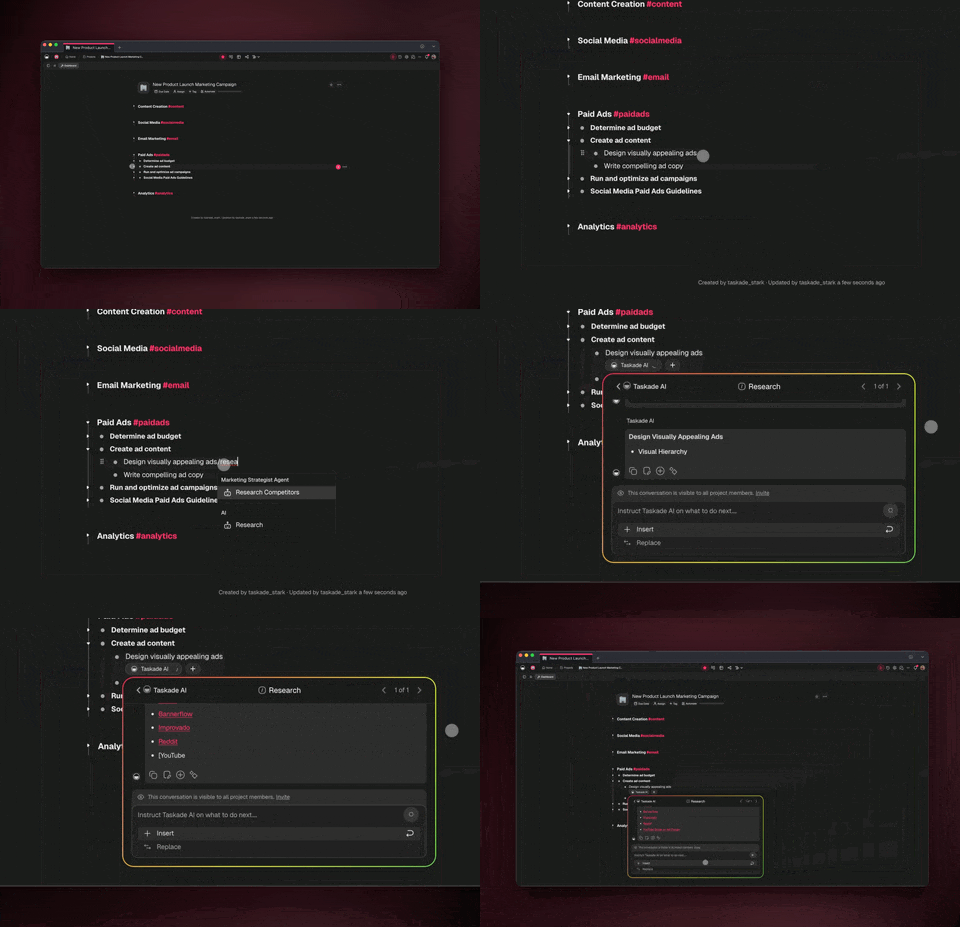
The clearest way to see the shift is a real one. **Taskade's first Enterprise customer, an IT program manager, built a production field-service dashboard on Taskade Genesis with no engineering team.** Four connected projects, **Customers, Jobs, Invoices, and Team**, modeled the whole operation. He described what the business needed in plain English; Taskade Genesis assembled the database, the views, and the app around it.
That's a great dashboard. The 2026 upgrade is to put **agents on top of it** so the dashboard stops waiting for the operator:
- A new job comes in → an **intake agent** files it under the right Customer, sets a priority, and assigns an owner.
- It's Monday → a **status agent** rolls up every active Job into one digest for the Team project.
- A Job slips its date → a **risk agent** flags it on the Board and pings the lead.
- A client call ends → a **notes agent** turns the recording transcript into assigned tasks under that Customer.
Same data the operator already had. The difference is nobody has to read the dashboard and *then* do the work, the agents do the running, the operator does the deciding. That's the whole move: **dashboards that report → a team that ships.** And because it's built on a real app, the output is living software you can hand to the rest of the team, not a one-off report.
## The four PM jobs you can hand to agents
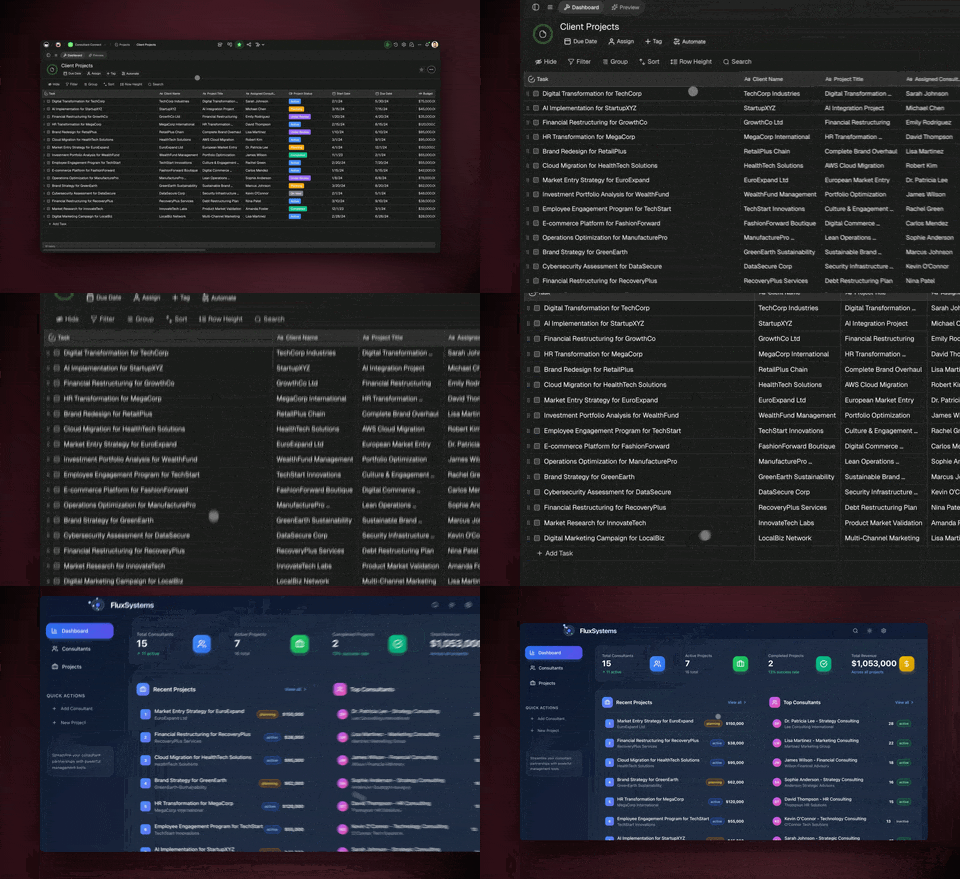
You don't automate "project management" in one shot. You hand agents the four repetitive jobs that eat a PM's week. Each one maps cleanly to a project view, so the agent works *inside* the view your team already uses.
| PM job you hand off | What the agent does | Works in this view | Triggered by |
|---|---|---|---|
| **Intake & triage** | Reads new requests, sets priority, assigns an owner, files under the right project | Board, Table | New form, email, or Slack message |
| **Status rollups** | Summarizes every active item into one digest, posts it to the team | List, Table, Gantt | A schedule (e.g., every Monday 9am) |
| **Risk flagging** | Spots slipping dates, blocked items, and overloaded owners; flags them early | Gantt, Calendar, Org Chart | A status or due-date change |
| **Meeting notes → tasks** | Turns a transcript or notes doc into assigned, dated tasks | List, Board | A new file or call recording |
Notice that this is exactly the "multiple distinct jobs that aren't well suited to one long-running do-everything agent" pattern that practitioners describe as an *orchestration* problem. You give each job to the agent best suited to it and negotiate the handoffs, rather than asking one agent to do all four. (That framing comes from the broader agent-design community, not a Taskade-specific mechanism.)
### Map each agent to the right project view
Taskade Genesis projects ship **multiple views** of the same data, **List, Board, Calendar, Table, Mind Map, Gantt, and Org Chart** (Timeline is part of the Gantt view, not a standalone one). Because every view reads the one source of truth, an agent that edits the Table also updates the Board and the Gantt automatically. Here's the natural pairing:
```mermaid
graph TD
Intake["📥 Intake & triage agent"] --> Board["Board view
sort by priority"]
Status["📊 Status rollup agent"] --> Table["Table view
summarize fields"]
Risk["🚩 Risk-flag agent"] --> Gantt["Gantt view
spot slipping dates"]
Notes["📝 Notes→tasks agent"] --> List["List view
assign & date"]
Board --> Source[("One project
= one source of truth")]
Table --> Source
Gantt --> Source
List --> Source
classDef pink fill:#2a1225,color:#ff8fa3,stroke:#ff2d60,stroke-width:2px;
class Source pink;
```
## Build a PM agent team from one brief (no code)
You don't wire this node by node. You **describe the outcome** and Taskade Genesis builds the app, the database, and the starting agents. Then you assign each agent its job.
**Step 1, Describe the app.** In [Taskade Genesis](https://www.taskade.com/create), write a brief like: *"A project tracker for a services business, Customers, Jobs, Invoices, and a Team workload board. I want to see jobs by status and by due date."* You get a live app with a database and all views.
**Step 2, Add the four agents.** Create one agent per PM job and give each a clear role and the tools it needs. The intake agent gets web search and your form connector; the notes agent gets file analysis; the status agent gets your messaging connector.
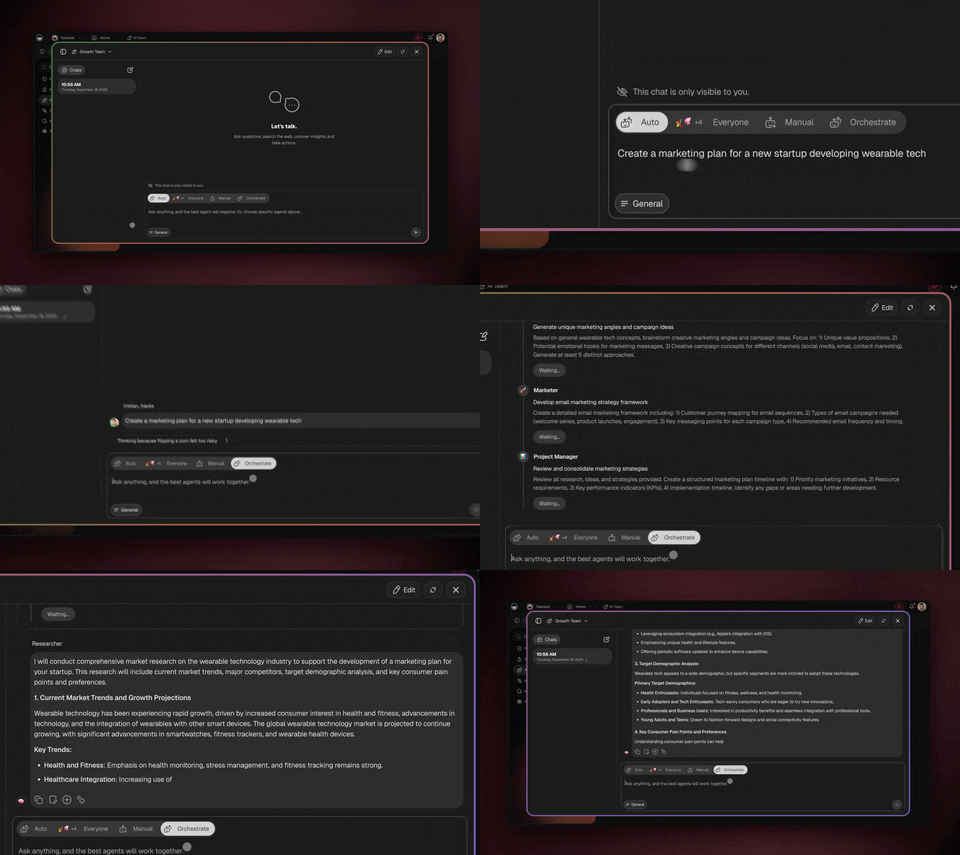
**Step 3, Let them collaborate.** In [orchestration mode](https://www.taskade.com/wiki/ai-agents/agent-orchestration), a manager agent plans the steps and delegates to the right specialist with a review step before anything ships. So the intake agent triages, then hands a clean record to the status agent for the weekly digest.
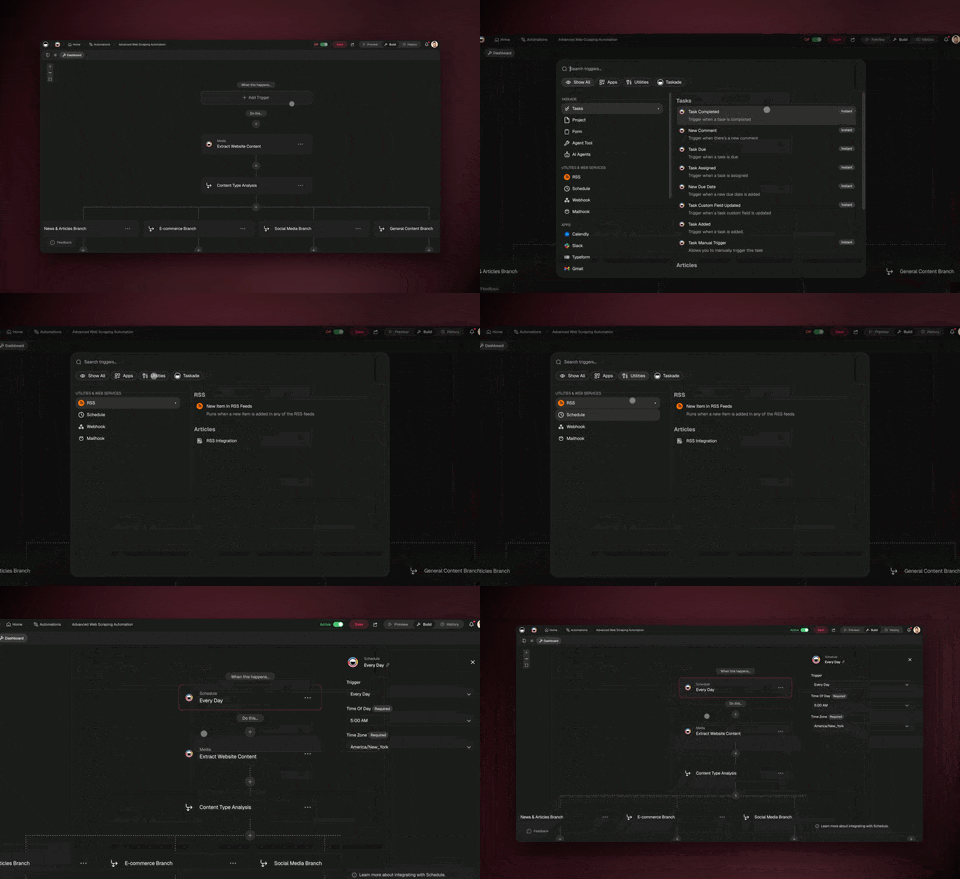
**Step 4, Wire the automations.** Connect triggers (a new form, a date change, a Monday schedule) to actions (create a task, assign an owner, post a digest). These run as reliable, durable workflows.
```
Need an AI agent team for project management?
│
├─ Start from a working app you can clone
│ └─► Open the Taskade App Factory, clone a PM app (~30s), then add agents
│
├─ Build from a description (no template)
│ └─► Describe the outcome in Taskade Genesis → it builds the app + agents
│
├─ Which job hurts most this week?
│ ├─ Drowning in incoming requests ........ Intake & triage agent (Board)
│ ├─ Chasing people for status ............ Status rollup agent (Table)
│ ├─ Surprised by slipped deadlines ....... Risk-flag agent (Gantt)
│ └─ Notes never become tasks ............. Notes→tasks agent (List)
│
└─ Want them to work as one team
└─► Turn on orchestration mode → a manager agent plans & delegates
```
## Wire the durable automations that make agents act
Agents decide; automations carry the action out reliably. Taskade Genesis runs every automation as a **reliable, durable workflow**. It can branch, loop, filter, **wait minutes to days**, and **resume from the exact step that failed** instead of starting over. That matters for project work, where a step might wait on a client reply or a Monday digest.
The flow is bidirectional across **100+ integrations**: triggers **pull events in**, actions **push updates out**.
```mermaid
sequenceDiagram
participant Form as 📥 Intake form (trigger)
participant Agent as 🤖 Intake agent
participant Project as 🗂️ Project (multiple views)
participant Slack as 💬 Slack (action)
Form->>Agent: New job submitted
Agent->>Agent: Read details, set priority
Agent->>Project: Create task, assign owner
Project-->>Agent: Confirmed on Board + Gantt
Agent->>Slack: Post "New job assigned to @lead"
Note over Agent,Slack: Waits, retries, resumes from the failed step
```
Because each integration registers both directions, an agent can listen for a new form submission *and* push a status update back to Slack, update a row in your CRM, or trigger a billing action in Stripe, the same plumbing the [automation hub](https://www.taskade.com/automate) uses. For a deeper build of a multi-agent team, see the companion guide on how to [build an AI agent team](https://www.taskade.com/blog/build-ai-agent-team).
## Taskade Genesis vs dedicated PM suites: an honest comparison
Dedicated PM platforms are good software, and for some teams they remain the right call. Here's the balanced view.
| | Taskade Genesis | Wrike | ClickUp | Epicflow |
|---|---|---|---|---|
| **Core strength** | Build a custom PM app + agent team from one brief | Enterprise work management + proofing | All-in-one PM with deep customization | Multi-project resource & capacity planning |
| **AI agents that act on data** | ✅ built-in tools, multi-agent | ⚠️ AI assist features | ⚠️ AI assist (Brain) | ⚠️ AI scheduling/forecasting |
| **Builds a shareable app** | ✅ Live app + custom domain | ❌ | ❌ | ❌ |
| **Project views** | List, Board, Calendar, Table, Mind Map, Gantt, Org Chart | Multiple | 15+ | Gantt/resource-focused |
| **Bidirectional integrations** | 100+ (triggers in, actions out) | Many | Many | Focused |
| **No engineering team needed** | ✅ Describe it | ✅ | ✅ | ✅ |
| **Starting price (annual)** | Free | Per-user paid | Free / per-user | Custom |
**Where the dedicated suites genuinely shine:**
- **Wrike** has mature enterprise governance, request forms, and proofing/approval workflows that large marketing and services orgs rely on.
- **ClickUp** is extraordinarily customizable, with one of the deepest feature sets and view libraries in the category, plus its own AI assistant.
- **Epicflow** is purpose-built for **resource and capacity planning across many concurrent projects**, pipeline-level forecasting that general PM tools don't attempt.
> **When a dedicated PM suite is still the right call**
>
> If your core need is **portfolio-level resource management, formal proofing/approval chains, or mature PMO governance and compliance reporting** at enterprise scale, a dedicated suite like Wrike, ClickUp, or Epicflow is built for exactly that and will serve you well. Reach for Taskade Genesis when you want to **build a custom PM app and an agent team that acts on your data** from a plain-English description, especially with no engineering team, and connect it to the rest of your stack with 100+ bidirectional integrations.
The two aren't mutually exclusive. Plenty of teams keep a suite as their system of record and add a Taskade Genesis agent team on top to handle intake, rollups, and notes-to-tasks.
## Try it before you build: clone a live PM app
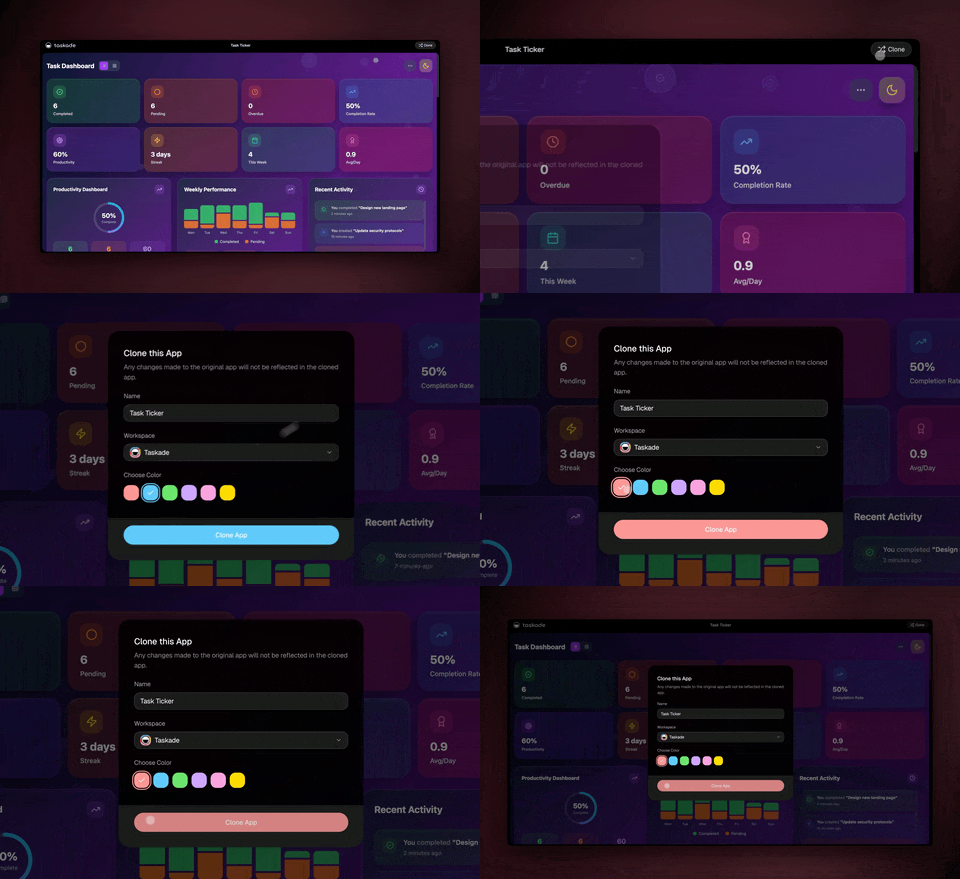
You don't have to start from a blank prompt. The [Taskade App Factory](https://www.taskade.com/apps) has working, cloneable apps you can run in your own workspace in about 30 seconds, change the data, add your agents, and you have a head start.
For background on the building blocks, the [project management wiki](https://www.taskade.com/wiki/project-management) covers the fundamentals (Gantt, dependencies, KPIs), and the [AI agents hub](https://www.taskade.com/agents) shows what agents can do once they're on top of your projects.
## How AI agents change a project manager's week
AI agents don't replace the project manager. They remove the repetitive execution so the human does the judgment. Here's the before-and-after of a typical week.
| The PM's week | Before agents | With a PM agent team |
|---|---|---|
| **Monday status** | Chase 8 people, assemble a digest by hand | Status agent posts the digest at 9am |
| **New requests** | Manually sort, prioritize, assign | Intake agent triages on arrival |
| **Risk** | Notice slips after they happen | Risk agent flags them before the date |
| **Meetings** | Notes rot in a doc | Notes agent ships assigned tasks same day |
| **The PM's focus** | Coordinating updates | Steering priorities & stakeholders |
The point isn't fewer people. It's the manager moving **from chasing updates to steering outcomes**, and the project app, the agents, and the [persistent memory](https://www.taskade.com/wiki/ai-agents/agent-memory) of your workspace compounding over time instead of resetting every sprint.
## Frequently asked questions
### What are AI agents for project management?
AI agents for project management are AI teammates that *do* project work, not just report on it. Instead of a dashboard you read, an agent intakes and triages requests, rolls up status, flags risks, and turns meeting notes into assigned tasks. In [Taskade Genesis](https://www.taskade.com/agents), these agents have **built-in tools** and act on your live project data across multiple views.
### How do I build an AI agent team for project management without code?
Describe the outcome in plain English and [Taskade Genesis](https://www.taskade.com/create) builds it. Start with one brief, "a tracker for customers, jobs, invoices, and team workload", and it ships a live app with a database, agents, and automations. Then assign each agent one PM job. No engineering team required. 150,000+ apps have been built on Taskade Genesis since launch.
### What is the difference between a project dashboard and an AI agent?
A dashboard *reports*. It shows the state of your projects and waits for you to act. An AI agent *acts*. It reads the same data, decides, and does the next step. Taskade Genesis gives you both: a real app with multiple project views for visibility, plus agents and durable automations that move the work forward.
### Can AI agents update tasks and assign work automatically?
Yes. Agents run on reliable, durable automation workflows that branch, loop, filter, wait minutes to days, and resume from the failed step. Triggers pull events in; actions push updates out across [100+ bidirectional integrations](https://www.taskade.com/automate). So an agent can read an intake form, create the task, assign an owner, and post a summary automatically.
### Which project views do AI agents work with?
Taskade Genesis projects ship **multiple views**, List, Board, Calendar, Table, Mind Map, Gantt, and Org Chart (Timeline is part of Gantt, not standalone). The same data renders in all 7, so a triage agent can sort a Board while a status agent summarizes a Table, all reading one source of truth.
### Are AI agents for project management better than Wrike, ClickUp, or Epicflow?
It depends on the job. Wrike, ClickUp, and Epicflow are strong dedicated suites with deep resource management and governance, excellent if you need those. [Taskade Genesis](https://www.taskade.com/create) is the better fit when you want to build a custom PM app and an agent team from a description, with agents that act on the data and 100+ integrations.
### Can a non-technical project manager build this?
Yes. That's the point. An IT program manager built a production field-service dashboard (Customers, Jobs, Invoices, Team) on Taskade Genesis with no engineering team, just by describing what the business needed. It starts free, with Pro from $10/month on annual billing.
### How much do AI agents for project management cost?
Taskade Genesis is free to start, then Pro $10/mo (10 users), Business $25/mo, Max $100/mo, and Enterprise $250/mo on annual billing. Agents with built-in tools, durable automations, 100+ integrations, and app publishing are part of the platform, not a separate tool on top.
### Can I share or reuse a PM agent app I build?
Yes. Every app you build on [Taskade Genesis](https://www.taskade.com/create) has a live, shareable URL. Publish it with a custom domain and built-in sign-in, share it to the [Taskade App Factory](https://www.taskade.com/apps), or package it as an app kit. You can also clone a working PM app from the gallery in about 30 seconds and run it in your own workspace before building from scratch.
### Do AI agents replace project managers?
No. Agents take the repetitive execution, triage, rollups, risk flags, notes-to-tasks, off the PM's plate so the human focuses on priorities, stakeholders, and judgment. The agent does the running; you do the deciding.
---
**Ready to hand the busywork to a team that ships?** [Start free with Taskade Genesis](https://www.taskade.com/create), describe your project tracker, add your PM agents, and let them triage, roll up, flag, and assign while you steer.
Explore the [AI agents hub](https://www.taskade.com/agents), browse [cloneable PM apps](https://www.taskade.com/apps), wire workflows on the [automation hub](https://www.taskade.com/automate), or read the companion guide on how to [build an AI agent team](https://www.taskade.com/blog/build-ai-agent-team). Looking at automation tools too? See our [Make alternatives](https://www.taskade.com/blog/make-alternatives) comparison.
▲ ■ ● Memory feeds Intelligence, Intelligence triggers Execution, your projects, agents, and automations compounding into a PM team that ships.