# AI Agent Sandboxes: Where Should Your Agent Run? (2026)
> Where should an AI agent run code? A vendor-neutral guide to agent sandboxes: the threat model, microVMs vs containers, brain vs hands, and 20 options compared.
- Source: https://www.taskade.com/blog/ai-agent-sandboxes
- Published: 2026-11-02
- Author: Stan Chang
In December 2025, a developer posted what happened after a coding agent ran one cleanup command on their machine:
```bash
rm -rf tests/ patches/ plan/ ~/
```
The last two characters were the problem. `~/` is the home directory. The agent deleted the developer's desktop, documents, downloads, application data, and keychain. Docker later wrote the incident up in its Coding Agent Horror Stories series, and its diagnosis is the best one-sentence case for everything in this guide: **"the agent runs as you, on your filesystem, with your credentials, and nothing sits between the model's decision and the shell's execution."**
Agents are no longer chatbots. They run code, install packages, call APIs, and edit files, and every one of those actions is taken by a system that can be confidently wrong or quietly manipulated by the text it reads. The question is no longer *whether* an agent needs a boundary. It is where the boundary goes, how strong it is, and what sits on each side of it.
That is the question LangChain's Harrison Chase put to Browserbase founder Paul Klein in September 2026: **does the agent run in the sandbox, or do you separate the brains and the hands?** This guide answers it. It covers the threat model, the isolation spectrum from a virtual file system to a microVM, the five decisions that define where an agent runs, and a vendor-neutral comparison of 20 sandbox options. We don't sell a sandbox, so nothing here is ranked to favor one.
> **TL;DR:** An AI agent sandbox is an isolated place for an agent to run code and tools, so mistakes stay inside it. In 2026 the default for untrusted code is a **microVM with its own kernel**, the agent loop increasingly runs **outside** the sandbox, secrets stay **outside** too, and egress goes through an allowlist. [Build agents without managing a sandbox →](https://www.taskade.com/create)
---
## What Is an AI Agent Sandbox?
An AI agent sandbox is an isolated execution environment where an agent runs code, shell commands, and tools, so a wrong or malicious action changes only what is inside the sandbox. A good sandbox limits three things: what the agent can touch on the machine, what it can reach on the network, and which credentials it can see. For a short definition, see our [agent sandbox wiki entry](https://www.taskade.com/wiki/ai-agents/agent-sandbox).
The metaphor is literal. A playground sandbox is a small, bounded space where anything can happen to the sand and nothing happens to the street. An agent sandbox is the same bargain, made for software that writes and runs its own code. Inside the box, the agent is free. Outside it, nothing changes unless the box lets it through.
A sandbox is one layer of an agent's safety, not all of it. It sits beside [agent permissions](https://www.taskade.com/wiki/ai-agents/agent-permissions) (what the agent is allowed to call), [guardrails](https://www.taskade.com/wiki/ai/guardrails) (what it is allowed to say or do), and [human-in-the-loop approval](https://www.taskade.com/wiki/ai-agents/human-in-the-loop) (what a person must confirm). The sandbox answers a narrower question: **when the agent does something, where does it happen?**

*Every agent runs some version of this loop: plan, act, observe, repeat. The sandbox decides where the "act" step lands.*
---
## AI Agent Sandboxes at a Glance (2026)
| Question | The 2026 answer |
|----------|-----------------|
| **What is it for?** | Running model-generated code and commands without risk to the host, the network, or your credentials |
| **Default isolation for untrusted code** | A microVM with its own guest kernel (Firecracker, Cloud Hypervisor) |
| **Lighter options** | gVisor, containers, OS-level process sandboxes, and in-process virtual file systems |
| **Where the agent loop runs** | Increasingly outside the sandbox, calling it as a tool ("brain vs hands") |
| **Where secrets live** | Outside the sandbox, injected by a proxy only for allowlisted destinations |
| **Lifetime** | Ephemeral per task, or persistent with snapshots, pause, and fork |
| **Biggest risk a sandbox does not fix** | Prompt injection that misuses access the agent legitimately has |
| **Options compared in this guide** | 20 hosted, local, self-hosted, and in-process options |
---
## Why Do AI Agents Need a Sandbox?
AI agents need a sandbox because they take real actions with real permissions, and they can be wrong or manipulated at machine speed. An agent that can run shell commands can delete files. An agent that reads web pages can be instructed by them. An agent holding your API keys can send them somewhere. The sandbox exists to make each of those outcomes survivable.
Five failure classes cover the incidents teams most often report:
| Failure class | What happens | Real-world shape |
|---------------|--------------|------------------|
| **Destructive command** | The agent deletes or overwrites something outside its task | `rm -rf` with a stray path; a cleanup step that matches too many files |
| **Prompt injection** | Content the agent reads contains instructions it follows | A web page, email, or issue comment tells the agent to run a script or leak data |
| **Data exfiltration** | Private data leaves through a channel the agent can use | An injected agent posts files to an attacker's server |
| **Credential theft** | The agent, or code it runs, reads secrets it should only use | Anthropic's own example: a prompt-injected agent that can "steal your SSH keys, or phone home to an attacker's server" |
| **Resource abuse** | Runaway or hijacked code burns compute or attacks others | Infinite loops, crypto mining, outbound scanning from your infrastructure |
The first class is an accident. The other four are what security researchers mean when they say agents need a new threat model. Two frameworks now anchor it.
**Simon Willison's lethal trifecta** (June 2025): an agent becomes exploitable when one context combines **access to private data**, **exposure to untrusted content**, and **the ability to communicate externally**. Any two are manageable. All three together let an attacker's instructions reach your data and carry it out.
**Meta's Agents Rule of Two** (October 2025) turns the trifecta into a design rule: an agent session should satisfy no more than two of three properties (processing untrustworthy input, access to sensitive systems or private data, and the ability to change state or communicate externally). A task that needs all three requires a fresh session or a human approval step.
```mermaid
graph TD
P["Access to private data"] --> R{"All three in
one session?"}
U["Exposure to untrusted content"] --> R
E["Ability to act or
communicate externally"] --> R
R -->|"No: at most two"| OK["Manageable
Rule of Two satisfied"]
R -->|"Yes: lethal trifecta"| H{"Human approval
or fresh session?"}
H -->|"Yes"| OK2["Proceed with a checkpoint"]
H -->|"No"| X["Exploitable:
injected instructions can
reach data and carry it out"]
style P fill:#0d1b2a,color:#7dd3fc,stroke:#38bdf8,stroke-width:1.5px
style U fill:#1a140a,color:#ffb74d,stroke:#e65100,stroke-width:1.5px
style E fill:#1a0d24,color:#ce93d8,stroke:#6a1b9a,stroke-width:1.5px
style R fill:#1e1e2e,color:#94a3b8,stroke:#475569
style H fill:#1e1e2e,color:#94a3b8,stroke:#475569
style OK fill:#0d1a0e,color:#86efac,stroke:#22c55e,stroke-width:1.5px
style OK2 fill:#0d1a0e,color:#86efac,stroke:#22c55e,stroke-width:1.5px
style X fill:#1a0d0d,color:#ef9a9a,stroke:#b71c1c,stroke-width:1.5px
```
A sandbox attacks the trifecta from the "act" side. It shrinks what the agent can touch and where it can send things, so even a successful injection has less to steal and fewer ways out. It does not remove the need for the other two sides, which is why the control layer later in this guide matters as much as the isolation technology.
---
## The Isolation Spectrum: From a Virtual File System to a MicroVM
Agent sandboxes sit on a spectrum from "no operating system at all" to "a separate machine." Stronger isolation defends against more, and costs more in startup time, memory, and complexity. The key line on the spectrum is the **kernel**: below it, the agent's code and the host share one kernel, so a kernel bug can cross the boundary; above it, they do not.
```
STRONGER ISOLATION ▲ cost, startup time ▲
─────────────────────────────────────────────────────────────────────────────────────────
Separate machine own hardware ................................ slowest, priciest
Full virtual machine own kernel, full hypervisor .................. seconds to minutes
MicroVM own kernel, minimal VMM (Firecracker) ........ ~sub-second to seconds
═══════════════════════ KERNEL BOUNDARY: below this line the host kernel is shared ═══════
gVisor user-space kernel intercepts syscalls ........ fast, some syscall cost
Container namespaces + cgroups, shared host kernel ..... fast
OS process sandbox Seatbelt / bubblewrap / seccomp rules ......... near-instant
In-process interpreter virtual file system, no OS access at all ..... microseconds
─────────────────────────────────────────────────────────────────────────────────────────
WEAKER ISOLATION ▼ cheapest ▼
```
| Level (example) | How it isolates | Defends against | Watch out for |
|-----------------|-----------------|-----------------|---------------|
| **In-process interpreter** (just-bash, Pydantic Monty) | Reimplements a shell or language over a virtual file system; no real OS access | Accidental file damage; most host access | Runs only what the interpreter supports; escapes target the host language runtime |
| **OS process sandbox** (Anthropic's sandbox-runtime) | Kernel-enforced rules on files and network for one process (Seatbelt, bubblewrap) | Local file damage; unapproved network calls | Shares everything else with your machine |
| **Container** (default Daytona sandboxes, Codex cloud) | Linux namespaces and cgroups | Noisy neighbors; casual file access | Shares the host kernel, so a kernel exploit escapes |
| **gVisor** (Modal Sandboxes by default) | A user-space kernel handles the workload's system calls | Many host-kernel bugs | Slower on syscall-heavy work; not a hypervisor |
| **MicroVM** (E2B, Vercel Sandbox, Blaxel, Fly Sprites) | Hardware virtualization with a tiny guest VM and its own kernel | Kernel exploits; cross-tenant attacks | Startup and memory cost; network and secrets still need controls |
Fly.io's September 2026 comparison states the trade-off cleanly: gVisor defends against host kernel bugs at a cost on syscall-heavy workloads, while Firecracker boots a real guest kernel and defends against a compromised guest. Fly adds the caveat that matters most: **neither primitive replaces the rest of the design.** Credentials, reachability, and network egress still need controls at every level.
```mermaid
graph TD
subgraph c["Container"]
CA["Agent code"]
end
subgraph g["gVisor"]
GA["Agent code"] --> GK["User-space kernel"]
end
subgraph m["MicroVM"]
MA["Agent code"] --> MK["Guest kernel"]
end
CA -->|"system calls go
straight to the host"| HK["Host kernel
(shared by everything
on the machine)"]
GK -->|"filtered calls"| HK
MK -->|"hypervisor boundary"| HK
style CA fill:#1a140a,color:#ffb74d,stroke:#e65100,stroke-width:1.5px
style GA fill:#0d1b2a,color:#7dd3fc,stroke:#38bdf8,stroke-width:1.5px
style GK fill:#0d1b2a,color:#7dd3fc,stroke:#38bdf8,stroke-width:1.5px
style MA fill:#0d1a0e,color:#86efac,stroke:#22c55e,stroke-width:1.5px
style MK fill:#0d1a0e,color:#86efac,stroke:#22c55e,stroke-width:1.5px
style HK fill:#1a0d0d,color:#ef9a9a,stroke:#b71c1c,stroke-width:1.5px
style c fill:#1a140a,stroke:#3a2a1a
style g fill:#0a1420,stroke:#1a2a45
style m fill:#0a1a14,stroke:#1b3d2a
```
The industry has voted with its launches. Of the hosted code-execution services in this guide, most run each sandbox in a microVM, and Vercel put a number on its confidence: from August 18 to September 1, 2026, it offered up to **$1 million** in bounties to anyone who could escape Vercel Sandbox, on the principle that "the microVM, not the container, is the security boundary."
---
## Where Should the Agent Run? Brain Inside or Outside the Sandbox
The biggest architecture decision is not which isolation technology to use. It is whether the agent's loop (the model calls, the planning, the memory) runs **inside** the sandbox with its tools, or **outside** it, calling the sandbox as a tool. Anthropic's April 2026 engineering post named the split: the model and harness are the **brain**; sandboxes and tools are the **hands**.
**Brain inside the sandbox** is the classic coding-agent setup. The agent, its tools, and the files all live in one environment, like a coding agent in a container or on a developer's laptop wrapped in an OS-level sandbox.
```mermaid
sequenceDiagram
participant U as User
participant S as Sandbox (agent + tools + secrets)
participant M as Model API
participant N as Internet
U->>S: Task
S->>M: Prompt with context
M-->>S: Next action
S->>S: Run command, edit files
S->>N: Outbound request (secrets available inside)
N-->>S: Response (may contain injected instructions)
S-->>U: Result
```
**Brain outside the sandbox** keeps the loop, the memory, and the credentials in a trusted service. The sandbox only receives commands and returns results, and every outbound request crosses a control layer.
```mermaid
sequenceDiagram
participant U as User
participant B as Brain (agent loop + memory)
participant C as Control layer
participant H as Hands (disposable sandbox)
participant N as Internet
U->>B: Task
B->>H: Run this command
H->>C: Outbound request (no secrets inside)
C->>C: Allowlist check, inject credential, redact data
C->>N: Approved request
N-->>C: Response
C-->>H: Filtered response
H-->>B: Result only
B-->>U: Answer
```
| | Brain inside the sandbox | Brain outside the sandbox |
|---|---|---|
| **Credentials** | Live where model-generated code runs | Never enter the sandbox |
| **If the sandbox crashes** | The session goes with it | The brain spins up a new sandbox and continues |
| **Inspecting traffic** | Hard: the agent is the network client | Natural: every request crosses a control layer |
| **Latency** | No network hop per tool call | A hop per call, but no sandbox to boot before the first answer |
| **Best fit** | Local coding agents, one developer, one machine | Hosted agents, many users, untrusted inputs |
The trend line is clear. Anthropic reported that decoupling the brain from the hands cut time to first token by about **60 percent at the median and more than 90 percent at p95**, because a conversation no longer waits for a container to boot, and that tokens are "never reachable from the sandbox where Claude's generated code runs." LangChain's Deep Agents can run locally while their code executes in a remote sandbox. And Browserbase's Paul Klein described the same move on *Navigators*: customers increasingly separate the agent brain from the tool calls, with a layer between them that can strip personal data before a request leaves and block prompt injection coming back.
This is also where the sandbox meets the [agent harness](https://www.taskade.com/blog/agent-harness-explained). The harness is the brain's operating system: the loop, the tools, the memory, the checks. The sandbox is where the harness sends the risky work.
---
## Do You Need a Real Sandbox or a Virtual File System?
Many agents do not need a container or a VM at all. If an agent only reads, writes, and searches files, an in-process **virtual file system** gives it the same file-handling abilities as a coding agent without booting anything. You need a real sandbox when the agent must run arbitrary programs, install packages, or use real command-line tools.
Two open-source projects define the no-container category:
- **[just-bash](https://github.com/vercel-labs/just-bash)** from Vercel Labs is a bash reimplementation in TypeScript over an in-memory file system. Its README is candid about the trade: "All execution happens without VM isolation." It offers the same API as Vercel Sandbox while running entirely in-process, and points developers to Vercel Sandbox "if you need a full VM with arbitrary binary execution."
- **[Monty](https://pydantic.dev/articles/pydantic-monty)** from Pydantic is a minimal Python interpreter written in Rust that "runs Python written by a model with no container, VM or sandboxing service in the loop," starting from zero access: no file system, no network, no environment variables. Pydantic's own benchmark claims 5 ms to create a sandbox and run ten commands, against 900 ms for Docker.
Harrison Chase told the story of the boundary on *Navigators*. Deep Agents ships a virtual file system so most agents never need a container. One customer used it for document analysis, then moved everything to a full sandbox, because its users wanted command-line tools, such as PowerPoint utilities, that a mock cannot supply.
```mermaid
graph TD
Q1{"Does the agent run
arbitrary programs or
install packages?"} -->|"No"| Q2{"Does it only read,
write, and search files?"}
Q1 -->|"Yes"| SB["Real sandbox
microVM or gVisor"]
Q2 -->|"Yes"| VFS["Virtual file system
or in-process interpreter"]
Q2 -->|"No, it calls APIs"| TOOLS["Scoped tools and
integrations, no sandbox"]
SB --> Q3{"Untrusted input or
multi-tenant?"}
Q3 -->|"Yes"| MVM["MicroVM, brain outside,
egress allowlist"]
Q3 -->|"No, one trusted user"| LOCAL["OS-level or container
sandbox is often enough"]
style Q1 fill:#1e1e2e,color:#94a3b8,stroke:#475569
style Q2 fill:#1e1e2e,color:#94a3b8,stroke:#475569
style Q3 fill:#1e1e2e,color:#94a3b8,stroke:#475569
style SB fill:#1a0d24,color:#ce93d8,stroke:#6a1b9a,stroke-width:1.5px
style VFS fill:#0d1a0e,color:#86efac,stroke:#22c55e,stroke-width:1.5px
style TOOLS fill:#0d1b2a,color:#7dd3fc,stroke:#38bdf8,stroke-width:1.5px
style MVM fill:#2a1225,color:#ff8fa3,stroke:#ff2d60,stroke-width:2px
style LOCAL fill:#11111b,color:#cdd6f4,stroke:#00d4aa
```
| | Virtual file system | Real sandbox |
|---|---|---|
| **Startup** | Microseconds to milliseconds | Milliseconds to seconds |
| **Runs arbitrary binaries** | No | Yes |
| **Installs packages** | No | Yes |
| **Network access** | Only what you wire in | Whatever the egress policy allows |
| **Isolation** | Language-runtime boundary | Kernel or hypervisor boundary |
| **Best for** | Document work, planning files, notes, large tool outputs | Code execution, data science, CLIs, builds |
The middle path is common: a virtual file system for the agent's working memory (plans, notes, [offloaded tool results](https://www.taskade.com/blog/context-engineering)), and a real sandbox only for the steps that execute code.
---
## Ephemeral or Persistent? Deciding How Long a Sandbox Lives
A sandbox's lifetime is a security decision and a cost decision at once. An **ephemeral** sandbox is created for one task and destroyed after it, so nothing carries over. A **persistent** sandbox survives between sessions, so a coding agent does not re-clone a repository and reinstall dependencies on every run.
Klein's advice on *Navigators* leans ephemeral for tools: run them in "some sort of safe environment that could be destructible, like one-time use," because a reused environment invites pollution from the previous call. Fly.io's September 2026 guide frames the same trade-off as practical rather than purely about security: ephemeral means no state to carry contamination forward, persistent means no repeated setup.
```mermaid
stateDiagram-v2
[*] --> Template: build image or snapshot once
Template --> Running: create or fork
Running --> Paused: idle, save memory and disk
Paused --> Running: resume in milliseconds to seconds
Running --> Snapshot: checkpoint
Snapshot --> Running: fork a clean copy
Running --> Destroyed: task done (ephemeral)
Paused --> Destroyed: expiry or cleanup
Destroyed --> [*]
```
Snapshots made the choice less binary. Build a clean environment once, snapshot it, and fork a fresh copy for every task: persistent setup, ephemeral runs. The vendors differ in exactly what survives:
| Platform | What persists | Vendor-stated detail |
|----------|---------------|---------------------|
| **E2B** | Pause saves memory and file system | Paused sandboxes stay available until killed |
| **Vercel Sandbox** | File system auto-snapshots on stop | Sessions up to 45 minutes (Hobby) or 24 hours (Pro) |
| **Blaxel** | Standby snapshots memory and processes | Resume "in under 25ms" after about 15 seconds idle |
| **Daytona** | VM tier adds pause, fork, and hot snapshots | Default container tier auto-stops when idle |
| **Modal** | File system snapshots become reusable images | Snapshotting currently terminates the sandbox |
| **Cloudflare Containers** | Fresh disk on every start | Docs say snapshots are "coming soon" |
| **Anthropic code execution** | Containers checkpoint after about 5 idle minutes | Containers expire 30 days after creation |
---
## The Control Layer: Egress, Secrets, and the Gateway
Isolation stops an agent from breaking the host. It does not stop an agent from misusing the network access and credentials it has. Anthropic's Claude Code team put the dependency plainly: "Without network isolation, a compromised agent could exfiltrate sensitive files like SSH keys; without filesystem isolation, a compromised agent could easily escape the sandbox and gain network access." Controlling the network is the job of the **control layer**, the checkpoint every outbound request crosses. In 2026 it has converged on four patterns.
1. **Egress allowlists.** The sandbox can reach only named destinations. Everything else fails. It is one of the most effective defenses against exfiltration.
2. **Secret injection at a proxy.** The sandbox holds a placeholder, and a proxy outside it swaps in the real credential only for allowlisted hosts. Vercel describes code that "can use credentials through the injection proxy while running, but can't read or exfiltrate them." Daytona, LangSmith's auth proxy, and Anthropic's vault-and-proxy design follow the same pattern.
3. **Redaction at the model boundary.** A model gateway can strip personal data and secrets from prompts before they reach a model provider, and enforce spend limits. LangSmith's LLM Gateway, in public beta since July 30, 2026, does both, and Harrison Chase told *Navigators* that building a gateway "way too late" was the infrastructure bet LangChain got wrong. The [full story is in our LangChain history](https://www.taskade.com/blog/langchain-history).
4. **Human approval for irreversible actions.** Some actions (deleting data, sending money, emailing customers) deserve a person's confirmation no matter how good the sandbox is.
```mermaid
graph TD
AG["Agent in sandbox
(no real secrets)"] --> EP{"Egress proxy"}
EP -->|"host on allowlist"| INJ["Inject credential
for this host only"]
EP -->|"host not allowed"| BLK["Blocked and logged"]
INJ --> API["External API"]
AG --> GW{"Model gateway"}
GW -->|"redact PII, check budget"| LLM["Model provider"]
AG --> AP{"Destructive action?"}
AP -->|"yes"| HU["Human approves
or rejects"]
style AG fill:#1a0d24,color:#ce93d8,stroke:#6a1b9a,stroke-width:1.5px
style EP fill:#1a140a,color:#ffb74d,stroke:#e65100,stroke-width:1.5px
style GW fill:#1a140a,color:#ffb74d,stroke:#e65100,stroke-width:1.5px
style AP fill:#1a140a,color:#ffb74d,stroke:#e65100,stroke-width:1.5px
style INJ fill:#0d1a0e,color:#86efac,stroke:#22c55e,stroke-width:1.5px
style BLK fill:#1a0d0d,color:#ef9a9a,stroke:#b71c1c,stroke-width:1.5px
style API fill:#0d1b2a,color:#7dd3fc,stroke:#38bdf8,stroke-width:1.5px
style LLM fill:#0d1b2a,color:#7dd3fc,stroke:#38bdf8,stroke-width:1.5px
style HU fill:#2a1225,color:#ff8fa3,stroke:#ff2d60,stroke-width:2px
```
| Pattern | Stops | Does not stop |
|---------|-------|---------------|
| **Egress allowlist** | Data sent to arbitrary hosts | Misuse of an allowed host |
| **Secret injection proxy** | Code reading or leaking raw credentials | Misuse of the credential through the proxy |
| **Model gateway** | Sensitive data reaching a model provider; runaway spend | Misbehavior inside the sandbox |
| **Human approval** | Irreversible actions without consent | Many small harmful actions that each look fine |
[](https://www.taskade.com/share/apps/msp0wsmgwjl8an7d)
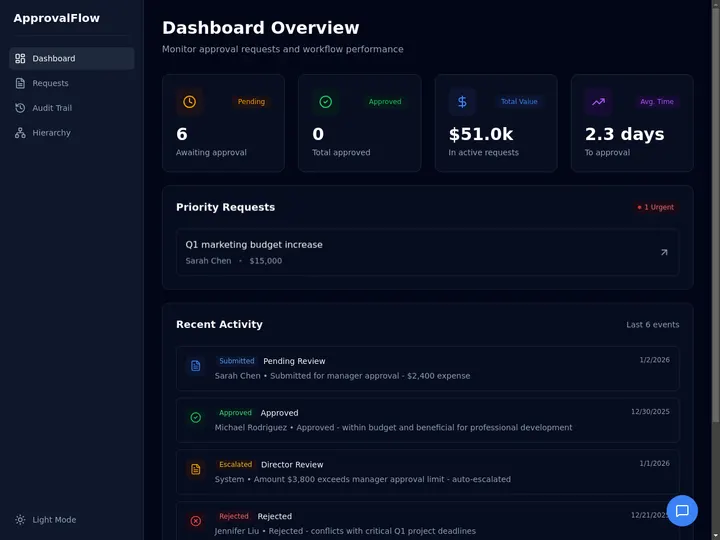
*The fourth pattern is the one people forget to build. This approval tracker was built from a prompt in [Taskade Genesis](https://www.taskade.com/create). Clone it and adapt the steps to your own review process.*
---
## The AI Agent Sandbox Landscape in 2026: 20 Options Compared
Twenty options now cover the space, from hosted microVM services to local sandboxes and in-process interpreters. The table below compares them on the dimensions that decide fit: isolation, lifetime, openness, and maturity. Performance figures are vendor claims, labeled as such, because no widely accepted neutral benchmark covers the whole field yet. Details come from each vendor's own documentation, read in September 2026.
| Option | Isolation | Lifetime and state | Open source | Launched or GA |
|--------|-----------|-------------------|-------------|----------------|
| **E2B** | Firecracker microVM, own kernel | Up to 24 h; pause and resume with memory | Yes (Apache-2.0) | 2023 |
| **Vercel Sandbox** | Firecracker microVM | Auto-snapshot persistence; up to 24 h sessions | SDK only | GA Jan 30, 2026 |
| **Blaxel** | Firecracker microVM | Standby snapshots; runs for any duration | In-VM API only (MIT) | Apr 2025 |
| **CodeSandbox SDK** | Firecracker microVM | Hibernate with memory snapshot | License unclear | Dec 2024; out of beta May 2025 |
| **Fly.io Sprites** | Firecracker microVM | Persistent disk; checkpoints | No | Jan 9, 2026 |
| **LangSmith Sandboxes** | Hardware-virtualized microVM | Snapshots and forks; auth proxy | No | Preview Mar 17, 2026; GA May 14, 2026 |
| **Deno Sandbox** | Linux microVM | Sessions up to 30 min, extendable; volumes | SDK only (MIT) | Beta Feb 3, 2026 |
| **Modal Sandboxes** | gVisor by default; VM option | 5 min default, up to 24 h; file system snapshots | Client only | GA Jan 21, 2025 |
| **Daytona** | Container by default; VM tier | Auto-stop; VM tier adds pause, fork, snapshots | Closed since Jun 11, 2026 | Cloud Apr 28, 2025 |
| **Northflank** | Kata with Cloud Hypervisor, or gVisor | Long-lived services; scale to zero | No | Not stated |
| **Cloudflare Sandbox SDK** | VM per container | Sleeps after 10 idle min; backups opt-in | SDK only (Apache-2.0) | GA Apr 13, 2026 |
| **Runloop** | VM plus container | 1 h default; suspend, resume, disk snapshots | No | GA May 20, 2025 |
| **OpenAI Codex cloud** | Container per task | Setup cached up to 12 h | Base image only | GA Oct 6, 2025 |
| **OpenAI Agents SDK sandbox agents** | Provider you plug in | Resumable sessions; workspace snapshots | SDK yes (MIT) | Beta Apr 15, 2026 |
| **Anthropic code execution tool** | Hosted container, no internet | Checkpoints; 30-day expiry | No | GA (date not stated) |
| **Anthropic sandbox-runtime** | OS-level (Seatbelt, bubblewrap) | Lives as long as the wrapped process | Yes (Apache-2.0) | Oct 20, 2025 (research preview) |
| **Docker Sandboxes** | MicroVM (since Jan 2026) | Disposable by default | No | Experimental since Nov 2025 |
| **Kubernetes agent-sandbox** | Orchestrates gVisor or Kata pods | Stateful pod; pause, resume, warm pools | Yes (Apache-2.0) | Aug 2025; API still v1beta1 |
| **just-bash** | In-process bash over a virtual file system | Lives in the host process | Yes (Apache-2.0) | Dec 2025 (beta) |
| **Pydantic Monty** | In-process Python interpreter, zero access by default | Pause and resume by serializing to bytes | Yes (MIT) | Feb 2026 (pre-1.0) |
### Firecracker microVM services
**[E2B](https://e2b.dev)** gives every sandbox "its own Firecracker microVM with its own kernel," with sessions up to 24 hours on its Pro tier and pause and resume that keeps memory state. **[Vercel Sandbox](https://vercel.com/docs/sandbox)** runs a container inside a Firecracker microVM on bare-metal hosts and treats persistence as the default, snapshotting the file system on stop. **[Blaxel](https://blaxel.ai)** puts idle sandboxes on standby after about 15 seconds and claims resume "in under 25ms," which suits agents that pause between user turns. **[CodeSandbox SDK](https://codesandbox.io)** brought its browser-IDE microVM fleet to agents in December 2024. **[Fly.io Sprites](https://fly.io/sprites/)** gives each agent a persistent Firecracker computer with checkpoints, and **[LangSmith Sandboxes](https://www.langchain.com/langsmith/sandboxes)** pair microVMs with an auth proxy for teams already tracing agents in LangSmith. **[Deno Sandbox](https://deno.com/blog/introducing-deno-sandbox)** runs Linux microVMs on Deno Deploy with a sub-second boot claim.
These services are strongest when the code is untrusted and the users are many. The honest weakness across the group is measurement: most publish qualitative speed claims ("milliseconds," "sub-second"), and third-party benchmarks are still scarce and measure different things.
### gVisor and container platforms
**[Modal](https://modal.com)** builds sandboxes on gVisor by default and offers a full-VM mode for workloads that need a real Linux kernel. Its strength is Python workloads at scale, next to Modal's GPU platform. **[Daytona](https://www.daytona.io)** defaults to fast container sandboxes and claims spin-up "in under 90ms," with a VM tier for pause, fork, and snapshots. Daytona moved new development to a private codebase on June 11, 2026, citing AI-assisted vulnerability discovery. **[Northflank](https://northflank.com)** runs microVMs with Kata Containers and Cloud Hypervisor where nested virtualization exists, and gVisor where it does not, and it can deploy into your own cloud. **[Cloudflare's Sandbox SDK](https://developers.cloudflare.com/sandbox/)** wraps Cloudflare Containers, which run each container in its own VM, and fits teams already building on Workers.
### Coding-agent devboxes
**[Runloop](https://runloop.ai)** builds VM-isolated "devboxes" aimed at coding agents, with a one-hour default lifetime you can extend, suspend and resume, and disk snapshots to start new devboxes from a saved state.
### Sandboxes from the model providers
**[OpenAI's Codex cloud](https://openai.com/index/codex-now-generally-available/)** runs each task in an isolated container, caches setup for up to 12 hours, and runs the agent phase offline by default. OpenAI's Agents SDK added **sandbox agents** in April 2026 as a bring-your-own-provider layer that plugs into E2B, Modal, Daytona, Vercel, Cloudflare, Runloop, Blaxel, or local Docker. **[Anthropic's code execution tool](https://platform.claude.com/docs/en/agents-and-tools/tool-use/code-execution-tool)** runs Python in a hosted container with no internet access, and its Managed Agents architecture is the reference design for the brain-outside approach.
### Local and self-hosted sandboxes
**[Anthropic's sandbox-runtime](https://github.com/anthropic-experimental/sandbox-runtime)** wraps a local process with Seatbelt on macOS and bubblewrap on Linux, and routes network traffic through a proxy. Anthropic says sandboxing "safely reduces permission prompts by 84%" in Claude Code. **[Docker Sandboxes](https://www.docker.com/products/docker-sandboxes/)** moved to microVM isolation in January 2026 and is still labeled experimental. **[kubernetes-sigs/agent-sandbox](https://github.com/kubernetes-sigs/agent-sandbox)** is the open-source path for teams that run their own clusters: an orchestrator that pairs agent pods with gVisor or Kata Containers, with warm pools to hide cold starts.
### In-process sandboxes
**just-bash** and **Monty**, covered above, trade isolation strength for speed and simplicity. They are the right answer more often than their small footprint suggests, because many agent steps only touch files.
---
## How to Choose an AI Agent Sandbox
Choose by the work the agent does and who it serves, not by the vendor's speed claim. Three questions settle most decisions: does the agent run arbitrary code, is the input untrusted or multi-tenant, and does state need to survive between runs.
```mermaid
graph TD
S["Start: what does the agent do?"] --> A{"Runs arbitrary code
or CLIs?"}
A -->|"No, files only"| V["In-process VFS
just-bash, Monty"]
A -->|"No, APIs only"| T["No sandbox:
scoped tools + approvals"]
A -->|"Yes"| B{"Untrusted input
or many tenants?"}
B -->|"No: one developer"| L["Local sandbox
sandbox-runtime, Docker Sandboxes"]
B -->|"Yes"| C{"Where do you run?"}
C -->|"Your own Kubernetes"| K["agent-sandbox
with gVisor or Kata"]
C -->|"Hosted"| D{"Long-lived state?"}
D -->|"Yes: coding agents"| P["Persistent microVM
E2B, Blaxel, Sprites, Runloop"]
D -->|"No: per-task jobs"| E["Ephemeral microVM
Vercel, E2B, LangSmith, Deno"]
style S fill:#2a1225,color:#ff8fa3,stroke:#ff2d60,stroke-width:2px
style A fill:#1e1e2e,color:#94a3b8,stroke:#475569
style B fill:#1e1e2e,color:#94a3b8,stroke:#475569
style C fill:#1e1e2e,color:#94a3b8,stroke:#475569
style D fill:#1e1e2e,color:#94a3b8,stroke:#475569
style V fill:#0d1a0e,color:#86efac,stroke:#22c55e,stroke-width:1.5px
style T fill:#0d1b2a,color:#7dd3fc,stroke:#38bdf8,stroke-width:1.5px
style L fill:#11111b,color:#cdd6f4,stroke:#00d4aa
style K fill:#11111b,color:#cdd6f4,stroke:#00d4aa
style P fill:#1a0d24,color:#ce93d8,stroke:#6a1b9a,stroke-width:1.5px
style E fill:#1a0d24,color:#ce93d8,stroke:#6a1b9a,stroke-width:1.5px
```
| Use case | What matters most | Good fits |
|----------|-------------------|-----------|
| **Coding agent for one developer** | Local files, low friction | Anthropic sandbox-runtime, Docker Sandboxes |
| **Hosted coding agent for many users** | Hardware isolation, persistence, snapshots | E2B, Blaxel, Fly.io Sprites, Runloop, Daytona (VM tier) |
| **Running user-submitted code in a SaaS product** | Ephemeral runs, egress control, scale | Vercel Sandbox, E2B, Cloudflare Sandbox SDK |
| **Data analysis and Python with GPUs** | Libraries, GPUs, burst scale | Modal |
| **Document and research agents** | Fast file work, no binaries | A virtual file system (just-bash, Monty) |
| **Regulated or self-hosted environments** | Your own cloud and cluster | kubernetes-sigs/agent-sandbox, Northflank (your cloud) |
| **Agents that call business apps** | Scoped permissions and approvals | No code sandbox: [agent tools](https://www.taskade.com/learn/agents/agent-tools) and integrations |
---
## A Short History of Sandboxing: From chroot to Agent Sandboxes
Sandboxing is older than personal computers, and every generation rebuilt the same idea for a new kind of untrusted code: shared users, then web pages, then containers, and now language models. The agent sandbox is the latest layer of a 47-year stack.
| Year | Milestone | Why it matters for agents |
|------|-----------|---------------------------|
| **1979** | `chroot` in Version 7 Unix | The first file system jail: change what a process sees as `/` |
| **2000** | FreeBSD jails | Process, file system, and network separation in one boundary |
| **2005** | Solaris Zones; Linux seccomp | OS-level virtualization; restricting a process's system calls |
| **2007** | macOS Seatbelt (`sandbox-exec`) | The mechanism Claude Code's sandbox still uses on macOS |
| **2008** | cgroups in Linux 2.6.24; LXC; Chrome's multi-process sandbox | Resource limits; Linux containers; sandboxing untrusted web code |
| **2013** | Docker; user namespaces complete | Containers become the default unit of deployment |
| **2016** | bubblewrap | Unprivileged sandboxing, later used by Claude Code on Linux |
| **2017** | Cloudflare Workers (V8 isolates); WebAssembly MVP; Kata Containers | Isolates and lightweight VMs for multi-tenant code |
| **2018** | gVisor (May); Firecracker (November) | The two technologies most agent sandboxes build on |
| **2023** | E2B | The first sandbox company built for AI agents |
| **2024–2025** | CodeSandbox SDK, Modal GA, Daytona Cloud, Runloop GA, Blaxel, Codex cloud, sandbox-runtime, agent-sandbox, Docker Sandboxes | The agent sandbox becomes a product category |
| **2026** | Fly.io Sprites, Vercel GA, Deno, Monty, LangSmith, Anthropic Managed Agents, Cloudflare GA, OpenAI sandbox agents | The category goes mainstream, and the brain-outside design wins |
```mermaid
xychart-beta
title "Agent Sandbox Launches or GA Dates, Options in This Guide"
x-axis [2023, H2 2024, H1 2025, H2 2025, H1 2026]
y-axis "Launches" 0 --> 10
bar [1, 1, 4, 5, 7]
```
The chart counts the 18 options in this guide that have a public launch or general-availability date, by half-year. Seven of them landed in the first half of 2026 alone. The underlying technologies are old. What changed is the tenant: code written by a model, on behalf of a user, at a volume no human reviewer can match.
---
## What a Sandbox Does Not Protect You From
A sandbox limits the blast radius of code execution. It does not make an agent trustworthy. The most serious agent failures of 2025 and 2026 happened through access the agent was *supposed* to have, which is why LangChain's own sandbox guide notes that a sandbox "does not replace narrow tool permissions or human review for consequential actions."
| Risk | Why the sandbox misses it | What does help |
|------|---------------------------|----------------|
| **Prompt injection through allowed tools** | The injected request uses a tool the agent is permitted to call | The Rule of Two; human approval for sensitive steps |
| **Exfiltration through an allowed domain** | The data leaves through a host on the allowlist | Narrow allowlists; output inspection; separate sessions |
| **Over-scoped credentials** | A proxy can inject a key that can do far too much | Least-privilege keys per task |
| **Correct code doing the wrong thing** | Isolation says nothing about intent | Evals, review of diffs, deterministic done-checks |
| **Data the agent should not have seen** | The sandbox holds exactly what you gave it | Give each task only the data it needs |
The pattern that holds up is defense in depth: an isolated sandbox for execution, a control layer for the network and secrets, scoped permissions for tools, and a person in the loop for anything irreversible. [Human-in-the-loop design](https://www.taskade.com/wiki/ai-agents/human-in-the-loop) and [agent governance](https://www.taskade.com/wiki/ai-agents/agent-governance) cover the last two layers in more depth.
---
## Do You Need a Sandbox at All? The Scoped-Tools Path
Many useful agents never run arbitrary code. An agent that drafts replies, updates a database, triages a request, or posts to Slack needs **scoped tools and approvals**, not a microVM. For that class of agent, the safety model is narrow permissions per tool, a clear record of every action, and a person's confirmation before anything irreversible.
This is how agents work in [Taskade](https://www.taskade.com/agents). Taskade agents act through built-in tools (web search, file analysis, and more) and [100+ bidirectional integrations](https://www.taskade.com/automate), with triggers that pull events in and actions that push data out, rather than by running programs on your computer. Taskade EVE builds and edits your apps inside Taskade, working on your workspace and app files, so there is no machine of yours for it to damage. It does not run arbitrary programs or install packages.
The approval layer is built in. Taskade EVE asks you to press **Approve** in the chat before destructive changes, such as deleting an automation or turning off per-user data privacy in an app. Workspace access follows role-based access from Owner to Viewer, and [automations](https://www.taskade.com/learn/automation/triggers) run as reliable, observable workflows.
```mermaid
graph TD
U["You describe the goal"] --> E["Taskade EVE plans the work"]
E --> T["Scoped tools:
web search, file analysis,
100+ integrations"]
E --> W["Workspace and app files
(inside Taskade)"]
E --> Q{"Destructive change?"}
Q -->|"Yes"| A["You press Approve
in the chat"]
Q -->|"No"| R["Change applied"]
A --> R
R --> M["Memory: the result
lives in your workspace"]
style U fill:#2a1225,color:#ff8fa3,stroke:#ff2d60,stroke-width:2px
style E fill:#1a0d24,color:#ce93d8,stroke:#6a1b9a,stroke-width:1.5px
style T fill:#0d1b2a,color:#7dd3fc,stroke:#38bdf8,stroke-width:1.5px
style W fill:#0d1a0e,color:#86efac,stroke:#22c55e,stroke-width:1.5px
style Q fill:#1a140a,color:#ffb74d,stroke:#e65100,stroke-width:1.5px
style A fill:#2a1225,color:#ff8fa3,stroke:#ff2d60,stroke-width:2px
style R fill:#11111b,color:#cdd6f4,stroke:#00d4aa
style M fill:#0d1a0e,color:#86efac,stroke:#22c55e,stroke-width:1.5px
```
The honest boundary: if your agent must execute untrusted code, run data-science jobs, or drive real command-line tools, pair it with one of the code sandboxes above. Taskade gives you the agent, the workflow, and the app. A code sandbox gives you a place to run arbitrary programs. Most business agents need the first. Some need both.
*One prompt, one living app: [Taskade Genesis](https://www.taskade.com/create) builds the agents, automations, and database together, and hosts the result for you.*
---
## Frequently Asked Questions
### What is an AI agent sandbox?
An AI agent sandbox is an isolated environment where an agent runs code, shell commands, and tools, so a wrong or malicious action changes only what is inside it. It limits what the agent can touch, what it can reach on the network, and which credentials it can see. The [agent sandbox wiki entry](https://www.taskade.com/wiki/ai-agents/agent-sandbox) has the short definition.
### Why do AI agents need a sandbox?
Because agents take real actions with real permissions, and they can be wrong or manipulated by the content they read. Without isolation an agent runs as you, on your files, with your credentials. A sandbox turns a destructive mistake into a failed command inside a disposable box.
### What is the difference between a container, gVisor, and a microVM?
A container shares the host kernel, so a kernel bug can cross the boundary. gVisor places a user-space kernel between the workload and the host. A microVM boots its own guest kernel under hardware virtualization. For untrusted, model-generated code, microVMs are the common default among hosted agent sandboxes in 2026.
### Should the agent run inside the sandbox or outside it?
For hosted agents, outside. Keeping the agent loop, memory, and credentials outside and calling the sandbox as a tool keeps secrets out of reach, survives sandbox crashes, and lets a control layer inspect traffic. Anthropic reported about a 60 percent faster median time to first token after making this split.
### Is a virtual file system enough, or do I need a real sandbox?
A virtual file system is enough when the agent only reads, writes, and searches files. You need a real sandbox when the agent must run arbitrary programs, install packages, or use real command-line tools. Many agents use both: a virtual file system for working memory and a sandbox only for code execution.
### Should a sandbox be ephemeral or persistent?
Ephemeral per task when you want no state carried over, persistent when setup is expensive. Snapshots give you both: build a clean environment once, then fork a fresh copy for each run and throw the copy away.
### What is the best sandbox for AI agents in 2026?
It depends on the job. Firecracker-based services (E2B, Vercel Sandbox, Blaxel) fit untrusted, hosted code execution. Modal fits Python and GPU-heavy work. Daytona and Runloop fit long-lived coding environments. Cloudflare's Sandbox SDK fits teams on Workers. Kubernetes teams can self-host with agent-sandbox. File-only agents can skip the sandbox with just-bash or Monty.
### What does a sandbox not protect against?
Prompt injection that uses tools the agent is allowed to call, exfiltration through allowed domains, over-scoped credentials, and correct code that does the wrong thing. Pair the sandbox with scoped permissions, egress allowlists, secrets kept outside the sandbox, and human approval.
### What are the lethal trifecta and the agents rule of two?
Simon Willison's lethal trifecta (June 2025): private data, untrusted content, and external communication in one agent context make it exploitable. Meta's Agents Rule of Two (October 2025): a session should have at most two of those properties, or it needs a fresh session or human approval.
### How do sandboxes keep secrets safe?
The strongest pattern keeps secrets outside the sandbox. A proxy injects credentials into outbound requests only for allowlisted hosts, so code can use a key without ever reading it. Add an egress allowlist so nothing can be sent anywhere else.
### Do I need a sandbox to build AI agents in Taskade?
No. Taskade agents act through built-in tools and 100+ bidirectional integrations, Taskade EVE works on your workspace and app files inside Taskade, and EVE asks you to approve destructive changes in the chat. If your agent must run arbitrary code or command-line tools, pair it with one of the code sandboxes in this guide. [Start free →](https://www.taskade.com/create)
---
## Related Reading
- [What Is an AI Agent Harness?](https://www.taskade.com/blog/agent-harness-explained): the software around the model that decides when to call the sandbox
- [History of the Agent Harness](https://www.taskade.com/blog/agent-harness-history): how the loop, the toolbox, and the check became a product
- [What Is LangChain? History, Release Dates & Roadmap](https://www.taskade.com/blog/langchain-history): including the gateway bet LangChain got wrong
- [Context Engineering Field Guide](https://www.taskade.com/blog/context-engineering): why agents offload large outputs to files
- [What Is Claude Code?](https://www.taskade.com/blog/claude-code-history): the coding agent that made OS-level sandboxing mainstream
- [How LLMs Got Hands: A History of Tool Use](https://www.taskade.com/blog/tool-use-history): the path from function calling to agents that act
- [MCP Servers Guide](https://www.taskade.com/blog/mcp-servers): how agents connect to tools through a standard protocol
- [Multi-Agent Systems](https://www.taskade.com/blog/multi-agent-systems): coordinating several agents, each with its own boundary
- [What Are AI Agents?](https://www.taskade.com/blog/what-are-ai-agents): the complete introduction
- [Agent infrastructure](https://www.taskade.com/wiki/ai-agents/agent-infrastructure) · [Agent environment](https://www.taskade.com/wiki/ai-agents/agent-environment) · [Agent sandbox](https://www.taskade.com/wiki/ai-agents/agent-sandbox)
## The Bottom Line
Where an agent runs is now a design decision with a settled default. Put untrusted code in a microVM or a gVisor sandbox. Keep the agent's brain, memory, and credentials outside it. Send every outbound request through an allowlist and a proxy that holds the secrets. Throw sandboxes away between tasks unless setup is expensive, and snapshot when it is. And keep a person in the loop for anything you cannot undo.
The playground rule still applies: build a clear boundary, keep the tools inside it, and let the agent play freely there. Everything outside the frame should change only when you say so. ▲ ■ ●
*Sources: Docker, "Coding Agent Horror Stories: The rm -rf ~/ Incident" (June 1, 2026); Anthropic, "Making Claude Code more secure and autonomous with sandboxing" (October 20, 2025) and "Scaling Managed Agents: Decoupling the brain from the hands" (April 8, 2026); Simon Willison, "The lethal trifecta for AI agents" (June 16, 2025); Meta AI, "Agents Rule of Two" (October 31, 2025); Vercel, "Security boundaries in agentic architectures" (February 24, 2026) and its Sandbox hacker challenge (August 18, 2026); Fly.io, "Firecracker vs gVisor" (September 9, 2026) and "Ephemeral vs Persistent Sandboxes" (September 17, 2026); LangChain, LangSmith Sandboxes and LLM Gateway announcements (2026); Browserbase Navigators interview with Harrison Chase (September 2026); and each vendor's own documentation, read September 2026. Featured photo: Jonn Leffmann, Wikimedia Commons, CC BY 4.0.*