# 2020 Year in Review: Taskade and the Future of Remote Work
> Hello Taskaders! 👋 With 2021 just around the corner, we thought a proper closure would be in order. After all, is there anybody who’s not eager to wave 2020 g...
- Source: https://www.taskade.com/blog/2020-year-in-review-taskade-and-the-future-of-remote-work
- Published: 2020-12-31
- Updated: 2026-04-06
- Author: John Xie
Hello Taskaders! 👋
With 2021 just around the corner, we thought a proper closure would be in order. After all, is there anybody who's not eager to wave 2020 goodbye?
> **TL;DR:** The 2020 year-in-review marked Taskade's pivot from remote-work toolkit to today's [Taskade Genesis](https://www.taskade.com/create) — a workspace that turns prompts into living apps with [frontier AI models](https://www.taskade.com/agents), [100+ integrations](https://www.taskade.com/integrations), and [multiple project views](https://www.taskade.com/templates). Workspace DNA (Memory + Intelligence + Execution) has powered 150,000+ apps in the [Community Gallery](https://www.taskade.com/apps).
```mermaid
flowchart LR
A["Remote-Work Era
(2020)"]:::primary --> B["Taskade AI
(2022)"]:::secondary
B --> C["Agents v2
(2024)"]:::secondary
C --> D["Taskade Genesis
Workspace DNA
(2025+)"]:::primary
classDef primary fill:#2a1225,color:#ff8fa3,stroke:#ff2d60,stroke-width:2px
classDef secondary fill:#11111b,color:#cdd6f4,stroke:#00d4aa
```
> **Then → Now:** A 2020 remote-work toolkit became today's [Taskade Genesis](https://www.taskade.com/create) — see [Learn Taskade: Genesis](https://www.taskade.com/learn/genesis/faq) for the modern story.
| Year | Capability snapshot | Headline |
|---|---|---|
| 2020 | List, Mind Map, Org Chart, Calendar sync, video chat, free pivot, web clipper | Remote-work era — PH #1 Product of the Month |
| 2022 | Above + Calendar View, Recurring Tasks, Slash Commands, **AI arrives Dec 2022** | First AI Assistant Commands |
| 2024 | Above + Gantt (Feb), Custom Tools (Oct), [Multi-Agent Teams](https://www.taskade.com/learn/agents/multi-agents), [Automations v2](https://www.taskade.com/learn/automation) | Agents v2 era |
| 2025 | Above + Table View (Mar), Custom Domains, **Taskade 6.0 + Genesis (Aug)** | Living-apps era |
| 2026 | [multiple project views](https://www.taskade.com/learn/projects/project-views), [frontier models](https://www.taskade.com/agents), [100+ integrations](https://www.taskade.com/integrations), 150K+ Genesis apps | [Community Gallery](https://www.taskade.com/learn/genesis/community-gallery) at scale |
```mermaid
xychart-beta
title "Taskade Project Views Available Over Time"
x-axis [2020, 2021, 2022, 2024, 2025]
y-axis "View count" 0 --> 10
bar [4, 5, 6, 7, 8]
```
When we started Taskade, we wanted to create a remote-native tool, built by and designed for remote teams. Taskade was meant to bridge the communication, collaboration, and coordination gap and make remote work fun. This year put all those goals and aspirations to the test.
The pandemic has not only accelerated the pivot to telecommuting, but it also proved that remote work is indeed the future. The growing demand for collaboration tools like Taskade and overwhelmingly positive feedback from business owners are the best proofs of that.
At some point, someone called that sudden shift to remote work “The Great Work-From-Home Experiment.” And we couldn’t hope for a more befitting name.
COVID-19 restrictions have changed the way we live, work, and communicate. In just 12 months, we faced several paradigm shifts, including the global work-from-home exodus, with millions of workers leaving the cubicles to work remotely.
Of course, the “new normal” proved challenging for organizations, teams, employees, and freelancers alike. Not only did we have to adopt new business practices, but we also had to revisit the concept of a “workplace” and figure out what the “remote culture" is all about.
So, what things did 2020 get (almost) right?
## **⭐️** **The Bright Spots of 2020**
#### **New Possibilities**
Contrary to the naysayers, the pivot to remote work didn’t make us less productive, engaged, creative, motivated… you get the idea. In fact, it helped many businesses stay fully operational and gave remote workers the freedom to unleash their full potential.
Granted, we still have plenty to learn and improve, especially when it comes to organizing work at home and finding the right work-life balance. But as long as the new way of work is promoted with a combination of opportunity and choice, we should be fine.
#### **More Time on Our Hands**
Let’s face it. Most of us won’t miss the daily commute, traffic jams, travel expenses, and crowded public transport. We finally don’t have to worry about getting up late, missing a train, and leaving home without breakfast.
Work-from-home also lets us spend more time with our families, a perk no office work can provide. We can finally slow down a bit and carve out some spare moments for the pastimes we’ve been putting off for too long.
#### **Going More Green**
The “no commute” trend brought some other positive side effects as well.
Scientists around the world are reporting a substantial decrease in air pollutants due to the shift in our professional activity. Considering the global push for sustainable business practices and increasing social awareness, we seem to be on the right track.
Ready for a told-you-so moment?
We already discussed all that back in March in our article [How Remote Work Can Impact Our Fight Against Climate Change](https://www.taskade.com/blog/remote-work-climate-change-impact). Be sure to read that story and see how many of our predictions panned out!
## **⭐️** **2020 Taskade Highlights**
Our team worked relentlessly to keep Taskade the go-to tool for businesses and organizations across the board. All that hard work paid out and we could celebrate a number of awesome achievements in 2020.
Here are some highlights:
- **🏆 Taskade awarded #1 Product of the Day, Week, and Month.** Following months of preparations, [Taskade 3.0](https://www.producthunt.com/posts/taskade-3-0) launched on Product Hunt and won Product of the Day, Week, and Month awards. All that wouldn’t be possible without your votes and hearty support!
- **👍 New Taskade features and improvements.** We improved our web, mobile, and desktop apps as well as the browser extensions to bring you the best Taskade experience possible. Many of the new features were prompted by your feedback and suggestions in our [Public Roadmap](https://www.taskade.com/v/B1Q8lMxIfG) (see list below).
- **🎨 Over 500+ free templates added.** We created and curated 500+ [workflow templates](https://www.taskade.com/templates) across 26 categories for every occasion. Just so you and your team can focus on being more productive and collaborative on deliverinng great projects, products, and services.
## **⭐️** **Key Features Rolled Out in 2020**
Thanks to your awesome feedback and support, we managed to improve Taskade and create the coolest real-time collaboration platform around. The Public Roadmap suggestions and over 100+ customer interviews showed us the right way.
Some product [release highlights](https://www.taskade.com/blog/updates) include:
1. ↔️ Undo / Redo for Mobile & Web
2. 🔎 Quick Search / Better Project and Global Search
3. 🟢 Global Online Presence / Live Typing Indicator
4. ✅ My Tasks / Workspace Agenda / Improved Filtering
5. 🔄 Recurring Tasks / Better Task Reordering
6. ⚡️ Email Project Changelog / Chat Activity Feed
7. 🔌 Mobile Offline Mode / Mobile Feature Parity
8. 🎨 Child Formatting Support / Multi-Select Formatting Support
9. 🔗 Crosslinking Projects / Hyperlinks / Paste to Link
10. ⌨️ New Keyboard Shortcuts / Editor Views
11. ✂️ Web Clipper for Chrome & Firefox
12. ⏰ Custom Due Dates / Once-Click Invites
13. 📑 Multi-Tab Support for Desktop / Default View Setting
14. 🔔 Improved Notification Center
15. 📈 Speed, Stability, and Performance Improvements
Be on the lookout for plenty more in the coming months!
## **⭐️** **Growing the Blog and Help Center**
The overnight pivot to telecommuting left many of you wondering how to navigate remote work. To help you figure out the work-from-home dynamic, we created plenty of valuable content, complete with how-to guides, checklists, and cheat sheets.
The effect?
Over 100 new [Learn Taskade](https://www.taskade.com/learn) articles, 75 blog articles, 30 newsletter updates, and a battery of helpful videos on our official YouTube channel.
Here are some of our favorite articles from the Taskade blog:
1. 🗃 [The Zettelkasten Method for Distributed Teams](https://www.taskade.com/blog/the-zettelkasten-method-for-distributed-teams)
2. 🦩 [Visualize Projects with the Origami Method](https://www.taskade.com/blog/origami-method-for-project-management)
3. 📚 [Tsundoku (積ん読): How to Beat Digital Hoarding in Remote Teams](https://www.taskade.com/blog/tsundoku-manage-digital-hoarding-remote-teams)
4. ✊ [How to Build Confidence in a Remote Workplace](https://www.taskade.com/blog/how-to-build-confidence-in-a-remote-workplace)
5. 🔥 [Diffusing Conflict in Distributed Teams](https://www.taskade.com/blog/diffusing-conflict-in-distributed-teams)
6. 👾 [Multiplayer Software: From Games to Collaboration Tools](https://www.taskade.com/blog/multiplayer-software-history-games-collaboration-tools)
7. ⚡️ [7 Ways to Stop Procrastinating (+ Free Templates)](https://www.taskade.com/blog/how-to-stop-procrastinating)
8. 🤹♂️ [Multitasking for Remote Cross-Functional Teams](https://www.taskade.com/blog/multitasking-remote-teams)
9. 🤝 [Remote Mentoring and Team Onboarding](https://www.taskade.com/blog/onboarding-and-mentoring-remote-employees)
10. 👥 [The Sound of Remote Collaboration: Autonomous Squads](https://www.taskade.com/blog/the-sound-of-remote-collaboration-autonomous-squads)
Enjoy!
## **🚀** **Taskade Roadmap for 2021**
As you can see, 2020 was a busy year for Taskade. And just in case you’re wondering, we’re not slowing down and will soon have some major things to announce. Below is a sneak peek of what's to come:
1. ⏰ Time Tracking, Task Timers
2. 📺 Improved iPad & Tablet Support
3. ↔️ Gantt Chart View, Calendar View
4. 🗓 2-Way Google Calendar Syncing in Real-time
5. ☁️ Cloud File Upload Integration (Google Drive, Dropbox, & More)
## 🧬 From Remote-Work Toolkit to Workspace DNA
The 2020 toolkit you used to keep distributed teams in sync grew into something much bigger: a self-reinforcing loop of **Memory + Intelligence + Execution** powering [Taskade Genesis](https://www.taskade.com/create) and 150,000+ live apps in the [Community Gallery](https://www.taskade.com/apps).
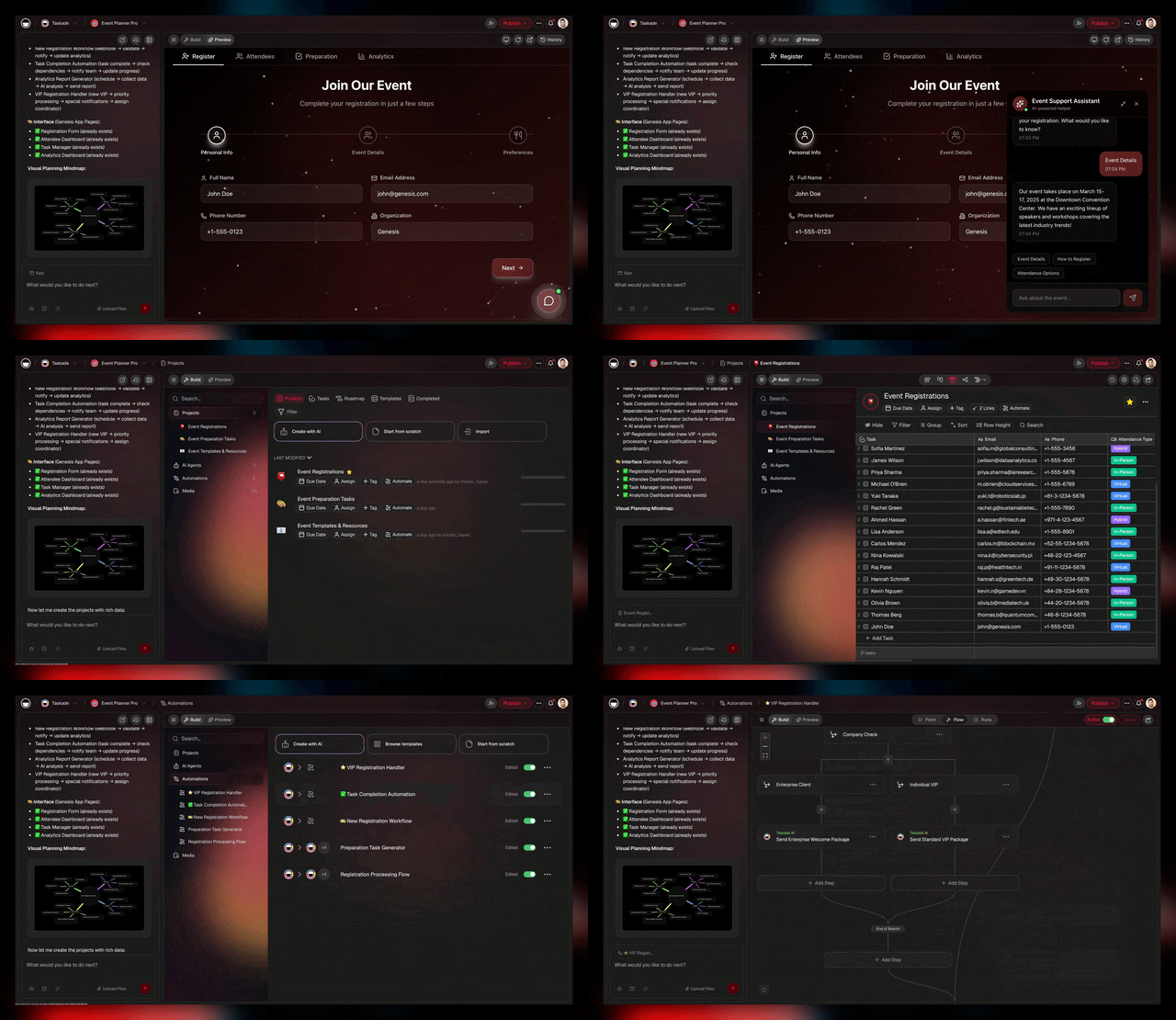
### Six years of shipping, in one diagram
```text
┌──────────────────────────────────────────────────────────────────┐
│ TASKADE TIMELINE — 2020 → 2026 │
├──────────────────────────────────────────────────────────────────┤
│ 2020 ▓▓▓░░░░░░░ 4 views · video chat · web clipper · PH #1 │
│ 2021 ▓▓▓▓░░░░░░ + Org Chart · 2-way GCal · RBAC roles seeded │
│ 2022 ▓▓▓▓▓░░░░░ + Calendar View · AI Assistant (Dec 2022) │
│ 2024 ▓▓▓▓▓▓░░░░ + Gantt · Custom Tools · Multi-Agent Teams │
│ 2025 ▓▓▓▓▓▓▓▓░░ + Table · Custom Domains · Genesis (Aug) │
│ 2026 ▓▓▓▓▓▓▓▓▓▓ All views · AI models · 100+ integrations │
└──────────────────────────────────────────────────────────────────┘
```
## 📚 Related reading — hub & spoke
- [Taskade Genesis: prompts to living apps](https://www.taskade.com/create)
- [AI Agents v2 — custom tools, memory, multi-agent](https://www.taskade.com/agents)
- [Automations — triggers, actions, branching](https://www.taskade.com/automate)
- [Community Gallery — 150K+ live apps](https://www.taskade.com/apps)
- [All project views](https://www.taskade.com/templates)
- [100+ integrations](https://www.taskade.com/integrations)
- [Learn Taskade — Genesis FAQ](https://www.taskade.com/learn/genesis/faq)
- [Learn Taskade — Multi-Agent Teams](https://www.taskade.com/learn/agents/multi-agents)
- [Learn Taskade — Automation triggers](https://www.taskade.com/learn/automation/triggers)
- [Pricing — Free, $6, $10, $25, Enterprise](https://www.taskade.com/pricing)
We hope you’ll all be there with us in 2021, sailing the seas of productivity, brainstorming exciting ideas, and creating awesome projects, products, and services!
If you want to contribute, help Taskade grow, or just say hello, be sure to reach out and let us know via [Reddit](https://www.reddit.com/r/Taskade/), [Twitter](https://twitter.com/taskade), [Facebook](https://www.facebook.com/taskadeapp), or [Youtube](https://www.youtube.com/taskade).
Please send us your ideas and suggestions and join us on this journey to build the best unified workspace for distributed teams. Let’s shape the future of remote work together! 🎉
We wish you a productive and happy new year. Thank you and see you around.
— Team Taskade 🐑
## Frequently Asked Questions
### What were Taskade's biggest achievements in 2020?
Taskade won #1 Product of the Day, Week, and Month on Product Hunt. The team shipped 15+ major features including undo/redo, recurring tasks, My Tasks view, quick search, multi-select formatting, and web clipper extensions. Over 500 free workflow templates were added to the template catalog.
### Is Taskade free for teams?
Yes. Taskade offers a free plan with no workspace restrictions. Create unlimited projects and templates, collaborate with as many team members as you need, and access all core features across web, mobile, and desktop apps. Premium plans unlock additional AI credits, storage, and advanced features.
### Does Taskade support undo and redo?
Yes. Taskade supports full undo (Cmd/Ctrl+Z) and redo (Cmd/Ctrl+Shift+Z) across all editing actions — including deleted tasks, reordered items, indentation changes, and completed checkboxes. Undo works in real-time collaborative editing so each user's changes can be independently reverted.
### What remote work features does Taskade offer?
Taskade is designed for remote teams with real-time collaboration, built-in video conferencing and screen sharing, project chat, task assignment and tracking, cross-platform sync across web/mobile/desktop, offline mode, and My Tasks for centralized task management across all workspaces.